Custom formats
Custom AI note formats for the way your team reports work
Go beyond one fixed summary. Define the sections, instructions, and output style that fit your meeting, lecture, interview, or review workflow.
Founders, operators, consultants, educators, researchers, and teams that need repeatable note formats for different audiences.
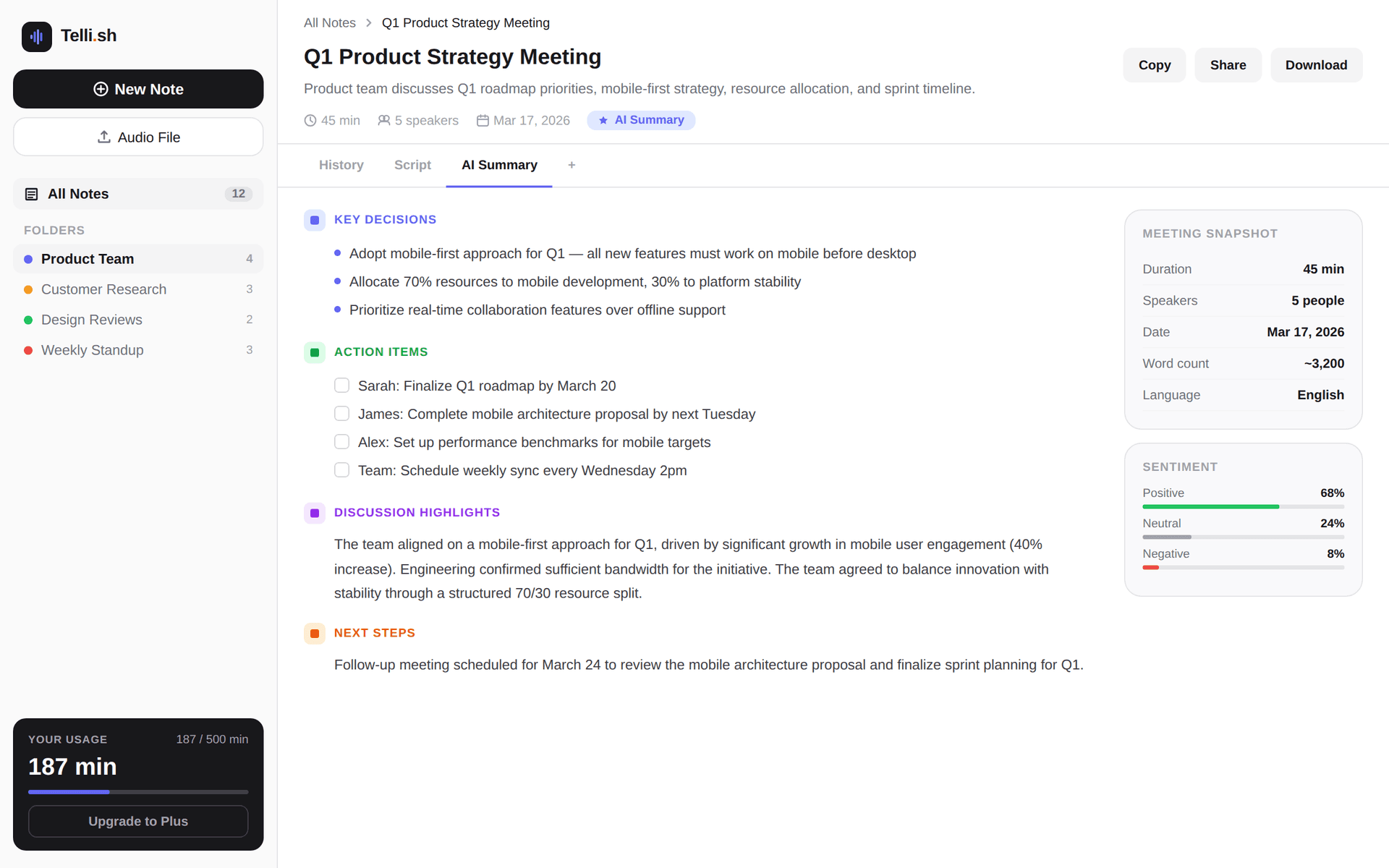
First-note workflow
Source audio -> transcript -> summary -> follow-ups
Start with one real conversation and keep every generated output close to the source transcript.
Record or upload the source conversation
Start from a meeting, lecture, interview, local recording, or uploaded audio note.
Transcript excerpt
Create reusable formats for board updates, sales reviews, research memos, lecture notes, and client reports.
AI summary
Control section names and instructions instead of forcing every conversation into one summary style.
Follow-up list
Generate custom outputs from the same transcript, speakers, translations, and source note.
Problems this workflow solves
- Default AI summaries rarely match every team's internal reporting template.
- Pre-context cannot cover every user's preferred format or audience.
- Teams waste time rewriting notes into board, client, research, or lecture formats after the AI draft.
What you can produce
- Create reusable formats for board updates, sales reviews, research memos, lecture notes, and client reports.
- Control section names and instructions instead of forcing every conversation into one summary style.
- Generate custom outputs from the same transcript, speakers, translations, and source note.
- Keep source material reviewable before sharing a specialized report.
A practical Telli.sh workflow
Record or upload the source conversation
Start from a meeting, lecture, interview, local recording, or uploaded audio note.
Define the custom format
Add a format name, instructions, and sections such as Risks, Decisions, Quotes, or Next actions.
Generate and review the specialized note
Create the output from the transcript and review it against the source before sharing.
Sample output
What a reusable Telli.sh note can look like
This illustrative sample shows the shape of the output: source text, generated summary, and follow-up context stay close enough to review before sharing.
Transcript excerpt
Create reusable formats for board updates, sales reviews, research memos, lecture notes, and client reports.
AI summary
Control section names and instructions instead of forcing every conversation into one summary style.
Follow-up list
Generate custom outputs from the same transcript, speakers, translations, and source note.
Questions teams ask
How is this different from the built-in summary formats?
Built-in formats cover common outputs. Custom formats let each user define repeatable instructions and sections for their own reporting workflow.
Can a custom format use the same transcript?
Yes. Custom formats generate from the existing note context, so the transcript and source material remain available for review.
Try Telli.sh on your next conversation
Start with 60 free minutes and test transcription, translation, diarization, and AI summaries in one workflow.
Related workflows
Meeting notes
AI Meeting Notes
Turn live conversations and uploaded recordings into searchable meeting notes with speaker labels, translations, and AI summaries.
Live translation
Real-Time Meeting Translation
Translate live meeting speech as it happens so multilingual teams can follow the discussion and keep aligned notes.
Transcription
Multilingual Transcription
Transcribe multilingual audio into organized notes with source text, translated text, and summaries in one workspace.