Inline comment
The translation sits directly under the message, in a quieter weight.
Browser extension
Translate Medium, Substack, DEV and Chinese blogs, YouTube descriptions and comments across 36 supported sites. Save pages to Telli.sh with optional AI summaries.
Chrome and Edge. No account needed to translate.
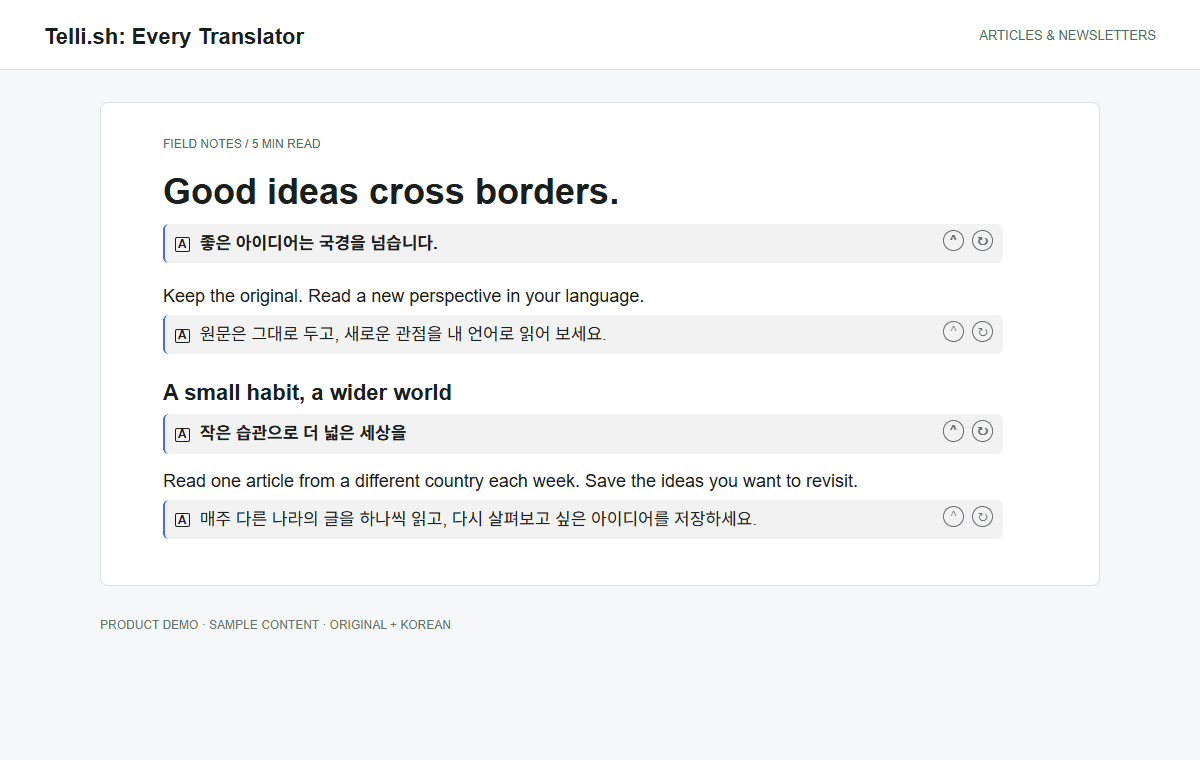
Illustrative mockup rendered with the extension using sample content.
Medium, Substack, DEV, Cnblogs, SegmentFault, 51CTO, Juejin and CSDN: original paragraphs, headings and translated text together.
Translate video descriptions and loaded comments without replacing the original. This is not audio dubbing or subtitle translation.
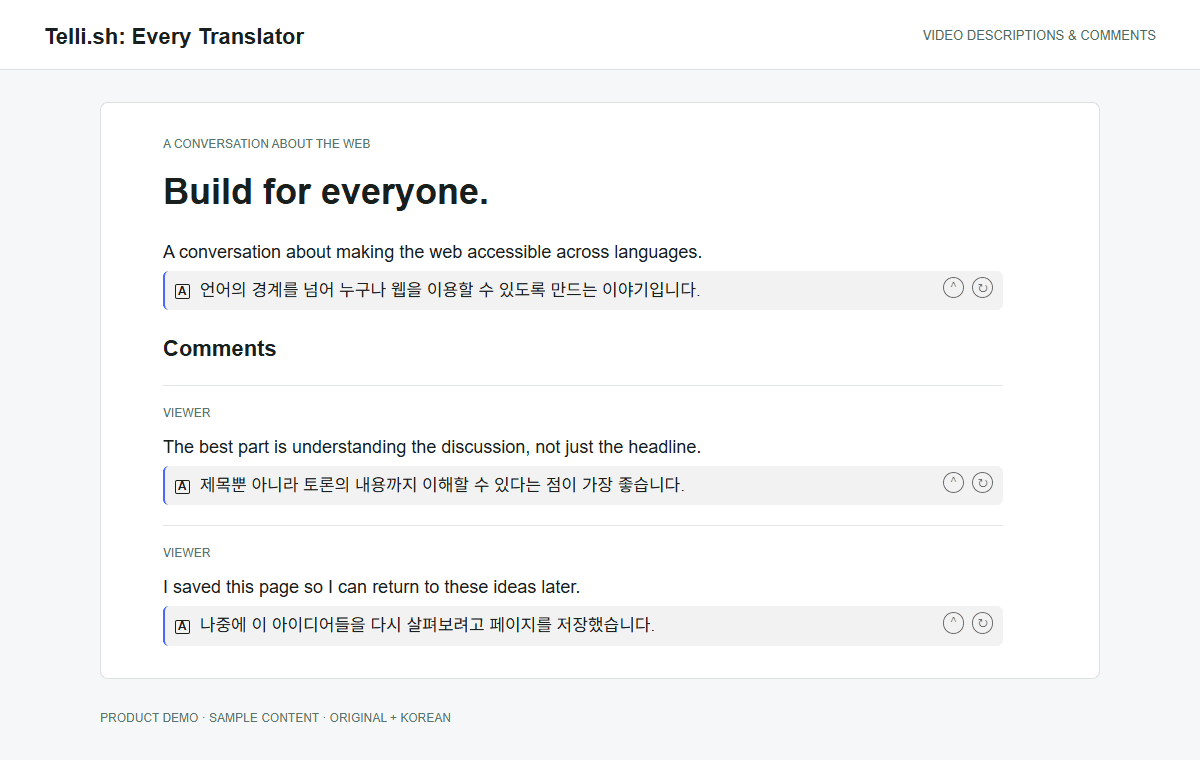
Illustrative mockup rendered with the extension using sample content.
How the translation appears
The extension does not overwrite the text you are reading. It adds a second line, and you choose the shape that line takes. The settings page shows a working miniature of each mode before you pick one.
Choose paragraph or whole-message translation. Collapse and reopen results without another request.
The translation sits directly under the message, in a quieter weight.
Original and translation stacked as a pair, both fully readable.
Nothing changes until you click; the translation opens under the line.
One click swaps between original and translation, in place.
Highlight a paragraph on hover, select it, then translate only when you press Translate.
Supported sites
Inline translation runs on enabled supported sites. Paste text in the popup, or open page chat and choose whether to include the current page.
Coverage applies to supported hosts and readable content. Custom domains, sign-in walls and paid content are not unlocked. Each site can be turned off in Settings.
Discord
discord.com
WhatsApp Web
web.whatsapp.com
Messenger
messenger.com
Telegram Web
web.telegram.org
Instagram DM
instagram.com
Microsoft Teams
teams.microsoft.com
Outlook on the web
outlook.office.com
X
x.com
Bluesky
bsky.app
Mastodon
mastodon.social
reddit.com
Hacker News
news.ycombinator.com
Lobsters
lobste.rs
Discourse forums
meta.discourse.org
GitHub
github.com
Stack Exchange
*.stackexchange.com
DEV
dev.to
Qiita
qiita.com
Zenn
zenn.dev
Juejin
juejin.cn
CSDN
blog.csdn.net
Wikipedia
*.wikipedia.org
Fandom
*.fandom.com
Substack
*.substack.com
Medium
medium.com, *.medium.com
Cnblogs
www.cnblogs.com
SegmentFault
segmentfault.com/a/*
51CTO
blog.51cto.com
Hatena Blog
*.hatenablog.com
note
note.com
Yahoo! News Japan
news.yahoo.co.jp
livedoor News
news.livedoor.com
ITmedia
*.itmedia.co.jp
heise online
heise.de
YouTube
youtube.com
Trustpilot
*.trustpilot.com
The write side
Reading is half of a conversation. On supported sites a floating button sits above the composer and opens a panel where your text is translated into the language of the thread — so you read it before it goes out.
Write in your language, send in theirs. The panel shows both before you commit.
Input assist translates what you type in the composer into the target language you picked.
Instant translation in the toolbar popup handles text that has no page: paste up to 2,000 characters, copy the result.
Save and summarize
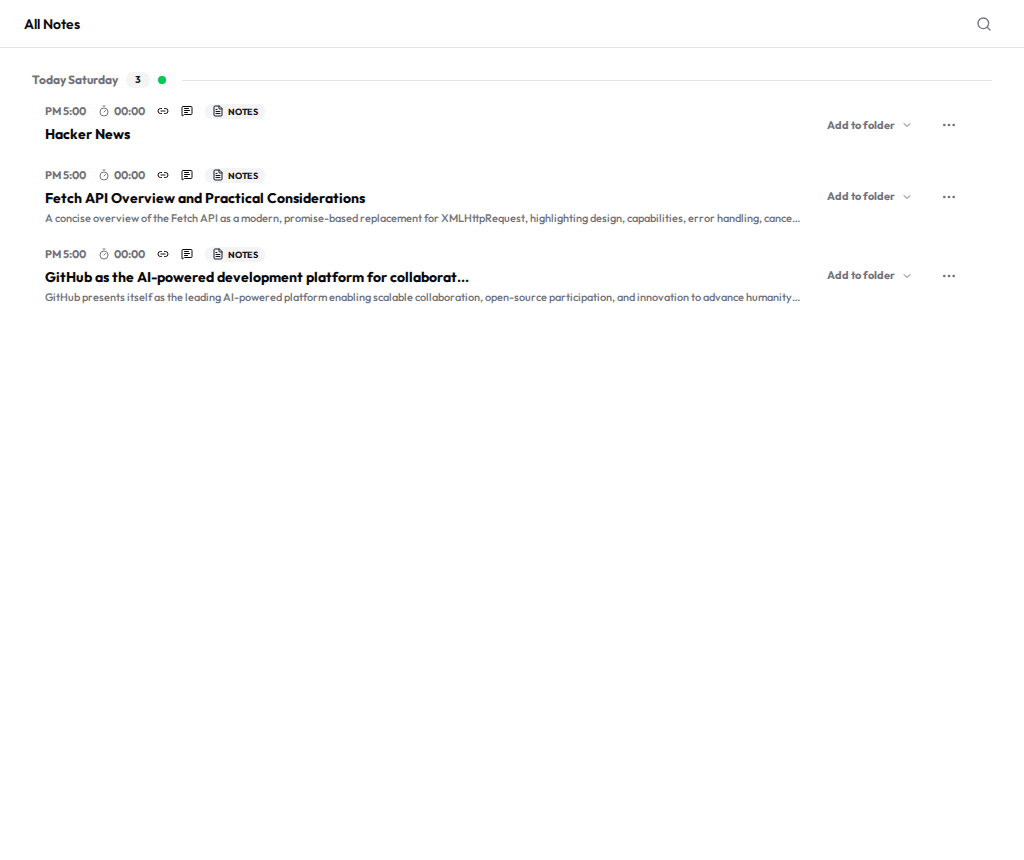
Choose Save to Telli.sh from the context menu on any web page. Telli.sh writes the title and a one-line summary and files the page as a link card in your notes — not a bookmark you have to open again, but a note that already tells you what the page said. Searchable, foldable and exportable next to everything else you keep.
Every clip comes back with an AI-written title and a one-line summary, so a month of clips still reads like notes instead of a row of links. Free accounts get 30 saves and 10 AI summaries a day — run out of summaries and the page is still saved.
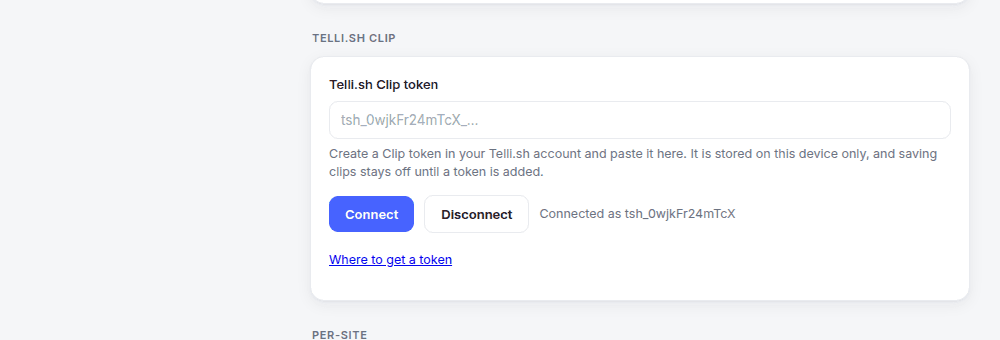
Connect it with a scoped token from your settings. It cannot read your notes, change your account or reach billing, and you can revoke it at any time.
Translation providers
Choose your engine in Settings. Chrome offers on-device translation and conversation modes; local Ollama and cloud APIs are also supported. Page chat, summaries and key points require an engine that supports conversation.
Page chat uses your selected provider. Some translation paths retry with Google if an engine fails or local translation is unavailable; the result identifies the responding engine. Chrome on-device conversation does not switch to a network provider. Only clips you explicitly save are sent to Telli.sh.
The extension does not send analytics or telemetry.
Provider API keys and the Clip token live in local extension storage, never synced through your Google account.
Nothing is loaded or executed from a remote host.
Free, 36 supported sites, and the default provider needs no account and no API key.