Settings guide
Set up the web app and Every Translator separately. These screens use authored demo data, not a test of AI accuracy.
Telli.sh · General
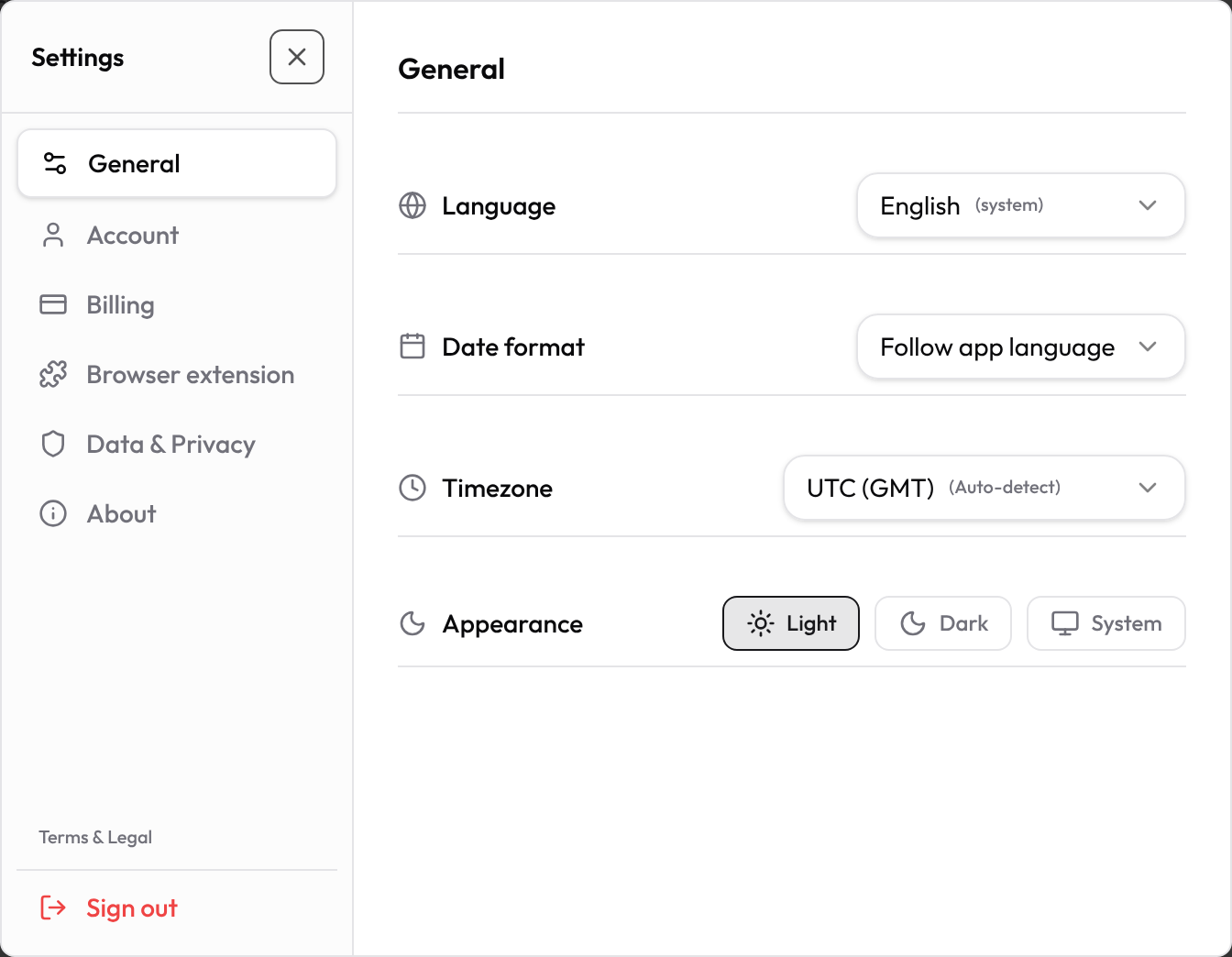
Open Settings from your profile. General contains interface language, date format, time zone and theme. Initial theme is Light; date format follows the interface locale and time zone follows your browser unless saved.
Context
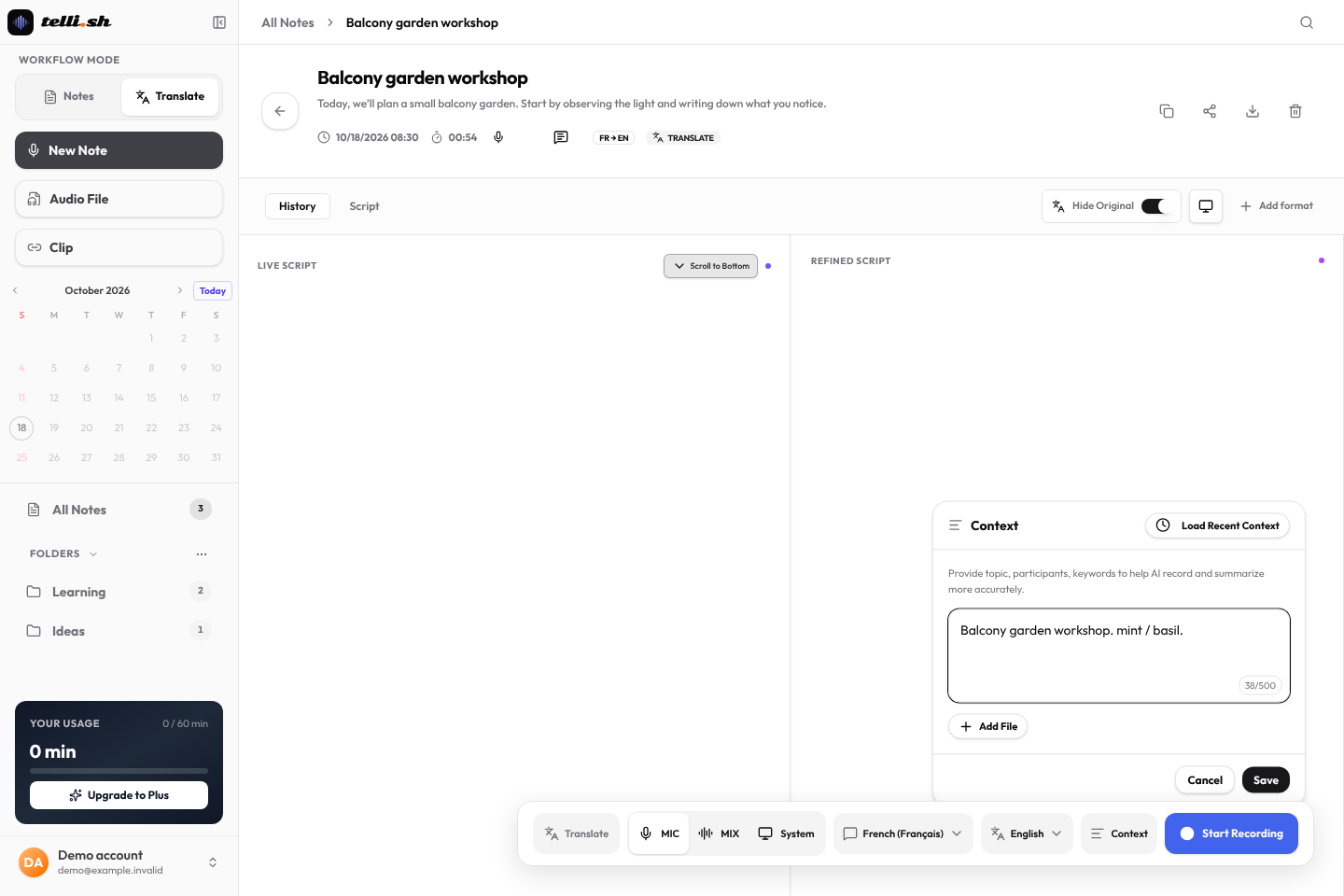
Before recording, choose Note or Translation. Microphone is the initial audio source; microphone, system audio and mixed audio depend on browser/device support and your explicit permission. Translation has source and target languages. Add names and terms in Context; it can help interpretation but does not guarantee correctness. Review the original audio and text.
Upload Audio File
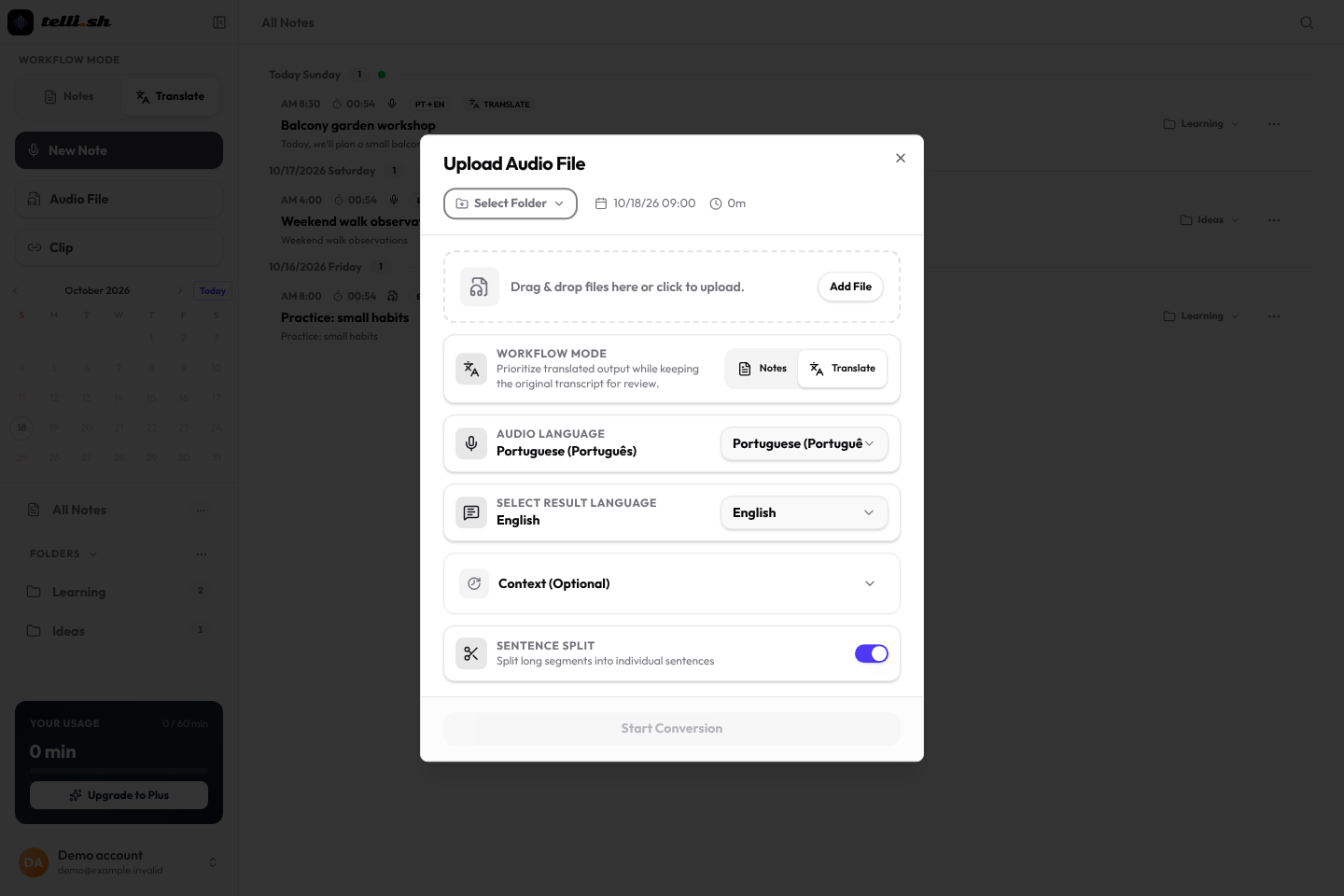
In Audio File, Sentence Split starts on and splits long segments into individual sentences. This is an upload option, separate from the recording controls.
Every Translator
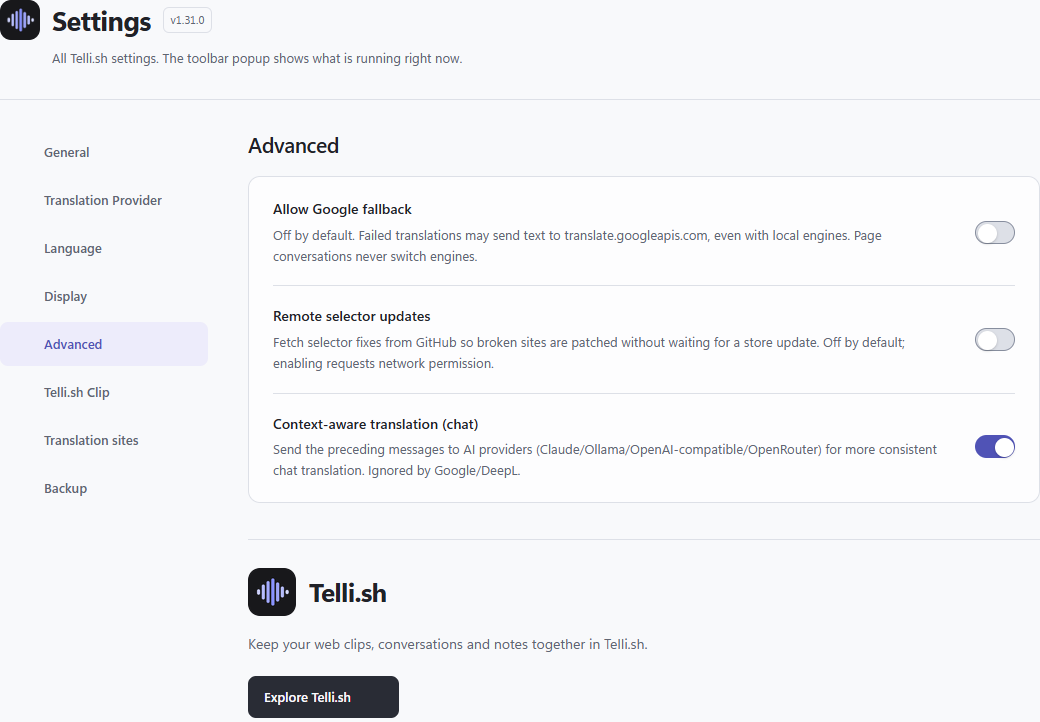
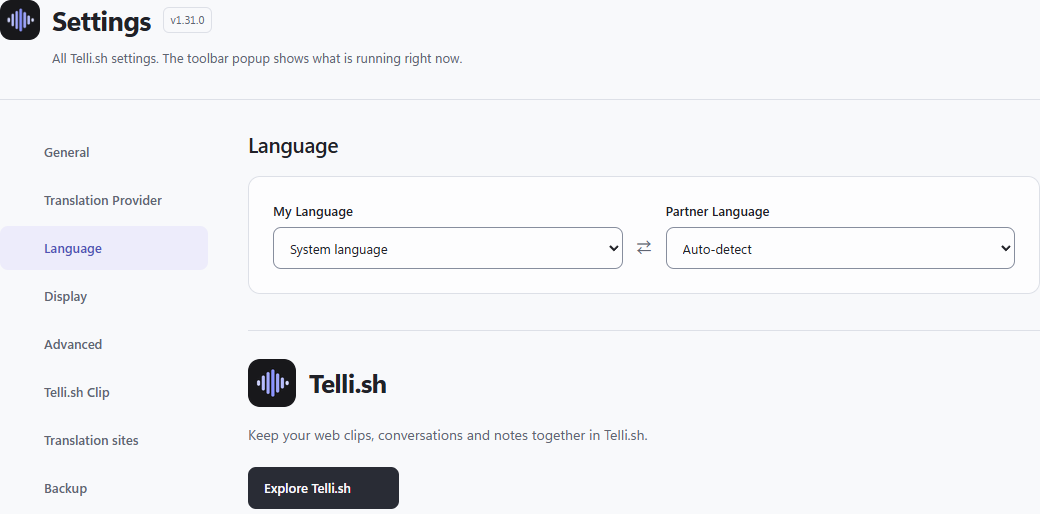
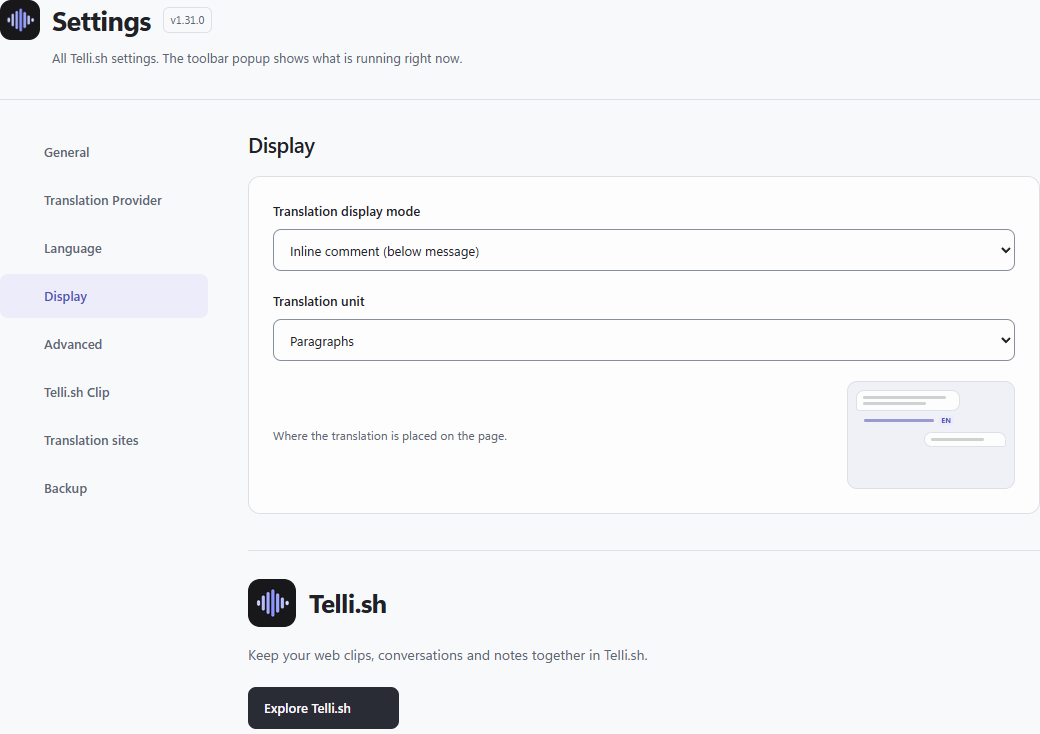
Open the extension toolbar popup to inspect this page’s status, then open Settings to change it. Reading language starts at System; outgoing language at Auto. Display starts at inline comment and translation unit at paragraph. Translation and send preview start on. Context-aware translation starts on for supported LLM engines; this is previous-message context, separate from the web app’s typed Context.
Translation providers
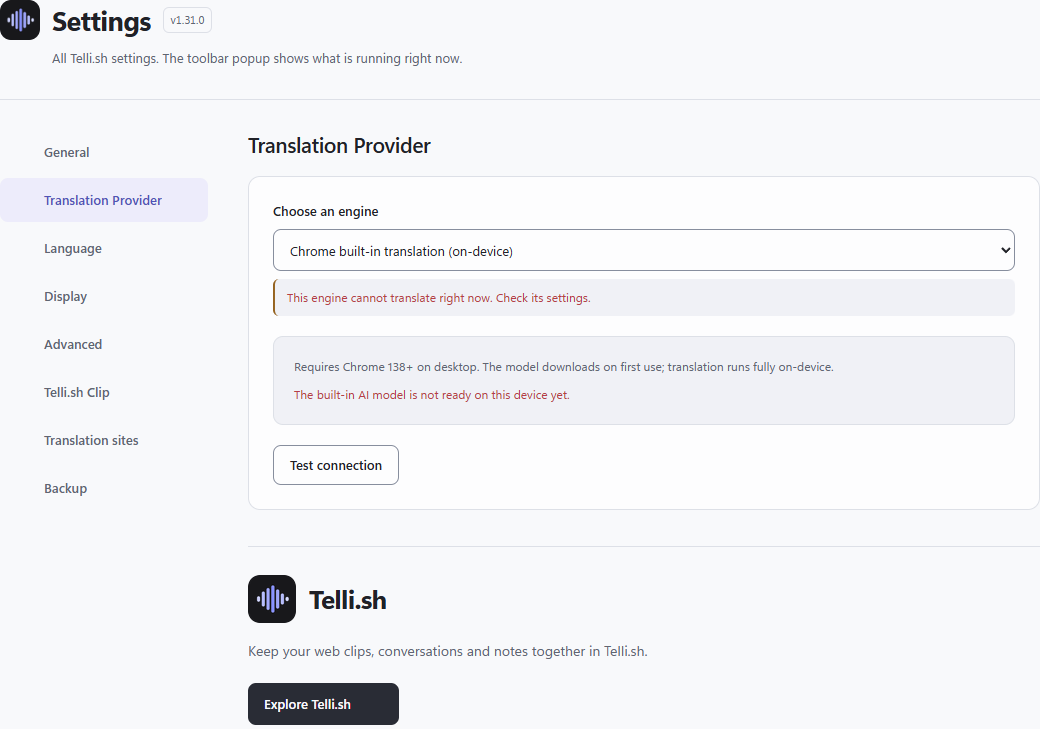
The initial engine is Chrome built-in translation. Availability depends on browser, device and language-pair models; choose a ready engine in Settings. Cloud or compatible providers can need your own key, URL and provider charges. Google fallback starts off. The popup does not prove that an engine is available on your device.
Data & Privacy
Input assist, instant translation, remote selector updates and opening the side panel on toolbar click start off. Some options request optional site access when you enable them. Review the requested scope yourself. Clip saving needs an explicitly connected token; no token or permission is needed just to read this guide. YouTube support covers descriptions and loaded comments, not dubbing or subtitle translation.