Presentation mode
AI presentation notes from conversations and recordings
Move from raw transcript to a deck-ready outline with slide flow, concise talking points, and speaker notes grounded in the source audio.
Founders, consultants, educators, creators, and operators who need to turn spoken material into a presentation without losing source context.
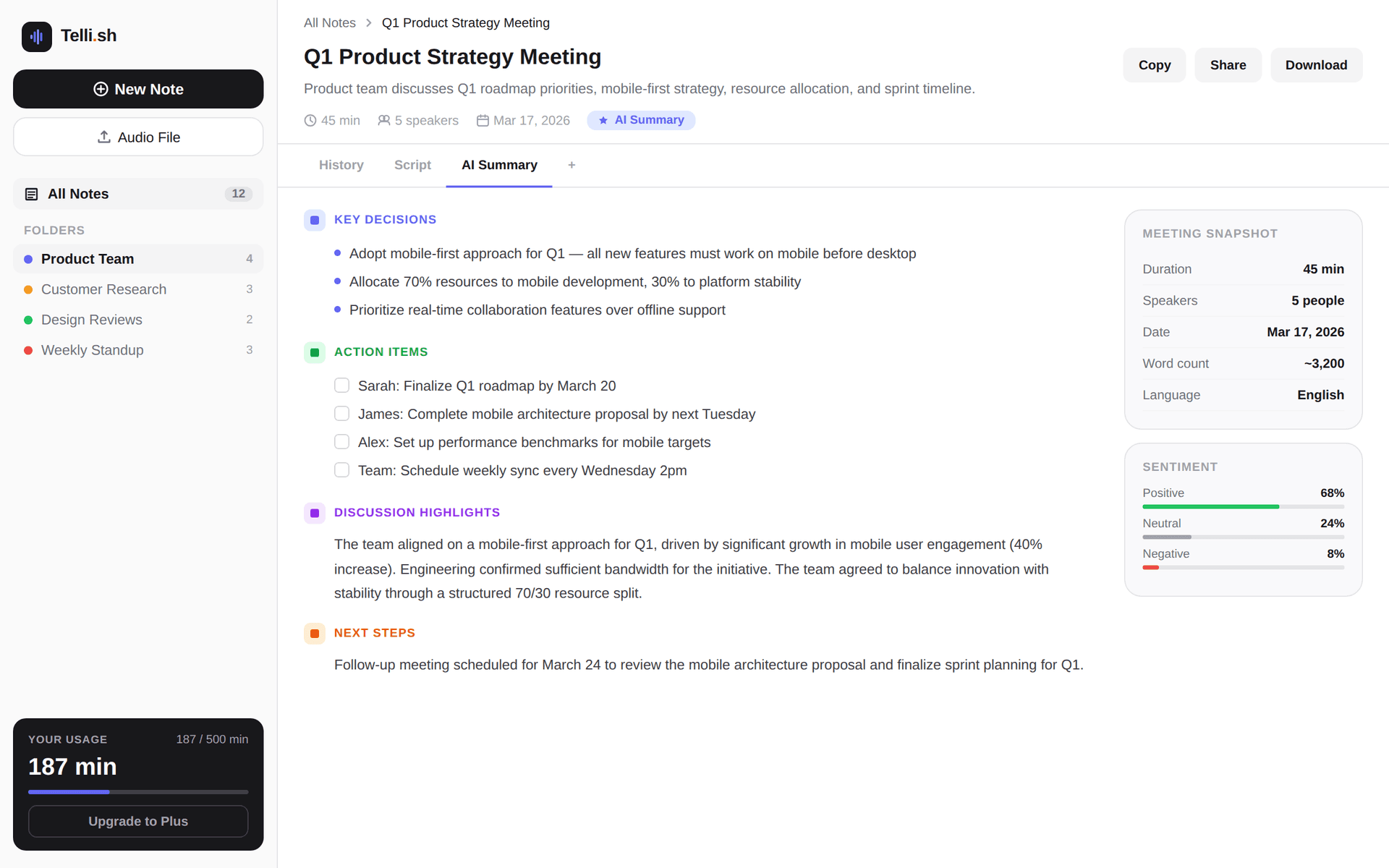
First-note workflow
Source audio -> transcript -> summary -> follow-ups
Start with one real conversation and keep every generated output close to the source transcript.
Record or upload the source audio
Capture a meeting, lecture, interview, voice memo, or workshop recording in Telli.sh.
Transcript excerpt
Convert a recording or transcript into a presentation-ready outline.
AI summary
Draft slide titles, key bullets, and speaker notes from the same source note.
Follow-up list
Keep source transcript and AI output close enough for review before presenting.
Problems this workflow solves
- Useful conversations often stay trapped in long transcripts after the meeting ends.
- Generic slide generators can invent structure without preserving what was actually said.
- Teams need a faster path from notes to presentation drafts while still checking the source.
What you can produce
- Convert a recording or transcript into a presentation-ready outline.
- Draft slide titles, key bullets, and speaker notes from the same source note.
- Keep source transcript and AI output close enough for review before presenting.
- Reuse multilingual meeting, lecture, or interview content as shareable presentation material.
A practical Telli.sh workflow
Record or upload the source audio
Capture a meeting, lecture, interview, voice memo, or workshop recording in Telli.sh.
Generate the presentation deck format
Use Presentation Deck mode to create an outline with slide flow, key messages, speaker notes, and next actions.
Review against the transcript
Check the generated deck outline against the original transcript before moving it into your slide tool.
Sample output
What a reusable Telli.sh note can look like
This illustrative sample shows the shape of the output: source text, generated summary, and follow-up context stay close enough to review before sharing.
Transcript excerpt
Convert a recording or transcript into a presentation-ready outline.
AI summary
Draft slide titles, key bullets, and speaker notes from the same source note.
Follow-up list
Keep source transcript and AI output close enough for review before presenting.
Questions teams ask
Can Telli.sh create slides directly?
Presentation mode creates a deck-ready outline and speaker notes from the source transcript. Visual slide export can be layered on after the outline is reviewed.
What content works best for presentation mode?
Meetings, lectures, interviews, workshops, and voice memos work well when the recording contains a clear topic, decisions, lessons, or a narrative to present.
Try Telli.sh on your next conversation
Start with 60 free minutes and test transcription, translation, diarization, and AI summaries in one workflow.
Related workflows
Meeting notes
AI Meeting Notes
Turn live conversations and uploaded recordings into searchable meeting notes with speaker labels, translations, and AI summaries.
Live translation
Real-Time Meeting Translation
Translate live meeting speech as it happens so multilingual teams can follow the discussion and keep aligned notes.
Transcription
Multilingual Transcription
Transcribe multilingual audio into organized notes with source text, translated text, and summaries in one workspace.