Uploaded audio
Turn uploaded audio into searchable AI notes
Drop in a recording and Telli.sh keeps the transcript, speaker context, summary, and next steps together for review.
Students, operators, researchers, consultants, and creators who already have recordings and need usable notes from them.
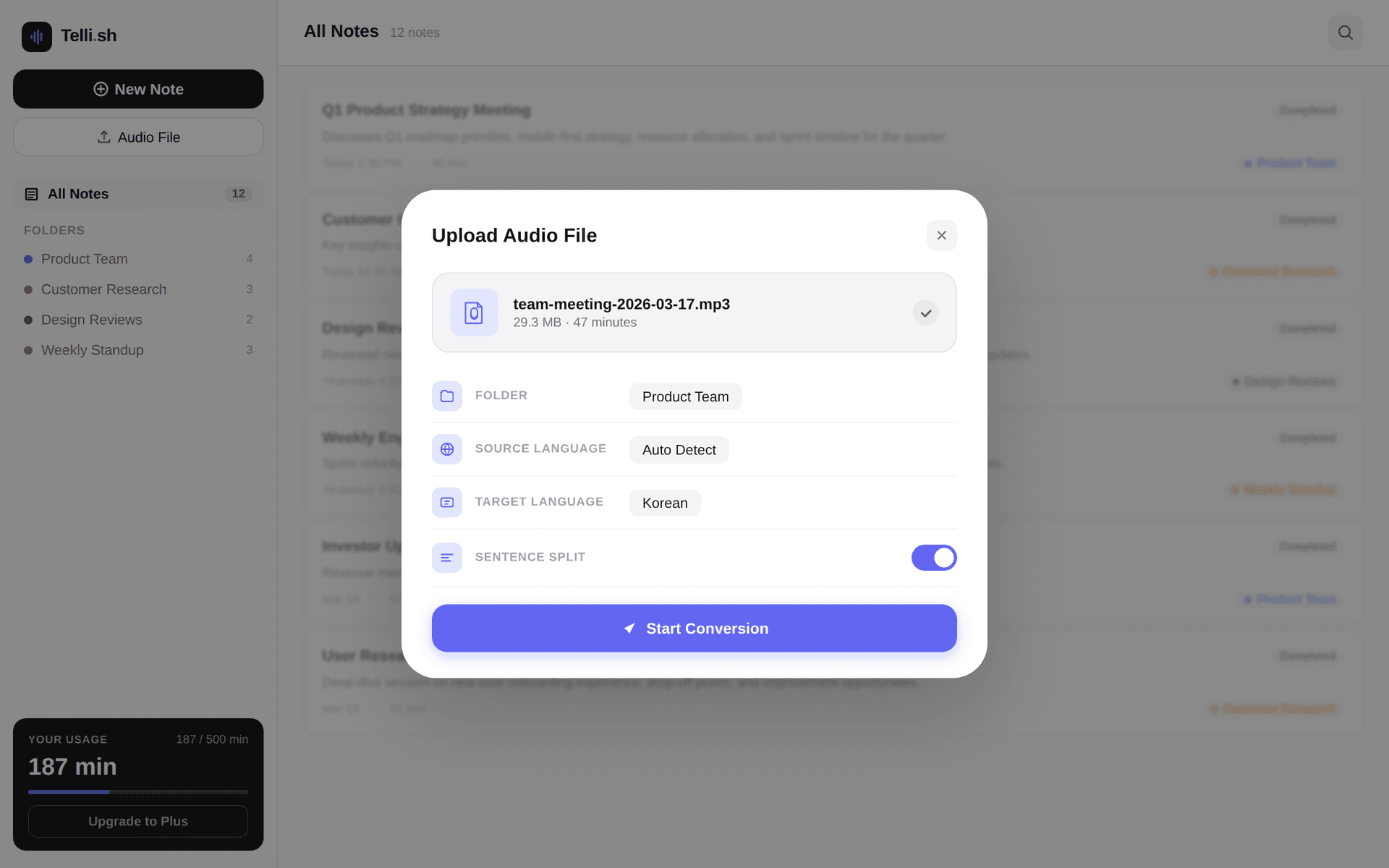
First-note workflow
Source audio -> transcript -> summary -> follow-ups
Start with one real conversation and keep every generated output close to the source transcript.
Upload the recording
Add audio from a local meeting, lecture, interview, workshop, or voice memo.
Transcript excerpt
Upload existing audio and create a reusable note.
AI summary
Keep transcripts, summaries, and follow-ups in one workspace.
Follow-up list
Use system-language defaults while preserving the source transcript.
Problems this workflow solves
- Recordings pile up faster than teams can review them.
- A raw transcript is not enough when you need decisions, lessons, or follow-up work.
- Audio from meetings, lectures, and interviews often ends up scattered across different tools.
What you can produce
- Upload existing audio and create a reusable note.
- Keep transcripts, summaries, and follow-ups in one workspace.
- Use system-language defaults while preserving the source transcript.
- Organize meeting, lecture, interview, and memo audio into searchable folders.
A practical Telli.sh workflow
Upload the recording
Add audio from a local meeting, lecture, interview, workshop, or voice memo.
Choose note or translation mode
Create structured notes in your system language or prioritize translated output when the audio is multilingual.
Review and reuse the note
Check the transcript, summary, and follow-ups before sharing or turning them into other formats.
Sample output
What a reusable Telli.sh note can look like
This illustrative sample shows the shape of the output: source text, generated summary, and follow-up context stay close enough to review before sharing.
Transcript excerpt
Upload existing audio and create a reusable note.
AI summary
Keep transcripts, summaries, and follow-ups in one workspace.
Follow-up list
Use system-language defaults while preserving the source transcript.
Questions teams ask
What kinds of audio can I upload?
Telli.sh is designed for spoken audio such as meetings, classes, interviews, workshops, calls, podcasts, and voice memos.
Is this only for translation?
No. You can use note mode for ordinary meeting, lecture, and memo notes, or translation mode when translated output is the priority.
Try Telli.sh on your next conversation
Start with 60 free minutes and test transcription, translation, diarization, and AI summaries in one workflow.
Related workflows
Meeting notes
AI Meeting Notes
Turn live conversations and uploaded recordings into searchable meeting notes with speaker labels, translations, and AI summaries.
Live translation
Real-Time Meeting Translation
Translate live meeting speech as it happens so multilingual teams can follow the discussion and keep aligned notes.
Transcription
Multilingual Transcription
Transcribe multilingual audio into organized notes with source text, translated text, and summaries in one workspace.