プレゼンテーションモード
会話と録音から作るAIプレゼンテーションノート
長い文字起こしを、スライドの流れ、要点、発表者ノートを備えた確認しやすいプレゼン下書きに変えます。
会議、講義、ワークショップ、インタビューを発表資料として再構成したい創業者、コンサルタント、教育者、クリエイター。
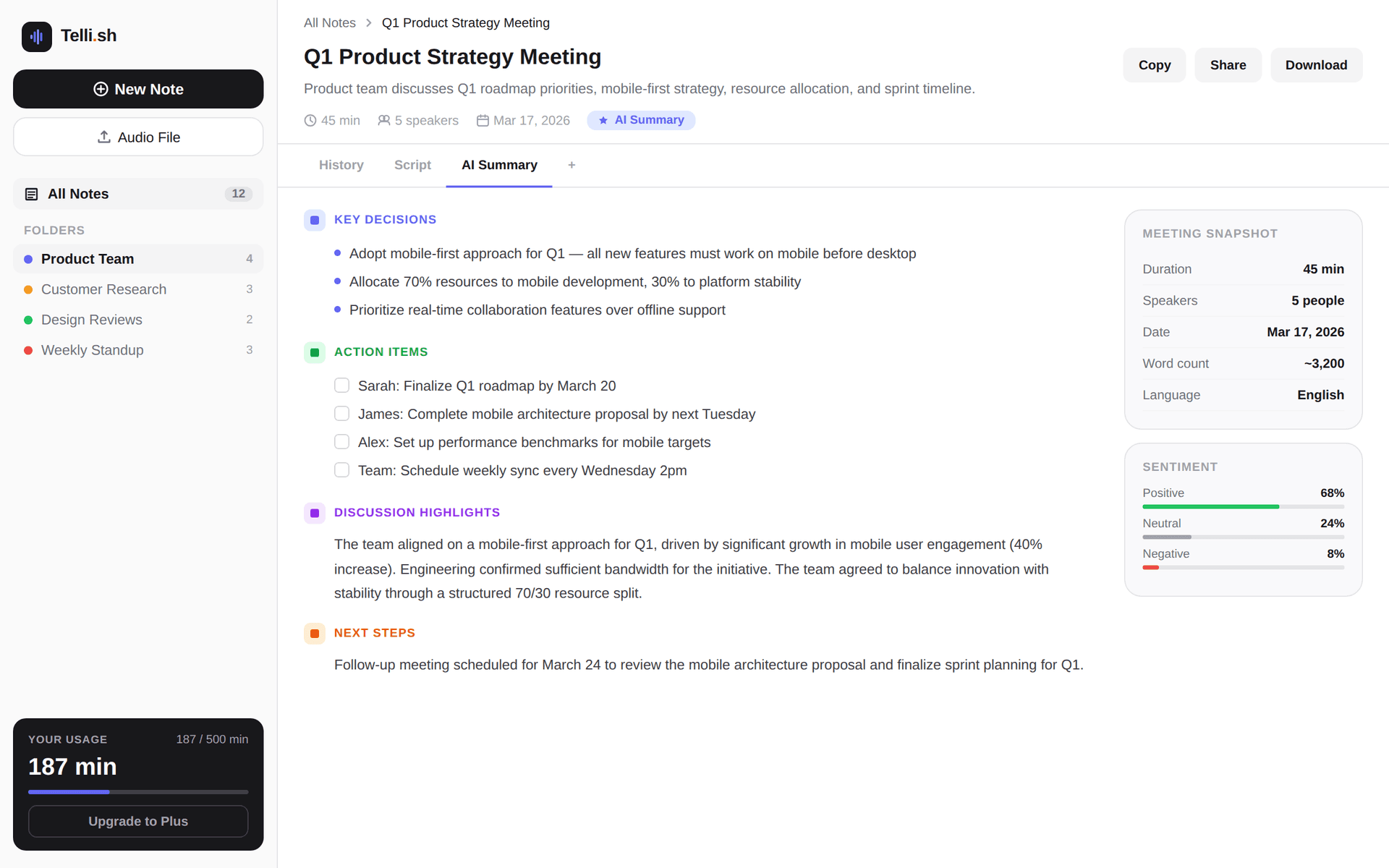
First-note workflow
Source audio -> transcript -> summary -> follow-ups
Start with one real conversation and keep every generated output close to the source transcript.
元の音声を録音またはアップロード
会議、講義、インタビュー、ワークショップの録音をTelli.shに取り込みます。
Transcript excerpt
Speaker 1: We need the launch notes by Friday. Speaker 2: I can draft the customer-facing summary and mark the open questions.
AI summary
The team agreed to finalize launch notes this week, keep open questions visible, and review the customer-facing summary before sharing.
Follow-up list
Draft the summary, confirm unresolved product details, review source transcript, and share the final note with the project team.
Problems this workflow solves
- 有用な会話が会議後に長い文字起こしの中で埋もれがちです。
- 一般的なスライド生成ツールは、実際の発言文脈を保たない構成を作ることがあります。
- チームには、ノートからプレゼン下書きへ進む速い流れが必要です。
What you can produce
- 録音や文字起こしをプレゼン用アウトラインに変換します。
- スライドタイトル、主要ポイント、発表者ノートの下書きを作ります。
- 発表前に元の文字起こしと生成結果を照合できます。
- 多言語の会議や講義を共有しやすい発表資料として再利用できます。
A practical Telli.sh workflow
元の音声を録音またはアップロード
会議、講義、インタビュー、ワークショップの録音をTelli.shに取り込みます。
プレゼン形式を生成
Presentation Deckでスライドの流れ、メッセージ、発表者ノート、次のアクションを作成します。
文字起こしと照合
生成されたアウトラインを元の文字起こしと確認してから、スライドツールへ移します。
Sample output
What a reusable Telli.sh note can look like
This illustrative sample shows the shape of the output: source text, generated summary, and follow-up context stay close enough to review before sharing.
Transcript excerpt
Speaker 1: We need the launch notes by Friday. Speaker 2: I can draft the customer-facing summary and mark the open questions.
AI summary
The team agreed to finalize launch notes this week, keep open questions visible, and review the customer-facing summary before sharing.
Follow-up list
Draft the summary, confirm unresolved product details, review source transcript, and share the final note with the project team.
Questions teams ask
Telli.shはスライドファイルを直接作成しますか?
現在のプレゼンテーションモードは、文字起こしをもとにスライド用アウトラインと発表者ノートを作成します。ビジュアルなスライド出力は、確認済みアウトラインの上に追加できます。
どのような内容に向いていますか?
明確なテーマ、意思決定、学習内容、発表の流れがある会議、講義、インタビュー、ワークショップ録音に適しています。
Try Telli.sh on your next conversation
Start with 60 free minutes and test transcription, translation, diarization, and AI summaries in one workflow.
Related workflows
Meeting notes
AI Meeting Notes
Turn live conversations and uploaded recordings into searchable meeting notes with speaker labels, translations, and AI summaries.
Live translation
Real-Time Meeting Translation
Translate live meeting speech as it happens so multilingual teams can follow the discussion and keep aligned notes.
Transcription
Multilingual Transcription
Transcribe multilingual audio into organized notes with source text, translated text, and summaries in one workspace.