Telli.sh: Every Translator
Translate Medium, Substack, DEV and Chinese blogs, YouTube descriptions and comments across 36 supported sites. Save pages to Telli.sh with optional AI summaries.
Chrome and Edge. No account needed to translate.
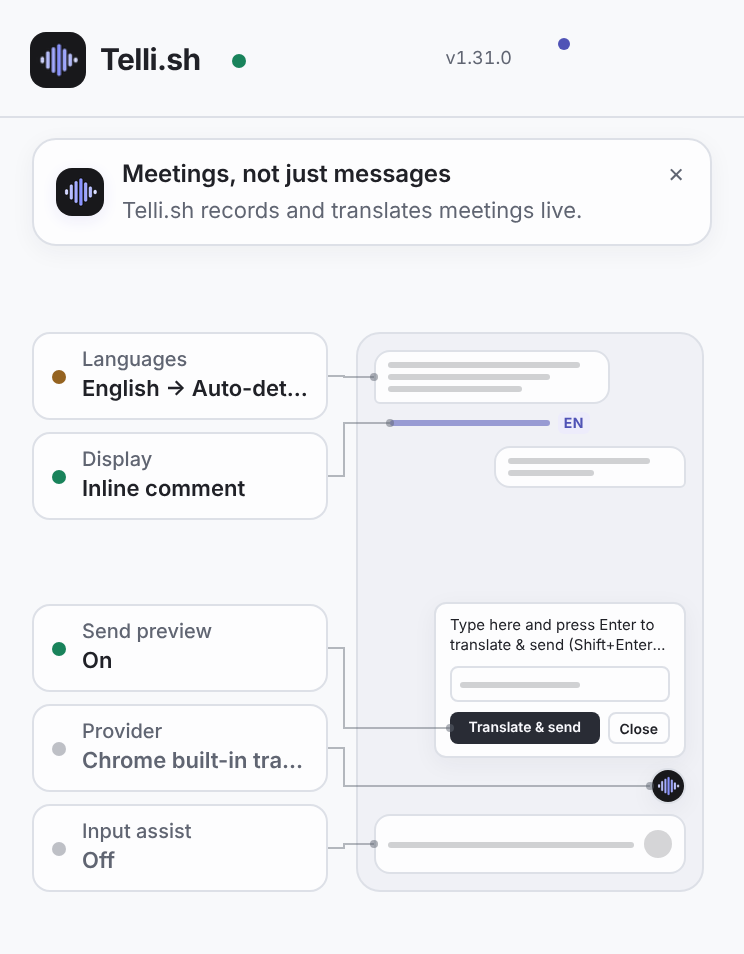
Beside the original, never instead of it
The extension does not overwrite the text you are reading. It adds a second line, and you choose the shape that line takes. The settings page shows a working miniature of each mode before you pick one.
Choose paragraph or whole-message translation. Collapse and reopen results without another request.
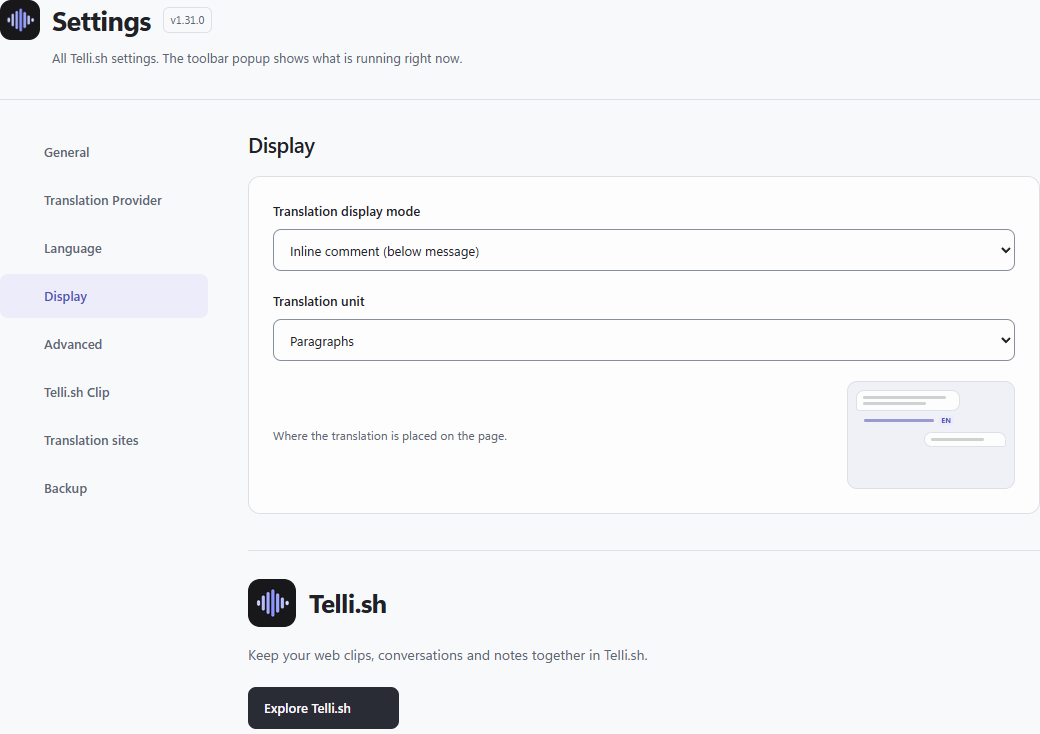
Inline comment
The translation sits directly under the message, in a quieter weight.
Bilingual
Original and translation stacked as a pair, both fully readable.
Click to expand
Nothing changes until you click; the translation opens under the line.
Click to toggle
One click swaps between original and translation, in place.
Spotlight
Highlight a paragraph on hover, select it, then translate only when you press Translate.
Read articles across languages
Medium, Substack, DEV, Cnblogs, SegmentFault, 51CTO, Juejin and CSDN: original paragraphs, headings and translated text together.
Follow the conversation on YouTube
Translate video descriptions and loaded comments without replacing the original. This is not audio dubbing or subtitle translation.
Coverage applies to supported hosts and readable content. Custom domains, sign-in walls and paid content are not unlocked. Each site can be turned off in Settings.
Settings guide
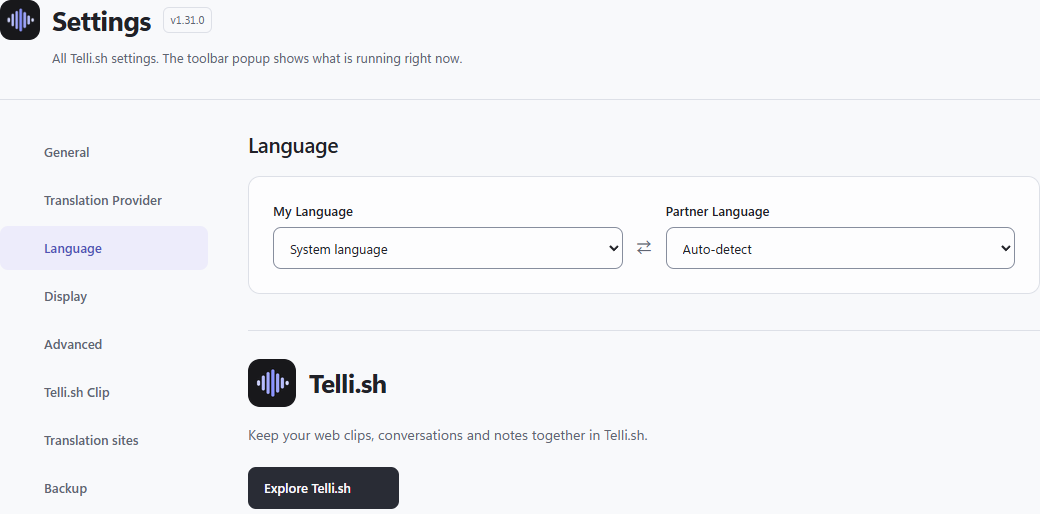
Open the extension toolbar popup to inspect this page’s status, then open Settings to change it. Reading language starts at System; outgoing language at Auto. Display starts at inline comment and translation unit at paragraph. Translation and send preview start on. Context-aware translation starts on for supported LLM engines; this is previous-message context, separate from the web app’s typed Context.
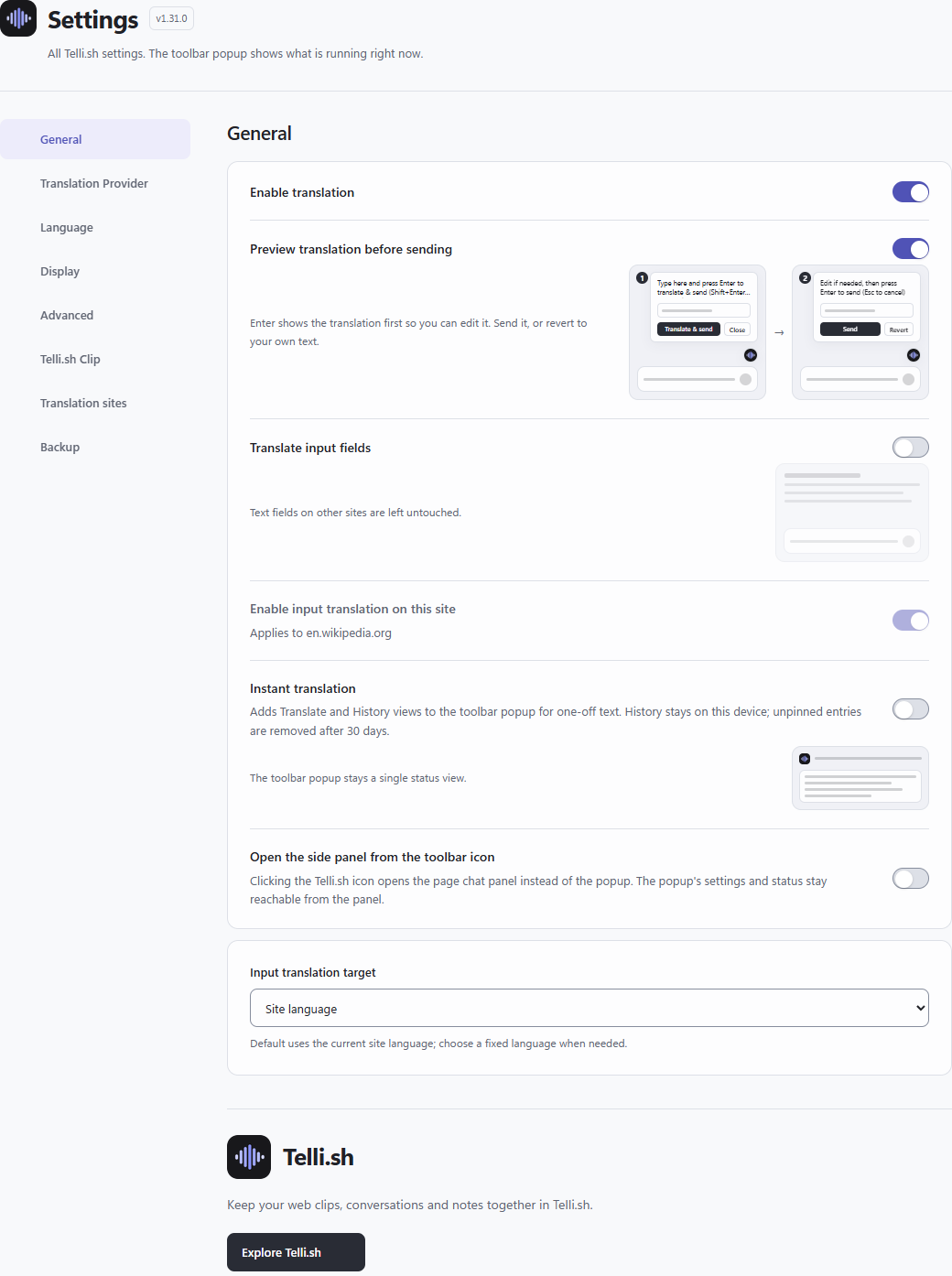
Translate your reply before you send it
Reading is half of a conversation. On supported sites a floating button sits above the composer and opens a panel where your text is translated into the language of the thread — so you read it before it goes out.
Save Clip
Save a link card from one URL and generate an AI summary when useful.
Leave this empty to save only the link and public metadata. Summarizes public description, selected text, or your note when available.
Create a Clip token ↗10 translation and AI options
Choose your engine in Settings. Chrome offers on-device translation and conversation modes; local Ollama and cloud APIs are also supported. Page chat, summaries and key points require an engine that supports conversation.
The initial engine is Chrome built-in translation. Availability depends on browser, device and language-pair models; choose a ready engine in Settings. Cloud or compatible providers can need your own key, URL and provider charges. Google fallback starts off. The popup does not prove that an engine is available on your device.
Google Translate
Chrome Translator API
Chrome Prompt API
On-device
Google Apps Script
DeepL Free API
Ollama
Anthropic Claude
OpenAI-compatible
OpenRouter
Google Cloud API
36 sites, grouped the way you would look for them
Inline translation runs on enabled supported sites. Paste text in the popup, or open page chat and choose whether to include the current page.
Chat & email
- Discord
discord.com - WhatsApp Web
web.whatsapp.com - Messenger
messenger.com - Telegram Web
web.telegram.org - Instagram DM
instagram.com - Microsoft Teams
teams.microsoft.com - Outlook on the web
outlook.office.com
Social
- X
x.com - Bluesky
bsky.app - Mastodon
mastodon.social
Communities & forums
- Reddit
reddit.com - Hacker News
news.ycombinator.com - Lobsters
lobste.rs - Discourse forums
meta.discourse.org
Developer
- GitHub
github.com - Stack Exchange
*.stackexchange.com - DEV
dev.to - Qiita
qiita.com - Zenn
zenn.dev - Juejin
juejin.cn - CSDN
blog.csdn.net
Wikis & reference
- Wikipedia
*.wikipedia.org - Fandom
*.fandom.com
Blogs & newsletters
- Substack
*.substack.com - Medium
medium.com, *.medium.com - Cnblogs
www.cnblogs.com - SegmentFault
segmentfault.com/a/* - 51CTO
blog.51cto.com - Hatena Blog
*.hatenablog.com - note
note.com
News
- Yahoo! News Japan
news.yahoo.co.jp - livedoor News
news.livedoor.com - ITmedia
*.itmedia.co.jp - heise online
heise.de
Comments & reviews
- YouTube
youtube.com - Trustpilot
*.trustpilot.com
What leaves the browser, in plain terms
Input assist, instant translation, remote selector updates and opening the side panel on toolbar click start off. Some options request optional site access when you enable them. Review the requested scope yourself. Clip saving needs an explicitly connected token; no token or permission is needed just to read this guide. YouTube support covers descriptions and loaded comments, not dubbing or subtitle translation.