What happens when an AI can edit your document after you close it?
Superhuman Go brings background agents into Docs. A launch tracker shows where automated updates can save time and why version history and access rules matter.
A customer reports the same onboarding problem twice in one week. The tickets are in the support queue, and the product team has a launch tracker in a separate document. Someone has to spot the connection, find the relevant row and leave enough context for the next person to act. When a tracker falls behind, the people making the launch decision may never see the pattern.
Superhuman, the company behind Grammarly and Superhuman Mail, used its November 19 announcement to show how Go could keep that document current. In Superhuman Docs, a team can invite a Go agent into a document much like inviting a collaborator, mention it to give it a task or set a trigger that can run even when the document is closed. Superhuman also says the document's version history shows what changed and who authorized the action. Superhuman announcement and Docs demo
A launch tracker that keeps up with support
Superhuman describes a workflow in which an agent finds tickets related to newly added customer feedback and writes its findings to the corresponding table row. A product team could use the same pattern in a launch tracker. When someone adds an onboarding issue, the agent could gather related cases and update the row with a short summary and links for the owner to review. A product manager opening the tracker in the morning would have a starting point for deciding whether the issue needs more investigation.
The value is greatest where the format and destination stay stable. One team could give the agent responsibility for filling a short evidence field while keeping the launch decision and its rationale with the person responsible for the rollout. Source links would help that person see whether the cases really describe a common problem. Tracking the number of false matches and manual corrections would tell the team whether it had saved work or shifted it to another part of the process.
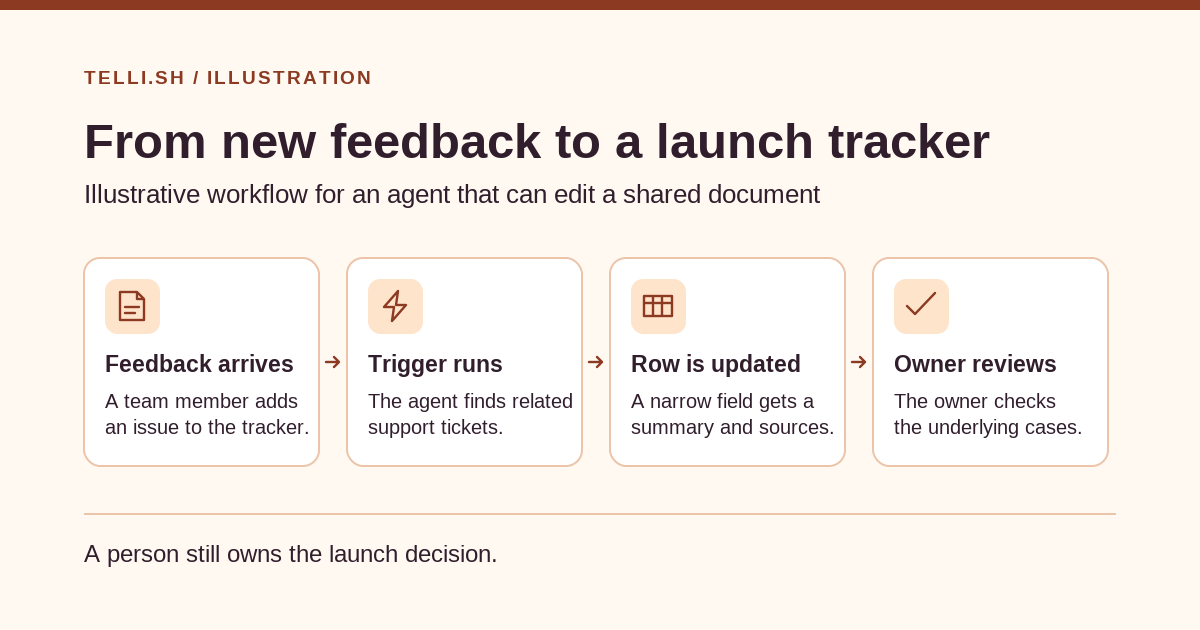
Illustrative workflow based on the customer feedback example in Superhuman's announcement.
Start with a tracker whose readers already know what each column means. An issue row might have a product area, an owner, a status and a short evidence field. A new report can use different language for a familiar symptom. One customer may say that an invitation never reached them. Another may say they arrived at a blank screen after accepting it. Both reports mention onboarding, yet filing them under the same cause would be premature. A useful update would show which reports the agent found, which part of each report it relied on and whether someone on the team still needs to check the connection.
That gives the agent a job it can finish and the reader a claim they can test. If the team later replaces the support form or adds a second product, it can find errors by sampling the links behind the summary. It can also see whether the automation is writing more than people can reasonably review. A weekly check of five agent-updated rows may be manageable. Reviewing thirty new updates every morning starts to resemble another inbox.
A trigger changes the timing of the work
A colleague can ask an agent to summarize a document and examine the result in the same sitting. A trigger makes the work happen between visits. That is helpful when a task has a predictable event and destination. The team has to decide what should happen when several relevant events arrive close together, when a source changes during the run or when the last update turned out to be wrong. An agent that posts every intermediate finding can make a well-used tracker harder to read.
Superhuman's other Docs examples offer two useful comparisons. It describes updating a rollout document after the product plan changes and rewriting the top of a team document each morning from pipeline changes. In the first case, readers need to know which version of the plan the rollout follows. In the morning brief, readers may want a short reporting window and an indication when the source was last checked. A single summary format will not serve both audiences equally well. Superhuman Docs workflow examples
A content team could use the first pattern for a release announcement. When a product plan moves a feature to the next milestone, the rollout document can flag the affected introductory copy and the existing screenshots. A person still decides whether to replace the visuals or hold the whole announcement. A sales team could use the second pattern to identify deals with meaningful changes overnight. It can ask for the last recorded change and the responsible person, then keep customer-specific judgments in the system that already owns them.
The format makes a difference. A dedicated section with one entry per change gives readers space to check the source and ignore stale entries. Rewriting the same introductory paragraph may be appropriate for a continuously refreshed brief. It becomes harder to follow when a succession of corrections has changed the meaning of a decision. Teams that need a durable record can test whether the version history is easy enough to inspect during a real handoff.
A record of edits makes mistakes easier to inspect
An edit that lands while everyone is out of a document needs enough context for the next reader to reconstruct it. An agent might group two similar reports that have different causes, or update a row after the launch owner already resolved it. Superhuman says agent activity is logged and shows the last run, and that version history identifies the change and who authorized it. That information gives an editor a place to start when deciding whether an update should stand. Superhuman announcement and Docs demo
Teams also need to check what flows into the destination. A support ticket can contain a customer name or an internal note that the wider launch group should never see. Before using the trigger on real cases, a team could test with a restricted sample ticket, inspect what appears in the destination and confirm how an editor can correct an entry and pause further writes. These checks matter even when the version history accurately names the actor.
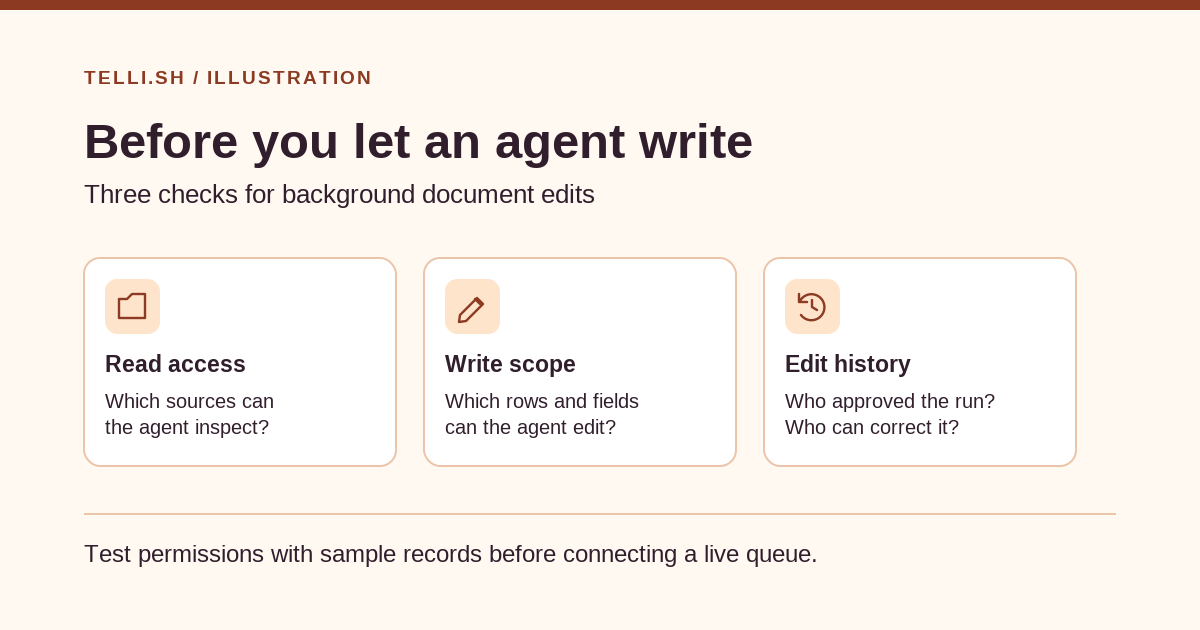
A short review checklist for a document that can change between visits.
Access to the source and access to the result
Superhuman's Go administration guide describes organization controls for access to Go, creating custom agents, sharing agents internally and whether the assistant and agents can search the web. Some settings can be assigned to groups. Those controls are useful when deciding who can set up work for an agent. The launch tracker still needs a decision about who should see the source and exactly what the agent is allowed to copy into a shared destination. The announcement shows the collaboration workflow, and the relevant permissions should be checked in the team's own configuration. Superhuman Go administration guide
Consider a project where the engineering manager can open a ticket with an attached customer video but the people using the rollout tracker have a wider range of roles. The group might need to know that the onboarding step failed on a particular screen. The video and customer record can stay in the support system. A short incident identifier can give an authorized reviewer a way to confirm the finding while keeping the launch document readable. Redaction has to cover the output fields and source links the document will expose.
There is also a question about who inherits the workflow when the person who set it up changes teams. Someone needs to know which connection supplied the evidence, which destination it updated and whether the agent keeps running after an access change. Those are account and ownership questions a team can test with a trial role. The plan should include a named person who knows how to pause the trigger and a method for leaving a human correction visible when the automation runs again.
What a useful pilot would show
Begin with a copy of the completed tracker and a small set of sample tickets. Include a straightforward match, a near match from a different product and a report with an attachment restricted to the support team. Run the proposed workflow at least twice on a row. Compare the summary, source links and any entries already written by people. Then change one source and check whether the next edit is understandable to someone who did not configure the agent.
The quality measure is how much work the team spends getting a row ready for a decision. Count how many rows are ready after a quick check, how many require substantial correction and whether a second person can follow the evidence without asking the original editor. Log what happened to incorrect updates after people fixed them. Saving the first pass is most useful when the handoff stays quick and the document remains trustworthy.
Teams can also test a bad week. For instance, send a group of look-alike reports, close one case before the agent runs and change an issue's owner in the tracker. This gives the team a chance to check whether the agent duplicated findings, overwrote a human update or linked unresolved issues accurately. Write down the acceptable scope before reconnecting live data. A summary mistake in a trial is cheap to spot. The same mistake in a customer-facing rollout document costs more to trace and correct.
If the pilot is useful, one path is to start with a low-risk internal document where corrections are routine. Move to a wider audience when the people who read and own the document can tell what was generated, who authorized it and where the evidence came from. A dependable agent update should leave a clearer trail than the ad hoc copy-and-paste workflow it replaces.
When teams can try it
Superhuman announced general availability for the Go SDK for partners and customers on November 19. The company says new partner agents will roll out in the following weeks and places the Docs open beta on December 1 for self-serve customers and in the first quarter of 2027 for enterprise customers. The personal assistant announced alongside Docs has a separate rollout. The vendor's demo shows the intended workflow. How well it holds up with a team's own permissions and noisy support tickets will need a hands-on trial. Superhuman rollout details
Telli.sh is a place to upload your first note and keep the original evidence alongside your decisions.