Strata 0.2.17 Wants More of Your RAM. Should Your Work PC Let It?
Strata's new memory budget can reduce SSD traffic, while a separate default protects output fidelity. Learn which setting fits a shared work PC and how to test the tradeoff.
A local model can answer faster and make the computer around it less comfortable to use. On a machine that also runs your browser, editor and video calls, those two outcomes belong in the same benchmark.
Strata 0.2.17, released on November 20, 2026, makes that tradeoff unusually visible. For particular model files that cannot keep all their expert weights in RAM, its performance-oriented setup increases the resident allocation. The release also turns off a separate optimization after users reported worse answers.
The useful question is whether your PC is a dedicated inference box or still your work computer. This update gives you a reason to test the distinction, rather than accept a faster tokens-per-second number as the whole result.
Three things to know: the 64 GiB example is specific to supported Unsloth files and a stated hardware configuration; the app can preserve the older work-friendly budget; and memory residency and skipping model routes are different controls.
Seven more GiB can save a surprising amount of SSD reading
Strata is a local model runtime that coordinates the machine's resources to execute supported models. Following the engine transition described in 0.2.16, the new app and Terminal version is 0.2.17. Its engines and the Control updater are version 0.1.63. The release provides downloads for Windows, Linux, Mac and DGX Spark, although a download for an operating system does not mean every model and execution path works on every machine.
The memory change concerns the Unsloth UD-Q4_K_XL and UD-IQ4_XS files when their experts cannot all remain in RAM. The new setup rule subtracts 17 GiB and any streamed KV cache from the RAM total when deciding how many expert weights to retain. The older rule subtracted 24 GiB. This is a residency budget for a particular execution path, not a promise that the entire model, cache and operating system will fit inside that number.
Why should a few additional GiB matter? If a needed weight is already available in memory, the runtime can avoid fetching it again from storage. A demanding prompt can reuse this advantage across many accesses. The relationship is therefore more complicated than comparing seven GiB with the size of one input file. It also depends on which experts a workload touches and what the runtime has already cached.
The maintainer's example uses a real 64 GiB memory limit, UD-Q4_K_XL, an RTX PRO 4500 Blackwell card and a roughly 65K-token prompt. The release table reports the following results. They are project measurements for this setup, not a forecast for every 64GB computer.
| Resident expert budget | SSD reads for the stated prompt | Decode rate | Free RAM reported | Later 8 GiB program |
|---|---|---|---|---|
| 40 GiB, older example | 97.7 GB | 57.7 tokens/s | 16.6 GiB | Continued running |
| 47 GiB, new example | 37.0 GB | 84.2 tokens/s | 9.3 GiB | Continued running |
| 52 GiB, additional test | 0.9 GB | 83.4–88.6 tokens/s | 6.6 GiB | Was killed |
The final row is the interesting one. Reducing storage traffic almost to zero did not produce an equally dramatic increase in decode speed, and another program failed. The table makes a case for a measured budget rather than maximizing the amount of memory assigned to inference.
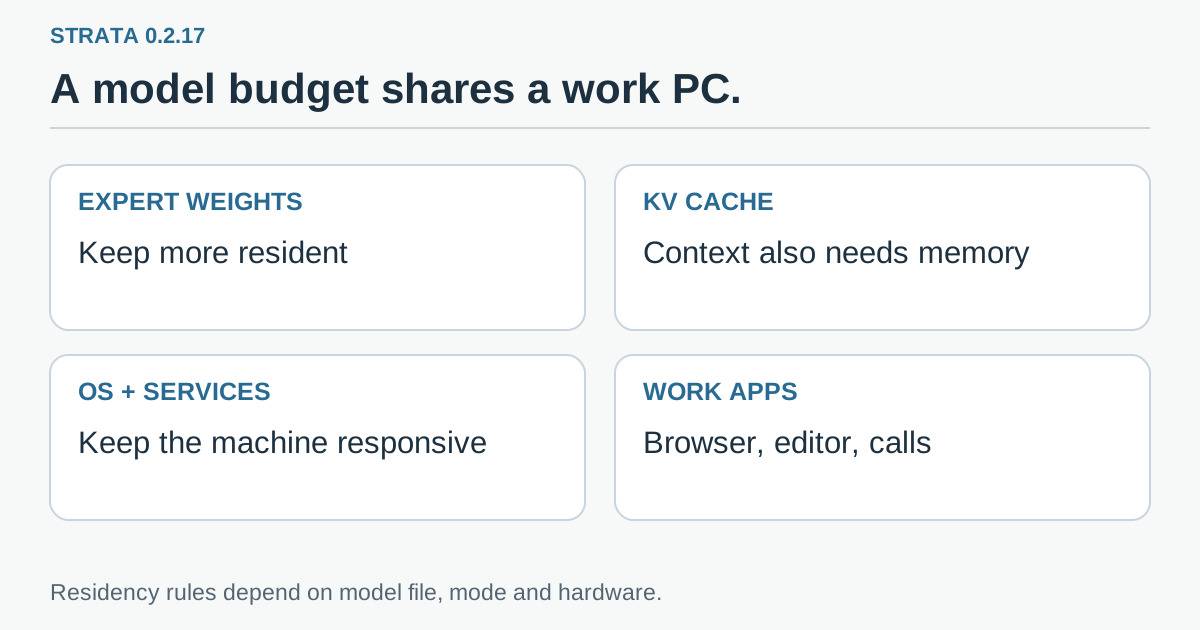 Original explanatory graphic: expert weights, the runtime's changing cache and everyday applications share the machine's memory. The release's residency rule applies only to the stated model paths.
The app's work reserve is a useful first choice
Consider an illustrative developer workstation. It has a long browser session, an IDE indexing a repository and a local assistant preparing an answer from a large document. The assistant's fastest isolated configuration is less helpful if the IDE starts swapping or a video meeting becomes unreliable. The right baseline is the whole working session.
Strata's app offers an option labeled “Leave 20% for my work.” According to the release, this keeps the older budget: 40 GiB in the 64 GiB example. The Terminal, strata serve, Docker and the app's full-performance mode use the newer allocation. A user-specified budget or explicit reserve setting takes precedence. Existing 0.2.16 installations can receive the one-time budget migration on the first Strata command after updating, without a separate setup run, unless the allocation was explicitly set by the user.
That difference matters when two people say they tested the default. One may be using the desktop work-reserve mode, while another is launching a server from the Terminal. They can run the same application version with different residency decisions. Record the launch mode along with the version before comparing results.
The release also describes exceptions. Shared CPU/GPU-memory machines such as Strix Halo and the two-card layer-split path retain the older reserve. The other listed model files—IQ2_XS, IQ3_XXS, IQ3_S and Q2_0—do not receive this residency budget in either version. A memory rule copied from one example is therefore a poor substitute for checking the exact model configuration.
For Windows, the new engine additionally limits its initial claim to the available free memory minus 4.25 GiB. A busy machine can consequently start below the headline 47 GiB allocation. The release explicitly says this Windows behavior was not measured in the example. It also adjusts how a nominal 64GB Windows machine is classified when the system reports about 63.1 GiB. These details are useful for understanding a different observed allocation; they do not turn the published test into a Windows benchmark.
Our practical recommendation is to begin with the reserve option on a computer you use interactively. Try the larger allocation as a deliberate comparison when the intended workload is running, rather than borrowing memory from applications you happened to close for the test.
Faster answers and faithful answers need separate switches
The second major change concerns “Skip rarely used parts of the model,” an Expert setting represented by STRATA_ROUTE_TAIL_SKIP. This is not the RAM budget.
The release explains that, under the relevant routing condition, the optimization can omit expert work that would otherwise be copied and computed. It previously operated by default on NVIDIA and Radeon RX 9000 paths. The maintainers changed the automatic behavior after quality-loss reports. In 0.2.17 it is off unless the user has explicitly enabled it.
There is an important difference between keeping a needed weight closer to the processor and choosing not to perform a piece of model work. The former changes where data is found. The latter changes the computation. Even when both improve throughput, their output risks should not be evaluated as if they were the same technique.
On the maintainer's RTX 5090 example with UD-Q4_K_XL and DFlash2, five request types over two rounds produced mean decode rates of 73.4 tokens/s with the route skip off and 94.5 with it on. The same notes include a forced-token divergence measurement. That is a configuration comparison published by the project, not a score for whether the resulting answers were useful, safe or correct in your application.
The everyday consequence is that updating may reduce throughput on a given path while restoring the more complete routing behavior. That can be the intended outcome. If your use case is checking exact numbers, generating structured output or following a difficult instruction, preserving the desired behavior can be worth more than a faster stream of text.
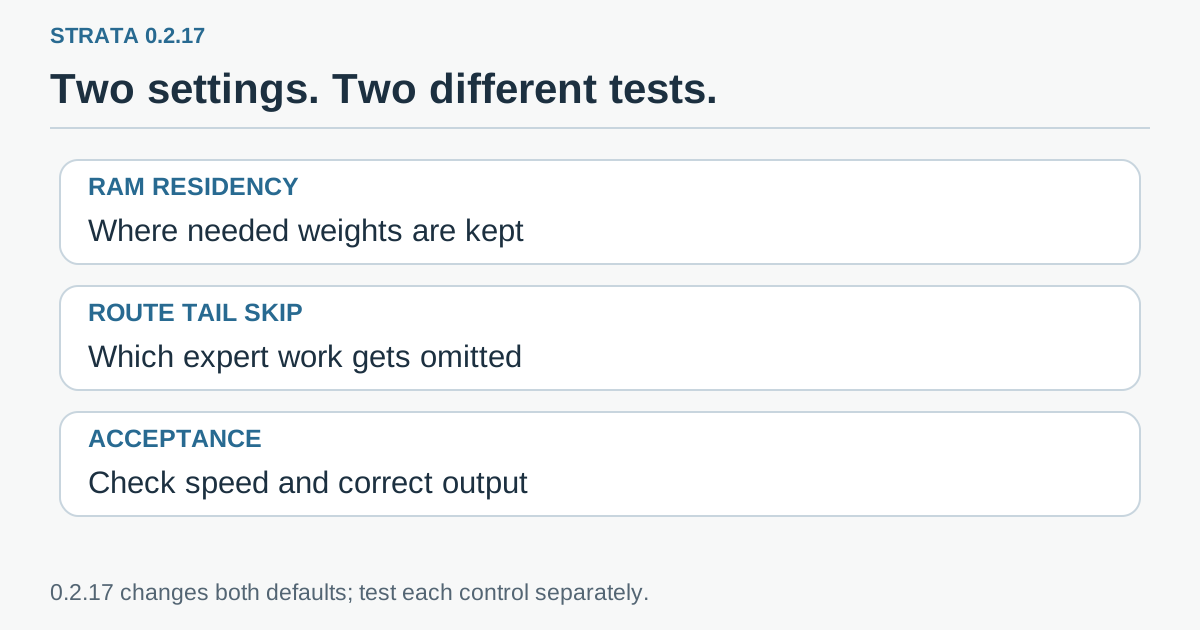 Original evaluation checklist: measure resource pressure separately from answer quality. Changing memory residency and changing route skipping are different experiments.
Existing custom settings are part of your upgrade history
Automatic defaults and explicit selections do not migrate in the same way. If you had never changed the route setting, or used its automatic value, the new automatic behavior is off. If you explicitly chose rank 7 or another rank, the release says that choice remains. An explicit zero remains off.
That protects deliberate configuration, but it also means updating two machines does not necessarily make their behavior converge. One may retain an older experiment that somebody enabled months ago. Before diagnosing a regression, check the settings that were carried forward.
The release documents strata launch --set STRATA_ROUTE_TAIL_SKIP=7 as a way to enable the rank-7 behavior. Treat that as an opt-in experiment, not an upgrade step everyone should run. If the problem you are trying to solve is inconsistent output, first verify that the route optimization is off rather than enabling it to recover an old throughput number.
There are other defaults in 0.2.17 as well, including hardware-specific prompt-reading and decode changes. Some can alter the generated text. This is another reason to avoid changing several settings at once and attributing the entire difference to RAM. The version, model file, hardware path and explicit overrides form the configuration you actually tested.
Run the comparison with the applications you intend to keep open
A useful test does not need a laboratory, but it does need a repeatable question. For a work PC, ask whether the assistant completes a representative task while the rest of the machine stays usable. For a dedicated server, ask whether the chosen budget supports the intended concurrent services without memory failures.
- Write down the starting configuration. Record app and engine versions, operating system, RAM, GPU, exact model file, launch mode, context size and any explicit memory or route settings. Keep the model and quantization unchanged during the comparison.
- Choose three representative jobs. For example, use a short question, a long document request and a structured extraction with known required fields. These are suggested test cases, not tasks we executed for this article.
- Establish the work-reserve baseline. Keep the browser, editor and other normal applications open. Observe free memory, storage activity, first-response delay, generation rate and whether those applications remain responsive.
- Change only residency. Compare the performance-oriented allocation with the same route setting. Watch for memory pressure during the task and when another normal application starts afterward.
- Evaluate the output. Check required facts, formatting, instruction adherence and consistency across repeats. Treat a syntactically valid extraction that drops a required item as a failure.
- Test route skipping separately if you need it. Keep the chosen residency budget fixed. Compare results against your acceptance examples, then decide whether any throughput gain is worth the observed changes.
For a long document, record both the cold start and a repeat request. Caching can make the second run look very different from the first. Do not mix one configuration's warm result with another configuration's first encounter with the document.
Also record failures rather than averaging them away. A fast answer followed by an out-of-memory event is not a good result for a background service. An uninterrupted editor session can be the decisive result for a work laptop, even when another setting wins the decode-rate column.
The better setting leaves room for your actual job
Strata 0.2.17 makes local inference feel less like a single accelerator benchmark and more like managing a small shared computer. Memory is a shared desk: placing more model material on it can reduce trips to storage, but the work still needs somewhere to happen.
For a dedicated machine, the new allocation is a reason to measure whether fewer reads improve the workload you serve. For an everyday workstation, the reserve option is a sensible starting point. In both cases, keep output fidelity as its own acceptance criterion. A faster setting earns its place when the complete task—not just the token counter—gets better.
Sources and official media
- Strata 0.2.17 release, November 20, 2026: settings, scoped measurements and update behavior.
- Strata 0.2.16 engine-transition notes.
- Official Strata interface illustration. This links to the actual subject; the packaged graphics are original explanations.

The measurements above are attributed to the project and retain its hardware and model conditions. The evaluation procedure is a suggested reader workflow.
Telli.sh recommendation: Keep your configurations, representative prompts and comparison notes together so the next update starts with a useful baseline. Start your first note with Telli.sh.