Can an offline voice AI on your Mac wait its turn?
Sophon-Realtime's Apple Silicon build runs the voice loop locally. Try a mock interview to separate memory, response latency, echo and interruptions.
Imagine practicing a job interview at the kitchen table. You start explaining how you solved a problem, pause to find the right word, and the interviewer jumps in as if you were finished. A few moments later, you try to correct the interviewer and it continues over you. Both failures can happen in a voice app that sounds great when you play its answers afterward.
On November 13, 2026, Adventists AI announced a local Mac build of Sophon-Realtime. It pairs its Flash-4bit voice model with Apple's MLX runtime on Apple Silicon. The project recommends 36 GB or more of unified memory for this build, lists turn-taking and interruption among its capabilities, and says the Mac setup downloads roughly 24 GB of model files. The separately announced November 14 hosted API does not run that voice loop on your Mac.
The interesting question isn't whether a Mac can play a model's voice. It is whether the whole loop behaves like a conversation without using the network. A short mock interview gives you a way to find out. We'll separate the wait for the first spoken response from the choice of when to speak, then look at how much room the model leaves for other work on the computer.
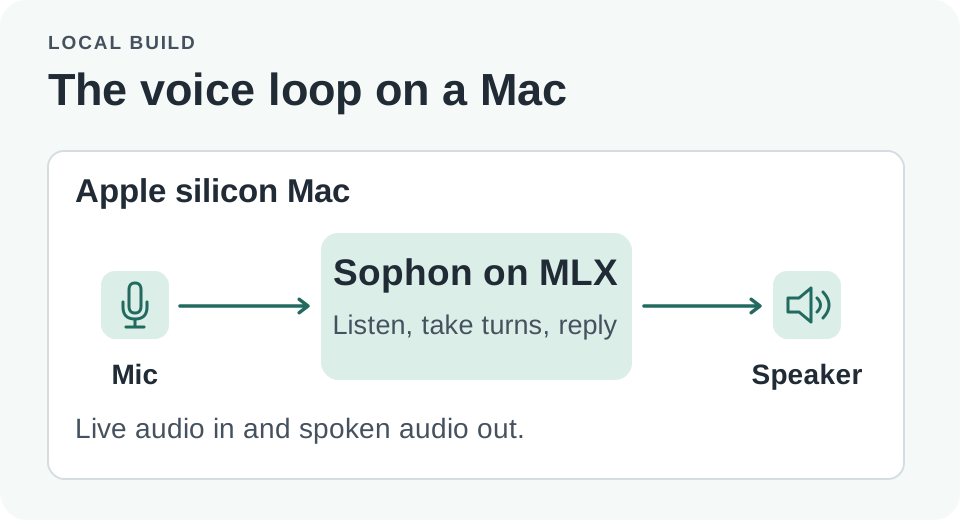
The local path keeps audio processing on the device after setup; a hosted API is a different path.
How should you time the one-second estimate?
For a 36 GB M4 Max, the project's Mac model card reports 0.9–1.1 seconds to first audio after you stop when the model is confident the turn has ended. It reports waits of up to about 2.5 seconds when the model needs more time to decide. These are the project's results for that setup. Before trying to reproduce it, decide what “stop” means. On a recording you can mark the last audible syllable. A system has its own decision about when the input turn ended. Those timestamps can be separated by a pause that sounds perfectly normal to a person.
First-audio delay includes whatever happens between the end of your utterance and the beginning of audible model output. Sometimes the gap comes from model work, and sometimes from waiting to decide that the turn is over. Even a quick model can interrupt every pause if it treats silence as a final answer too early. Conversely, a well-behaved system may spend a little longer resolving an uncertain transition. A stopwatch alone doesn't tell you which experience was better.
Consider the question “why did you choose caching?” Answer briefly, end decisively and let the app respond. On the second try, say “we chose caching because…” and pause before continuing. On the third try, give the same answer with a fan running nearby. An app can have the same time to first audio for the first test and fail badly on the other two. Compare the timing only after checking that it started at the right moment.
| Conversation event | Observation to record | Why it matters |
|---|---|---|
| A clearly completed answer | Time from final syllable to first audible response | Indicates whether finished turns feel slow |
| A pause mid-sentence | Did the assistant wait or start a reply? | Shows whether quiet is treated as consent to take the floor |
| A correction during playback | Time to stop speaking and whether the correction is understood | Tests whether the user can regain the turn |
| Playback picked up by the mic | Any self-triggered response or repeated text | Shows how echo behaves in the actual room |
These are measures you can collect at home with your own voice. Report conditions alongside the figures. Speakers and headphones create different echo paths. The case with a fan is a practical stress test, not a standardized speech benchmark. No server-grade latency comparison should be drawn from an uncontrolled room trial.
Interrupting is a two-part test
Sophon describes the Mac path as full duplex and lists barge-in and echo cancellation. In an interactive application, useful interruption requires the output to stop and the new information to survive. A system that immediately goes silent after “sorry, I meant Tuesday” but continues reasoning about Thursday has solved only the first half of the problem.
For a mock interview, ask for a long follow-up, then say “pause, I'm speaking about the database migration, not the customer launch.” Note whether the reply stops, whether the app acknowledges the correction, and whether the next actual question reflects it. Try interrupting with a meaningful correction and with a brief sound such as a cough. The app shouldn't have to treat both as the same event. Good behavior on the first test alone can mask how aggressively it drops output in a real room.
Echo is separate from barge-in. Test both over headphones and at a comfortable speaker level. If an acknowledgment triggers a new recording turn by itself, a different microphone placement or echo implementation may matter more than a smaller model. Don't stack changes to hardware, model and audio settings into one experiment. You want to be able to say why the next trial behaved better or worse.
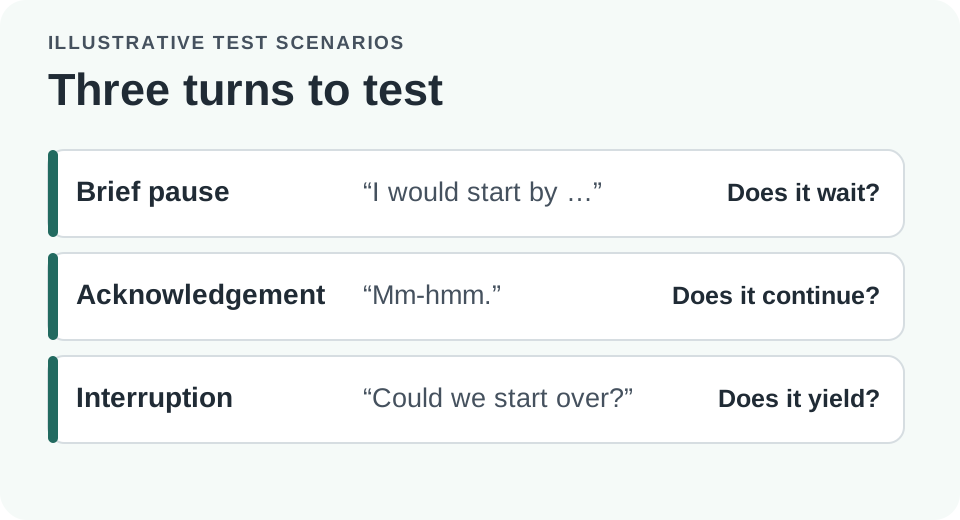
Test a pause and a deliberate correction separately. Both can contain silence, but the app should respond differently.
A Mac build makes memory part of the user experience
The Mac installation guide documents the Apple Silicon path using MLX and recommends 36 GB or more of unified memory. A roughly 24 GB download is a storage figure. It isn't a claim that the active working set is exactly 24 GB. The model, caches, audio processing and the rest of the applications share resources in a real session.
A useful first test closes memory-heavy apps and uses a short script. Watch Activity Monitor for memory pressure and whether swapping grows during the run. Then open the tools that you would actually keep alongside the assistant and repeat. Even when a model loads, rising memory pressure or playback glitches can make the experience unsuitable for regular work. The point is to find a comfortable setup, not to treat the smallest machine that launches the program as the recommended one.
The project announced separate 4B variants for consumer GPUs on November 16. Its release notes describe those GPU paths separately from the 32B Flash-4bit MLX Mac build. A lower VRAM figure from another backend does not change the Mac recommendation. Hosted API results, server GPUs and local MLX numbers also differ in model and traffic conditions. Pick the exact path you plan to use before interpreting numbers from the repository.
The official language coverage matters for a speech workflow. The repository lists Korean as planned. Use a documented supported language, such as English, for the first trial rather than assuming that a multilingual-capable model will match local voices, recognition and turn-taking across languages. If you need Korean interviews, the current release is useful for learning how to test an interaction, but can't stand in for validation of Korean support.
Test the offline claim after the download, not before
Preparation needs network access to fetch project dependencies and model weights as described by the Mac guide. Use the project's documented instructions, review the scripts before installing, and confirm that you understand where local files are stored. The device's microphone permissions are also separate from model installation. Start with audio you control and don't record other people without their consent.
- Follow the Mac setup guide, using a pinned project revision where practical. Let the documented downloads finish and test one supported-language exchange while connected.
- Disconnect from the network once setup is complete. Start a fresh local session and verify that new spoken questions receive new answers, not cached samples.
- Run several completed answers, mid-sentence pauses, and corrections using the same microphone and speaker settings. Note the device model, memory, errors and observed timings.
- Repeat a short portion with your typical apps open. If latency or audio gets worse, check memory pressure and how the test differed before drawing a conclusion.
The November 14 hosted API announcement gives developers a way to try the project without setting up a local model. That's useful for comparing an interaction or developing an integration. In that path the application sends audio to a service, which has its own privacy and network conditions. Switching between the hosted service and the Mac CLI changes more than whether the same script starts.
Offline use can reduce what leaves the device, which matters when you're rehearsing a sensitive story or building a prototype that needs to keep working on a weak connection. It doesn't automatically promise that nothing is ever written to disk. Check the behavior of the client you run, including recordings, transcripts and logs. A disconnected trial can show that the conversation works without the network; it doesn't establish every privacy property of a future app.
A second useful use case is a spoken form prototype. Suppose a person answers four questions and is allowed to correct the last answer before advancing. The app should keep an accepted answer besides the voice model's most recent interpretation. If a correction arrives mid-playback, it should update the right field only after it has been understood. A hands-free voice loop can make this interaction easier, but the application still owns when a draft answer becomes part of the record.
To compare two builds, write down pass conditions before either one runs. For example, define success as waiting through the planned pause, stopping playback after a real correction, and asking the next question about the corrected subject. Separately note the number of completed trials and use a median and range for timing if there are enough comparable repetitions. Record retries instead of silently using only the cleanest exchange. With a small home test, individual failed turns are often more instructive than a single average.
Keep the offline and online comparisons focused on the same job. A hosted service is a good control for a prototype that doesn't have the memory to run speech locally. But if its voice, turn configuration, model and device access are different, name those differences. A lower delay for one path does not settle which choice behaves better when a user hesitates or has to work without internet. The results are a guide for the application you are building, not a leaderboard.
It is also worth giving the prototype a clear way to recover. Suppose the user stops the assistant while it is talking and then says nothing. A short visual cue or a local state indicator can make it clear that the system is listening rather than frozen. If an audio device is unplugged or the model quits under memory pressure, confirm that the app returns to a known idle state before starting the next session. Measure recovery separately from response delay. Otherwise, a system that feels quick during clean turns can still be frustrating when a real conversation goes off script.
A good local interview leaves room for the speaker
The most revealing test might take less than a minute. Start an answer, pause, finish it, let the assistant begin, and change a detail while it is still speaking. If each moment behaves the way you intend, voice starts to feel like a useful interface instead of a sequence of audio files. The Mac build gives people with enough memory a way to try that test locally. How it turns out still depends on the machine, language, room and software they use.
Sources
- Sophon-Realtime project and dated November 13, 14 and 16 release notes
- Official Apple Silicon and MLX setup guide
Keep your interview questions, practice notes and local test observations together. Start your first note with Telli.sh.