Let OpenCode fix the bug while you keep your working tree
OpenCode 2.2.6 can start a scripted run in a new Git worktree. Learn how to review the result and control what an agent can access.
You have a half-written change in a checkout when someone reports a failing date parser. You want to keep editing your own files and give the coding agent a separate task. The moment both of you edit the same directory, even a small proposed fix becomes difficult to untangle from your work in progress.
On November 6, OpenCode 2.2.6 added a worktree option to its scripted command-line runs. OpenCode is an open-source coding agent with an interactive terminal interface and a separate command for running a prompt from a script. With the new option, the script can ask OpenCode to start in a separate Git worktree, optionally give it a name, and leave the original working directory available. The same release added opt-in sharing for matching Model Context Protocol (MCP) connections. That combination makes it worth asking two questions before starting a run. Which files can the agent change, and which services can the agent use? OpenCode v2.2.6 release · OpenCode CLI documentation
The most useful setup pairs one narrow task with a predictable starting point, a place to inspect the changes, and explicit permissions for everything that leaves the project.
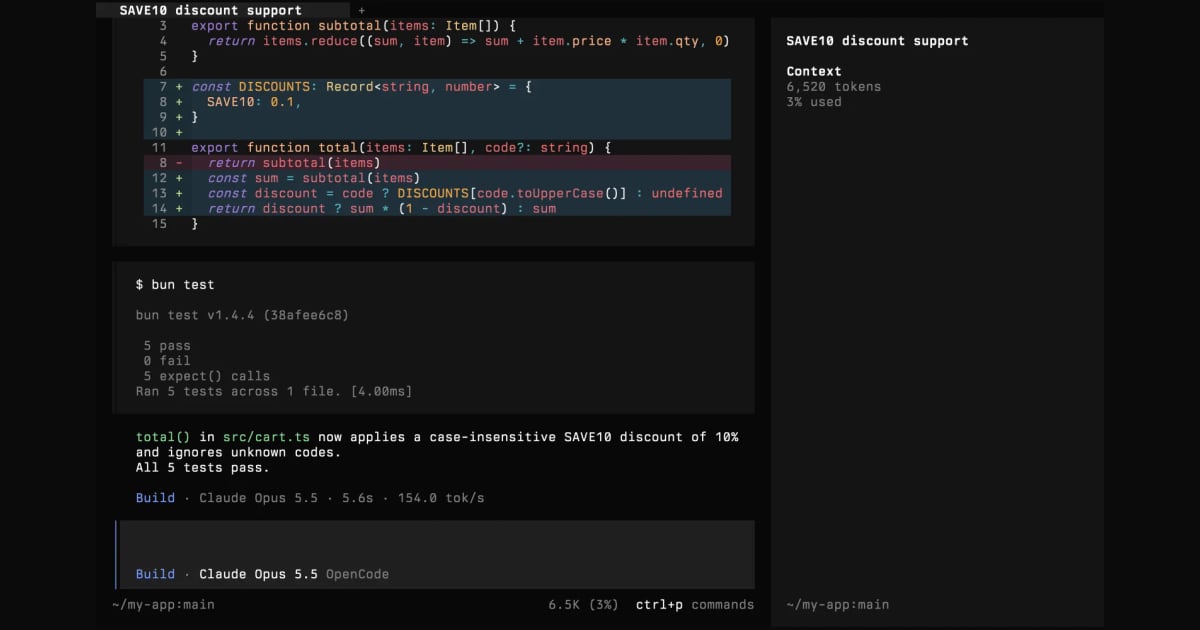
The OpenCode project's terminal screenshot shows a patch and a session in the interface. The tagged brand asset illustrates the terminal experience. The MIT license notice accompanies the image. Telli.sh resized the screenshot and added padding.

A separate folder gives you a diff you can trust
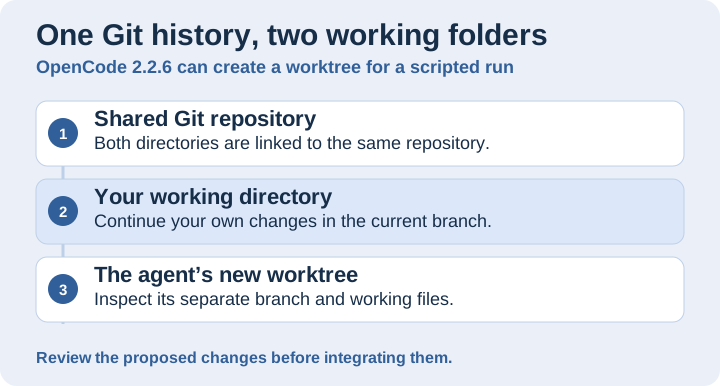
A Git worktree gives each task its own working files and index. Original illustration by Telli.sh.
Git worktrees attach more than one working directory to one repository. Each linked worktree gets its own working files, its own index and its own checked-out position. They share most repository data. A worktree makes it possible to examine the agent’s patch separately while your original edits remain where you left them. It also changes which source the agent sees. Uncommitted changes in your first working directory do not arrive in a second checkout just because both belong to the same repository. Git worktree documentation
OpenCode’s November 6 release documents three ways to select this behavior. Use opencode run -w or opencode run --worktree for a fresh worktree and --worktree=<name> when you want to name it. The release also specifies that the worktree option cannot be combined with --continue or --session. A clean run needs a fresh starting context. For a bug report that already has a long conversation attached, bring the relevant reproduction steps and expected result into the new prompt. OpenCode v2.2.6 release · Worktree implementation and examples
Think of the separate directory as a review surface. Before starting, note the branch and commit you expect the agent to use. After starting, inspect the resulting worktree’s commit and status. If a test depends on an untracked fixture or on a change that only exists in the developer’s editor, that baseline difference explains an apparent disagreement between the two runs. A patch can be correct for the older version of the code and still be unsuitable for the branch you are about to ship.
Try one small change before you hand over a larger one
Begin with a repository you own and a focused task. A failing leap-day test is a better first experiment than a broad upgrade because the expected result is easy to verify. A similarly bounded example is fixing a stale navigation link with one route test. For both, use an explicit description of which behavior should change and how you intend to check it afterward.
-
Record the starting state. In your current directory, use
git status --shortandgit rev-parse HEAD. Keep the output alongside the bug report. If you already have a passing baseline, record how to reproduce it. Useopencode --versionto confirm you are using a release with the new flag. OpenCode v2.2.6 release -
Give the agent one task with a named worktree. Put the reproduction and target test in the prompt. The following example uses a fictional date parser and assumes the repository already has a targeted test for it. A request to leave changes uncommitted makes them easier to inspect. Enforce stronger boundaries in the permissions and runtime you choose.
ShellRun in Terminalopencode run --worktree=date-parser "Reproduce the leap-day parsing bug in the date parser tests. Fix the narrow cause, run the targeted tests, and leave the changes uncommitted for review." -
Locate the new directory before you inspect the result. Run
git worktree listfrom the original repository and use the reported path. In the new directory, checkgit status --short,git diffandgit diff --cached. The last command matters if the agent staged anything. Review untracked files separately. Rerun the targeted tests yourself from the agent’s directory and check that the tests cover February 29 in a leap year as well as a year in which that date is invalid. Git worktree documentation -
Bring back only the work you reviewed. Keep the proposed change separate until you can apply a reviewed commit or patch to the intended branch. Recheck the original directory’s status. Preserve the agent’s worktree until you have recorded anything you need and checked that it contains no pending changes you want to keep. Git’s worktree listing makes it easier to tell which directory belongs to which task. Git worktree documentation
The same pattern helps when two unrelated issues arrive together. Give each one its own small scope and compare the two resulting diffs before integrating either. Worktree separation will keep one agent’s unstaged test change from appearing in the other directory. The two fixes may still conflict when they reach the same branch, especially if both touch a shared helper. The branch integration and final regression run still belong in the normal review process.
Decide who can do what outside the repository
Two worktrees can run under the same operating-system account. They may have access to the same environment, the same credential helpers and the same network. The new worktree option chooses where the run starts and keeps routine working changes apart. Set separate runtime or account limits when the task requires stronger boundaries. A permission prompt controls the tools that respect it, and the operating system or execution environment determines what the process can ultimately reach.
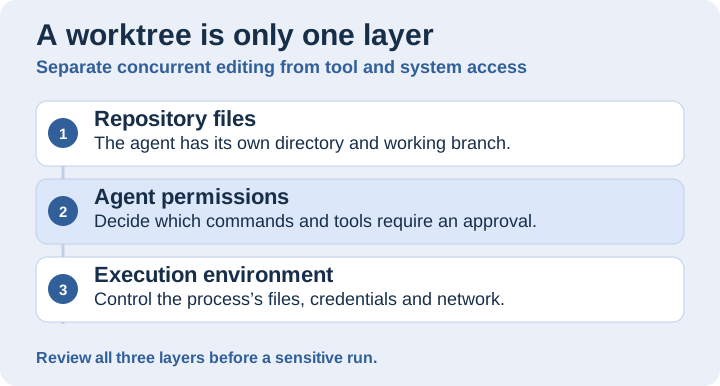
Separate the location of changes from tool approvals and runtime access. Original illustration by Telli.sh.
OpenCode’s V2 permissions documentation describes ordered rules for individual actions. Effects include allow, ask and deny, with the last matching rule taking precedence. One official example asks before shell commands, then allows common inspection commands and denies pushes. If you plan to run without an approving person present, test the behavior of an ask rule in that workflow before putting it into a recurring job. Put clear prohibitions in configuration and use short-lived, narrowly scoped credentials for services that the job actually needs. OpenCode permissions documentation
| Decision | What you can inspect in a pilot |
|---|---|
| Where the changes go | Starting commit, agent worktree, staged and unstaged diffs, test output |
| What the agent can invoke | Effective file and shell rules, available MCP tools, behavior when a tool is denied |
| What the process can reach | Account permissions, mounted directories, credentials and network destinations |
| What becomes part of the project | A human-reviewed patch and a passing integration check |
A documentation-only task gives you a simple way to test these layers. Allow the agent to change one section in a sample project. Give it a provider it is permitted to use and no production credentials. Run the script and check that the patch only touches the expected file. If your later automation needs a repository remote or a ticket tool, give each of those capabilities a reason and verify its permissions separately.
Sharing a connection makes sense when the projects already share a boundary
MCP lets an agent use tools supplied by other programs, such as a documentation search service or an issue tracker. In the November 6 release, pool: true allows directories served by one OpenCode server to reuse a connection when the relevant configuration matches. The official V2 documentation specifies that pooling applies to the 2026-07-28 protocol revision. If a server negotiates an older revision, it keeps separate connections. Matching is also more specific than pointing two projects at the same address. Remote settings and authenticated accounts have to match. For a local server, matching includes the command, environment and working directory. OpenCode v2.2.6 release · OpenCode MCP sharing documentation
For an example, imagine two worktrees that both query the same internal documentation service under the same account. Sharing can reduce duplicate connection setup if the service supports the relevant revision. First confirm that the directories are meant to have access to the same material and that the integration offers only the capabilities they need. If one worktree needs only public docs and the other can open internal tickets, keeping the connections distinct makes the boundaries easier to inspect.
A local server may depend on its current working directory. One process launched in each project folder can have different local context even if the command text matches. OpenCode’s documentation says a fixed working directory is needed to pool local connections across projects, and a shared connection has no roots. Those are reasons to start with a read-only service that makes its own resource scope clear. If the tool’s behavior depends on the repository that called it, measure what changes before you switch it to a shared connection. OpenCode MCP sharing documentation
Scripted runs still need an ending
OpenCode 2.2.6 also added --archived so scripted or CI sessions can start archived and stay out of normal session lists. That changes how the session is presented. Store the job’s outcome, worktree path and test results where reviewers can find them. Use the flag after you have a reliable way to locate the relevant patch even when the ordinary inbox stays empty. The November 6 release notes say archived sessions are skipped by --continue. OpenCode v2.2.6 release
The same release changes the lifecycle of a scripted run. It waits for background commands, subagents and image jobs started by the prompt before exiting. The release notes say there is no internal time limit for that wait, so a dev server or a file watcher can keep the run open. For an automated test, prefer commands that exit once the check completes and give the enclosing CI step a bounded time. Preserve the distinction between a cancelled run, a failed test and an agent that reported success. If a run times out, check the actual state of the proposed changes before restarting or integrating them. OpenCode v2.2.6 release
Once the pilot works, you can judge whether it saves time by looking beyond the agent’s completion message. How long does a clean run take to set up? How long does it take a reviewer to understand and verify the change? How often does someone have to repair an unrelated edit or investigate a stalled tool? Compare a few similarly sized tasks and include setup and review time. A separate worktree is most valuable when it keeps the patch small enough for a person to own.
A clean checkout makes responsibility visible
The useful part of the worktree flag is that the person reviewing the result has a clear place to start. They can see the baseline, inspect the change and rerun the test while the other developer keeps working. Make connection sharing and execution permissions equally explicit. The cleanest handoff is a small patch that can answer three questions on its own: where it started, what changed, and what evidence makes it ready to integrate.
Sources
For a searchable record of the decisions and experiments behind your work, Create a Telli.sh account.