Can an image generator find the chair it would normally draw?
Open Vision Banana turns segmentation and depth into image editing tasks. Compare its research checkpoints, benchmark conditions, and a practical way to test them.
A furniture retailer wants to swap the backdrop of a room photo. The editor needs to know where the chair ends, which part of the plant overlaps it, and whether the rug passes behind its legs. A generator can paint a convincing new room. That doesn't automatically make it a reliable source for the mask that separates the existing chair from everything around it.
In a November 11, 2026 preprint, Open Vision Banana's authors treat those kinds of perception tasks as image editing. They adapt FLUX.2 [klein] Base image generators of 4 billion and 9 billion parameters to express several kinds of answer in RGB output. For a mask, the answer identifies regions. For depth, it encodes how surfaces relate in distance under the model's representation. The output format is shared, while the task and the way errors are measured remain different.
That distinction is the useful part of this research. The same foundation can take several visual jobs, but the result still has to meet the tests of each job. For an image editing team, that means checking whether a mask can survive compositing and whether an approximate depth map preserves the order that the edit depends on. This post uses a room image as an example of how to run that comparison.
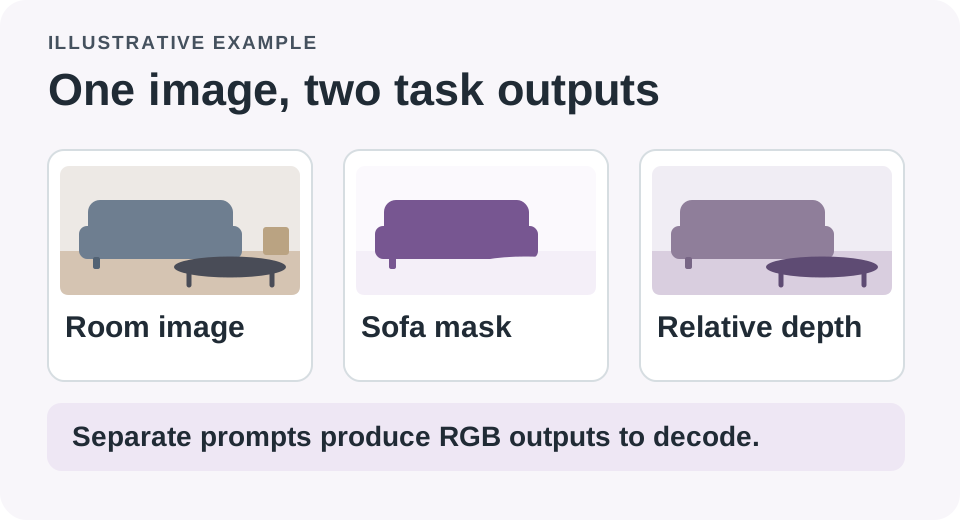
Segmentation and depth can share an output format while answering different questions about the same image.
There is more than one way to turn a picture into an answer
Semantic segmentation assigns pixels to categories, such as chair or floor. Instance segmentation tries to separate individual objects that share a category: the dining chair at the left is different from the nearly identical chair at the right. Referring segmentation starts with a description, such as the chair beside the window, and asks for the region that matches it. A depth map represents the scene in terms of apparent distance. Surface normals describe orientation, another task the project supports.
Open Vision Banana uses an input image and a task prompt to produce an edited image that carries the answer. A segmentation prompt can specify a legend that maps a class to a color. The generated labels can then be interpreted according to the legend. A depth output is decoded and scored with its own conventions. The authors describe prompt design, color encoding, parameter adaptation and which tasks to mix as consequential parts of the training recipe. Combining individually promising choices is not guaranteed to produce the best multi-task model.
For the room photo, a useful mask can support a new backdrop while preserving the chair's edges. Depth estimates may help a designer check a composition where a new element should pass behind the chair and in front of the wall. Those examples need different quality checks. A smooth depth image may be unsuitable if it puts an overlapping plant on the wrong side of a chair. A good-looking image showing a roughly correct chair region may still omit the thin legs that a final composite needs.
| Output | What to inspect on a room photo | A failure the preview can hide |
|---|---|---|
| Class mask | Chair pixels are separated from floor and wall | Thin legs or the gap under the chair disappear |
| Referring or instance mask | The requested chair is distinct from other chairs | A correct category hides the wrong instance |
| Depth estimate | Foreground and background preserve useful ordering | A smooth map puts an occluder behind the wrong object |
The gallery links to the authors' outputs. The scenario above is illustrative. A room cutout tested on your own image is a better indicator of workflow fitness than a beautiful example chosen by a research team.
The high score comes with a protocol
On Cityscapes semantic segmentation, the authors report 73.9 mIoU for their 9B zero-shot model, against an earlier reported 69.9 for Vision Banana. Mean intersection over union describes overlap between predicted and reference regions, averaged according to the benchmark. The official evaluation notes say the Cityscapes result uses 20 passes of legend ensembling. Different colors are assigned to the same categories across passes, and the results are reconciled. One pass and twenty passes have different latency and cost.
The paper reports examples where this vote improves scores without changing the model weights. That's evidence about the authors' benchmark setup, not a guarantee for your own photos. Run the simpler configuration first and ask whether additional passes help on the failure you care about. If every pass misses a thin transparent edge, majority voting isn't a substitute for a better tool. It can help when the instability comes from prompt or legend binding, the problem the technique was designed to address.
The project's documentation also distinguishes zero-shot and non-zero-shot training mixtures. The latter can include the training splits of evaluation benchmarks. The former excludes those benchmark training splits according to the project. A headline that compares the closest-looking numbers can collapse that distinction. Similarly, some instance segmentation runs use another model to gate whether an object is present, and ReasonSeg uses query rewrites. The paper says the results remain further behind Vision Banana on instance segmentation. Treat the benchmark as a menu of protocols, not a single chart that establishes a universal winner.
Depth numbers need their own context. The project applies per-image disparity alignment in its NYUv2 evaluation. That makes it possible to compare important aspects of relative depth under the benchmark protocol. A high aligned score doesn't provide a tape measure. A design team can check which object is in front, but absolute measurements, robot clearance and physical safety need evidence from systems built and verified for those decisions.
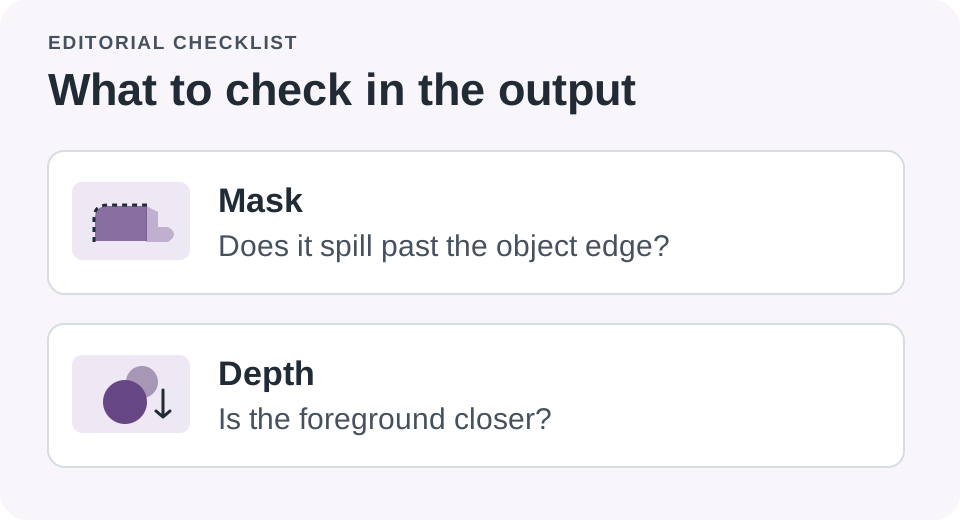
Good visual output still needs task-specific checks at the edges and in overlapping regions.
A shared editor can reduce glue code and add a different cost
There are reasons to try the approach even if a specialist still wins one task. You may be able to request a region mask, a depth image and an edit in related ways, keeping one model family in the research project. The paper reports that the adapted models largely retain the image-editing ability of their base. That opens an experiment where the same system produces a mask and drafts an edit using related input. Confirm both outputs before removing the tool that currently does either job well.
Compare a generator-based run to a dedicated mask model on the same requested item. Record whether the output can be converted cleanly into the alpha mask your editor expects. Count mistakes on hair, glass, gaps and shadows separately from mistakes on large opaque surfaces. For a desk photo this may all work well enough in one pass. For a catalog full of reflective furniture, the time spent on inspection and cleanup could outweigh the convenience of sharing a model.
The 4B and 9B checkpoint families both include zero-shot and non-zero-shot releases. A smaller checkpoint is a reasonable candidate for a limited evaluation, not a promise of a known memory budget. End-to-end resource use depends on the pipeline, resolution, precision, runtime and number of passes. Keep these factors in your notes so a change of model is not confused with a change of settings. Compare the total time to an acceptable output rather than reporting only the fastest prediction.
The team publishes code and setup instructions and a gallery of results. The repository lists Apache 2.0 for the code and the FLUX Non-Commercial License for the released weights. The data retains its original licenses. A public weight download is useful for research; it does not make the same files suitable for a commercial catalog project. Use the trial below to learn about the method, and obtain the permissions appropriate to your planned use before adopting it.
Start with images whose failure you can see
A quick research comparison can stay small. Use photos you took or are allowed to process, where you can identify the intended object and approximate foreground order without asking the model. Choose examples with both an easy silhouette and an ambiguous overlap. Keep the image size and task prompt fixed for each comparable run. The point is to identify which task fails and how, before scaling up a workflow that may only look reliable on selected examples.
- Label a small set of target instances and occlusions by hand. Include one target that is absent so a plausible-looking false positive is easy to spot.
- Choose and record the checkpoint, prompt, image size and number of passes. Run the specialist and shared-model comparison on identical images.
- Check the final mask or depth output in the operation it is supposed to enable. For a cutout, try it on a contrasting background rather than judging the mask alone.
- Track repair time and common failure categories. Keep the current specialist whenever the shared model adds editing work or hides a consequential mistake.
When a candidate produces a bad mask but a persuasive original image edit, keep both observations. They answer different questions. In a multi-task project, the average score can conceal the one weak output that forces a human to redo the next step. The first job of a pilot is choosing the few decisions a new model can support reliably, not maximizing the number of capabilities on a single slide.
Quantify the cases that matter to the editor. For example, count how many selected chairs needed manual cleanup at the leg or frame, and count how many scenes preserve the overlap order in a comparison. A set of ten of your own images won't establish broad accuracy. It can save time by showing that a realistic source image reliably exposes the same failure that a public leaderboard would average away.
The comparison should also cover what comes out the other end of the pipeline. A mask written as an RGB visualization may need conversion before an editor can use it as transparency. Check whether the conversion preserves the requested class legend and whether the saved image introduces ambiguous pixels. Keep the generated image and the derived mask separate so that a bug in the conversion isn't mistaken for a model failure. When you try a new color legend, record it alongside the result; the same file colors can then be interpreted correctly later.
A second illustrative application is a visual reference library. A designer looking for “the lamp between the shelves” may benefit from a region suggestion without requiring the pixel perfection needed for publication. In that setting, showing a small handful of possible matches and letting the designer choose can be more useful than automatically returning a confident cutout. The deployment question changes with the job: occasionally missing an item in a mood board has a different cost from handing a compositor a subtly incomplete silhouette.
Looking good is different from seeing well
The creative use case is persuasive because it gives the output a job. An editor needs a region that behaves correctly in a composite, not just an image that looks like a region. Open Vision Banana is worth following because it puts several tasks within reach of one model family and publishes enough of the recipe to test the idea. The test can be as simple as whether the chair keeps all four legs when the background changes.
Sources
- Open Vision Banana preprint, first submitted November 11, 2026
- Research team project and output gallery
- Official code, checkpoints, evaluation protocol and license notes
Keep the test photos, prompts and comparison notes organized as you evaluate a vision workflow. Start your first note with Telli.sh.