Your local AI can speak now: what Ollama's Phonon update actually opens up
Ollama adds local speech generation with Gradium's Phonon models. A look at useful listening workflows, the current macOS boundary, and why the smallest model's license matters.
An answer from a local language model still usually ends as text in a terminal or chat window. You can keep asking questions, but you have to keep looking at the screen. Reading the answer aloud adds another application, another API or another step.
Ollama's October 24, 2026 announcement brings speech generation into that local workflow. Its first supported speech family is Phonon, developed by Gradium. Text can become audio through the command line or an OpenAI-compatible speech endpoint, and a language model's answer can be passed directly to the speech model. Official announcement.
For readers who have not used it, Ollama is a tool for downloading and running models on your own computer and exposing them through a local API. The update matters because speech becomes another model capability in that environment. It gives local AI a way to talk back, with some important limits: the announced speech support is currently for macOS, and model licenses differ within the Phonon family.
 Official Ollama mark, from the Ollama repository, MIT license. Rasterized proportionally on white. This is a product identity image, not a screenshot or generated speech.

A useful voice starts with a modest promise
The immediate capability is text to speech. You supply words and receive synthesized audio. That can make a generated answer easier to listen to, turn a document into a private listening draft, or let a developer prototype a spoken interface without starting with a hosted speech service.
It does not, by itself, create a complete voice assistant. Listening to a microphone, deciding when someone has finished speaking, recognizing speech, interrupting playback and deciding which actions are permitted are separate parts of an application. A fluent voice can make an unfinished system feel more complete than it is.
That distinction is useful when deciding what to build first. Reading an approved paragraph is a bounded task. A system that hears a request, searches private material, chooses a tool and speaks its result has a much larger set of responsibilities. Phonon can provide the output voice in that system; it does not establish the accuracy or authority of the preceding steps.
The strongest first use cases therefore have an understandable text boundary. You can inspect what will be spoken, decide whether the wording is suitable and then generate audio. That simple arrangement makes it easier to find out whether the voice improves an actual task.
The launch has a platform and language boundary
The launch instructions call for an Apple Silicon Mac with Ollama 0.40.11 or later, with Windows and Linux support coming later. A reader running Ollama on another operating system should not assume an existing installation already supports the announced speech workflow. The model library being visible on the web is a different fact from the runtime feature being available on every platform.
The Phonon library entry also separates model choices. The base Phonon model is presented for English. The 40M family includes language-specific variants for English, French, German, Spanish and Portuguese, along with a multilingual variant covering those five languages.
That list is not a claim of universal multilingual speech. Korean is not among the five listed languages, so this launch does not establish a Korean speech option.
An English listening workflow and a multilingual product need different evaluations. The first may only need a voice that reads your own English notes clearly. The second must check the exact model's supported languages, names, pronunciation and behavior when a sentence switches language. A language label alone does not prove that all of those cases work well.
Small model, different permission
The model family has a licensing distinction that is easy to miss when browsing by size. The base Phonon model is listed under Apache 2.0. The 40M variants are listed under CC BY-NC 4.0, which includes a noncommercial restriction. Model and license information.
That means the smallest download is not automatically the simplest choice for a commercial product. A compact model can be attractive for experiments on a modest machine, while the permissions attached to that particular model may not fit a paid service or a customer's production application.
| Choice to examine | What changes | What to check before adopting it |
|---|---|---|
| Base Phonon | English speech option with an Apache 2.0 listing | The exact downloaded model, notices and any additional voice assets |
| A language-specific 40M variant | A compact model for one listed language | Noncommercial restrictions and pronunciation on your material |
| The 40M multilingual variant | One compact option for the five listed languages | The same license restriction plus switching and mixed-language behavior |
This is a practical product decision, not an argument that one license makes a model better at speech. Compare quality, runtime cost and permitted use separately. Keep a record of the exact variant you tested rather than writing only “Phonon” in a deployment note.
The command line makes the new path easy to see
On a supported macOS installation, the official announcement shows a direct command:
ollama run phonon "Hello from Ollama."
It also demonstrates passing a text model's output into speech:
ollama run gemma4 --hidethinking "Tell me a fun fact about owls in two sentences." | ollama run phonon
These are examples from the announced workflow, not results from our own hardware test. The pipe is the interesting part: one model produces the words, another produces the voice. Keeping the answer short and excluding hidden reasoning from the spoken input makes the handoff easier to understand.
The announcement also shows saving generated speech as a WAV file:
ollama run phonon "Save this to a file." > speech.wav
Use the documented command in the supported environment and check the resulting file before building a batch process around it. The existence of an audio file does not tell you whether every sentence was spoken, whether the beginning was clipped or whether the voice pronounced an important number correctly.
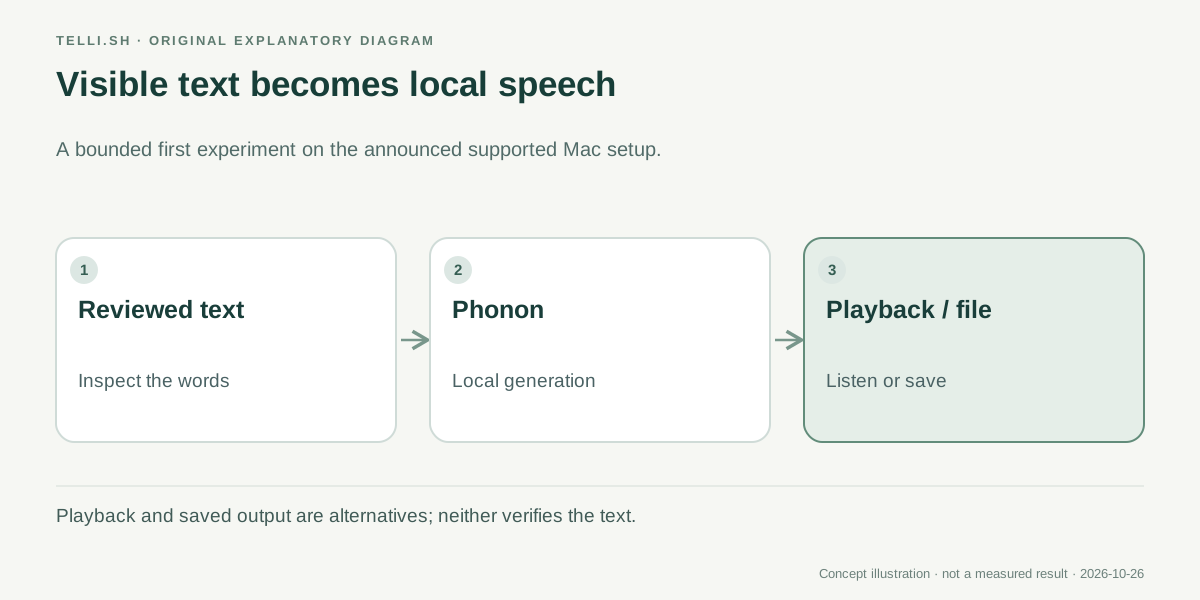 The first useful boundary is visible text. Speech changes how the answer is delivered; it does not independently verify the answer.
Example one: listen to a document before sending it
Imagine a consultant reviewing an English project update. The document contains a dense explanation of what changed, what remains uncertain and what the customer needs to approve. It reads acceptably on screen, but listening may reveal a sentence that is too long or a transition that is hard to follow.
A local speech model can turn that approved text into a listening draft. The consultant hears the actual wording while making edits to the original document. There is no need for the speech model to invent a summary or decide which statements matter.
The benefit is specific: an additional way to review a piece of writing. It may also help someone who prefers listening or wants to alternate between visual and audio work. It is not evidence that the model provides a complete accessibility solution, and a generated voice should not replace checks required for an audience's particular needs.
This example also makes privacy easier to reason about. If the speech generation really stays in the local process, that generation step need not send the document to a hosted speech provider. The complete workflow can still include a cloud editor, a remote language model, telemetry or a shared storage folder. “Local speech” describes one processing boundary, not every application surrounding it.
Example two: prototype a spoken answer with a visible transcript
Consider a developer making a small language-learning or information kiosk prototype. The application generates a short answer, displays the words and offers a button to hear them. Users can compare what they see with what they hear, and the developer can inspect failures without guessing what text entered the speech model.
Ollama's OpenAI-compatible /v1/audio/speech endpoint, served through the local runtime, is relevant here. The official announcement describes the endpoint as a way to integrate speech generation into applications. Compatibility can reduce integration work for software already organized around a speech API, but it does not prove that every remote provider's option has an identical local implementation.
Start with the documented model, voice and response behavior. If your application expects a specific streaming format, cancellation behavior or audio encoding, test that exact contract. A successful one-line request does not establish that a long interactive session will behave correctly.
For the language-learning example, begin with one supported language and a small set of reviewed sentences. Test names and unfamiliar words separately. If a user can enter arbitrary text, also decide how the application will handle unsupported scripts, unusually long input and material that should never be spoken in a shared space.
How to make a first trial informative
An experiment is most useful when it answers a question you could act on. “Can it make sound?” is a good installation check, but a weak adoption criterion. A writing tool needs intelligible paragraphs; an interactive prototype also needs acceptable waiting time and reliable stop behavior.
- Confirm the platform and runtime. Check the current Ollama speech documentation. The launch instructions specify an Apple Silicon Mac and Ollama 0.40.11 or later. Treat announced future platforms as future availability.
- Choose the exact model and inspect its license. Record the tag, language and intended use before comparing download size or speed.
- Prepare representative text. Include a short sentence, a paragraph, numbers, names and a case that your actual workflow finds difficult. Keep a copy of each input.
- Listen to the complete output. Check omissions, pronunciation, unnatural pauses, repeated words and whether the ending is present. Test the saved file as well as immediate playback.
- Measure the experience on your computer. Record the machine, model, input length and time until useful audio. Compare the same material across options.
- Keep review and playback separate. Let a person inspect sensitive or consequential wording before an application speaks it or distributes an audio file.
That process does not require a large benchmark. It gives a small team a repeatable way to decide whether local speech is good enough for a narrowly defined task and which limitation is worth investigating next.
Speed claims need their testing conditions
Ollama's announcement includes performance and speech-quality comparisons. Those are vendor-reported results under the stated model, hardware and evaluation conditions. They are useful clues about what to investigate, not a promise of the same latency on a different computer or with a different voice and language.
Separate throughput from time to first audible output. A model may generate a long passage quickly overall while still making a short interaction feel slow at the beginning. A batch audiobook draft and a conversational reply care about those two measurements differently.
Quality measurements also need context. Word recognition against generated speech can help detect intelligibility problems, but a low error rate is not a complete judgment of pacing, expressiveness or whether a name sounds appropriate to its audience. Human listening remains useful for the material your product will actually speak.
We have not run an independent cross-machine comparison for this article. The practical expectation is therefore a new local option to evaluate, rather than a declared winner over every hosted or local speech system.
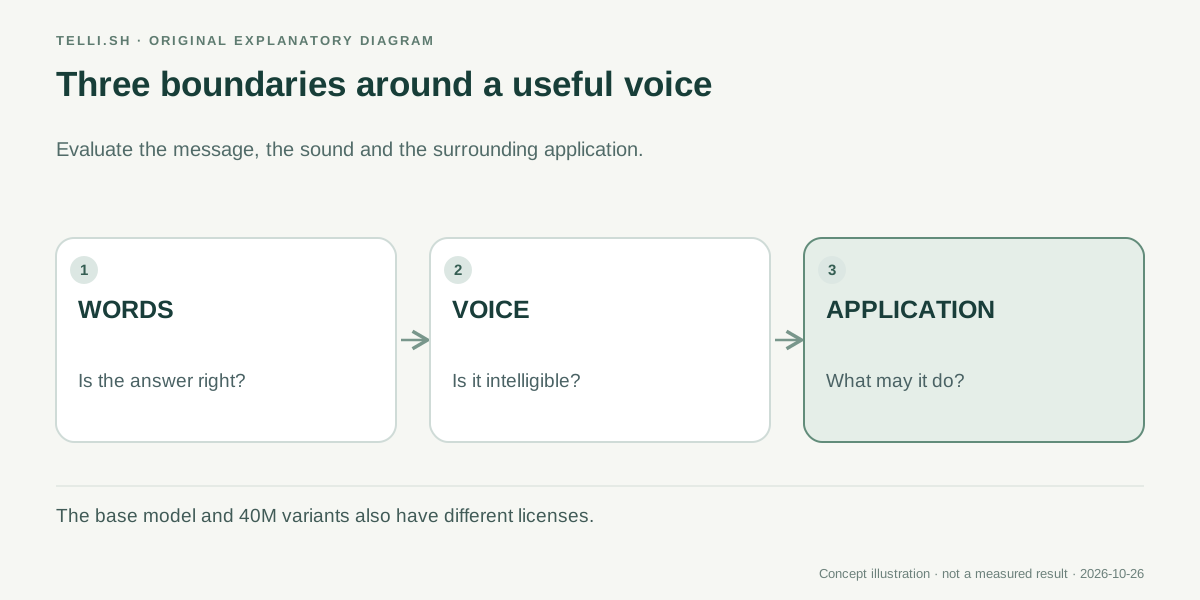 Check the words, the voice and the application separately. A clear voice can deliver a wrong answer just as clearly as a correct one.
What local speech could change next
The promising part of this update is how ordinary the connection can become. A local model writes a short explanation, another model reads it, and the application keeps a visible transcript. Speech starts to look like a composable output capability rather than a separate destination for copied text.
That could make local writing review, private listening drafts and small spoken interfaces easier to explore. It could also encourage applications that use several specialized models together: one for understanding the input, another for a bounded decision and another for speaking the reviewed result.
The next tests are concrete. Broader operating-system support would expand who can try the workflow. More language coverage would change which audiences it can serve. Better cancellation, voice handling and integration would change how natural an interactive application feels. Each is a different improvement and should be judged when it is actually available.
For now, Ollama's Phonon support offers a useful first step: let local AI speak a short, inspectable piece of text, then decide whether listening makes that particular task better. Keep the model's license and platform limits as visible as its voice.
Sources
- Ollama: Speech models, October 24, 2026.
- Ollama: Phonon model library and licenses, checked October 26, 2026.
Want to keep a searchable record of the text, listening notes and model choices from an experiment? Bring the material into Telli.sh and build a note you can return to.