MorningAI Files and Notion: what changes when an agent can find the brief?
MorningAI's October 26 update connects brand files and Notion to its Agent. Here is how to use that context for reviewed, traceable marketing work.
The campaign brief is in Notion. The approved claims are in a PDF. The latest sales figures are in another file, and the email explaining an exception is still in someone's inbox. Before an AI assistant can produce a useful draft, a person has to assemble the context.
MorningAI's October 26, 2026 update addresses that preparation work: its Agent can search accessible brand Files, cite the documents it uses, and work with the Notion pages and databases available to the connected account. MorningAI is a marketing platform for consumer brands. The useful question is how these connections change a team's daily work, from revising a retailer's sell sheet to putting launch tasks into a shared plan.
Our take: a connected agent earns its place when someone can review both the result and the evidence behind it. Finding the brief is the beginning; choosing the correct version and keeping a write operation reviewable are what make the workflow dependable.
Hero: an original editorial diagram of connected context and reviewed output. It is a conceptual illustration, not a screenshot of a MorningAI session.
Reusing context changes the work before the first draft
Think of the preparation burden as a context commute: the repeated trip between the places where the facts live and the place where you ask for help. A person searches for a document, downloads it, uploads it, explains why it matters, then repeats the trip when the file changes. Even when the drafting step is quick, the surrounding work can remain awkward.
The October 26 announcement says Files retrieval stays within documents the user can access in the current brand and returns citations. That boundary matters for a team managing several brands or product lines. A relevant-looking claim from the wrong brand can be more troublesome than an obviously irrelevant answer, because it is easy to reuse without noticing the mismatch.
Consider an illustrative retailer meeting. You need a revised product sheet with current sales figures and approved positioning. The useful output is not simply a more polished paragraph. It is a draft in which the buyer's name, reporting period, product variant and factual claims all match the supporting material.
That makes citation review part of the task itself. If a proposed sentence says sales improved, the reviewer should be able to find the period and comparison behind it. A source link is a route back to the evidence; it does not decide whether the selected evidence is the right evidence.
Teams can make this easier by giving documents clear roles. One document owns approved claims, another owns the sales reporting period, and a third owns the retailer-specific format. This is an editorial operating practice, not an extra feature promised by the release. The point is to reduce the number of plausible but conflicting answers an agent can find.
Files, brand information and Notion solve different context problems
Connecting more material is useful only if the team knows what each source is for. A product description, a launch deadline and a sales report may all mention the same item, but they answer different questions. Treating them as interchangeable can produce a confident draft with the wrong kind of authority.
The following comparison is a suggested division of responsibilities for a marketing team. It is a way to organize a pilot, rather than a claim that MorningAI enforces this hierarchy automatically.
| Context source | A useful role in the workflow | What a reviewer should establish |
|---|---|---|
| Brand and product information | Stable positioning, naming and product details | Which approved version governs this brand? |
| Files | Supporting reports, guidelines and reference documents | Is the document current, applicable and cited correctly? |
| Notion pages and databases | Briefs, assigned work, dates and project status | Which page or record owns the decision being changed? |
| Outlook correspondence | Communication context and a draft destination | Is the recipient correct, and is the result still a draft? |
For example, a campaign brief can explain the intended audience without authorizing a new product claim. A sales report can provide a quantity without authorizing a public comparison with competitors. A project board can show a deadline without proving that the underlying creative work has been approved.
Write those distinctions into the request. “Use the brief for audience and tone; use the approved-claims document for factual wording; list any conflict before making changes” is easier to review than “make this campaign better.” The former also gives the reviewer a concrete failure condition: the agent should surface a conflict, not silently blend the sources.
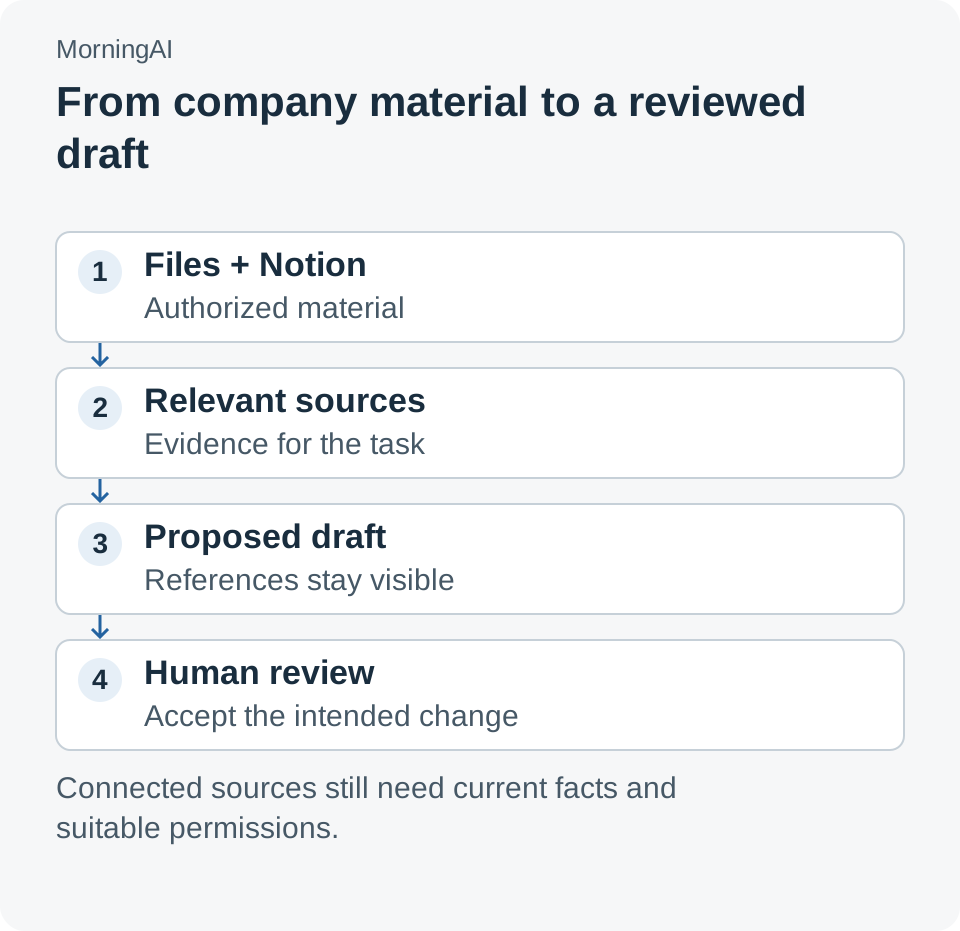
Original workflow diagram. Retrieval, drafting and approval are separate responsibilities; the arrows describe an evaluation workflow, not measured MorningAI performance. Feature basis: MorningAI, October 26, 2026.
A retailer sell sheet makes the value and the review burden visible
MorningAI's release illustrates a sell-sheet update that draws on a sales report and brand guidelines, then saves an Outlook cover-email draft using the Microsoft 365 connector. The example is useful because it has a recognizable deliverable and a clear recipient. It is a vendor-described workflow, not a result we measured.
For a team's own pilot, choose a small, already completed version of that job. Give the agent the same source material used for the approved deliverable, then compare its draft with the known reference. You are looking for correct facts, appropriate omissions and an understandable chain from source to sentence.
There are several distinct ways the draft can fail. It may use the right number with the wrong reporting period, copy an unapproved claim from an older sheet, or produce a suitable email addressed to the wrong buyer. Combining those into a single “good answer” score makes the useful diagnosis disappear.
Separate factual correction from stylistic revision. If a reviewer changes a sentence because the tone feels too promotional, that is different from correcting a product size. Keep a brief note of each correction and the source needed to resolve it. After several examples, the team can see whether the recurring issue is retrieval, missing context or output review.
This also helps establish where a connection is unnecessary. If a task only needs an approved product description, granting access to a wider collection of communications adds little value. Begin with the sources required for the deliverable, then expand only when a real task demonstrates the need.
Notion turns a brief into work that someone owns
The release places Notion setup at DNA → Connectors → Notion and describes access to the pages and databases available to the connected account. Its examples include turning a launch brief into campaign work and updating shared plans. Those capabilities make the destination of the output as important as the prose itself.
Imagine a launch brief with three decisions: a target date, an owner for creative approval and a dependency on a retailer's confirmation. An illustrative agent task is to propose corresponding action items in the team's existing Notion database. The reviewer needs to check not only whether the text reads well, but whether each item has the intended owner, date and relationship to the source brief.
Avoid creating a second project plan merely because it is easy to generate one. If the team already works from a database, the pilot should use its existing status vocabulary and ownership rules. A beautifully written duplicate plan can increase coordination work when people must reconcile two competing versions.
Ask for a small set of proposed changes before expanding the task. For instance, the first run could identify missing action items without changing dates on existing records. A later run can test an approved date change. These are suggested pilot stages, not claims about additional product controls.
The release's public Notion workflow depicts task creation after approval. That is a helpful reminder to keep the review decision visible. “Prepare these updates for review” and “apply these changes” should be understood as different requests, especially when a shared project board drives other people's work.
A calendar draft still needs an editorial decision
The same October 26 update distinguishes planned drafts from scheduled publication: a draft can have a date and remain unpublished until it is scheduled. This distinction helps a team use the calendar as a working surface without confusing an idea with a commitment. A date on a card should not be treated as proof that its content is ready.
An illustrative third workflow starts with an approved brief and produces several channel-specific draft ideas. A person then checks whether each idea matches the audience, claims and production capacity. Some drafts may be useful even when the proposed dates are unrealistic or the required image is still missing.
A useful review meeting can focus on three questions: what is ready, what needs evidence, and what depends on another person? The answers are operational decisions, not properties of a fluent paragraph. Connecting the planning material helps surface them, but the team still has to decide which state means approved.
This is why output volume is a weak first success metric. Producing more drafts can create a longer review queue. A better pilot asks whether the team can reach an approved, source-supported deliverable with less searching and fewer avoidable corrections.
Run a bounded pilot before expanding the source collection
Start with one brand, one existing workflow and a person who knows the reference material. The following procedure is an evaluation plan, not a report of a completed trial. Its purpose is to make errors easy to locate before the workflow touches a large shared backlog.
- Choose a finished reference job. Select a previously approved sell sheet or launch plan and collect the documents that supported it. Record which version of each document was authoritative.
- Prepare a small source set. Use clearly named files and an accessible Notion test page or database. Include one deliberately outdated reference so the reviewer can see whether the requested source hierarchy is respected.
- Connect the required workspace. Use the documented DNA → Connectors → Notion path and check the account's accessible pages. Confirm the intended destination before asking for a write operation.
- Request a cited draft and a change list. State the task, the governing sources and which actions require review. Have the agent identify conflicts or missing facts instead of filling gaps with plausible text.
- Review evidence and destination separately. Check numbers, reporting periods and approved wording, then inspect the recipient, page, record and proposed status. Keep the first exercise away from live publication or an actual buyer email.
- Repeat with a changed source. Update one approved fact or deadline and run the task again. Check whether the new result reflects the change without carrying over a superseded detail.
- Decide what to expand. Add another document collection or workflow only after the reviewer can explain the remaining errors and the team's responsibility for resolving them.
For an illustrative evaluation set of 10 jobs, record whether each draft cited the governing document, required a factual correction and reached the correct destination. Those are suggested measurements, not a promised accuracy rate. They can reveal whether the connection removes preparation work or simply moves it into review.
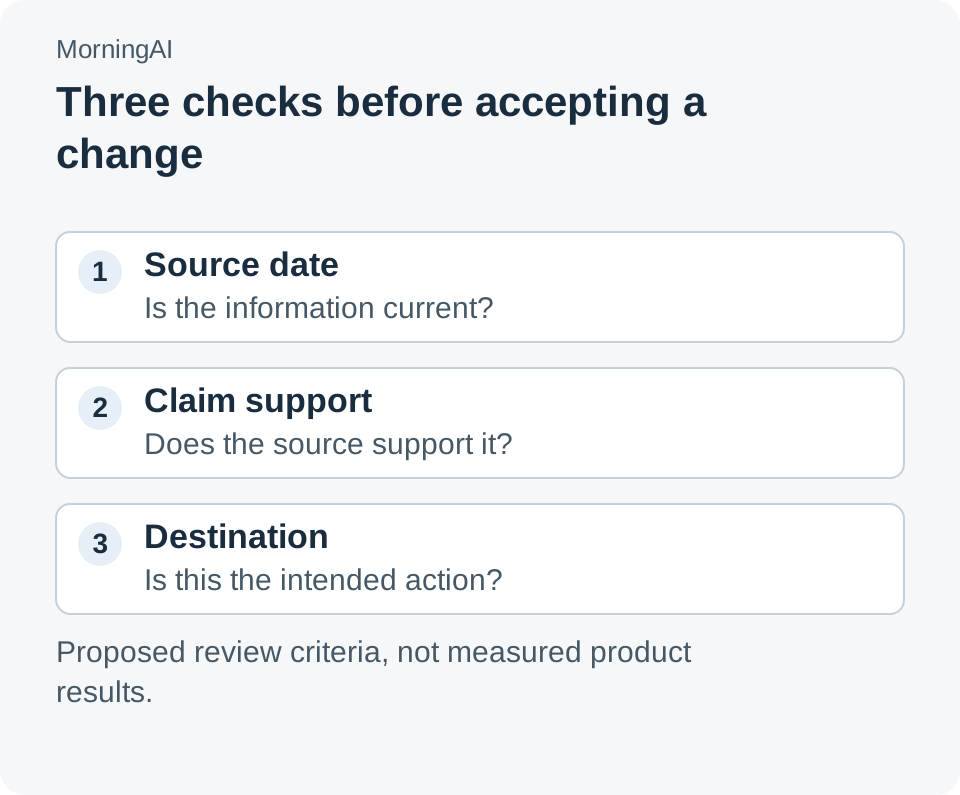
Original review guide. These checks are suggested operating criteria, not a certification or a vendor benchmark.
More access needs a reason, and more output needs an owner
There is a practical tradeoff between a broad context collection and a clear responsibility model. Broad access can help the agent find an unexpected but useful reference. It can also give a reviewer more possible sources to examine when two documents disagree.
The resolution is not to demand a perfect knowledge base before starting. Assign ownership to the handful of sources that matter for the selected job. Someone should know which approved-claims file is current, which report supplies the reporting period and which Notion database drives the team's work.
MorningAI's terms, accessed October 27, 2026, explicitly ask users to evaluate output accuracy, including human review where appropriate. That fits the practical workflow: citations make checking easier, while the person accepting the deliverable remains responsible for the decision. A connector does not remove the need to understand what the output will be used for.
Be equally concrete about cost. The October 26 announcement does not provide a price for this particular workflow or a measured time-saving figure. A useful internal comparison should include source preparation, generation, review and corrections; timing only the first generated draft leaves out much of the job.
The reusable asset is the path from a fact to a decision
A marketing team does not need another place to accumulate attractive text. It needs a dependable way to turn approved information into work that people can check, own and complete. Files and Notion connections are valuable when they shorten that path and preserve the context required to review it.
That is the question to carry into a pilot: after the agent finishes, can another teammate explain where the facts came from and what has actually been approved? If the answer is clear, the team has improved a workflow. If it is unclear, the next task is to clarify the source and the decision before generating more material.
Sources
- MorningAI: October 26, 2026 product updates — release details, documented Notion setup and official workflow images.
- MorningAI: terms of service — accessed October 27, 2026; output review and service terms.
- MorningAI platform — company and product context.
Source check: October 27, 2026. Workflow scenarios and pilot measurements above are illustrative; no installation, productivity benchmark or customer deployment was performed for this article. The official announcement links to the actual product screens.
A recommendation from Telli.sh
Want a searchable place for briefs, meeting notes and the decisions behind a revision? Collect your reference material in Telli.sh and keep the handoff understandable.