An MCP Upgrade Still Leaves an OAuth Setting to Check
The MCP Python SDK patch makes authorization-server identity part of the credential check. Here is what teams need to upgrade, configure, and verify.
A Python assistant might connect to an internal document service in the morning and a partner’s tool service in the afternoon. Each connection can have its own idea of where authorization happens. When the assistant already has application credentials on file, choosing the right authorization server becomes a security decision.
That is the issue behind CVE-2026-115563 in the Model Context Protocol Python SDK. The project first disclosed the issue on September 28, and GitHub lists November 19 as the latest advisory update. The affected ranges start at mcp 1.9.1 on the 1.x line and 2.0.0a1 on the 2.x line. The fixes are in 1.30.0 and 2.2.0, respectively. Teams using some authentication providers also need to supply an expected issuer after upgrading. GitHub-reviewed advisory
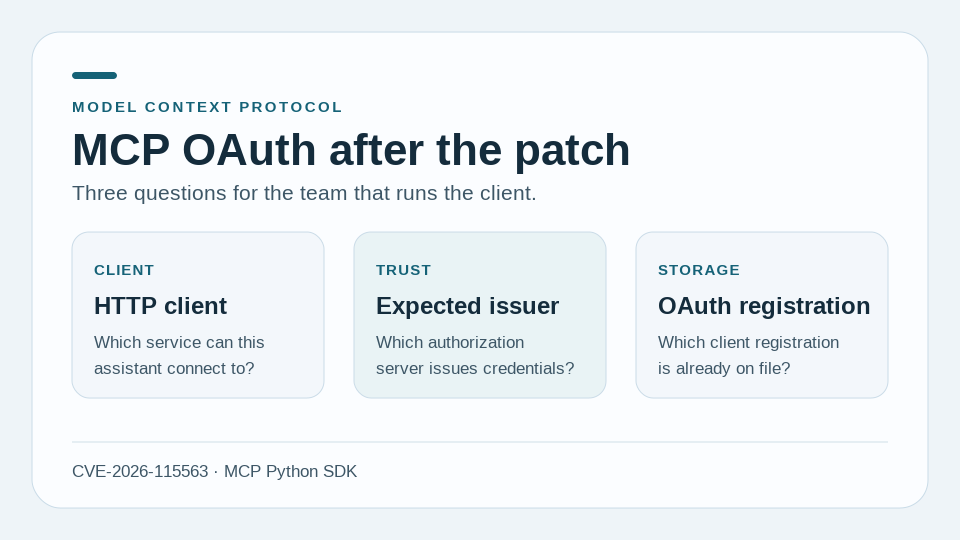
An OAuth credential belongs to a particular authorization server. An inventory is useful when it records that relationship alongside the SDK version.
Which clients should be checked first?
Start with software that uses the Python SDK’s HTTP OAuth client and can connect to MCP servers outside the team’s full control. A shared assistant with partner integrations and existing client registrations deserves an early look. The advisory describes a risk that OAuth client credentials could be disclosed to an unintended authorization service in affected configurations. It does not report observed exploitation. Because application credentials often sit in worker images, secrets stores and persistent registration caches, involve the team that operates the integration as well as the team that wrote it.
For example, a company could have an MCP client for its internal knowledge base plus a new service supplied by a partner. Give each integration an inventory entry with the expected authorization issuer, where its client registration is stored and who can rotate its credentials. That makes it possible to review the partner connection without guessing which credentials belong to the internal service.
Build the inventory around credentials and their owners
An MCP deployment can contain several different ideas of a client. A desktop assistant might keep an OAuth registration for each person who signs in. A scheduled worker might run with an application identity maintained by the platform team. An integration test might have its own registration at the same authorization server. Start with the actual Python process opening the HTTP connection. Follow the ownership of its registration through the environment, secret manager and deployment configuration, since the team maintaining the MCP server might have no authority to change the client’s credentials.
The protocol documentation distinguishes the MCP service that accepts a request from the authorization server that issues access tokens. An issuer identifies the authority behind that authorization. The two roles may be operated by different teams, and several tools can share one authority. In the inventory, record both the service you mean to reach and the trusted issuer for its OAuth registration. An issuer obtained from an approved integration record can be verified against the owner’s documentation. A recognizable product name or hostname in the assistant’s tool list does not establish who owns the credential. Model Context Protocol authorization specification
| Deployment | Evidence to collect | Who can confirm it |
|---|---|---|
| A desktop assistant with user OAuth | Bundled SDK version, approved integration and saved registration | Desktop application maintainer and identity owner |
| A headless worker using an application identity | Deployed build, provider choice, expected issuer and secret reference | Runtime operator and authorization administrator |
| A customer deployment packaged by a vendor | Maintenance release, version exposed by the running application and configuration options it supports | Product vendor and customer application owner |
A secret reference is enough for this inventory. Use an internal registration ID or the secret manager’s reference field so another operator can find the entry without copying the credential into a ticket or a screenshot. If ownership is unclear, identify who can authorize replacement and who watches the affected job before making a change. A shared identity may support several workers, and revoking its grants without mapping those dependencies can stall unrelated processes.
Let actual reachability set the order
A sandbox client with disposable credentials and no production data can usually follow a different rollout from a service account able to reach customer records. Rank deployments by the sensitivity and scopes of the credentials, the range of services the client can connect to, and how hard it is to recover a stale registration. An exception that limits connections to trusted services can reduce immediate exposure while an owner prepares the upgrade. Keep the component on the upgrade list until its running version and required configuration are verified.
A team might discover two workers running the same dependency version. One uses a dedicated identity for a low-risk internal catalog. The other uses a shared identity and connects to services supplied by external organizations. The version is enough to determine that both require review. The identity’s reach and the integration history explain why the second worker may need attention first and a more involved token review afterward.
What changes after installing the fix?
On the appropriate patched SDK release, applications using ClientCredentialsOAuthProvider or PrivateKeyJWTOAuthProvider should configure the trusted, expected issuer. The older RFC7523OAuthClientProvider is deprecated on the 1.x line and has no equivalent issuer setting. Its users should move to a maintained provider. Check the installed version inside the running assistant or worker as well as the package lockfile. Those two records can diverge after a partial rollout.
Previously stored registrations may lack issuer information. The project advises clearing those registrations once so the patched client can register again, or explicitly binding pre-registered credentials to the correct issuer. For shared assistants, identify the credential owner before touching persistent registration state so the team can confirm service recovery and retain any audit records it needs. Limit connections to trusted MCP servers while the work is underway. Project remediation and version ranges
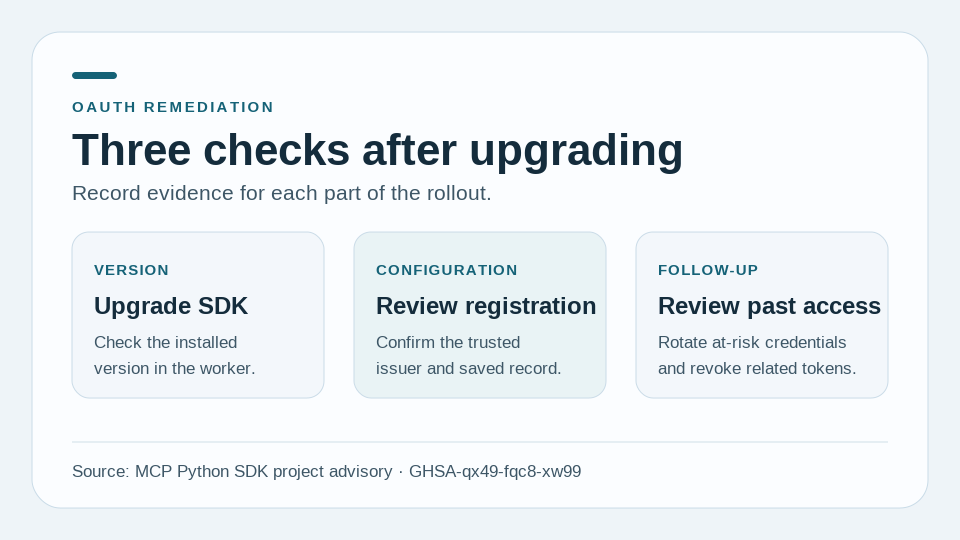
Close out the upgrade, the registration change and any credential review separately. Each depends on different evidence.
Prepare for the first connection on the patched build
The engineering change and the identity change have different owners. Agree on when the new process will start, when saved registrations can be refreshed, and how teams will recognize a normal authorization result. A team that can create a disposable registration in a test environment has a concrete rehearsal available. Run an ordinary authorized workload against its approved test service before the production window. Confirm the tool is reachable, compare the issuer to the authorized identity record, and check that the registration persists through a normal restart if persistence is part of the deployment.
A rollout using containers has an extra consideration. The configuration and registration database may survive replacement of the container. An image upgrade that leaves a persistent cache untouched can therefore preserve state created by an earlier runtime. Conversely, clearing the cache on one replica can leave another replica using its older local copy. Determine whether registration storage is shared or per instance, and list which workers are expected to resume with a fresh or explicitly bound registration. If replacement affects an interactive sign-in, let users know to expect it and provide an owner for failures. If it affects a headless job, verify that the service identity retains the minimum scope needed for the normal job.
- Choose a fixed release for the installed SDK branch. Check the package version in the artifact intended for deployment and how you will verify it in a running instance. A lockfile tells you what a build intended to install, while a live inventory tells you what was rolled out.
- Check the provider and the approved issuer. Compare the setting to a trusted record for that integration. Schedule migration from the deprecated provider if it does not have the binding control described by the advisory. Separate production and test records so a staging identity never needs access to production.
- Handle existing registration state deliberately. Coordinate re-registration with the owner or confirm that pre-registered credentials are tied to their approved issuer. Record which cache or registration store was changed and which processes depend on it.
- Verify an ordinary approved operation. Check that the patched worker can use the integration with its intended access, including after a normal restart where relevant. Expand rollout once the test matches the expected state.
- Check remaining instances. Review secondary workers, queued deployments and any rollback artifact still eligible to run. An older image that can reappear automatically belongs in the change record until the owner can account for it.
The project’s remediation establishes the version floors and which providers require the issuer setting. The rollout sequence is an example of how to apply that guidance across several workers. A team using a managed assistant may need to ask its vendor for the patched build and authorized way to review registration state. For a product that does not expose those details, the vendor’s version or support confirmation is important evidence. GitHub-reviewed advisory
What to do if a normal integration stops working
An authorization failure during rollout is a reason to compare configuration and raise the issue with the relevant owners. Check whether the integration uses the expected issuer and whether a saved registration can be re-established under that issuer. A production configuration that differs from a working test can explain the failure even when both run the same package version. Keep the approved issuer in place while the identity administrator reviews it. If a rollout pauses, document which workers are on the fixed build, which registrations changed and how long the approved connectivity restriction will remain in effect.
Decide in advance which normal jobs can wait while a disconnected integration is restored. A document search feature may be optional for several hours, while another job may feed a work queue people depend on. Leaving a connector temporarily unavailable can preserve the authorization boundary while the team validates its configuration. A rollback that restores the vulnerable SDK needs separate security review and a clear operating limit, especially if the previous build begins accepting connections from outside the organization again.
How can a team tell the review is done?
Run a normal workflow against an approved service after rollout. Record the running SDK version, the configured issuer where required and which previously saved registrations were replaced or deliberately retained. A successful connection verifies that the intended integration still works. The version and configuration checks verify the parts of the fix that an ordinary connection cannot show on its own.
For deployments that may already have disclosed credentials, the advisory recommends rotating client secrets and revoking associated tokens at the authorization server. Review authorization records for the relevant clients and time period before settling on the scope of that work. The disclosure establishes a reason to investigate those connections. The local evidence determines whether a particular deployment needs a wider response. GitHub-reviewed advisory
Decide whether to rotate credentials and expand the review
Several evidence sources can help an incident owner reach a decision. Deployment history can show when the affected version ran. Integration configuration can show which services it was allowed to contact. Authorization records can associate sign-ins or token events with a known client registration. A maintenance record can show whether that registration was replaced or merely carried forward. Use the organization’s own records, and note gaps from retention or services that were managed by another party. A gap leaves a question open without establishing that a credential was used.
For example, if a service account is shared across scheduled reports and a connector that needs review, plan the credential change with both owners. Establish a replacement supported by the authorization server, update approved consumers and verify the expected jobs, then confirm revocation of the exposed or replaced credential and any associated tokens according to the incident response plan. The order can change when security determines that the old credential must be disabled immediately. Write down which choice was made and who can restore the affected service with a safe registration. Keep values out of tickets, chat and test output.
Finish with one record per integration. It can capture the owner, current software build, OAuth provider, trusted issuer, whether previous registration state was handled and whether an exposure review remains open. The person who picks up the next maintenance window can see that an upgrade happened, which deployment is actually protected and which question remains with the identity team.
Sources
- GitHub Advisory Database entry for the MCP Python SDK, updated November 19, 2026
- MCP authorization specification and registration approaches