Keep the Coding Agent. Move Its Model to Your Mac.
macMLX 0.11.0 connects local Apple Silicon inference to Codex and Claude Code. Here is how the API paths, model aliases, memory and tool permissions change the experiment.
The interface that edits your repository and the model that decides what to edit do not have to come from the same place. A coding agent can keep its familiar workflow while sending some inference requests to a model running on your own Mac.
macMLX 0.11.0, released on November 17, 2026, gives that arrangement concrete API paths. Codex can use its Responses endpoint, while Claude Code can use its Messages and token-counting endpoints. The backend runs on Apple Silicon with macOS 14 or later.
The attraction is control over where selected model inference happens. The decision is more involved than replacing a URL: model capability, conversation handling, request serialization and the coding tool's own permissions still determine whether the setup is useful.
Before you begin: choose a supported local model that can call tools, budget for weights and context in unified memory, and treat a successful chat response as the first test rather than proof that a coding workflow works.
The agent stays in front; a local API sits behind it
macMLX is a Swift-based local inference application and server built around Apple's MLX ecosystem. Its default inference path runs in the Swift process rather than requiring a Python runtime. That describes the default engine, not a claim about every optional integration or subprocess the project might support.
The new release matters because coding agents use more than a simple prompt-in, text-out interaction. They can ask a model for a tool call, execute a permitted operation, return the result and ask for the next step. The server needs to carry the relevant history and request structures across that loop.
Version 0.11.0 adds an OpenAI-compatible /v1/responses surface for Codex, along with changes for Claude Code through /v1/messages and /v1/messages/count_tokens. The release support record also describes replaying earlier reasoning into the model's chat template and reusing agent-turn history on hybrid and sliding-window models. These are integration details with a practical consequence: a backend that can answer a greeting is not necessarily a backend that can survive the next tool turn.
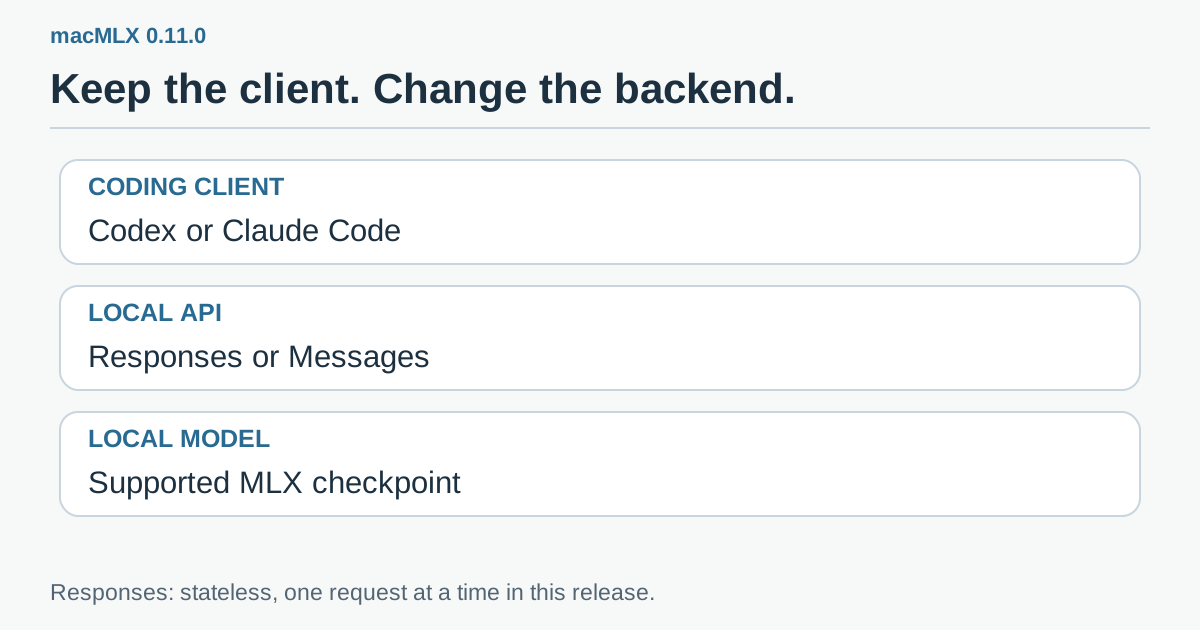 Original explanatory graphic: the coding client owns its workflow, macMLX serves compatible API requests, and the selected local model provides inference. Tool execution is a separate permission boundary.
Think of the API as an adapter plug. It lets two components connect, but it does not make their power, capacity or behavior identical. The familiar Codex or Claude Code interface does not turn a smaller local model into the remote model you previously used.
A stateless Responses endpoint changes the scaling story
The 0.11.0 Responses endpoint is stateless between requests. The client must send the conversation it needs for the next turn. The tagged README says Codex does this, while previous_response_id is rejected rather than used to retrieve a stored server response.
Stateless request handling does not mean that the runtime has no caching. Conversation state and a reusable inference cache solve different problems. A client still supplies the required history; a compatible cache can reduce work when part of that supplied input matches a previous prefix.
There is also an explicit concurrency limit on this new endpoint: it serves one request at a time. The README explains that Codex sub-agents therefore queue. Starting several agents can create a longer line rather than multiply the Mac's useful throughput. The project has other batching capabilities, but they should not be attributed to a request path whose documented limit is serial execution.
This affects how you design the first trial. One assistant doing a bounded repository task is easier to evaluate than a swarm opening several long conversations. Record the time the complete task takes, including waiting, loading and tool execution. Tokens per second during one active generation is only part of that duration.
Start with a small repository task that has a known answer
An illustrative first job is asking the agent to explain a small module and propose a unit test without changing files. You can check whether the explanation matches the code and whether the proposed test targets a real contract. This gives you a baseline before granting write or shell permissions.
A second job could allow a change in a disposable branch: rename a clearly scoped internal symbol, adjust its callers and run an existing focused test. The success criteria are concrete. Did it touch only the intended files, preserve the public contract and report the actual test result? A long, confident explanation is not a substitute for those checks.
A third scenario is offline-oriented work on a sensitive draft or private code excerpt. Local inference can keep the model request on the Mac, depending on the client configuration, but the entire agent is not automatically offline. Repository operations, package managers, search tools, MCP servers and other integrations can still connect elsewhere. Review those separately before making a data-location promise.
These examples are suggested evaluation tasks. The compatibility results in the release are the developer's own integration tests, not results from our installation.
Configure the endpoint without losing your working provider
Use an Apple Silicon Mac with macOS 14 or newer, install the tagged version through the project's documented route and follow its current Gatekeeper guidance. Do not disable system-wide security controls just to open the application. Select a model from the project's supported paths and check the model's own license before downloading it for your intended use.
The tagged 0.11.0 README documents macmlx serve and a local API at port 8000. Use the model identifier actually present on your machine. The following client examples reproduce the project's documented configuration shape; they are not evidence that the sample checkpoint is already installed on your Mac.
- Start the backend and verify its model list. Run the documented server command or load the model in the application. Check the server's actual address and the IDs exposed by
/v1/models. - Keep a copy of the client's current configuration. Add a local provider deliberately rather than overwriting a working setup you may want to compare or restore.
- Connect one client. Start with either Codex or Claude Code, not both at once. Confirm a short text request before trying a tool task.
- Keep the first permission set narrow. Begin with reading and proposing changes. Expand access only when the workflow needs it.
For Codex, the README's provider example is:
model = "Qwen3.6-27B-4bit"
model_provider = "macmlx"

[model_providers.macmlx]
name = "macMLX"
base_url = "http://127.0.0.1:8000/v1"
wire_api = "responses"
If you enable the backend's bearer authentication, follow the README's env_key guidance and keep the key in the intended environment variable. A localhost example is not a recommendation to expose an unauthenticated inference service to the network.
Claude Code's documented connection uses a base URL without the /v1 suffix and maps its model aliases:
export ANTHROPIC_BASE_URL=http://127.0.0.1:8000
export ANTHROPIC_API_KEY=sk-local
export ANTHROPIC_MODEL=Qwen3.6-27B-4bit
export ANTHROPIC_DEFAULT_OPUS_MODEL=Qwen3.6-27B-4bit
export ANTHROPIC_DEFAULT_SONNET_MODEL=Qwen3.6-27B-4bit
export ANTHROPIC_DEFAULT_HAIKU_MODEL=Qwen3.6-27B-4bit
export ANTHROPIC_SMALL_FAST_MODEL=Qwen3.6-27B-4bit
claude
Here sk-local is the project's example placeholder for a server without bearer authentication, not a real service credential. When bearer authentication is enabled, the README instead directs you to use ANTHROPIC_AUTH_TOKEN with the configured key. Its alias guidance matters: an unmapped alias can send a claude-* model name to a server that only has local checkpoints, producing a 404.
Model support needs a narrower answer than “MLX compatible”
The release's declared end-to-end checks include Xcode 27 with Qwen3.6-27B and Apple's Foundation Models client with that model and Gemma 4 E4B. Those checks covered text. They should not be retold as proof that every coding client, model variant or image request works.
The support record separately describes image input for Gemma 4 checkpoints with the supported E4B shape and dense Qwen3.5/3.6 checkpoints that include their vision tower. It also says an image request does not record a prompt-cache entry. A model appearing in a detected architecture list is not a guarantee about an arbitrary checkpoint's processor, weights or multimodal path.
For a coding task that includes a screenshot, test the image path independently. Ask for a description with a known visible answer before asking the agent to redesign a component from it. Keep a text-only fallback task so you can tell a vision-loading issue from a general tool-loop problem.
The same discipline applies to output formats and tools. A checkpoint needs to emit the tool structures the client expects, not merely mention a command in prose. Verify one tool call, its returned result and a useful follow-up answer. A failure on the second turn can reveal more about integration suitability than a successful first completion.
Unified memory makes context a real budget
The Mac's CPU and GPU share physical memory. That avoids some explicit transfers, but it does not remove the cost of model weights, activations, KV cache and the applications beside them. An editor, browser and local model can all compete for that same capacity.
Do not estimate the requirement from parameter count alone. Weight precision, actual checkpoint size, context length and runtime behavior all matter. Start with a supported checkpoint that leaves room for your normal work, then measure memory pressure and responsiveness during a representative task.
There is a specific upgrade detail worth checking: the release record says a chat-completion request without an explicit token limit may now run up to 32,768 tokens rather than 2,048. That concerns the documented chat-completion behavior; it is not a universal output guarantee for every API route. Still, explicit limits make exploratory tasks easier to control. A request that accidentally generates far longer than intended consumes time and can interfere with the work you wanted the Mac to perform.
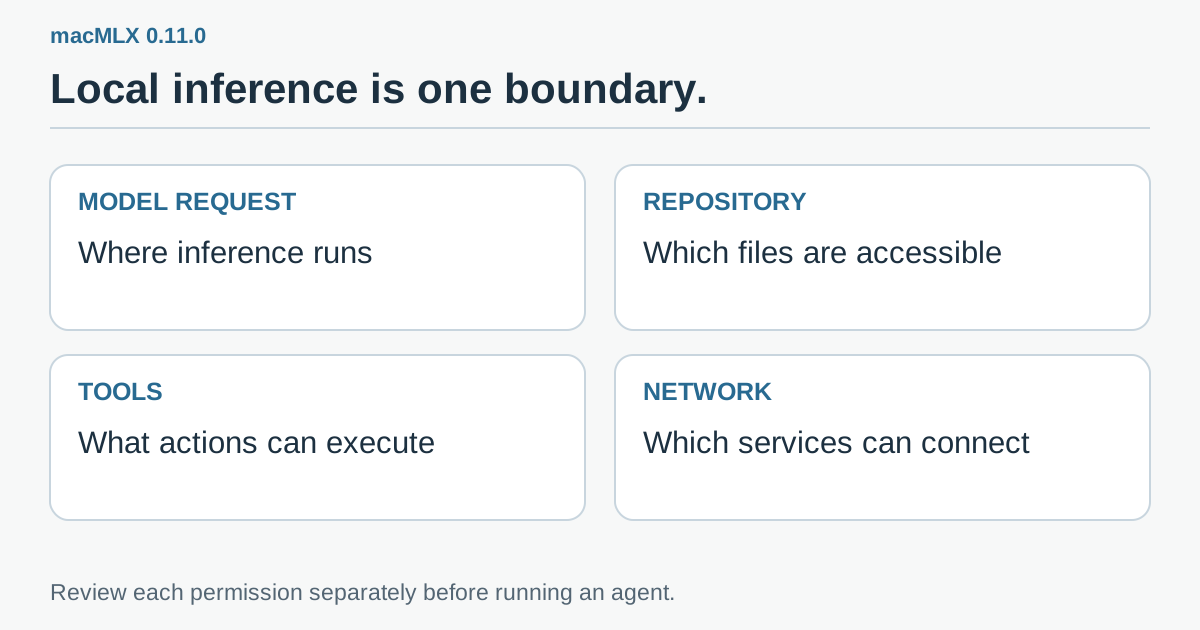 Original review checklist: model requests, repository access, tool execution and external connections need separate decisions. A local model endpoint does not automatically constrain the other three.
Compare complete tasks before you compare subscriptions
The obvious attraction is reducing dependence on remote inference for selected jobs. The less obvious cost is the operator's time. Loading a model, waiting for a serial queue, correcting an inadequate patch and keeping the environment healthy all belong in the comparison.
Use the same bounded task and acceptance tests when comparing your existing provider with the local backend. Record cold loading, first response, total task duration, successful tool turns, final test results and the amount of human correction. Keep the model, context and client versions in the note so a future upgrade is comparable.
For a frequent, modest task, a local setup may be convenient even if it loses a speed contest. For a difficult change that takes several unsuccessful rounds, a remote model may still cost less in total attention. That is a task-level decision, not a claim that one deployment location wins every job.
The hardware you already own is a useful place to experiment. A successful compatibility test is a reason to expand a controlled workflow, not an immediate reason to buy a larger Mac.
A familiar coding tool can become a more flexible workbench
macMLX 0.11.0 makes local inference easier to try without replacing the entire coding interface. Its most valuable contribution is the explicit connection between clients, API shapes and supported model paths.
Start with one client, one model and one task whose result you can verify. Keep the endpoint local, treat tool permissions as a separate decision and include waiting and correction in your measurements. The useful outcome is a workbench that can choose the right backend for a job, rather than a familiar interface hiding an untested assumption.
Sources and official media
- macMLX 0.11.0 release, November 17, 2026.
- Tagged 0.11.0 README: installation, local serving and client configuration.
- Official compatibility and historical release record.
- Official macMLX introduction image. The actual subject is linked; the diagrams in this article are original explanations.
Compatibility checks are attributed to the project. The task examples and comparison procedure are proposed reader exercises.
Telli.sh recommendation: Keep the model, client settings and task results in one place so each local-AI experiment has a reproducible starting point. Start your first note with Telli.sh.