Can your local AI app move to llama.cpp 1.0 without breaking its workflow?
llama.cpp 1.0 makes breaking changes to its public C interface visible in version numbers. Here is how to test the library, local server and packaged app before replacing a working build.
A small engineering team brings an offline document assistant to a site with poor connectivity. The assistant takes a paragraph from a maintenance handbook and returns the cited page and a short answer. On a development laptop, its new llama.cpp build starts and returns text. On the field laptop, a saved launcher still passes an old option. A little further down the chain, the app expects a response field that the developer's manual check never looked at. In all three places the team says it is upgrading llama.cpp, but each is relying on a different interface.
On November 13, 2026, ggml-org released llama.cpp and ggml 1.0.0. The former runs language models and exposes its inference library as libllama. The latter supplies tensor operations and hardware backends, with a library called libggml. The maintainers announced that future incompatibilities in their public C interfaces would be reflected in major version numbers. The 1.0.0 llama.cpp release itself removed deprecated calls and a retired command-line option. Maintainers' November 13 version-policy announcement · llama.cpp 1.0.0 release · ggml 1.0.0 release
Before changing the runtime, put your integration in one of three groups. Some apps build and link against the C library. Some start a local HTTP server and send it requests. Some distribute the runtime as part of a ready-to-install application. An app can belong to more than one group. Each group can run a small set of checks that make an upgrade decision easier to defend than a successful demo on the developer's computer.
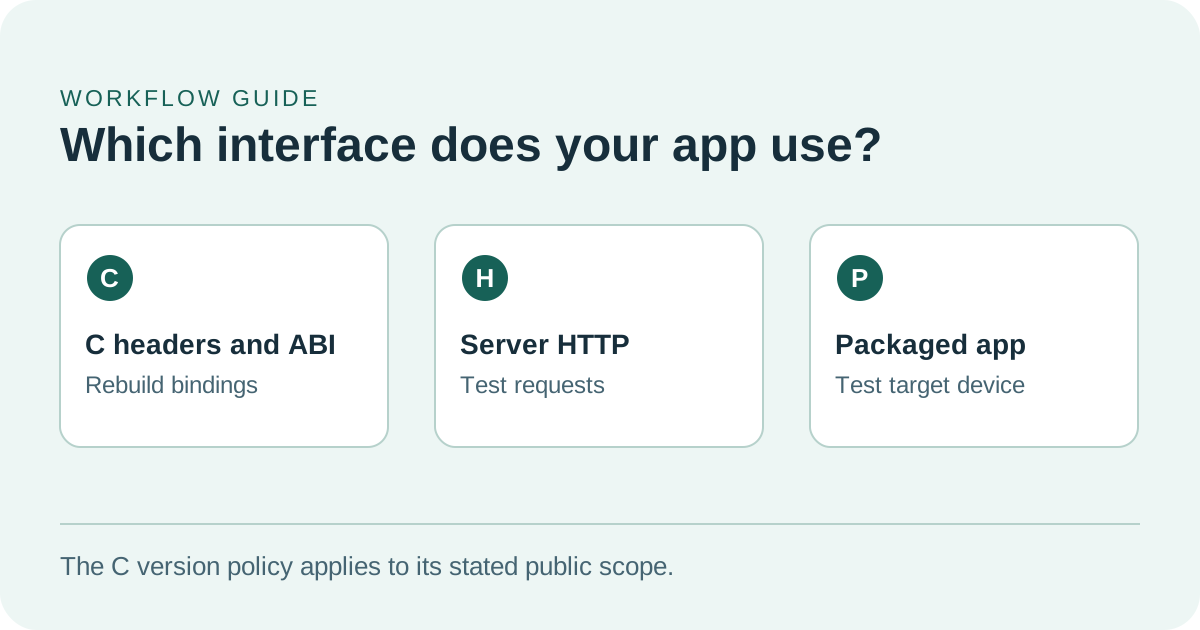
C compatibility, HTTP responses, and packaged builds need different checks.
Version 1.0 gives native integrations a clearer signal
C headers describe how source code calls the library. They tell the compiler what functions and data types are available. The binary interface, often called an ABI, governs how compiled code and a compiled library fit together. A fresh build can expose a removed source-level declaration early. Launching the linked application tests what actually happens with the library installed on a target machine. An app that loads its own native dependencies should do both.
The maintainers' November 13 policy describes a major bump for breaking changes to the public C API in the project's include directories. It puts compatible additions, backend updates and model support under minor updates, and fixes with no API change under patches. That is a useful signal for someone shipping a native binding. Someone distributing a command-line launcher or an HTTP client still needs to check the options and requests their users already rely on. Maintainers' version-policy announcement
The tagged changes give a concrete example. The 1.0.0 llama.cpp notes list the removal of 35 deprecated functions in llama.h, in addition to separately listing the removal of llama_set_warmup and the retired defragmentation controls. They also say that the NextN API for speculative decoding moves into llama.h, and document a state-related rename. Start with the calls you use. If a compiler points to a missing function, check the release notes and current public header before deciding how to replace the behavior that called it. 1.0.0 API changes · Public headers at the 1.0.0 tag
For the offline handbook assistant, a native smoke test could load a known model file, send a question with a short excerpt, read the generated answer and close the model cleanly. Repeat the load-and-close sequence in the application process where users run it. If there is a separately compiled language binding, make sure its build resolves the intended headers and its installed runtime loads the intended library. Record the artifact used before reading the result. A successful compile against one local copy says little about a separately packaged copy lying next to the app on the field laptop.
Test the part of the stack that your users actually depend on
The project also ships llama-server, an HTTP process with its own command-line arguments and documented endpoints. The 1.0.0 release adds the OpenAI-compatible /v1/audio/speech endpoint, one example of a server capability that can evolve alongside the C library. The same release removed --defrag-thold. A packaged service that passes that option has a migration to do even if it calls no C functions directly. 1.0.0 release notes · Server documentation at the 1.0.0 tag
The server documentation provides a small check you can put next to the app test. A request to /health can return HTTP 503 while the model is loading and returns 200 when the model is loaded. A team that already depends on an HTTP client can then check its own chat, embedding or other request and confirm it can parse what comes back. For a streaming feature, include both a short response that finishes normally and a longer one that the user cancels through the app. A successful request for the simplest endpoint does not exercise a cancel button or the text parser. Server health and endpoint documentation for v1.0.0
| What the app uses | First check after an upgrade | What a real workflow adds |
|---|---|---|
| Public C headers and native library | Rebuild cleanly and run against the intended library | Load a model, make a short request and release its resources repeatedly |
| A local HTTP server process | Launch with the saved settings and wait for the model to report ready | Exercise the actual request, streamed response, cancellation and error states your client supports |
| A bundled desktop or offline installer | Install on a representative machine and record the built artifacts | Open the app with its existing user settings and use a known local model from the installed build |
| A specific hardware backend | Check which backend was selected and whether the model fits | Compare memory and timing on the slowest configuration you promise to support |
The third integration has consequences beyond the server's feature list. For example, a Windows package might need a backend library next to the executable, plus a reliable way to locate the user's existing model and a readable message when that file is missing. A developer may already have a working backend installed separately. Trying the new app on a representative user installation catches missing dependencies that the development environment already supplies. The November 13 announcement lists several packaging routes and pre-release platforms. Use the exact tag or package build your team plans to ship and record its provenance. Packaging notes from the maintainers
The release number cannot tell you how fast a handbook answer will arrive
People waiting on an offline assistant feel several stages as one delay. The model loads. The app tokenizes the question and document excerpt. The runtime processes the prompt, begins generating text and sends it to the interface. A long manual section can spend most of the wait in prompt processing, while an intentionally long answer can spend more of it generating tokens. Measure startup, time to first visible text and time to finish separately if each matters to the people who use the app.
The documentation for the 1.0.0 tag distinguishes three modes in llama-bench: prompt processing, text generation and a combined mode. It says that the reported timings omit tokenization and sampling. That makes the tool useful for comparing two runtime builds under matched settings and explains why its result does not equal the wait recorded at the UI. Capture both figures if you want to know which stage improved. Benchmark documentation at the 1.0.0 tag
Start with the same GGUF model file in both builds. Keep the hardware backend, context settings and offloading choices the same where both builds support them, and save the actual settings along with the model hash. Then try the short input and a document-sized input. When measuring memory, record the peak you can observe during the longest representative request as well as the steady state after loading. A model that starts on an empty laptop can hit a different limit when an ordinary user already has a browser and a document viewer open.
The 1.0.0 release lists FP8 options for the key-value cache used during inference, including f8_e4m3, and a configurable host-memory expert cache for mixture-of-experts models. These capabilities create more configurations to compare. Where a backend and model support a setting, measure its effect separately from the 1.0 migration. Apply it on a single representative machine, rerun the same inputs and compare whether answers still meet the app's requirements. That way a timing change or a missed citation can be investigated without guessing which change caused it. Core changes in the 1.0.0 release
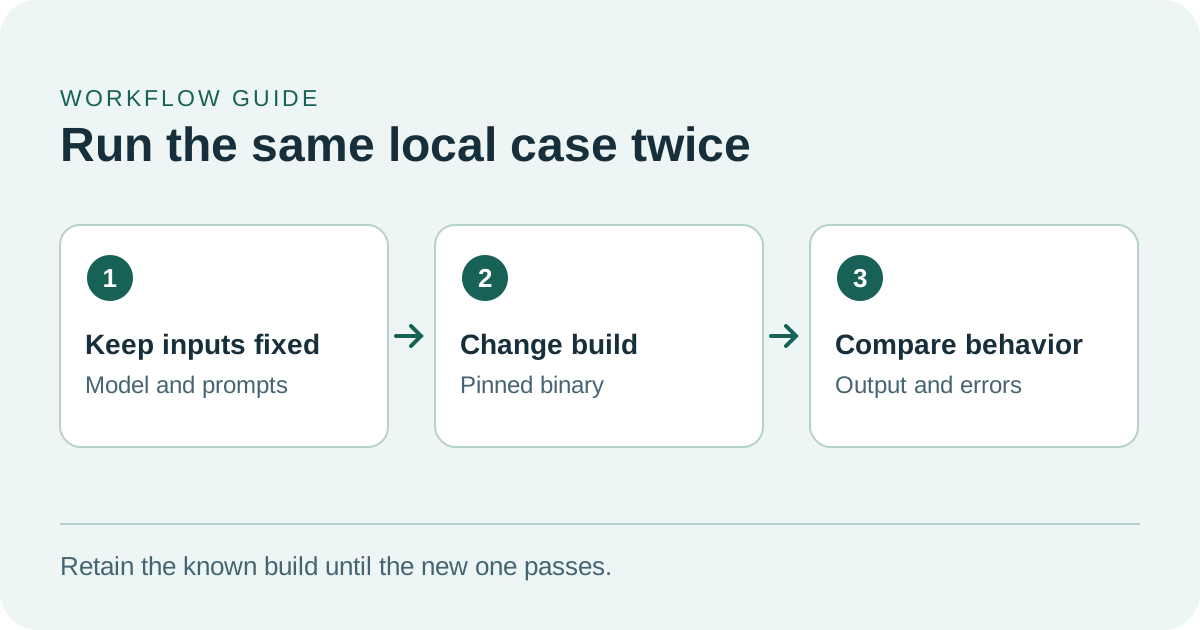
Pin the model and inputs so you can attribute any difference to the upgrade.
A small migration rehearsal makes the release decision concrete
- Choose two exact builds. Keep the shipping build and the 1.0.0 candidate available in different locations. Record the application, runtime and model versions, the same GGUF checksum for each run, and the hardware backend. Preserve user data and app settings when changing builds.
- Use the ordinary launch path. For a loopback-only server test,
llama-server -m ./handbook-model.gguf --host 127.0.0.1 --port 9931is a starting point after substituting your actual approved model file. Run the shipping command as well to catch retired options early. Check the ready state and test with the client that users actually open. Tagged server setup and options - Bring a few difficult questions. Try a short excerpt with one clear answer, a longer excerpt with competing terminology and a question the excerpt cannot answer. For each case, specify what counts as a useful result. The assistant should cite the correct page when the text contains the answer and say when evidence is missing. Record parsing errors and unusable output separately from model quality.
- Compare one performance setting at a time. On a representative machine, a starting comparison is
llama-bench -m ./handbook-model.gguf -p 512 -n 128 -r 5on each build using matched backends. Those token counts and five repeats are illustrative. Add app-level startup, memory, latency and a longer real input before deciding what users will experience. Tagged benchmark options - Run the installed build and rehearse the return. Use the candidate on a clean representative installation, restart it and repeat the largest supported case. Check that a failed launch leaves existing settings and files usable, and that you can return to the prior app version. Save the evidence that would tell a teammate when to pause a wider rollout.
Most projects need only a few well-chosen fixtures to find the next failure. When a long excerpt has become slow, first find whether the difference appears before the first text, during generation or in the app's display. If a request begins failing after the change, record which request shape and client trigger it before updating the prompt or the model. If only a packaged copy fails, compare the installer and launched process with the working developer copy. These first comparisons give the engineer who owns each layer something specific to reproduce.
A working upgrade should be repeatable on the machine that needs it
The value of llama.cpp 1.0 is a clearer way to manage change in a runtime that many local tools depend on. An app team can respond to that by saving a small compatibility record: the build, the model, the machine, the actual user-facing request and the outcome. Then the next version starts with a test of the workflow people rely on, even if the people maintaining the runtime and the application have changed.
Sources
- ggml-org version-policy and distribution announcement, November 13, 2026
- llama.cpp 1.0.0 release, November 13, 2026
- ggml 1.0.0 release
- llama.cpp public C headers at the 1.0.0 tag
- llama-server documentation at the 1.0.0 tag
- llama-bench documentation at the 1.0.0 tag
To keep upgrade decisions, test notes and model configurations in a searchable record, create a Telli.sh account.