Can your PC take meeting notes and keep the conversation local?
Linger Desktop adds floating meeting controls and Outlook Calendar access. Follow the path from microphone to notes to see which parts can stay on your machine.
The first few minutes of a meeting are easy to lose. You open the agenda, switch to the shared screen and forget that the recording controls are under three windows. A small change to where those controls appear can make the whole workflow easier to trust.
Linger Desktop v0.1.6, released on November 20 by SimplexAI, adds an always-on-top recording window that can stay visible when the main app is minimized or in the tray. The same release adds an Outlook Calendar connector and Outlook triggers for inbox and calendar changes. Downloads are listed for Apple Silicon Macs and for x64 Windows and Linux. Together, these changes make a desktop meeting assistant easier to use and raise a practical question about where the resulting information travels. Linger Desktop v0.1.6 release and installers
Separate the recording from the follow-up
Linger is a personal agent that can work with local files and connect to online tools. In a typical internal team meeting, a user could check that participants agree to be recorded, keep the recording controls visible beside the slides and use the transcript to prepare a list of decisions, owners and unresolved questions. Linger's built-in recorder requires a Soniox key and sends audio to Soniox for live transcription and archive recovery. After the meeting, Linger's personal assistant, Another Me, uses its selected model to write a summary from the transcript. That model can run locally. Official Linger repository · Linger v0.1.6 voice guide and recording screen
Start with a short sample meeting that contains an acronym, a name and a commitment that changes halfway through. Inspect the transcript and the follow-up list separately. If the transcript records the correction but the action list keeps the original owner, the error belongs to the summarization step. That distinction matters when choosing which part of the workflow to adjust.
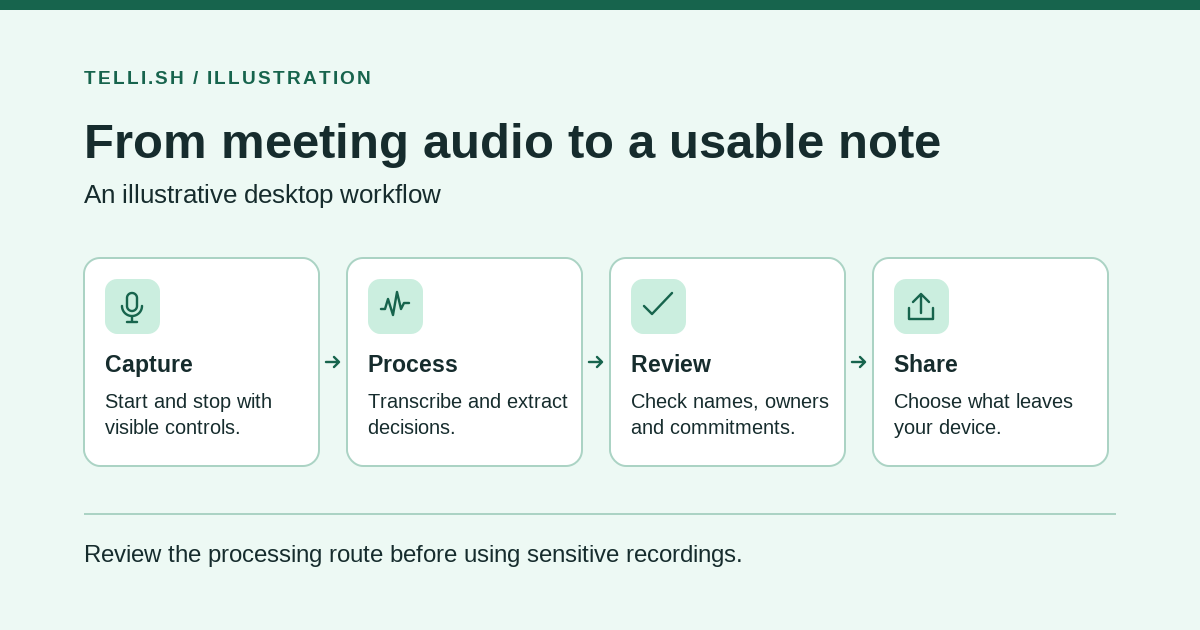
Illustrative workflow. Linger's built-in recorder uses Soniox for the speech-to-text step.
A transcript and a meeting note answer different questions
Linger's versioned voice guide says the recording and its transcript appear in the Another Me chat when a meeting ends. A short summary follows. The fuller meeting note, which includes decisions and action items, appears under Meetings in the library. The team can use the transcript to resolve disagreements about what was said and the shorter note to see what it needs to do. The timing in the guide describes the intended flow. Test the delay on the actual machine before relying on the note for an immediate follow-up. Linger v0.1.6 voice guide
A useful first test could be a ten-minute planning meeting with an intentionally awkward line. One speaker says that Alex will send a draft Thursday. Another proposes Friday, and the group settles on Friday only if the legal reviewer has replied. The right action item contains the owner, the conditional deadline and the dependency. If the full note omits the dependency, an email written from that note can mislead the team even when the transcript is accurate. People can assess the outcome by checking a small set of actions against the original conversation.
Give the model one meeting with unfamiliar names and another with overlap or background noise. Compare the two stages separately. Missing phrases or an incorrectly recognized name suggest trouble in the transcript. A draft that attributes a correct line to the wrong action or turns an open question into a commitment is a summarization problem. It matters which kind of error prompted a correction, especially when the speech service and summary model are configured separately.
The floating recording controls improve a different part of the process. Someone sharing a screen can keep the recorder visible while moving between an agenda, a spreadsheet and a call window. On a small laptop display, the window can also sit over something useful. In a pilot, check where it lands, what meeting participants can see in a screen share and whether the person responsible for the notes can pause or stop without searching for the app. The convenience is valuable when it makes the recording state clearer.
Know when a local workflow crosses the network
A team can start from an approved local transcript and use a local model to keep the summary step on the PC. The release also supports custom model provider endpoints, and it lists DuckDuckGo as the default provider for built-in web search. A request to a hosted model may send the text that model needs. A web search sends a query outside the device. Outlook access introduces another path with separate permissions. A useful privacy check is to inspect each of those paths individually. Linger Desktop v0.1.6 release notes
The distinction shows up when someone asks the assistant to prepare next week's follow-up. Finding a date in the existing minutes, reading open times from Outlook and moving a calendar event are three separate actions. The release says the Outlook connector can read and manage calendar events. For a first trial, a user can request suggested follow-up times and review the results before allowing the assistant to change a shared event.
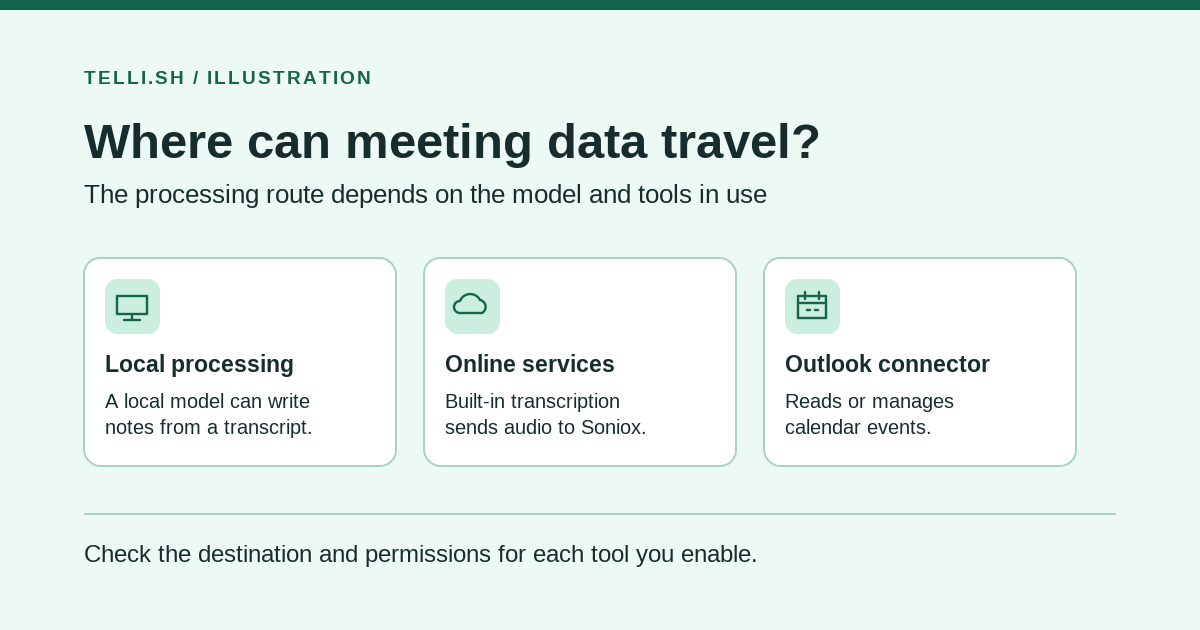
Local processing, online tools and calendar access have different data paths.
Choosing a model means choosing where the work runs
The versioned local inference guide distinguishes a local model served through Linger's gateway and its Pi runtime, the agent runtime's supported subscription, and a user-configured model endpoint with a separate key. The endpoint can be one the organization operates or one a provider operates. The word local describes a chosen model route on the configured computer. A local model choice does not change the speech provider's role in the built-in recorder. Linger v0.1.6 model routing guide · Linger v0.1.6 voice guide
That distinction matters to a person trying to keep sensitive material on a single device. One possible workflow begins with a transcript already approved for local processing, then asks a local model to extract decisions. Another begins with Linger's recorder and uses Soniox for speech-to-text, then summarizes the returned transcript on the PC. The second workflow saves the manual step of obtaining a transcript. It moves meeting audio across a network boundary, and the organization needs to be comfortable with the configured account and provider terms.
An external summary model adds a different data path. The follow-up may only need a short selected portion of the transcript. A team should verify what its own agent passes to the model and whether the configured endpoint is approved for that material. A request for a public web source can also expose information if the search query includes a client name or wording copied from the notes. For a straightforward recap, a pilot can keep web search and calendar access out of the task and exercise them one at a time later.
Linger also shares a selected model source across agents on a connected computer. The guide says switching the model source can affect current work and unloads local models when leaving the local setting. That makes it sensible to test the recap in the configuration the team intends to keep. A fast summary produced during setup may say little about how the same task performs after a switch, or while a second agent is busy. Track both how long it takes and how much correction it requires. Linger v0.1.6 model routing guide
Try a follow-up before giving the agent a standing job
The Outlook release gives the user's agent another way to act on the notes. A small team might ask for three proposed times for a follow-up. Let a person compare them with the meeting's actual decisions and participants, then confirm a time through the team's usual calendar process. If the task expands to rescheduling meetings, treat that as a separate trial with a test event and a clear confirmation point. Verify the recipient list and check whether anyone receives unexpected updates. Linger Desktop v0.1.6 notes on Outlook Calendar
The release also says Outlook listener Routines can watch inbox and calendar changes. A recurring workflow can become useful when the team knows the shape of a valid follow-up. A project review held every Tuesday might produce a short note and an owner list. If a project review is cancelled, moved or copied, a routine needs enough context to avoid a duplicate reminder. A test with a change and a cancellation is more informative than one run on an uncomplicated appointment.
The place to keep human review depends on the cost of a mistake. A personal reminder generated from a local transcript is easy to discard. An invitation sent to a customer can be hard to undo. A follow-up that includes part of a confidential conversation may already have left the team. Consider whether an extracted action item, an editable suggestion or a calendar write should be the end of the workflow before assigning the job.
Run the same meeting three ways
A small evaluation starts with one approved recording and a written list of what the meeting actually decided. Compare a hand-edited recap with an AI recap made from the same transcript. Then repeat the recap using the intended local model. The useful comparison is how many corrections a reviewer has to make and how quickly someone else can act on the result. Measure the time to transcribe apart from the time to produce a usable recap. A slow model and a missing name call for different changes.
For the final run, record the selected model source and which tools were available to it. Check in advance who can open the saved transcript, whether the team needs an export and how the recording is handled when a meeting is private. Reuse the same evaluation when a release changes the model, connector or audio path. It takes fewer samples to spot a regression when the examples and expected results are already clear.
What the release establishes
The published downloads give users a version they can try. The release notes say the Windows installer is unsigned and the macOS app lacks notarization. The release also lists file checksums, which help verify that a download matches the published artifact. Local summarization performance and language-specific speech recognition quality need separate checks. Anyone who requires fully offline processing would need a separate offline transcription tool or an existing transcript for the summary step. The project also publishes a modified Apache 2.0-based license with separate conditions for offering Linger as a managed service. Teams considering that use can check those terms before building around the desktop workflow. Linger release assets · Linger v0.1.6 voice guide · Linger repository license
Telli.sh is a place to upload your first note and keep a record of decisions you can return to.