Can you change a robot’s instructions while it is moving?
LeRobot 0.7 adds interactive rollouts. See how to steer a running robot, separate visual answers from physical actions, and design a safer pilot.
A robot is sorting foam blocks when the red bin fills up. The next block is already in the gripper. A useful operator interface should let someone redirect the next step, ask what the camera sees, or interrupt the run. Each of those actions has a different consequence when there is weight in the gripper.
On November 5, Hugging Face released LeRobot 0.7.0, a new version of its open-source toolkit for collecting robot demonstrations, training policies, and running them on hardware. Its interactive rollout keeps the robot connection and the loaded policy ready while the operator issues new instructions from a terminal. It can also let compatible policies or an external planner interpret a scene and decide on another subtask. The same release reworks dataset streaming, training and remote inference. The live controls deserve a closer look because they change what an operator can do in the middle of an experiment. LeRobot release announcement · v0.7.0 release
The following examples are bench scenarios you can use to plan a pilot. They distinguish what the model is asked to do, what the controller actually sends, and what you can observe afterward.
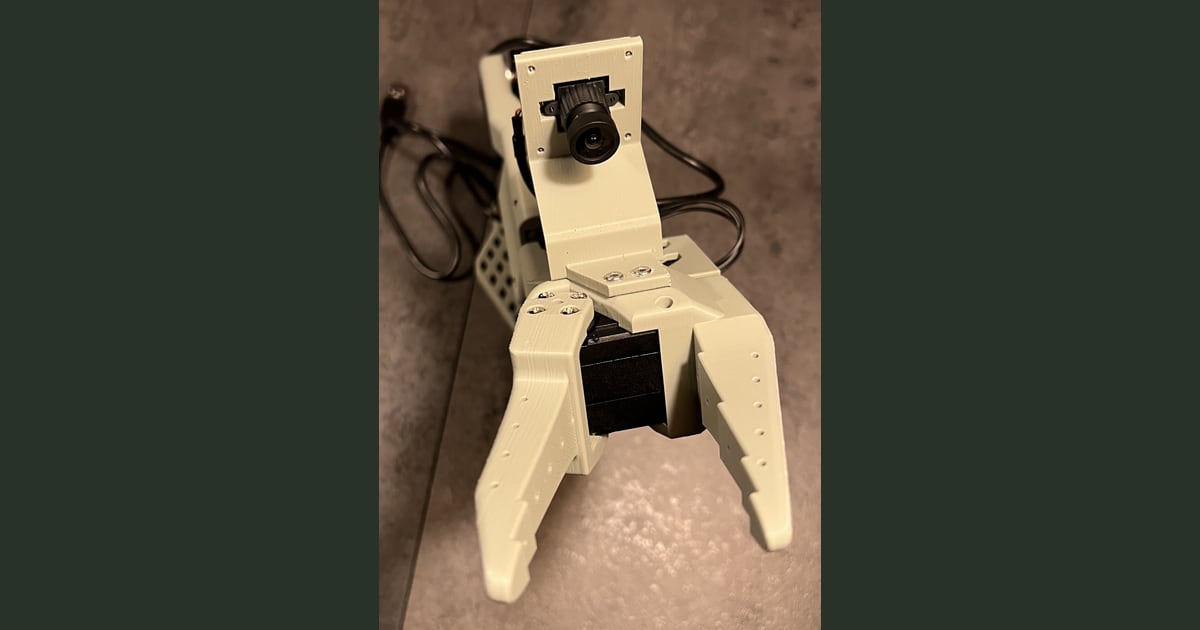
An SO-101 wrist camera mount photographed by The Robot Studio. The photo shows an example of the camera placement supported by this hardware and comes from the SO-ARM100 project under Apache 2.0. Telli.sh resized the photo and added padding.

Three commands give the operator three different jobs
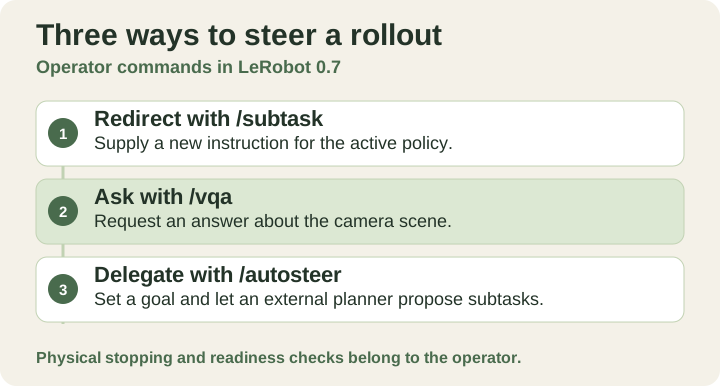
Interactive commands and the role each one plays. Original illustration by Telli.sh.
A rollout is a running session in which a policy receives observations and produces actions. An observation can include camera images and measured joint positions. In version 0.7, adding --interactive=true to a configured lerobot-rollout session leaves the robot connection, policy weights, and processors loaded between instructions. The release shows five terminal commands, with /start and /stop surrounding three ways to steer or query the running session. LeRobot release announcement · v0.7.0 rollout documentation
| Terminal command | Operator intent | Result to look for |
|---|---|---|
/subtask | Replace the instruction for the action policy | The next observed movement follows the new target or the operator intervenes |
/vqa | Ask what the robot sees | The system returns an answer the operator can compare with the scene |
/autosteer | Delegate a goal and let the system choose subtasks | The system chooses subtasks and the operator can take back control |
LeRobot’s announcement names FineART-VLA and Wall-OSS-0.5 as examples of policies that can generate the text needed for the question and goal paths. A compatible external vision-language model can supply that capability for an action policy that does not generate text. The release describes using an OpenAI-compatible API for that planner, whether served locally or hosted. The external planner can answer visual questions and supply instructions to the policy. The action policy remains responsible for turning a subtask into robot actions. Interactive rollouts and the external planner · v0.7.0 rollout documentation
That distinction is visible on a crowded bench. If a camera cannot see the rim of a container, a fluent answer about the container still leaves you with poor evidence. If the planner correctly chooses a blue block and the gripper slips, the language layer did its job while the physical attempt failed. Keeping the question, policy action, and outcome separate helps you decide whether to move the camera, revise the instruction, or work on the grasp.
Change the target while keeping the task small
Consider two colored bins, three soft blocks, and a single supported arm. Start with a known task like picking up a red block, and choose a second target that the policy has already handled successfully under similar conditions. Ask for the change before contact on the first run. Once the operator can see that the switch took effect, repeat from a fresh starting state and introduce the change later in the motion. An instruction sent while the arm is moving and one sent after the gripper closes ask different things of the policy.
Use observations such as the first movement toward a new target and the final resting place of the block. A video timestamp can show how long the visible redirect took. The terminal timestamp says when you typed it. Recording both leaves you with a delay you can interpret, including when the software accepted the input but the new motion was hard to detect. A predetermined stop condition keeps the operator from waiting indefinitely for a correction that may never arrive.
A second useful example is a workstation reset after a test. Start with one object out of place and ask the system to identify what remains on the table. Try an unobstructed view and an occluded view before asking it to clear the workspace. If the visual answer changes with the camera angle, you have a reason to rethink the scene or narrow the goal. Give the robot one familiar action at a time while you learn how its policy behaves.
For a third run, hand /autosteer a goal such as clearing two foam blocks into a single tray. Write down which intermediate choices the system makes. It may select a plausible first object and still need help finishing when a second one lies outside its reach. The goal path is especially useful when you can check each subtask against a simple expected sequence. The resulting trace tells you whether the planner picked a bad step or the robot struggled with a good one.
A stop in software and a stop at the machine need their own tests
An interactive session puts instructions close to the person watching the robot. It also creates a window in which the person may think the new instruction has taken effect while they are still seeing the previous movement. A useful pilot records four events separately. Record when the instruction was sent, when the runner acknowledged it if that signal is available, when the first observable behavior changed, and what state the robot ended in. If an acknowledgment is unavailable, leave that column blank. You can still learn from the other three.
LeRobot's versioned deployment docs describe a software hold for supported robots in the correction workflow. It refreshes the last position target applied by the driver. A loaded arm can still settle toward that target, and gripper behavior has to be checked on the physical machine. The language interface sits above those mechanics. Keep the physical stop and supervision procedures that apply to your hardware, and verify their effect with a clear workspace before adding any live changes. v0.7.0 rollout documentation
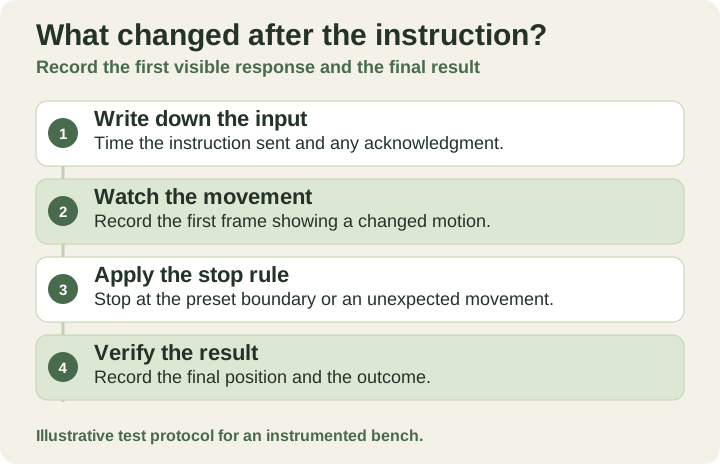
Record when a redirect is sent, when motion changes and how the run ends. Original illustration by Telli.sh.
This changes the way to think about a seemingly successful run. One block in the right tray can hide two bad moves that the operator had to interrupt. Track how often someone intervenes and how often recovery is possible from the state left behind. A policy that can resume from an ordinary failure gives the operator a different job from one that needs a full reset after every mistake. Measure the difference on matched runs, with the same workspace and objects.
FineART makes the intermediate steps part of the training data
A second reason to watch the release is what it does to a demonstration. If a recording only shows a clean start and a successful finish, it can be hard to tell which part of the behavior the policy is supposed to learn when an instruction changes. Subtask labels give the training pipeline more information about transitions such as grasping an object, placing it, or moving on to the next one.
Hugging Face and Scale AI report over 40,000 bimanual episodes, 1,718 hours, and more than 533,000 subtask annotations for FineART. Their November 5 release puts the data at 1.9 TB in LeRobot format. FineART-VLA builds on π0.5 and adds a language head that can predict a verbal subtask before its action component carries out the motion. Those figures describe the authors’ dataset, and the split between language and action describes their model design. A differently shaped gripper, a camera with a narrow view, and objects absent from the training data still change the evaluation you need to run. Release announcement and FineART description · FineART-VLA documentation
When you collect a small correction dataset, decide what you want to reproduce later. Include a new instruction, the relevant camera view, the state at the moment of the change, and the observed outcome. A plain label such as “the red bin is now full” does a different job from an instruction like “place the next red block in the empty tray.” The first describes a state. The second tells the policy what to do with it. Keep both when the experiment calls for both. Save the failed examples too, so a future policy can be tested against the event that prompted the work.
A first pilot can fit on one bench
-
Pin the version and choose a supported pairing. Install LeRobot 0.7.0 using the project's versioned guidance. Check that your robot, camera configuration, and selected policy work on a known starting task. The November 5 release notes say the default Linux PyTorch builds now use CUDA 13 and call for NVIDIA driver 580.65 or newer on that path. Older drivers need the documented alternative installation. Treat changes to drivers and the robot behavior as separate experiments. Installation documentation · v0.7.0 release
-
Run one baseline episode before adding steering. Use a clear tabletop, a bounded motion, and the supervision arrangements for the arm. Save the starting pose and the target, and record whether the policy completes the task. Keep camera placement, lighting, and the objects fixed when you compare the baseline with a steered run. SO-101 setup documentation
-
Add the interactive flag to the known working rollout. From the terminal, start the session, issue one subtask, change it once, and end the run. These are terminal session commands shown by the release, with illustrative task wording. Interactive session documentation
Plain text/start /subtask move the red block to the tray /subtask move the blue block to the tray /stop -
Add visual questions and a small delegated goal only after the baseline is repeatable. Choose a text-generating policy or configure the external planner as documented. Start with a question you can answer from the same camera. Test a goal with a visible finish condition, and document what happens if the planner is unavailable or fails to produce a useful subtask. An external endpoint also changes where observations may be processed, which matters when the camera sees anything beyond the test bench. External planner documentation
-
Compare recoveries, as well as completions. Try a handful of matched repeats and keep each failure. Log whether the operator could see what happened, choose a suitable intervention, and confirm the final state. A small set of runs helps refine the setup. A reliability claim needs substantially more evidence across conditions you actually expect to encounter.
Version 0.7.0 also replaces the earlier asynchronous inference interface with a policy server and a remote rollout mode. If you eventually move inference onto a GPU server, repeat the timing and interruption tests across the real connection. The server can provide more compute, while the network adds another dependency between a new observation and the next action. A slow or unavailable connection is its own test case. v0.7.0 breaking changes · Remote inference documentation
The best test happens halfway through the task
The interesting moment in a robot demo is when an expected step stops making sense. A bin is full, an object moves, or an operator sees something the camera missed. LeRobot’s terminal controls give you a way to make that moment part of the experiment. The question is whether the person supervising the run can tell what changed, redirect the next action, and verify the result with their own eyes.
Sources
For a searchable record of the decisions and experiments behind your work, Create a Telli.sh account.