Krea Bots give creative agents different jobs. Can they hand off the work?
Krea's invite-only beta gives creative agents roles and memory. Follow a product launch from image to video and see where versions, permissions, and approvals matter.
The first product image is approved at ten in the morning. By lunch, the packaging team swaps the artwork to fix a label. At three, an editor gets a storyboard built around the old image. Everybody moved fast; the launch still went backward. A lot of creative production consists of preventing that one mistake from happening a dozen different ways.
Krea, a platform for generating and editing images and video, announced Krea Bots on November 12, 2026 UTC. Its beta page describes agents with their own jobs, tools and memory, working together in a team chat. Access is through a waitlist. Krea's launch video shows the company's vision for the interface. It is a product demonstration, and an invitation is still needed to try the bot workflow described here.
The interesting new feature is the handoff. This article follows an illustrative launch campaign from an approved still to a short video, then looks at what a team would have to verify to trust that handoff. An image can be beautiful, a video can be competent, and the job can still go wrong because one step inherited the wrong decision.
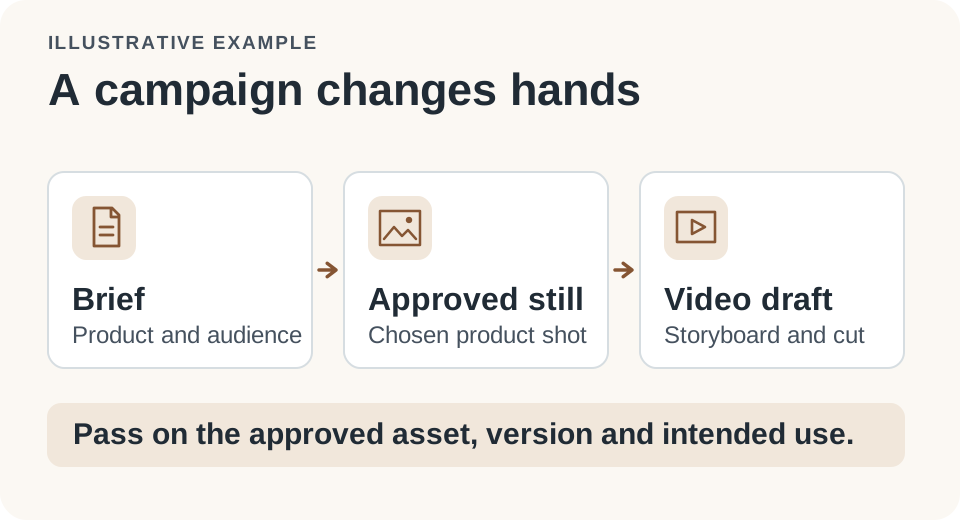
Every handoff should identify the brief, the current asset, and the next person who must review it.
A role gives the agent something to come back to
Krea already offers image and video production tools. Its October 22 Multiplayer Nodes announcement also describes collaboration on visual workflows. What the November 12 Bots announcement adds is a way to organize work around recurring job roles in chat. A creator can address the bot responsible for a task, and the beta page describes bots passing work to one another. The role makes it possible to ask for another pass without writing the same job description every time.
Picture a small team preparing a launch for a reusable water bottle. The photographer wants the color and label to stay faithful to the real packaging. The designer wants the image adapted to a vertical layout with room for copy. The editor wants a 15-second cut that opens with the product visible and ends with the correct offer. Those requests have some facts in common: product name, label revision, brand guidelines, market and launch date. They also have requirements that matter to only one person.
A single long prompt can fit all that material. The drawback becomes visible when a change arrives. If the packaging changes, somebody must work out which of the instructions still apply, which artifact changed, and who should receive it. Assigning a job to a bot makes the boundary easier to describe. The image bot can return the revised still, the storyboard step can flag shots based on the old still, and the editor can start from the reviewed revision. That describes a possible way to run a project, rather than a claim that the beta enforces that exact sequence.
The practical question is what survives when a message turns into a task for another role. An asset file without an approval status is a suggestion. A message that says “use the latest” is ambiguous when two versions carry the same name. A useful handoff joins the decision to the exact artifact and makes both visible to the next participant.
What the handoff is worth depends on what travels with it
In a small studio, even a simple launch can produce a product photo, a cutout, a storyboard, the vertical edit, and a wider version for the website. Let the source photo be version 4 and the storyboard version 2. When a layout reviewer asks for clearer space around the label, the edit should identify which version of each source it received and whether the request changes the other format as well. Passing a URL alone does not convey that information.
| Stage | Give the next role | Check before moving on |
|---|---|---|
| Product still | Approved file, label revision and crop limits | Product shape, text and color still match |
| Storyboard | Shot sequence, source still and offer copy | Product and offer are correct in every shot |
| Video edit | Storyboard revision, target duration and export sizes | Preview, end card and usage rights are approved |
This is an example brief, not a description of fields Krea guarantees. It is useful because each row has a specific thing to inspect. “Improve the campaign” does not tell the next role whether a product claim is settled. “Use the label approved in version 4 and flag any shot that still shows version 3” does. The second instruction also lets someone diagnose the error later if the old label ships anyway.
A useful control experiment fits into an afternoon. Start with a basic supervised workflow in which a creator manually copies the brief between stages. On a separate copy of the same project, try passing the artifact through roles. Introduce the same late change in both copies. Count how many times a human needed to repeat a decision, how many assets had to be made again, and whether the final previews show the correct label. These are suggested measures. None is a result from Krea's beta.
The best comparison includes review minutes. Removing three prompt rewrites is helpful only if it doesn't add time spent finding the correct output. In this example, redoing a 15-second edit can take longer than generating a new still. The bottleneck is often the most expensive stage that an upstream mistake can force the team to repeat. Track that rework separately from the number of generations.
Memory helps most when the team can correct it
The beta page presents memory as a reason to treat a bot as a recurring collaborator. A preferred aspect ratio for an approved series, a checklist for exports, and the name of the person who signs off a caption are good examples of things worth remembering. A sale price that expires on Friday belongs in a dated brief, not a permanent default. Mixing the two types of information turns yesterday's approval into today's error.
Suppose the brand team writes, “Use white packaging for the launch video.” Is that a style rule for every video? An instruction specific to one region? A temporary choice because the black package isn't ready? A useful system should let the operator see which interpretation informed the next output. The minimum alternative is simple: write the decision and its scope into the project record and have the next role cite that record. That gives the team a way to correct both humans and bots.
When testing memory, use two campaigns with the same brand but different requirements. In the first, specify a plain white background for a retailer. In the second, explicitly require the approved background for a different channel. Correct the first instruction and rerun the second task. The agent should reuse a stable preference only when it applies. The purpose is to see how an old decision is superseded, not whether the model can recall there once was a white background.
Build a small audit trail before allowing any integrations involving other systems. Store the brief, the exact input artifact and the accepted decision together. Share only the materials a trial requires. A teammate should be able to tell which role supplied the generated asset and which person approved it. This is particularly valuable if a connected account has access to customer information, unfinished ads or an external publication control.
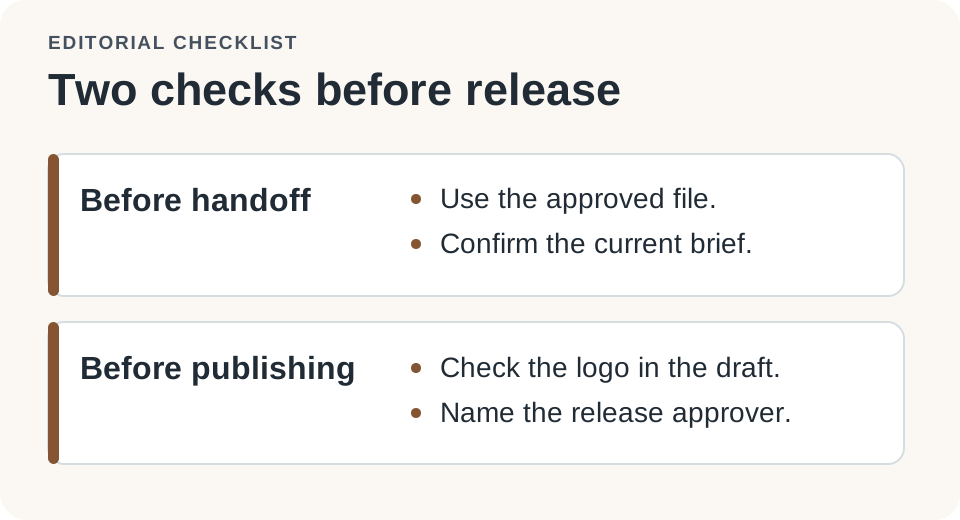
Decide which inputs can travel to another tool and where release still waits for a person.
The team should keep the last move
Two campaigns are enough to expose a lot of process trouble. A product launch tests reference fidelity and late change requests. A social adaptation of previously approved material tests whether the workflow respects scope. Consider making a six-second cut for an owned channel from the approved 15-second version. The reuse case should be easy, yet even here an agent can alter a claim, cut out a disclosure or pick a soundtrack licensed for a different placement.
The distinction is permission to make something versus permission to send it somewhere. A bot that generates a draft needs the files for that task. The authority to publish an ad, notify a client or change a live campaign belongs behind its own approval. A product demo can show integrations without establishing that your account, plan, and organizational policies support the exact action you need. Start with the role inside the project, then grant the least access that demonstrably helps the work.
- Use an existing brief and a small set of cleared assets. Give every source a unique version and name one reviewer for each handoff.
- Define what the bot can produce in each role: a draft image, a storyboard or a private review export. Keep live channels outside the first trial.
- Make a late change on purpose and check which artifacts carry the new source and which ones must be regenerated.
- Compare rework and review time against a supervised manual handoff. Inspect the final export and any permissions before expanding the trial.
Invitation and availability matter for a workflow experiment. The immediate public action is joining the Krea Bots waitlist, not moving a deadline-dependent project into the beta. If the invitation doesn't arrive on time, the manual version of the exercise is still useful: it reveals which information the roles would have to exchange. Avoid forecasting a production budget from promotional credits or a launch demo. Real project cost includes retries, commercial rights, human review, and the expense of undoing a mistake that got too far.
There's another reason to keep the first test small: teams can judge different types of revision separately. A new crop that doesn't move the text or change the offer may need only a designer's approval. A price change can affect copy, the end card, a destination page and the people who sign off on the launch. Making those categories explicit tells the receiving role whether it is safe to adapt an artifact or should pause and ask. You can carry that distinction forward even if you later swap creative tools.
Before trying a second production project, ask another editor to pick up one of the bot's outputs without access to the original conversation. If they can't identify the source, revision and open questions from the handoff alone, the work is still tied to the person who started it. That exercise is an inexpensive way to identify what needs to be recorded before the system handles more steps.
Creative memory has to survive a correction
A team finds out how good its handoffs are on the day somebody changes a decision. If a new image propagates to the right shots, leaves the approved copy alone, and still waits for the right person to approve the export, the system has saved something more valuable than a prompt. It has saved the team from reconstructing why the work looks the way it does.
That's the bar I'd set for Krea Bots. Divide the work into roles and see which details actually travel between them. Better image generation can make a campaign look good. A better handoff is what lets the next editor know they are working on the campaign the client signed off on.
Sources
- Krea Bots beta, workflow and access
- Krea launch video, November 12, 2026 UTC
- Krea Multiplayer Nodes announcement, October 22, 2026
Keep your campaign decisions, reference versions and review notes together. Start your first note with Telli.sh.