Kling 4.0 makes 30-second videos. Can you direct the whole shot?
Kuaishou's new video model combines longer generation with more reference and keyframe control. The useful test is whether a clip survives continuity checks and fits a real edit.
A product film begins with a close-up of a bottle, moves around it and ends with a hand placing it on a shelf. The lighting needs to stay coherent. The label needs to remain the same. The hand must meet the bottle at the right moment. Making one attractive frame is only the beginning of that job.
Kling 4.0 launched on October 15, according to Kuaishou's subsequent issuer announcement. The update combines native generation of up to 30 seconds in one pass, up to 15 combined reference assets and up to 10 keyframe inputs. Those are the company's specifications, rather than a promise that every attempt will produce a usable commercial shot. Kuaishou's launch release.
The development worth watching is the move from describing a scene to directing its important moments. For an unfamiliar reader, Kling AI is Kuaishou's generative video service; Kuaishou also operates a large video and content platform. This guide explains what the new controls can contribute to product films, storyboards and recurring characters, then sets out a small production test before committing a campaign to generated footage.

Kuaishou, the company behind Kling AI. Official logo from kuaishou.com, reproduced unmodified under its public-media and display guidelines. Brand identifier, rather than a Kling-generated frame or product-interface screenshot; no endorsement is implied.
Longer video creates a bigger continuity problem
A longer single generation can preserve the feeling of one continuous take. It can also give an error more time to develop. A bottle that slowly changes shape, a logo that becomes unreadable or a character whose clothing drifts can ruin the moment the film was supposed to establish. The number of generated seconds is a capacity measure; the number of usable seconds is an editing decision.
That distinction changes how to plan the work. Start with what must remain fixed and what is allowed to change. In the bottle example, the packaging, color and label belong to the fixed side. The camera angle, reflected light and background movement can change within the intended scene. A good brief names both categories before anyone tries to optimize a prompt.
The same rule helps with people. A character may turn, smile or walk away while keeping their identity and wardrobe. A director wants expressive change without accidental substitution. The useful question for a generative tool is whether its controls make that distinction easier to express and repeat.
Our take: the important unit is the usable shot. A longer clip becomes valuable when it carries a planned moment through to an edit. Duration alone does not settle whether the work is ready for an audience.
References and keyframes do different jobs
Kling's September 30 product guide describes combining visual references for appearance, motion, composition and style. It also describes using keyframes to steer important moments. The October launch release confirms the headline limits. A reference helps establish what the scene should contain; a keyframe helps specify where the scene should arrive.
For a small creative team, those controls can move some explanation out of prose. A packaging image can communicate details that are awkward to enumerate. A storyboard can communicate a camera position and subject relationship. A planned final frame can give a shot a destination. The prompt then has a more focused job: describe the movement and the relationship between these materials.
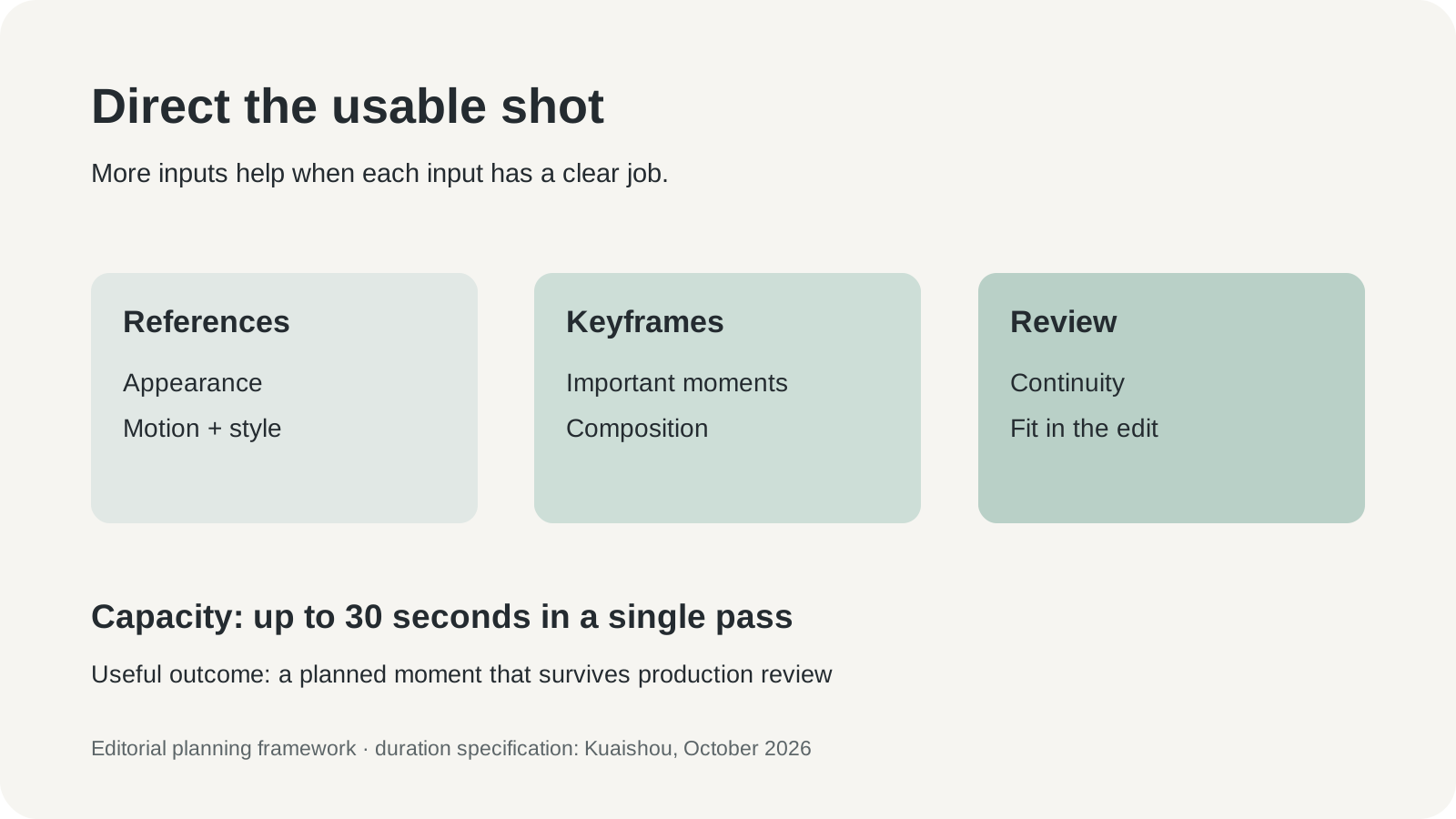
Original editorial infographic: the creative roles of references, keyframes and review. It is a planning framework, not a diagram of Kling's internal model architecture.
More inputs do not automatically produce clearer direction. Two reference images may disagree about the product's color. A motion example may show a different camera angle from the storyboard. A keyframe may imply a position the action cannot naturally reach. Resolve those conflicts before using the maximum available inputs.
Keep a reference hierarchy. Mark the packaging image as authoritative for the product, the storyboard as authoritative for composition and the motion example as guidance for pace. Express which qualities matter rather than asking the model to reproduce everything in every source. This makes an unsuccessful result easier to diagnose and the next attempt easier to change deliberately.
| Creative input | A practical job | A question to resolve first |
|---|---|---|
| Product reference | Preserve packaging, color and recognizable details | Which version is the approved product? |
| Character reference | Establish a recurring subject's appearance | Do you have permission for this person's likeness? |
| Motion reference | Communicate movement or camera rhythm | Which movement matters, and which details are incidental? |
| Keyframe | Set an important composition or moment | Can the planned action plausibly connect the frames? |
The strongest brief usually has fewer unresolved decisions. Adding ten more images to a contradictory brief makes the contradiction larger. A carefully chosen reference can carry more direction than a folder of loosely related inspiration.
A product film should begin with the claim the viewer must understand
Consider an illustrative film for a reusable bottle. The intended message is that the product fits into an ordinary working day. A tabletop opening establishes its appearance; a hand picks it up; a final composition leaves room for a caption. The creative task is modest, which makes it a useful first test of consistency.
Prepare approved packaging photographs and a simple storyboard. Identify the logo, cap and silhouette as details that must survive camera movement. Decide whether the hand interaction is essential to the message or merely attractive. A first pilot can isolate that interaction instead of generating an entire sequence with multiple difficult actions at once.
Review the generated result at normal speed and at the moments where the product turns or changes hands. Look for a disappearing label, an impossible grip, a cap that changes shape and reflections that imply inconsistent geometry. If the footage is for a real product, compare it with the approved reference rather than with the memory of what the product looks like.
Add prices, specifications and other exact text in the editing stage where the team can verify them. Treat the visual claim with equal care: an invented opening mechanism or exaggerated physical capability can communicate something the product does not do. A polished image can make that mistake harder to notice.
This is where generative control can become commercially useful. It gives a team a chance to create or explore a key shot without booking every element of a physical production. The value still depends on whether the final work accurately represents the product and fits the campaign's quality standard. An exploratory concept and a customer-facing advertisement need different acceptance thresholds.
Storyboards can test an idea before the expensive decisions
A second use case is preproduction. A director wants to explain the emotional movement of a scene: a person notices something outside the frame, hesitates and moves toward it. A generated moving storyboard can communicate timing better than a sequence of still images. It can also expose an awkward camera transition before a location or crew is booked.
The success criterion here is communication. The clip should help collaborators understand the intended action, camera movement and pace. It does not necessarily need final-quality skin texture or production-ready dialogue. Agreeing on that purpose prevents the team from spending hours polishing an artifact that exists to make a decision.
Use keyframes for the moments collaborators need to discuss. One might show the starting relationship between character and doorway; another might show the final framing. Ask whether the generated movement makes the intended tension understandable. If it does, the team can decide which elements deserve further development and which require a different approach.
Keep the storyboard labeled as a concept. A convincing generated location can quietly become an assumption about what the final production will have. Separate the visual proposal from confirmed production resources. The clip is useful when it improves the planning conversation, rather than making an unapproved idea look already settled.
Recurring characters need a reference record
A third case is a series of short educational or entertainment clips featuring the same character. A consistent appearance can help the audience recognize the series. The challenge extends beyond any single generation: hair, clothing, props and scene lighting need to remain compatible across separate shots and episodes.
Create a small reference record before generating the second scene. It can contain approved views, wardrobe details, a short description of the character's behavior and examples of deviations to reject. Keep the record stable while testing a new camera move. Otherwise a change in the reference set can be mistaken for an improvement or regression in the model.
For a real person, consent and the permitted context matter alongside visual consistency. Permission for a portrait does not necessarily describe permission for a synthetic performance or a commercial campaign. Confirm the intended use with the rights holder before creating the scene. A fictional character also needs a clear origin and permissions for its source materials.
Audio deserves its own review. A scene can look coherent while a spoken line, timing or ambient effect undermines it. Check the meaning and pronunciation of dialogue, the timing of reactions and the relationship between a sound and its visible cause. A visually convincing clip is only one part of an audiovisual work.
Check the actual output options before building the delivery plan
Kling's dated pages use different rollout wording for resolution and color features. The September guide describes 4K support and says HDR is coming soon; the October issuer release describes HDR support and uses future wording for some resolution formats. The practical consequence is to verify the options available in the selected account and generation mode before promising a delivery specification.
That check belongs at the start of a real commission. A client may require a particular resolution, aspect ratio, color workflow or platform format. An attractive example does not establish that the same settings are available in every plan or route. Confirm the export, generate a small sample and inspect the resulting file in the editing tools the team actually uses.
Do the same for API access and extension workflows. A feature discussed in a guide can have a different availability schedule from the model itself. If automation is essential, verify the current endpoint, supported settings, limits and account entitlement. A browser interface demonstration is not a substitute for an API integration test.
The relevant purchase is a dependable production path. That includes how files enter the tool, what comes out, how they are reviewed and whether the editor can revise or replace the result. A feature list becomes useful when every necessary stage has a concrete answer.
Run a three-shot pilot before generating the campaign
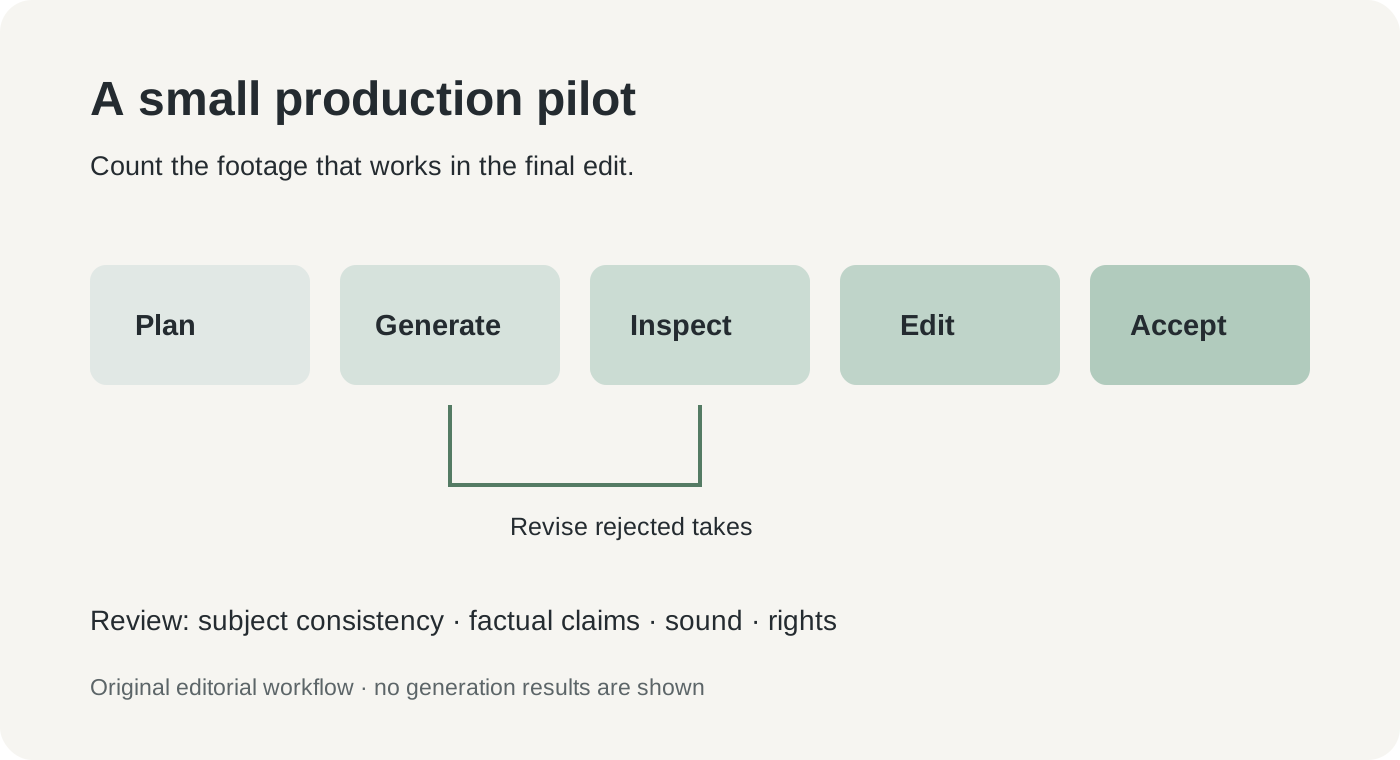
Original editorial workflow for a small video pilot. The review loop includes continuity, factual representation, sound and rights; no generation results are represented.
A three-shot exercise is a manageable way to compare the tool with an existing workflow. Use one relatively simple scene, one scene with a meaningful interaction and one transition that must match an adjacent shot. These are proposed evaluation cases, not examples generated for this article. Keeping the exercise bounded makes its costs visible.
- Write the acceptance rule for each shot. Name the story moment, fixed visual details, planned movement and required delivery format. Give the reviewer a reason to accept or reject the result.
- Prepare permitted references. Use your own materials or assets with suitable rights. Record their sources and identify which reference controls each important feature.
- Confirm the account's available controls. Select Kling 4.0 where offered and inspect duration, references, keyframes, sound and export options. Save the settings used for the pilot.
- Generate a small, capped set of attempts. Keep the first results and vary one meaningful direction at a time. Record elapsed work and credits or billed costs.
- Review continuity and representation. Check the frames where motion is most demanding, compare product details with references and review dialogue and sound separately.
- Place the accepted clips in a real edit. Check neighboring shots, captions, color treatment and the intended distribution format. Count only footage that survives that step as usable.
Keep a short rejection log. A recurring label error suggests a different problem from an unwanted camera move. A scene that works alone but breaks the surrounding edit needs a different correction from one with an anatomical error. Named failures lead to more useful revisions than a general instruction to make the clip better.
The cost is in the rejected takes as well as the accepted ones
The first successful clip can make the economics look simple. The full job includes preparing references, waiting for attempts, reviewing them and repairing the chosen result. A generation price describes one input to that process. It does not describe the cost of a finished minute of video.
Track accepted seconds, attempts and editing time together. If a thirty-second result contains only a short usable passage, the usable passage is what belongs in the calculation. If a generated storyboard prevents an expensive misunderstanding before production, its benefit can be substantial even when none of its frames appears in the final film. The purpose of the artifact determines the relevant value.
Compare against a credible alternative. For a concept review, that might be a conventional storyboard or rough animatic. For a product advertisement, it might be a small physical shoot with predictable product fidelity. The comparison should include revision cycles and the team's existing skills. The newest tool does not automatically remove the work people already know how to do efficiently.
The same discipline applies to commercial-use conditions. Check the current plan, source-asset rights, output restrictions and required attribution before publishing. Keep that record with the project. A successful generation is an artistic and technical event; permission to use it in a specific campaign is a separate production requirement.
The next milestone is a shot the editor can depend on
Kling 4.0 puts longer continuous generation and more explicit visual direction into the same product conversation. That is useful progress for teams that need to communicate a scene rather than discover a lucky image. The expectation worth retaining is greater control over the important moment: the product turn, the character reaction, the camera arrival.
The meaningful test comes after generation. Does the clip preserve the subject, communicate the intended idea and survive the surrounding edit? A model that makes those answers more predictable can change production work. Thirty seconds creates the opportunity; dependable direction makes the opportunity usable.
Sources
- Kuaishou's Kling 4.0 launch release, issuer page October 17, 2026, English dateline October 16; identifies actual launch as October 15.
- Kling 4.0 product guide, September 30, 2026; checked October 23. Its prelaunch and format rollout wording should be read alongside the later release.
- Kling AI user policy, current service-policy entry point; confirm the version and terms applicable to the chosen account before commercial use.
Keep the creative decisions available for review
If you want a separate place to retain authorized references and the notes behind a creative brief, Telli.sh is one option. Start with a note.