GPT-6.1 Terra costs $1 per million input tokens. What does a finished task cost?
OpenAI's GPT-6.1 Terra lowers standard token prices for visual reasoning and computer use. A practical guide to evaluating completed work, retries, review effort and the integration behind the model.
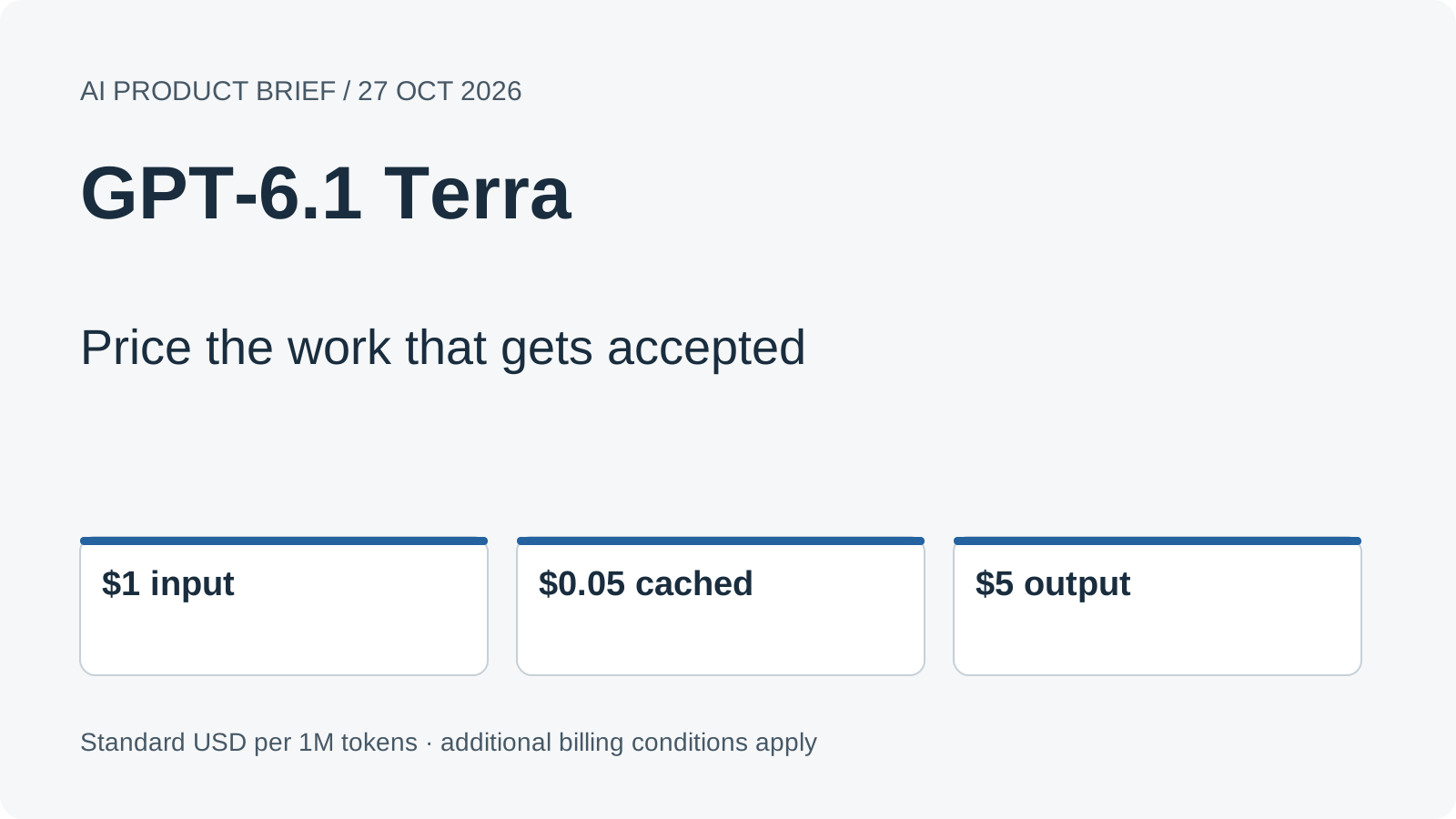
Original editorial diagram by Ken Jo, based on the sources listed below.
An invoice is visible on one side of the screen and an accounting form on the other. Reading the amount is one task. Choosing the correct supplier, entering the right currency and recognizing that the saved record actually exists is a larger one. The difference becomes especially important when an AI model is doing the clicking.
OpenAI introduced GPT-6.1 Terra on October 26, 2026, with standard API prices of $1 per million input tokens, $0.05 per million cached input tokens and $5 per million output tokens. The company positions it for visual reasoning, computer use and writing, and says those standard rates are 50% below GPT-5.6 Terra and GPT-6.1 Sol. Official announcement, dated system card.
Lower prices make more experiments affordable. Deciding which experiments deserve to become a workflow requires a different measure: the cost of a result you can accept. This guide follows three practical uses, works through a transparent cost example and shows how to evaluate the model without confusing a successful tool call with completed work.
A model chooses an action inside a system that executes it
Terra is a model supplied by OpenAI, the company behind ChatGPT and Codex. Selecting it gives an application a particular set of language and visual capabilities. The surrounding application still determines which screen it can observe, which tools it can call and which accounts those tools can access.
Consider the invoice example as an illustrative workflow. A model observes a form, proposes an action and receives an updated view after the tool executes it. The new view matters because an apparently correct click can open a different panel, reveal a validation error or leave a save operation unfinished. The workflow needs to recognize the resulting state before continuing.
That makes computer use a loop rather than a single answer. A useful integration connects observations, actions and checks of the resulting state. It also defines when the task should stop, ask a person or report that a necessary input is missing. Those decisions belong in the application design, even when the model is good at interpreting screens.
OpenAI's computer-use documentation, checked October 27, distinguishes browser activity events from the final status of a whole turn. It also provides controls for including screenshots in streamed output. A developer can use those events to make progress visible while separately verifying that the requested result exists.
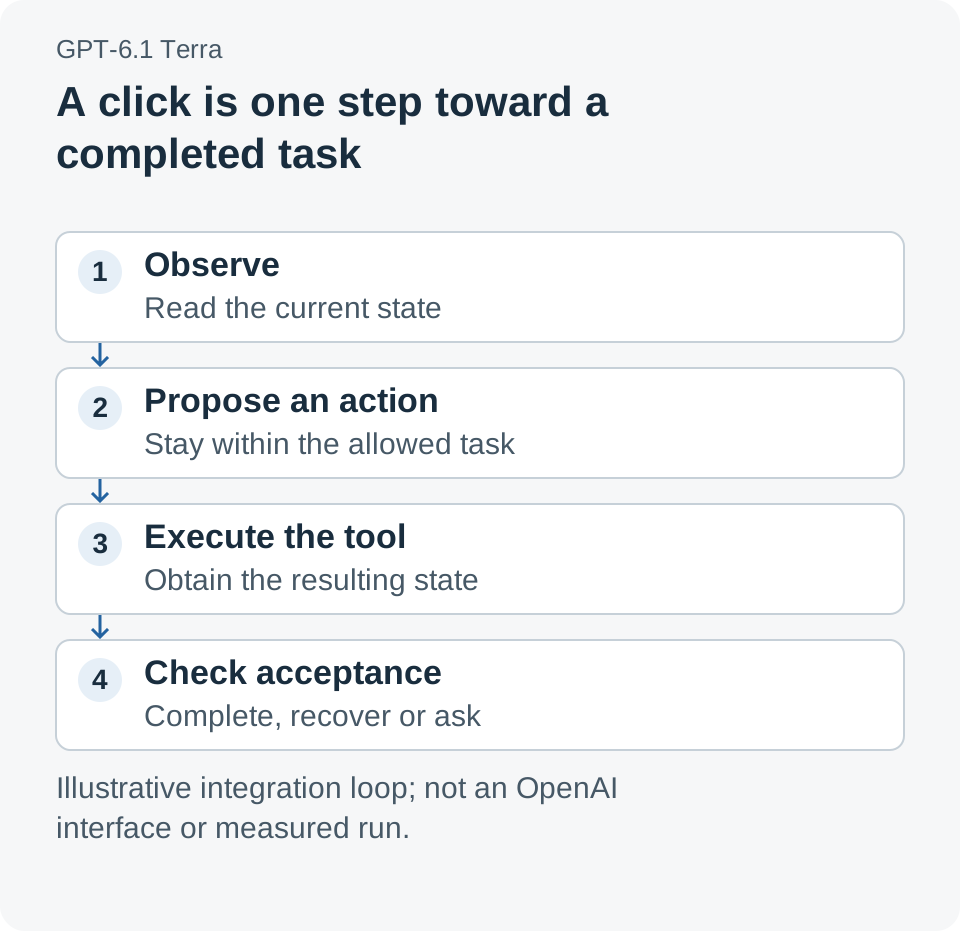
An illustrative computer-use loop. The application supplies tools and permissions; the acceptance check establishes whether the requested work is complete. This is an original explanation, not an OpenAI interface screenshot.
The price card is a starting point for a workload budget
The standard rates in the October 26 announcement are straightforward to compare, provided the same billing conditions are used. Input and output have different prices, and cached input is its own category. A long response or a repeated observation loop can therefore change the bill even when the number of user requests stays constant.
| Token category | Standard price per 1 million tokens | What to measure in a trial |
|---|---|---|
| Input | $1.00 | The billable input across every attempt |
| Cached input | $0.05 | Actual cache hits rather than assumed reuse |
| Output | $5.00 | The complete billed output for the run |
The model card, checked October 27, lists additional billing conditions. Cache writes have separate rates, prompts above 272,000 input tokens trigger long-context adjustments, and service modes can change pricing. Use the applicable rate for the actual request instead of treating the lowest entry on a price card as a universal rate.
For the worked example below, assume standard processing, no cache use and requests below the long-context threshold. Each attempt consumes 10,000 billable input tokens and 1,000 billable output tokens. The token cost is therefore $0.01 + $0.005 = $0.015 per attempt. These token counts are chosen inputs for arithmetic, not a measurement of Terra or an invoice workflow.
This distinction is the basis of a useful budget. First determine the bill for one attempt under explicit assumptions. Then ask how many attempts the workflow needs, what other services it uses and how much review is required before somebody accepts the result.
Retries and review change the cost of accepted work
Suppose a hypothetical batch contains 100 requested jobs. In one scenario, the system makes 100 attempts and 90 jobs are accepted. In another, recovery work increases the count to 150 attempts and 95 jobs are accepted. The additional success is useful, but the cost comparison has changed.
The table adds a third scenario in which 30 items receive 20 seconds of human review at an assumed labor rate of $30 per hour. That is 600 seconds, or 10 minutes, costing $5. Every workload count, acceptance count and labor assumption in this table is illustrative; none describes a measured product result.
| Illustrative batch | Token spend | Review spend | Accepted jobs | Spend per accepted job |
|---|---|---|---|---|
| 100 attempts | $1.50 | $0.00 | 90 | $0.0167 |
| 150 attempts | $2.25 | $0.00 | 95 | $0.0237 |
| 150 attempts plus the stated review | $2.25 | $5.00 | 95 | $0.0763 |
The denominator is accepted jobs, not generated answers. A polished completion message does not increase that denominator if the record was saved incorrectly. Conversely, a workflow that asks for a brief clarification may deliver a more useful result than one that confidently continues with missing information.
Call the extra work the completion bill: the resources required to turn an attempted action into an accepted result. Token pricing is one entry on that bill. Tool charges, the execution environment, recovery and human review can add others. The table omits those additional services so that the arithmetic remains visible; a production estimate should include the ones the actual integration uses.
Our take: the most valuable effect of a lower model price is more room to improve completion. A team can afford to compare instructions, inspect failed cases and test a recovery path. Cutting the price of an unchecked answer is less useful than using the saving to produce work that needs less repair.
Start with a draft invoice record that has a clear finish line
The first practical scenario is an accounts-payable assistant that prepares a draft record from a supplied invoice. Use a test account and a bounded set of example documents. Define the required supplier, currency, amount and reference fields before asking the model to interact with the form.
An accepted result in this scenario is a saved draft whose fields match the source and whose record identifier can be retrieved. A click on Save is an intermediate event. The workflow should inspect the resulting record or confirmation state and report any unresolved field rather than filling it with a plausible guess.
The trial should contain ordinary documents and deliberately difficult examples: an unclear currency, a missing supplier identifier or an invoice number that already exists. These cases expose different failure modes. Reading the text correctly, choosing the correct account and avoiding a duplicate record are separate parts of the job.
Keep the first trial short enough to review every result. If a failure occurs, identify the earliest incorrect observation or action rather than rewriting the entire instruction at once. A narrower diagnosis makes it possible to learn whether the issue lies in document interpretation, navigation, account data or the acceptance check.
This scenario illustrates an application design; it is not a claim that Terra ships an accounting connector or that a particular accounting product was tested for this article. The model's role is one component of a workflow whose tools and business rules must be supplied.
Catalog matching tests visual judgment before an action is taken
The second scenario is matching a product photograph to an existing catalog entry. OpenAI's model card, checked October 27, specifically lists product-photo matching among Terra's intended uses. For a retailer, the useful outcome could be a proposed match with enough information for a reviewer to distinguish a close visual resemblance from the correct item.
Build a small evaluation set containing easy matches, similar packaging and photographs with missing details. Keep the expected catalog identifiers separate from the instructions given to the model. Ask it to return a proposed identifier and the visible features supporting that choice, with an explicit unresolved option when the image is insufficient.
An unresolved result can be the correct result. If two packages differ only in information that is not visible, the workflow needs another photograph or a nonvisual identifier. A fluent description of the package cannot create evidence that was absent from the input.
Begin with proposed matches before allowing catalog edits. That makes the acceptance rule easier to inspect and gives the team a set of mistakes it can understand. If the application later adds a writing step, evaluate whether the draft description preserves the verified catalog facts rather than importing unconfirmed details from visual resemblance.
A legacy portal makes recovery part of the task
A third scenario is preparing a draft update in an internal portal that exposes a browser interface. The assignment might involve locating a record, changing a supplied description and leaving it ready for a person to approve. The benefit comes from connecting an understandable business request to a sequence of interface actions.
The difficult cases often concern state. A session may expire, a required field may appear after an earlier selection, or a page may take longer to update than expected. A useful evaluation records how the workflow responds to those conditions instead of counting only the easiest navigation path.
Define a recovery budget before the trial. For example, an application could permit one repeated observation after an uncertain save, then stop for review if the result remains unclear. That is an illustrative policy choice, not a Terra product limit. It gives the team a bounded behavior to test and a way to prevent an unproductive loop from consuming resources.
Also distinguish an integration failure from a model failure. A tool that cannot reach the intended page, an account without edit access and a model choosing the wrong control require different fixes. Keeping those categories visible makes both cost estimates and quality improvements more meaningful.
Availability tells you where to begin, not what every account can operate
The October 26 launch announces Terra in ChatGPT Work and Codex for Plus, Pro, Enterprise and Edu, as well as the API identifier gpt-6.1-terra. Those are access paths to the model. The tools and permissions available in a particular workflow still depend on the product, account and integration being used.
For developers, the model card checked October 27 specifies the Responses API for tool calling and a default reasoning effort of medium. Record the selected model and reasoning configuration during an evaluation so that two trial runs can be compared meaningfully. Changing the model, instructions and tool environment simultaneously makes a difference in results harder to interpret.
For a team using Work or Codex, start with an already supported workflow and inspect its actual controls. For a custom application, use the current computer-use integration documentation to configure the execution environment and permitted actions. The model identifier alone does not create an authenticated connection to the company's applications.
Compare configurations on the same accepted tasks
A useful first trial is small enough to inspect but varied enough to include the conditions the workflow will actually face. Choose the acceptance rule before seeing the generated results. The following procedure is a proposed evaluation method, not a benchmark result.
- Choose one bounded job. Name the required output and the person who decides whether it is acceptable. Prefer a draft or test-environment action for the first trial.
- Prepare a fixed set of cases. Include ordinary inputs, missing information and relevant interface interruptions. Keep the expected results outside the model's instructions.
- Record the configuration. Save the model ID, reasoning setting, instructions, tool version and relevant account permissions.
- Define stop and recovery rules. Specify when another observation is allowed, when a retry is useful and when a person must resolve uncertainty.
- Capture observable outcomes. Record accepted results, incorrect results, unresolved cases, attempts, elapsed time and billed usage. A tool-operation status is only one part of this record.
- Add the actual operating costs. Include applicable tool and environment charges and measured review time. Divide by accepted jobs using consistent definitions.
- Change one meaningful variable. Compare a revised instruction or reasoning setting on the same cases, then inspect which failures changed before expanding the trial.
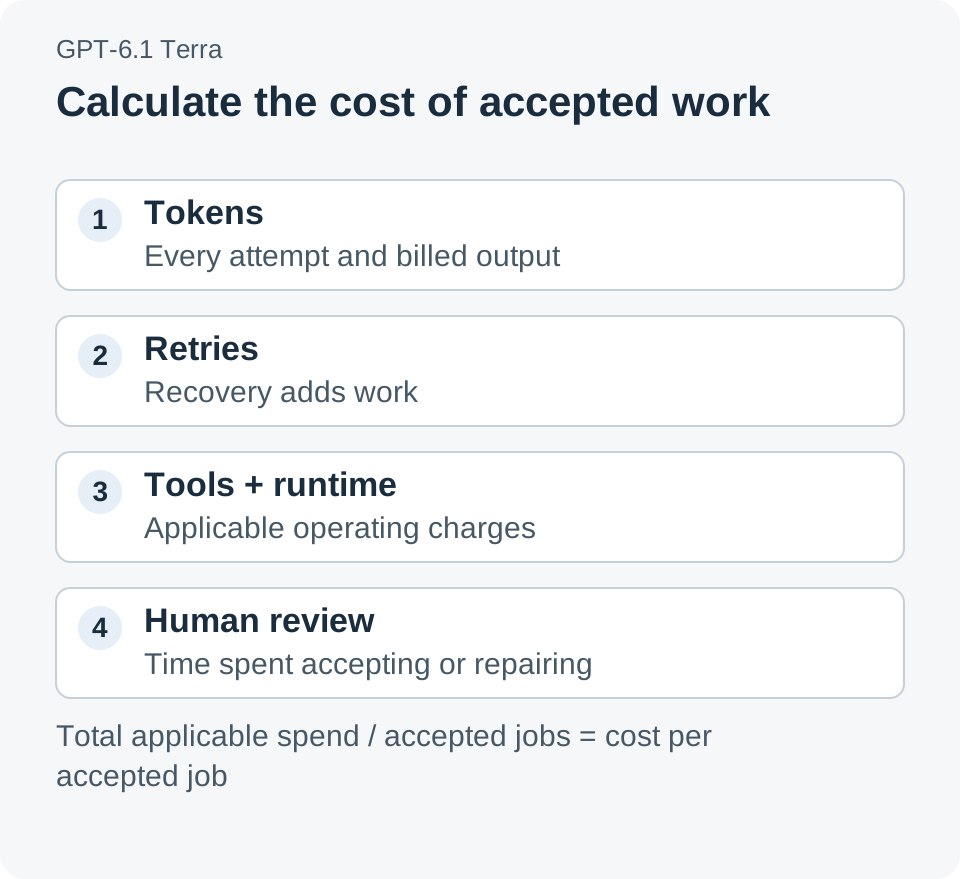
A proposed cost model: add the resources the workflow actually consumes, then divide by accepted jobs. The components are an evaluation framework rather than published Terra operating measurements.
The resulting record is useful even when the first trial is disappointing. It identifies whether improvement should target visual interpretation, workflow design, tool reliability or the amount of human repair. That is a much better basis for deciding what to automate next than the average cost of a request alone.
Cheaper computer use matters when completion becomes easier to afford
Terra's lower standard token prices create an opportunity to test more carefully and support more work within a budget. The business question is whether a particular integration can turn that opportunity into accepted results with manageable review and recovery effort.
A model that can read a screen and choose a click is useful. A workflow that can show what changed, recognize when it is finished and account for the effort required to get there is something a team can evaluate and improve.
Sources
- Introducing GPT-6.1 Terra, OpenAI, October 26, 2026: positioning, standard launch prices and access paths.
- GPT-6.1 Terra system card, OpenAI, October 26, 2026: dated release and evaluation context.
- GPT-6.1 Terra model card, checked October 27, 2026: model ID, tool-calling endpoint, reasoning setting and billing conditions.
- Computer-use integration documentation, checked October 27, 2026: browser activity, screenshots and integration mechanics.
The three workflow scenarios, cost inputs and evaluation procedure are illustrative. Dollar calculations use the stated standard rates and explicitly chosen assumptions; they are not measured latency, accuracy or operating-cost results.
Telli.sh recommendation: Keep trial notes, reference material and the decisions behind a workflow revision easy to revisit. Create a Telli.sh account to organize your evaluation notes.