Your GKE Control Plane Is Patched. What About the Worker Nodes?
Google's November GKE advisory covers a Linux availability flaw. Check the control plane, each node image and the routes that matter while a patch is pending.
The Kubernetes API is answering, the rollout dashboard shows a newer control-plane version, and the incident ticket is almost ready to close. One node pool is still running the previous image. It may be waiting for a maintenance window or for an update that applies to its operating system. That difference matters for a security patch that covers both parts of the cluster.
Google's November 19, 2026 bulletin describes CVE-2026-99288 as a high-severity denial-of-service vulnerability in the Linux kernel. Under affected conditions, network access to a vulnerable component can lead to a kernel panic. The bulletin identifies availability as the impact and excludes privilege escalation and execution on the host through a container breakout. It applies to affected Linux configurations in both GKE Standard and Autopilot. Google did not disclose observed exploitation for this issue in the bulletin. GKE security bulletin GCP-2026-088
The platform team's work is to match a dated patch to the cluster it actually runs. That means checking the control plane, matching each affected node pool to a compatible release, and understanding the gap between an approved maintenance plan and completed work.
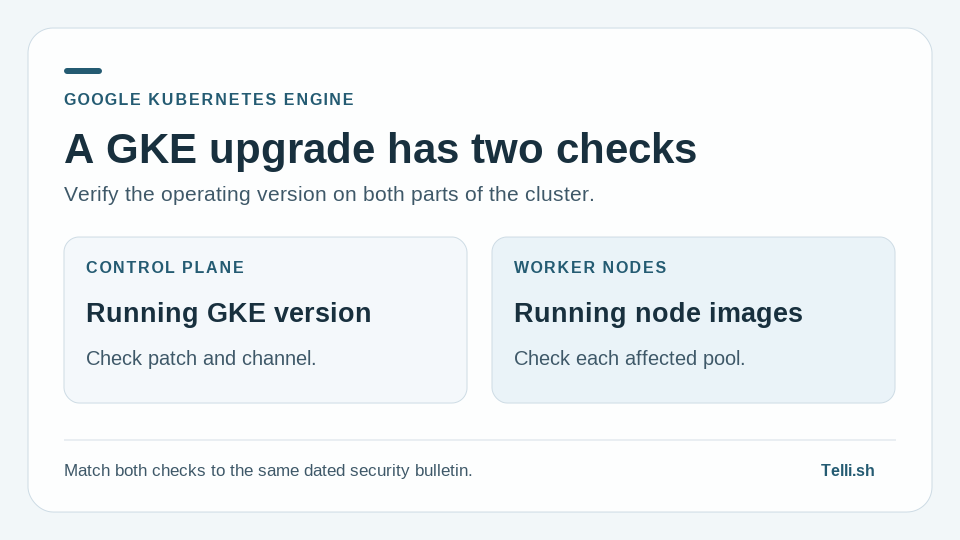
Original illustration based on the bulletin and Google's separate upgrade guidance for control planes and nodes.
Which GKE versions have the fix?
Google added the Container-Optimized OS builds for GKE 1.32 and 1.33 on November 20. The updated bulletin lists the five version floors below for that node image. Its November 20 note still lists patches for Container-Optimized OS on GKE 1.37 and for Ubuntu node images as in progress. Keep that date with the table so a later reader knows when to consult the bulletin for an updated entry. GKE security bulletin GCP-2026-088
| GKE minor version with Container-Optimized OS | Listed patch floor |
|---|---|
| 1.32 | 1.32.13-gke.3234000 |
| 1.33 | 1.33.13-gke.2533000 |
| 1.34 | 1.34.13-gke.1091000 |
| 1.35 | 1.35.10-gke.1155000 |
| 1.36 | 1.36.6-gke.1189000 |
Google directs customers to upgrade the cluster control plane and nodes. The number is a floor for the specified minor release and image. Confirm a compatible build for your location and release channel before requesting an upgrade. A build number with more digits can be irrelevant when it comes from a different minor line or a bulletin for a different vulnerability. For a documented newer-channel patch option, Google requires that the minor version already be available in the cluster's enrolled channel. GKE release channels
Google excludes Windows Server node pools and Pods running in GKE Sandbox (gVisor) from this issue. Record those exclusions at the level the bulletin names. A Standard cluster can contain a Windows pool and a Linux pool. A cluster with sandboxed workloads can still need a review of its control plane and other workers. Identify which components actually use each environment before assigning a status to the cluster as a whole. GKE security bulletin GCP-2026-088
Build a component inventory before opening the maintenance window
Start from the cluster list already maintained by your organization. Capture the project, cluster, location, mode, release channel and currently reported control-plane version. Add every affected node pool with its operating system image, current observed version and owner. A short list attached to the change record is often enough to show which workload teams need to be involved and which parts of the rollout can move together.
Use the current control-plane version and the upgrade operation record for separate purposes. The operation describes what the service was asked to do. The running version records the result you can verify. At the node level, a pool may still contain older workers while its replacement progresses. Record completion after checking the installed versions for the affected nodes, including any group being handled through a different upgrade policy. Google documents that the control plane and worker nodes are upgraded separately with periods when their versions can differ. Google Cloud manual cluster upgrade guide
For Standard, you can arrange separate control-plane and node-pool upgrades through the supported GKE workflow. Autopilot takes care of worker upgrades automatically, and the supported manual action is a control-plane upgrade. The Autopilot maintenance record should therefore allow for a later check of the worker rollout and workload health after the control plane changes. Give someone responsibility for that observation even when Google runs the underlying operation. Google Cloud manual cluster upgrade guide
Sort the inventory by component status as well as by cluster. A planned patch records an eligible release and a window. An in-progress change has a visible operation and a follow-up check. A worker awaiting a supported image has an open exception. This gives the duty team a way to decide whom to call if the primary change owner is away. It is particularly useful for regional installations where locations and maintenance windows differ.
Include any node locations the normal view might overlook. An empty pool that can scale up later still deserves a check of its target configuration. The same goes for an approved pool template used by a recovery cluster. Review their image family and planned version with the relevant owner, then confirm a running node from the template at the next ordinary rollout or recovery exercise. Do not mark a dormant worker as observed on the basis of the template. Record the evidence that actually exists and who will confirm the runtime result.
Imagine that an online shop has a Standard cluster with one pool for the public API and one pool for an internal processing service. The two pools use different node images. During an update, the operators can confirm a fixed version for the eligible pool and document the second pool's applicable patch status separately. The shop might still need an approved exposure reduction for a pool waiting on its own image update. The customer-facing API can stay healthy throughout either path. Its health answers a different question from the version check.
Prepare a safe rollout for real workloads
Make the maintenance window fit the application. Ask workload owners for the small set of checks that would detect a real interruption, such as placing a test order through an approved environment or watching a normal background job complete. Check capacity for workload rescheduling during node replacement. Review the organization's disruption budgets, readiness checks and workload dependencies before changing the production cluster. The day of the update should have a clear health threshold and a named person who can pause the rollout.
Apply the supported patch to the control plane first where the GKE workflow requires that ordering, then verify the node rollout in the way the mode supports. Watch the operation status and check the observed worker versions after progress stops. Record any exception for a pool that could not be updated or remains between versions. If an operating-system or location constraint leaves no suitable patch, follow the bulletin and document the transition from temporary protection to an actual eligible patch. Google Cloud manual cluster upgrade guide
Service checks should exercise ordinary approved workloads. An operator can verify scheduling capacity by checking that expected replicas are ready, inspect traffic and latency against the team's baseline, and ask a workload owner to confirm the normal business action. None of those checks needs to exercise the vulnerable behavior. Save the evidence before closing the maintenance change so the team can later explain when the new version became effective and what still needed observation.
When the maintenance window ends midway through a pool change, give the next shift the result per pool and the time of its last observation. Include the expected number of ready workers and anything the upgrade temporarily moved or restarted. A report that identifies one eligible group as complete and another as pending is usable by the next operator. It also gives the service owner a chance to plan a capacity-sensitive follow-up without repeating already verified work.
Reduce reachability while a patch is pending
Google describes external and cross-project traffic as the main exposure concern for this bulletin. Its control-plane examples include a DNS-only endpoint with IP-based endpoints disabled, a private-only IP endpoint, and an external IP endpoint restricted to authorized networks with Google Cloud public IP access disabled. On the worker side, its examples cover private nodes whose public traffic comes exclusively through supported Application Load Balancers or proxy Network Load Balancers that terminate connections upstream. GKE security bulletin GCP-2026-088
Treat those examples as configurations to compare with the service inventory. A network owner can verify which endpoints are enabled and which callers ordinarily need them. For a service behind a load balancer, confirm the serving mode and whether an additional route remains in use. Moving one public service behind a proxy is a small part of the evidence if another route still serves the same application. Review the intended routing and firewall policy through approved configuration records.
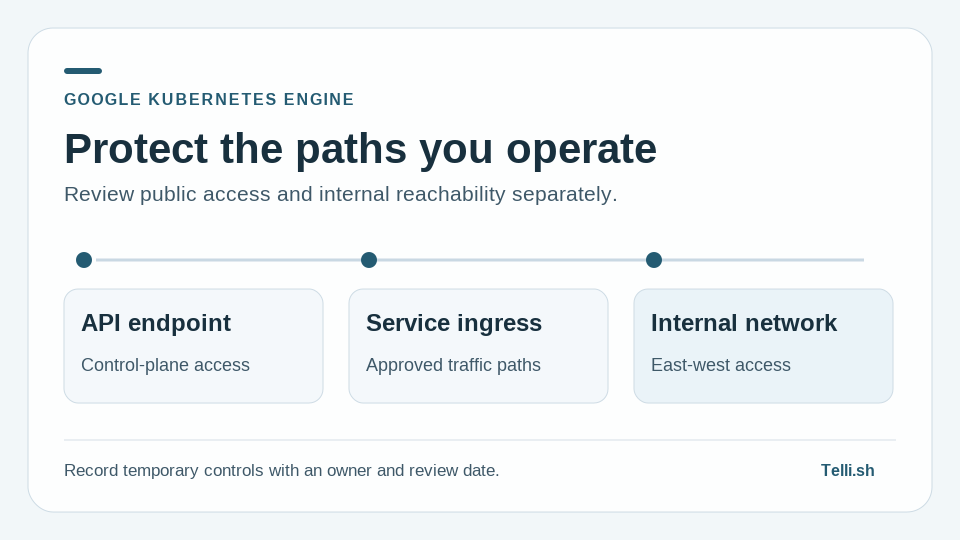
The public access review and the internal access review have separate evidence. The bulletin explains why both matter.
The bulletin also says internal traffic within the same virtual private cloud can trigger the vulnerability. Record the reachability that remains from other workloads, partner connections and relevant shared network segments under your own architecture. A service can be private from an internet perspective and still be used by many internal systems. Give the network owner a concrete question about which approved callers can reach it and ask the workload owner which of those paths are required. This helps prioritize available patches across similarly configured pools. GKE security bulletin GCP-2026-088
Consider a data-processing team with private workers and a shared internal queue. The lack of public addresses reduces one kind of exposure. The workers still depend on a wider internal environment. A temporary access restriction can be based on the queue's known callers and validated by a normal job. Give that restriction a review date and record which eligible upgrade will replace it as the permanent remedy. Ask the owner to confirm that the normal queue workflow still operates and that only its approved callers retain access.
Close the change only when the records agree
A complete record should answer four questions. What did Google publish for the exact minor version and image? Which build is the control plane actually on? Which builds serve workloads on the affected nodes? Does anything still need an exception or network review? Use the change ticket, a dated cluster inventory and an app-health observation to supply different pieces of the answer.
If an unexpected interruption occurred before the upgrade, the site reliability team can preserve the relevant timeline and platform records. A kernel panic or a loss of node availability has multiple potential causes. Compare it with maintenance history, error reports and the service's own observations before attributing it to the CVE. The absence of a disclosed exploitation report does not settle the cause of a local incident.
GKE's automatic upgrade service is a useful part of the process. The operational result is still a point in time when the running control plane and eligible workers can each be shown to have the correction. Write that result in the record. Keep any pool whose compatible fix is pending attached to a named owner and the next check.
Sources
- Google Cloud GKE bulletin GCP-2026-088, published November 19 and updated November 20, 2026
- Google Cloud guide to manual control-plane and node-pool upgrades
- Google Cloud GKE release-channel guidance
Keep the upgrade record, node versions and remaining reachability decisions in one place. Start your first note with Telli.sh.