An agent can choose the next branch: Dify 1.18 makes workflows easier to move and inspect
Dify 1.18 adds agent output routes, portable app packages and deeper workflow visibility. What that means for teams turning a promising agent demo into a reusable business process.
An agent demo can look convincing after a single successful request. The harder questions arrive when a second team wants to reuse it: which branch will it choose, which files travel with the app, and where can someone see what happened inside a nested workflow?
Dify 1.18.0, released on October 23, 2026, puts those questions close together. Its release introduces agent Output Routes, portable .ifpkg app packages, and deeper workflow visibility. These changes are less about giving an agent a more impressive answer and more about making its place in an application understandable enough to reuse. Official release.
Dify is a platform for building AI applications with visual workflows, models, knowledge and tools. Teams can use it to connect a model's judgment to application steps instead of repeatedly copying the same prompt into a chat. The interesting part of this release is how it joins three practical concerns: deciding the next step, moving the application and examining its execution.
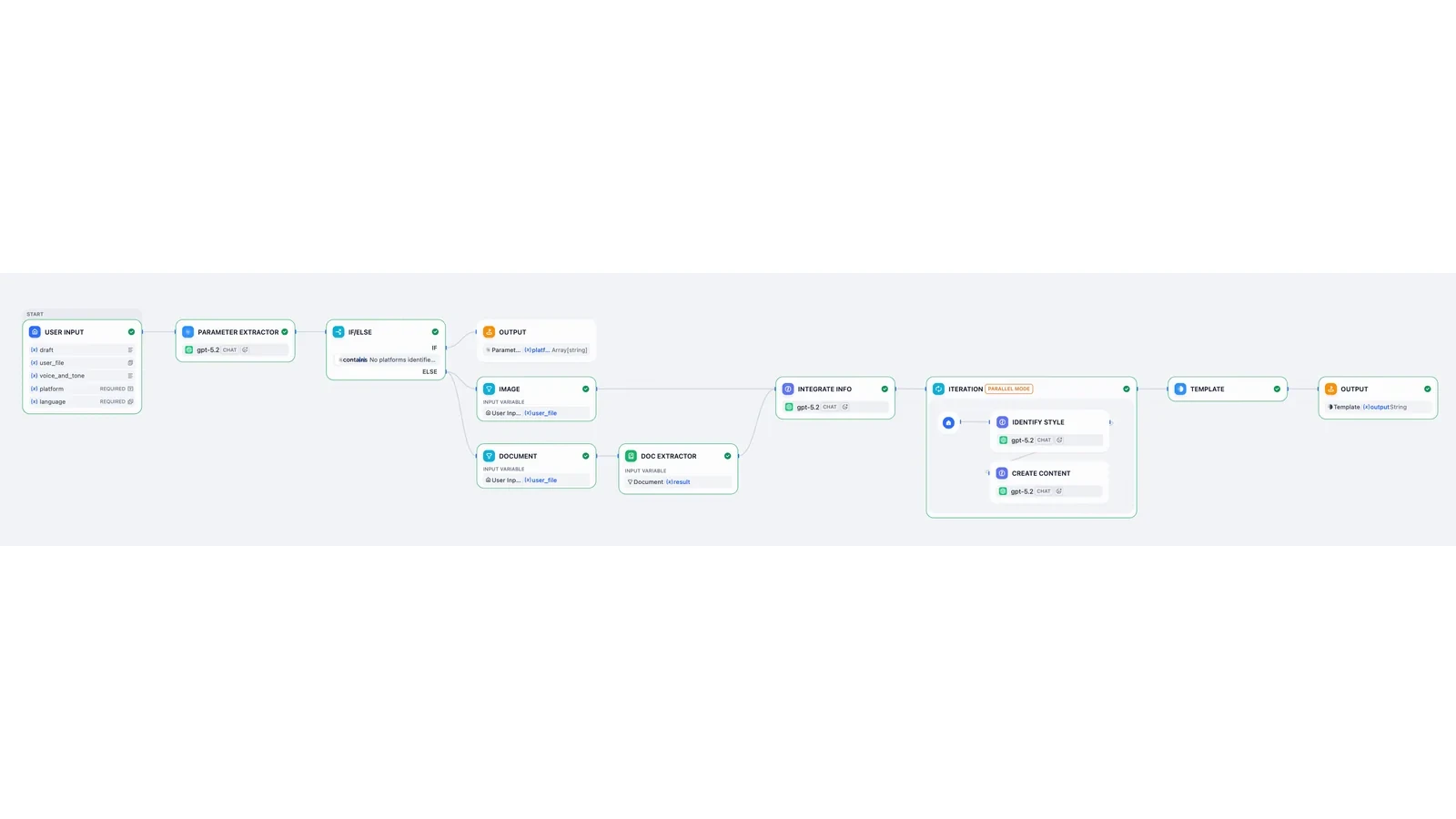 Workflow interface by LangGenius / Dify documentation contributors, CC BY 4.0. Resized and converted to WebP without cropping. The screen illustrates the visual builder, not every newly released control.

A branch is a decision with somewhere to go
In a traditional workflow, conditions often inspect a known value: a status is approved, a field is empty or a score crosses a threshold. Language-based requests are less tidy. A customer may mix a question, a complaint and an exception request in one message.
Dify's new Output Routes let an agent choose among configured routes so that a workflow can continue down a corresponding branch. The agent's interpretation becomes a choice inside a process, with the next step represented in the workflow rather than left entirely in generated prose.
That can make an application easier to design and examine. The builder decides which destinations exist. The agent chooses among them for a request. The workflow then performs the connected steps. A route can be useful even when the agent's natural-language explanation is not the final product.
The boundary matters. Choosing an “escalate” route is not the same as proving a case legally or financially requires escalation. Choosing a “draft reply” route is not permission to send the reply. The workflow still needs to encode which operations are permitted after each choice and who owns exceptions.
Example one: one customer message, three possible paths
Consider a customer-support team that receives a mixture of product questions and requests for exceptions. It wants an application to distinguish three broad paths: answer from approved help material, prepare a draft for a person, or escalate an unusual case.
With explicit routes, those destinations can be visible in the workflow. A straightforward setup question can enter a knowledge-based answer path. A request containing account-specific uncertainty can enter a review path. A request asking to override a commercial condition can go to the team responsible for that decision.
Those are illustrative application choices, not a ready-made support policy supplied by Dify. The team must define what belongs in each route, supply appropriate examples and decide what happens when the input is ambiguous. A persuasive explanation should not be allowed to erase an authority boundary.
The benefit is not that every message becomes easy to classify. It is that a builder can evaluate a specific decision. If the agent sends a difficult message to the ordinary-answer branch, the test has a clear failure. If it sends every request to a person, the workflow may be safe but provide little useful automation.
Keep a set of troublesome messages and expected destinations. Include mixed requests, missing information and language variations that resemble real customer traffic. A workflow that succeeds only on the cleanest examples is still a demo, even if its diagram looks finished.
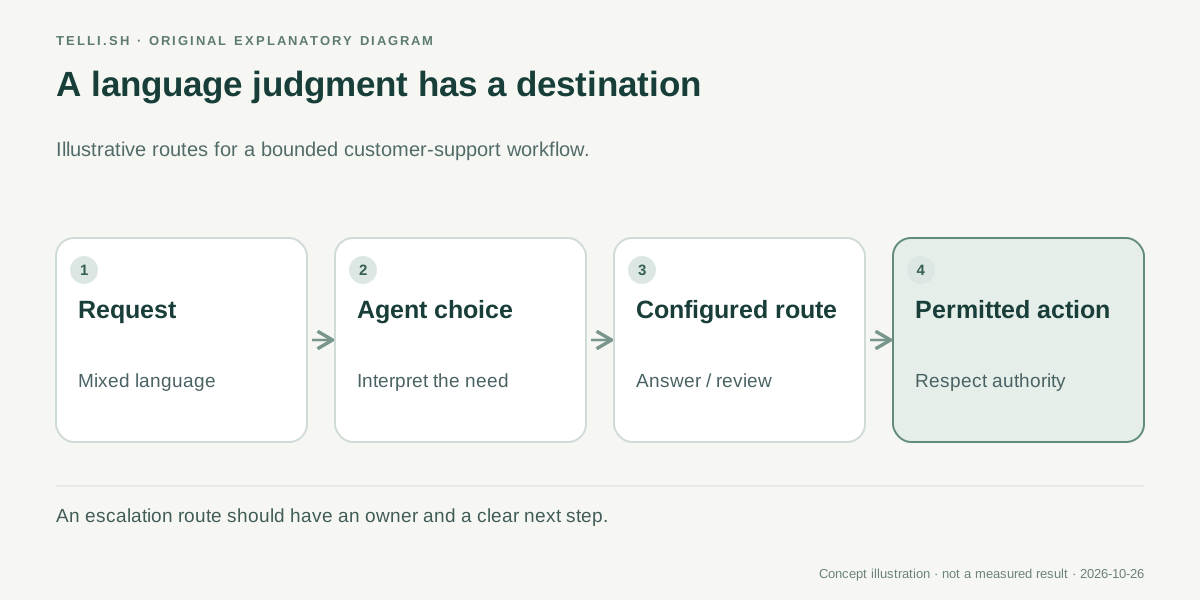 A configured route turns a language judgment into a visible workflow destination. Each destination still needs its own permitted actions and review rules.
Portable means more than copying a prompt
An AI application can depend on instructions, agent definitions, Skills, files and references to resources in a workspace. Copying the most visible prompt leaves much of that application behind.
Dify 1.18 introduces a .ifpkg package that can include inline Agents, Skills and their files. On import, the release describes recreating those resources and remapping references. File and URL imports support YAML and the package format, while explicit YAML export remains available. Package and import changes.
That is a meaningful change for reuse. A team has a better chance of moving the pieces that explain how the agent works together, instead of leaving a colleague to reconstruct them from a list of manual instructions.
It is not evidence that every external dependency moves automatically. Model access, credentials, plugin availability, network permissions and knowledge resources can depend on the destination environment. An imported app can be structurally intact and still need configuration before it can run correctly.
Treat the package as a useful application artifact with an inspection process. A file can carry instructions and supporting content that another team did not write. Before importing it into a workspace with valuable access, understand its origin and what its agents and tools are expected to do.
Example two: a proposal workflow travels to another team
Imagine a services company that has built a workflow for preparing a first proposal draft. It gathers a request, applies a writing Skill, checks that required sections are present and routes uncertain commercial terms to a person.
A second team wants to use the same approach with a different service catalog. A prompt-only handoff would be incomplete: the reusable writing instructions, attached templates and agent references are part of the behavior. The package format is designed to help move more of those connected pieces together.
The receiving team still has work to do. It must replace or confirm the service information, configure allowed models and tools, and verify who may approve a proposal. If an imported workflow refers to a resource that does not belong in the new workspace, successful import is not a reason to leave that reference unquestioned.
Run a small set of the same sample requests before and after the move. Compare route choices, required sections, tool access and review behavior. A portable application should preserve the intended process while allowing deliberate changes to destination-specific information.
This is where packaging becomes an operational feature. It can reduce reconstruction work, but the useful outcome is a repeatable handoff that another team can understand and test. The number of clicks saved during import is only one part of that result.
Seeing inside a workflow changes how teams debug it
The release also emphasizes deeper workflow visibility, including nested execution. That matters because an application can fail several steps away from the place where the user notices the problem.
A poor final draft could come from a routing mistake, a missing knowledge source, an incomplete tool result or instructions inside a nested workflow. If a team can only inspect the final answer, it may keep rewriting a prompt that is not responsible for the failure.
More visible execution can help the team ask a narrower question: what input reached this step, what result did it produce, and which step used that result next? The answer supports a more precise fix than changing several parts of the application at once.
Visibility is not the same as a complete explanation of a model's internal reasoning. Execution information can show application events and data flow without establishing why every token or route was chosen. It also does not automatically decide which trace content is appropriate for every viewer.
Use the available visibility to understand the workflow's observable behavior. Decide separately how long to keep traces, what sensitive material may appear in them and who should have access. An application that handles confidential requests should not turn debugging convenience into unrestricted access to their contents.
| Capability in 1.18 | Practical improvement to evaluate | Boundary that remains |
|---|---|---|
| Agent Output Routes | A language-based choice has a visible next step | A chosen route still needs authorization and error handling |
.ifpkg packages | Related agent and Skill resources can travel together | External access and destination configuration still need checks |
| Deeper workflow visibility | Failures can be examined inside a larger process | A trace does not prove an answer or decision is correct |
Release availability and an upgrade are separate questions
The official GitHub release is a dated software release. It is not, by itself, proof that every hosted Dify workspace has the same features enabled at the same moment. Readers using a managed service should check their actual workspace and product documentation before planning around a specific control.
Self-hosted installations have a different responsibility. Dify 1.18's release notes describe coordinated changes across the API, workers, Agent Backend and runtime images, including a changed agent runtime protocol. Updating a single visible component is not a reliable way to adopt a release that changes communication among several components.
The notes also call out configuration and migration details for local agent sandboxes and tools. Those details belong in an upgrade plan based on the actual installation. They should not be reduced to a universal command copied from a product overview.
Before an upgrade, preserve the current configuration and application artifacts, identify the supported component versions and test the migration in an appropriate environment. Do not replace persistent authentication or encryption-related settings merely because an example configuration contains a new-looking value. Follow the release's exact migration guidance.
For a team whose immediate goal is evaluating routes or packages, it can be sensible to start with a separate test application. That lets it learn the new behavior without turning the first experiment into a migration of its most important workflow.
A useful evaluation fits on one page
You do not need dozens of agents to learn whether these features help. One application with a real decision and a second environment for an import test is enough to reveal several important properties.
- Choose a bounded task. Pick a process with recognizable inputs and results, such as preparing a reviewed support reply. Name the person who owns an exception.
- Define a small route set. Give each route an operational meaning and specify which actions follow it. Include a path for requests that do not fit safely.
- Collect representative cases. Use ordinary requests, mixed-intent messages and missing-information cases. Write down the expected route before running them.
- Inspect execution, not only the final answer. Follow the relevant nested steps and identify where an unexpected value or choice first appears.
- Export and import the application. Review the package's included resources and check references, tools, models and secrets in the destination. Do not assume missing access should be granted automatically.
- Repeat the same cases after the move. Compare routes and outputs, then record any intentional differences in the receiving team's configuration.
The useful measurements are concrete: how often a request reaches the intended destination, how much configuration the handoff requires, and whether a reviewer can locate a failure without reconstructing the whole run. None of those measurements requires treating generated prose as evidence of its own correctness.
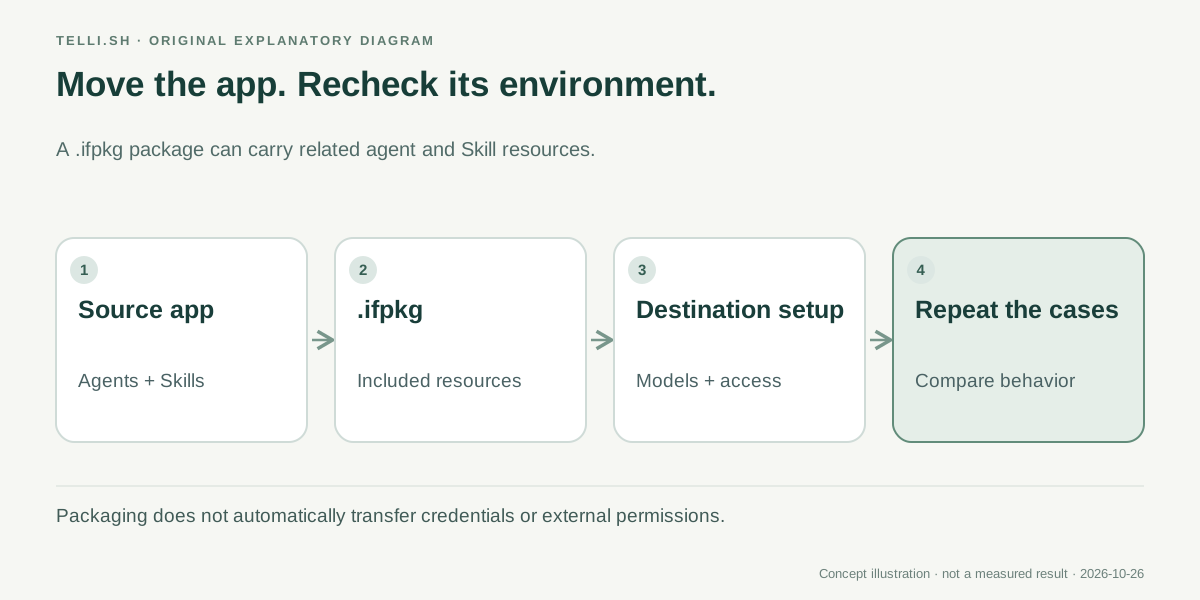 A package can move the application structure. The destination still needs its own access checks and a repeat of the cases that define successful behavior.
What becomes more promising, and what deserves care
The hopeful direction is a more reusable application unit. A workflow can contain explicit destinations, carry more of its supporting agent resources and expose more of its execution when something goes wrong. That combination is useful for teams that have moved beyond an isolated prompt but do not want every application to become a custom integration project.
The corresponding concern is that portability can spread mistakes as efficiently as it spreads good patterns. A vague route definition or an overly powerful tool does not become appropriate because it arrived in a neat package. Review the behavior you are importing, not only whether the file opens successfully.
For Dify, the next meaningful test is whether teams can maintain these applications across changes: a different model, a new Skill, a revised business policy or a move to another workspace. A successful first import is encouraging. A controlled update that preserves intended behavior is a stronger sign of maturity.
Dify 1.18 makes that experiment more interesting by connecting agent decisions to visible workflow structure. Start with a small process, keep the routes understandable and make the handoff repeatable. That is how a promising demo starts to become something another team can responsibly use.
Sources
- Dify 1.18.0 release notes, published October 23, 2026, 06:33 UTC.
- Official Dify documentation, product background; release availability should be checked in the actual workspace.
Want a searchable place for workflow notes, example requests and the decisions behind a revision? Collect your reference material in Telli.sh and keep the handoff understandable.