The supplier PDF says 55°C. Can DeepSeek find the notice that changes it?
DeepSeek’s app APIs can parse a supplier PDF, read a known URL and look for newer notices. A sample review shows how to check what applies, what it costs and what still needs a person.
A purchasing analyst opens a supplier PDF and sees an operating limit of 55°C. A colleague forwards a newer notice that says 45°C. Both documents look official, and the team needs an answer for a specific enclosure before it finalizes its evaluation. The dates matter, and so do the part suffix, the shipping date and the footnote beneath the table. Comparing these sources takes more than summarizing the PDF.
On November 13, 2026, DeepSeek released developer access to capabilities from its chat app, including file input, reading URLs and searching the web. DeepSeek, the company behind the app and the V4 model family, documents these features for the deepseek-flash model in three interfaces: Messages, Responses and Chat Completions. With the built-in tools, the service handles model-directed search, fetching and context assembly. The announcement also lists standalone services, including Search and Fetch, OCR and speech APIs. DeepSeek’s November 13 release · Dated change log
An approved supplier sheet and a published notice give a team a practical way to try the release. Start with a comparison someone has already checked, then see whether the API surfaces the right passages and leaves unresolved details visible. The same setup can help a buyer compare product revisions or help a support team trace a conflicting installation instruction to its source.
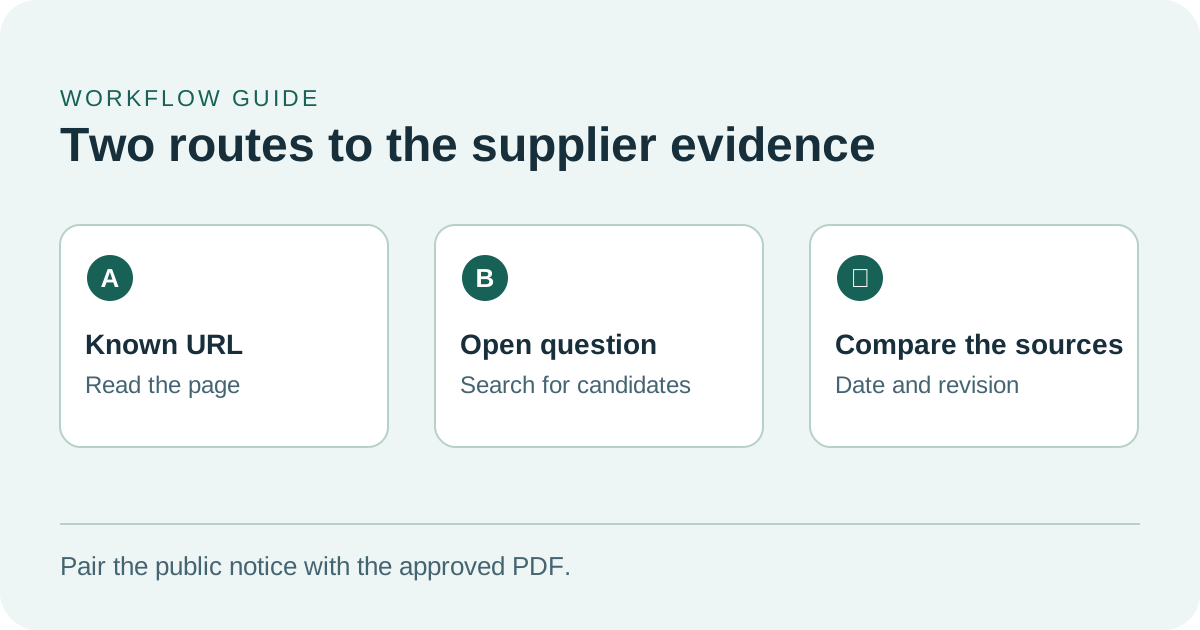
Use direct reading for a known source and search when you still need to find it.
The newer notice can be right and still apply to a different part
Imagine the two documents are for a fictional enclosure family. The October 28 PDF, revision C, specifies 55°C for the base enclosure under natural ventilation. A November 10 bulletin gives a 45°C operating limit for the sealed suffix on units shipped after December 1. A distributor page repeats 55°C without the suffix or date. The two supplier documents can both be correct. If an incoming order says only “enclosure family” and gives no suffix, the buyer still needs the exact item identifier and shipment information before applying either figure.
Ask for one row per claim. Put the value, unit, part number, conditions, document revision and date next to a short supporting passage. The PDF row should point to the relevant page or table, which someone can verify against the original. The bulletin row should give the supplier URL and the sentence or heading that gives the scope. If a citation omits the sealed suffix, flag the row for review even if the numeric limit and link are correct.
| Evidence in the example | What it supports | What the reviewer checks |
|---|---|---|
| Revision C supplier PDF, October 28 | 55°C for the base enclosure under the stated ventilation conditions | Find the table cell and read the header and footnote on the original page |
| Supplier bulletin, November 10 | 45°C for the sealed suffix on units shipped after December 1 | Check the exact suffix and the shipment condition in the notice |
| Distributor catalog entry | A secondary listing of 55°C with no visible scope | Check whether it identifies the revision and product variant before relying on it |
| Order line marked with the family name only | The buyer’s question for this order | Confirm the full part number and applicable shipment date before deciding |
State the decision and its reason separately. The assistant may establish that the two numbers refer to different variants, while the team still has to find out which variant it ordered. For a reviewer, “the order line lacks the suffix” is useful even if no final limit can be assigned. If the part is later confirmed as sealed, the reviewer can reopen the exact bulletin and check the date before resolving the case.
A single source can also carry conflicting instructions
The same issue can arise in an installation guide. Suppose a public quick-start page recommends mounting a device vertically. A PDF drawing shows a horizontal mount next to a bracket with a different part number. The support question is whether the drawing applies to the customer’s supplied bracket. Have the comparison identify the view, bracket suffix and conditions before proposing an answer.
DeepSeek’s file guide describes two parsing options. text_recognition extracts text and leaves out figures. rich_layout_recognition includes figures detected and cropped by the service at corresponding positions in the extracted text. DeepSeek notes that automatic detection can miss figures. When the instruction depends on a diagram or a chart, inspect the original page and its legend even if the answer references the right document. DeepSeek File Parsing guide
Reading a known notice and discovering new sources are different jobs
If you already have the bulletin URL, the narrower first request is to provide that public URL and enable deepseek_read_url. If you have only a part number and a vague reference to a notice, deepseek_web_search can look for candidate pages. The Web Tools guide distinguishes non-thinking search, which can return cited results, from deep thinking search, which can search and open pages over multiple steps. For these server tools the model chooses whether to act. Your application needs to check the tool result and the source it names before presenting the relevant claim as supported. DeepSeek Web Tools guide
A bulletin can move, require sign-in or be inaccessible to the fetcher. Keep that state distinct from a page that opened but failed to support the claim. If the link fails, a reviewer can retrieve an approved copy through their normal channel and record where it came from. For an independent check, open the original public URL in a normal browser and read the surrounding text. A quoted sentence may establish the value while its heading tells you it applies to an older line.
Search can also return an apparently recent copy of an old document. The page date, the bulletin’s issue date and a statement about when a change takes effect are separate facts. For the sample enclosure, changing one of them changes which shipments are covered. Make each date a separate field in the review when the difference affects a decision. If a page supplies only one date, leave the others blank and say what remains to be confirmed.
It also helps to show the difference between what the page says and what the system inferred. The page might name a date and a model, and the assistant might infer that a purchase falls within the bulletin’s scope. The result is hard to review if both appear in the same evidence field. Give the reviewer the passage first, then the proposed interpretation, then the unresolved fact that would change it. That format makes it possible to correct one mistake without losing the rest of the work.
The upload, the answer and the billing each leave a different record
The file guide describes uploading a PDF with the intended parsing purpose, then referencing the returned file_id in a deepseek-flash request. The ID is returned after successful parsing. DeepSeek documents a maximum of 20 referenced documents and 8 MiB of combined text per request. Referencing the same file twice counts twice toward those limits. For the first comparison, one PDF and one public URL make it easier to identify the effects of extraction errors, access failures and model interpretation. DeepSeek File Parsing guide
Use material your team has cleared for the service. A public copy of a technical sheet may be sufficient for the first comparison. An internal copy can carry negotiated pricing, private contact information or a signed form even when its specifications are public. Keep the approved source or excerpt that is actually sent, together with its exact revision. If the service cannot receive an internal document under your policy, compare the public information and have a reviewer consult the internal record separately.
The published pricing table lists USD $0.75 per 1,000 searches, $0.75 per 1,000 page fetches and $0.225 per 1,000 parsed pages. Token fees are separate. The file guide says a successful document parse is billed by page at upload. Later chat requests that reference it are billed for input tokens without a new parsing charge for that reference. The Web Tools guide also distinguishes result blocks from billed usage. One successful search call can contain several billable queries. DeepSeek pricing · Web Tools billing rules · File Parsing billing
An illustrative run with a 12-page parsed PDF, four billable search queries and two billable page fetches would incur $0.0072 in tool and parsing fees at those published rates, before model tokens. That estimate counts billed operations and assumes each of the six web operations is chargeable under the guide. It says nothing about the cost of reviewing a citation or resolving missing information. A short uploaded excerpt and direct reading of one known URL can reduce what the service processes when the source is already known.
Capture the usage report and elapsed time from the first request, then compare a second case with search enabled. Check whether the extra evidence changed a row or simply restated the PDF. Each retry needs a reason, especially after an upload timeout. DeepSeek says parsing can continue after a client disconnects and a successful parse can still be stored and billed. If the response does not arrive, check the file inventory before re-uploading the same document. DeepSeek File Parsing upload behavior
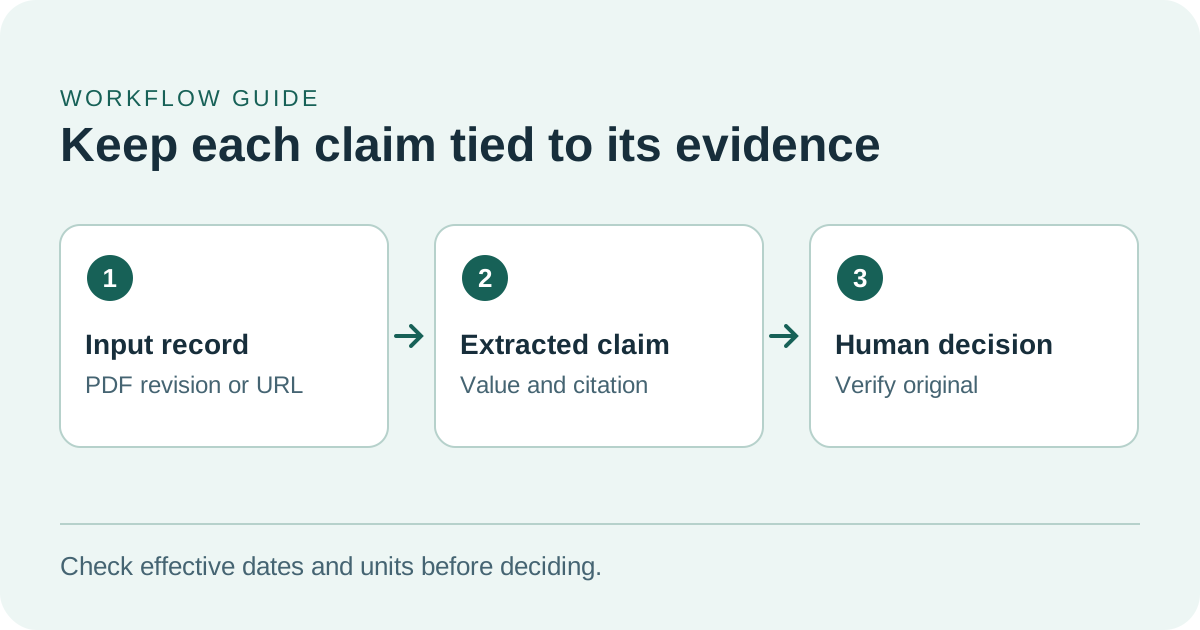
A citation helps you find the source and verify the exact value and date.
A five-case pilot tells you whether the citations help
- Assemble a small approved packet. Start with the supplier PDF, a known public notice and the part details the reviewer may use. Establish the expected claims and capture their original locations before trying the service. Use a case with a real qualifier such as a product suffix or effective date.
- Read the document on its own. Use the
deepseek-flashfile workflow. Select the parsing purpose according to whether the answer depends on figures. Ask for the specification, its scope, the revision and the best locator for the passage. Open the PDF and check a value-bearing row, the units and the footnote. - Add the published link. In a separate comparison, enable reading of the known supplier URL and ask for a second evidence row. Check whether that URL actually resolves to the text cited. Note the page date and the effective date separately. In another case, where the URL is missing, enable search and judge the discovered source by the same rules.
- Test a missing page and a misleading near match. Give one case a link the team expects to be unavailable. For another, use a legitimate notice that applies to a similar part. Look for a readable fetch or evidence status in both cases. A correct numeric answer tied to the wrong part is an error. Have the reviewer write down what evidence would settle the question.
- Measure what the reviewer can use. Record the number of claims that point to a matching passage, any unsupported conclusions, time to a checked result and billed tool usage. Check that a partial reply or failed tool is visible to the reviewer. Keep the comparison as a draft until someone responsible for the decision checks the original material.
Those five cases are the document alone, a successful known link, an unknown link that needs discovery, an unavailable page and a plausible wrong variant. They cover situations that all look similar once compressed into a single answer. A prototype can show status alongside the evidence, so a reviewer can see which claims are confirmed, contradicted or still unresolved.
DeepSeek’s Web Tools guide says an error late in generation may arrive after an HTTP 200 response and can still include billed usage. A prototype should use the completion status from its chosen interface before marking any evidence row ready. Imagine a request that returned the PDF finding and then stopped while checking the bulletin. Keep the PDF row available for comparison, mark the bulletin row as incomplete and give the reviewer a clear way to continue from verified evidence. DeepSeek Web Tools generation failures
For a public-facing app, the release tells developers to enable DeepSeek’s safety checks and says they remain responsible for their own moderation and other applicable obligations. Those checks address content handled by the model. Supplier review still needs verification against the source records and a person who owns the operational decision. Let the tool prepare a read-only comparison. A buyer or support specialist decides what goes into an order change, a master record or a customer message. DeepSeek’s November 13 release · DeepSeek Model Content Safety guide
A useful comparison can end with one missing field
The useful result may be smaller than a full answer. If a reviewer can open the two sources, verify the conditions and see the one missing field that prevents a conclusion, the comparison has done its job. When the next analyst inherits the case, they can check the same evidence and follow the decision even after the supplier publishes another revision.
Sources
- DeepSeek’s app API release and linked demo, November 13, 2026
- DeepSeek change log entry, November 13, 2026
- DeepSeek Web Tools specification
- DeepSeek File Parsing specification
- DeepSeek Models and Pricing
- DeepSeek source repository for its official chat demo
To keep your source notes and review decisions easy to find later, create a Telli.sh account.