Can an AI turn your hand into a controller for a real device?
ControlAnything writes a connector when you ask for a new gesture in mixed reality. A synthesizer, a gimbal and a single headset session show what the prototype can establish.
Imagine holding your hand above a synthesizer and asking a headset to map the height of your fingers to the filter cutoff. You already know what the gesture should do. The hard part is the connection between a moving hand and the actual knob, especially when the instrument speaks MIDI and the headset only sees a box on a desk.
ControlAnything, a research prototype described in a November 5, 2026 preprint by Bektur Ryskeldiev, moves some of that integration work to the moment you ask for it. A wearer selects a target in a Meta Quest 3 view, gives an instruction and waits while an agent on a MacBook writes a connector. The returned controls can be virtual widgets, a program that reads hand movement, or both. The project provides code and demonstrations, including a desktop simulation.
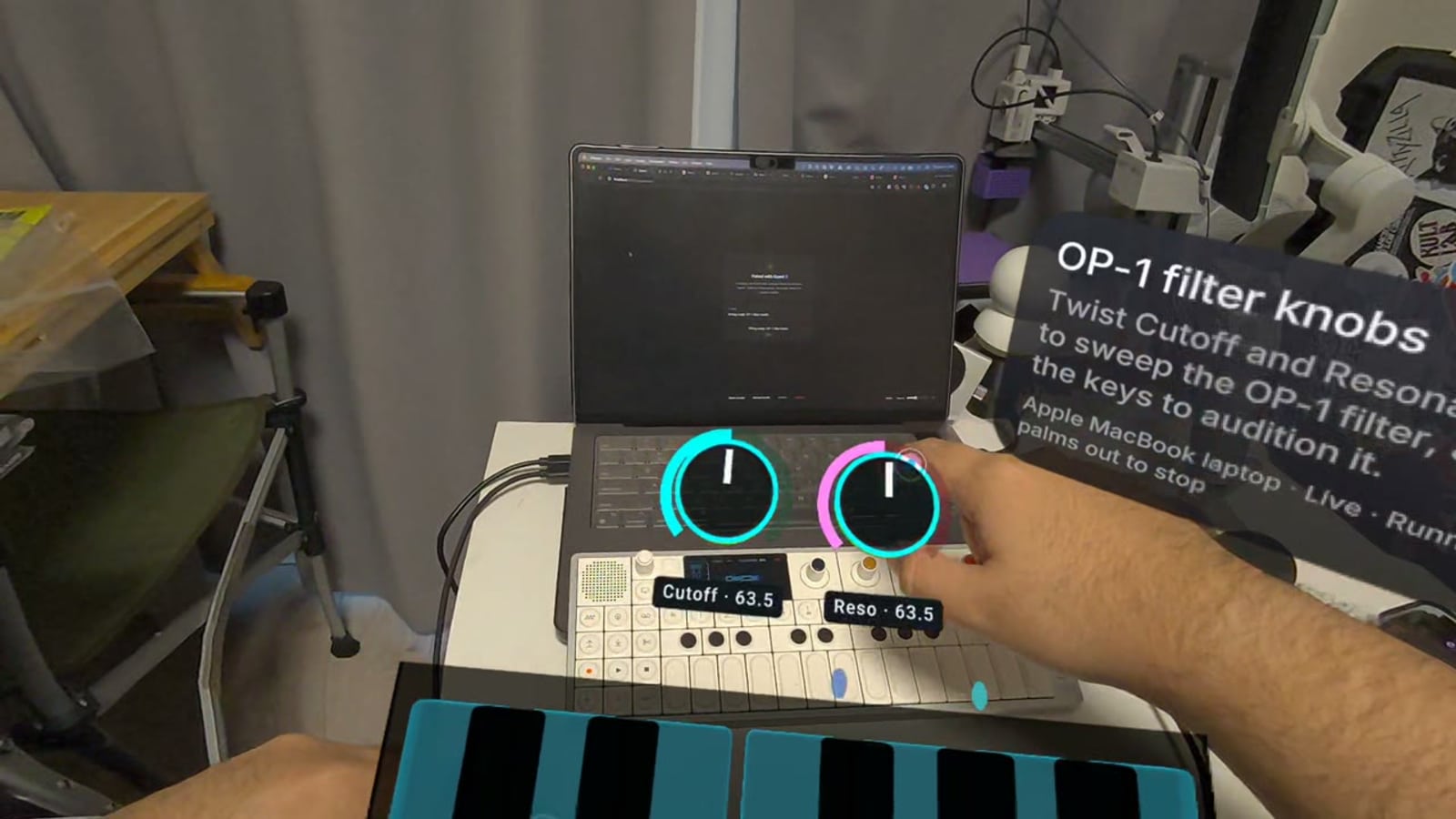
Author Bektur Ryskeldiev's Quest 3 recording shows generated OP-1 Field controls during the evaluation. Telli.sh resized the still. Preprint and original frame · MIT notice for the project video
The interesting result is that the headset can create a new control for a particular job. The interesting gap is how the system knows what actually happened. A MIDI acknowledgement, a generated knob that responds and a synthesizer that changes its sound are three different pieces of evidence.
Pointing at a device starts the request
The prototype combines a WebXR client, a laptop server, a coding agent and a small set of ways to reach devices. SAM 3.1 outlines possible objects in the headset view. A pinch can turn one into a tag, and Muse Spark can suggest what the object is. The preprint treats that suggested identity as a hypothesis that can be compared with evidence such as a MIDI port name or a device response. The tag gives the wearer a way to refer to a target. The port, browser bridge or keyboard executor is what lets the laptop act on it. ControlAnything preprint, sections 3–4
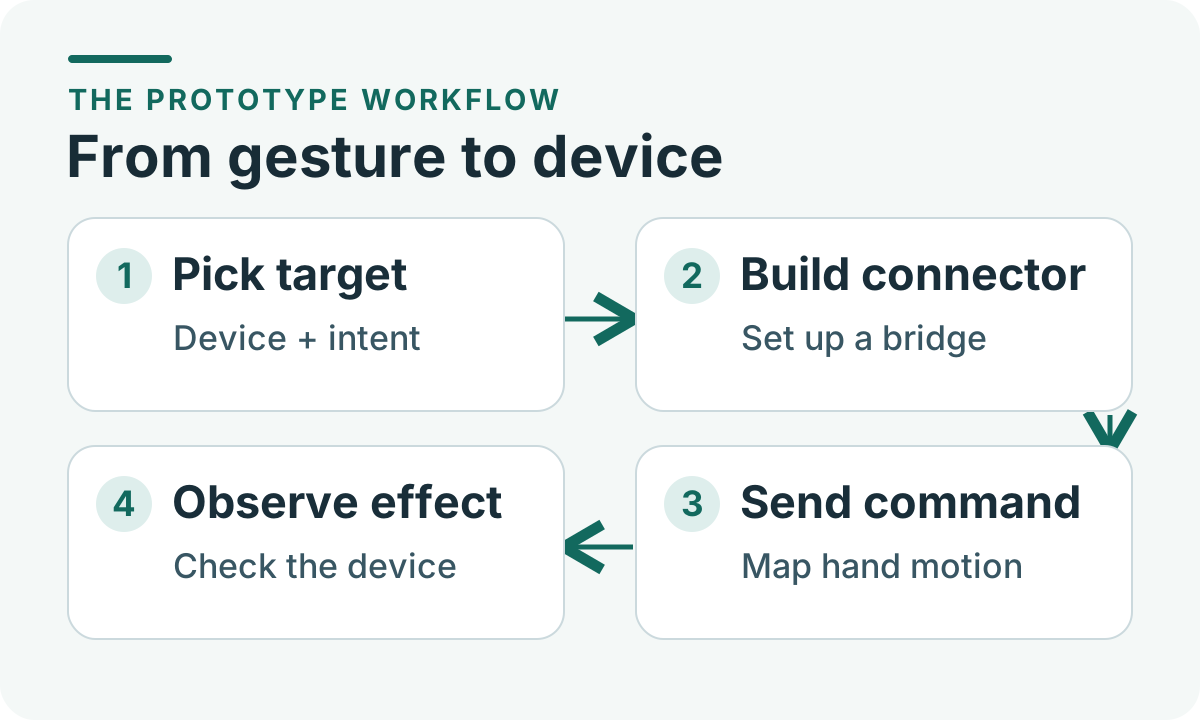
From a selected target to a visible or audible result. Original illustration by Telli.sh.
Think of a tag as a luggage label. It is useful for naming what you want to move, while the route and the destination still have to be established. The prototype's November 5 session makes that distinction particularly clear. Every request was addressed to the MacBook tag, which the author had created earlier. When the desired target was the OP-1 Field synthesizer or the DJI Osmo Mobile 4 gimbal, the author named it in the request. The session therefore tells us about connecting devices the setup already knew how to reach. It leaves object selection on an unfamiliar synthesizer or gimbal as an open experiment.
The system also came with useful details before the first gesture. The project documents MIDI, Bluetooth and key-press transports. The agent's retained notes already had the OP-1 port name, filter controller numbers and instructions for moving the gimbal before the reported session. A camera image can tell you that something looks like a synthesizer. Those earlier details tell a program which value to send, where to send it and how to keep it inside the intended range.
The model builds the control once and the hand program runs repeatedly
The prototype separates the expensive work of generating an interaction from the repeated work of running it. A spoken request is transcribed, the agent writes a connector and the server checks that the connector is running and that every returned control binds to a declared action. The resulting hand program reads joint-derived signals each frame and emits values or events. The model runs during setup. The headset executes the resulting program as you move. Preprint implementation
The difference matters for a continuous control like sound or camera framing. If a language model had to decide every new value, every frame would become another slow decision. A small program can instead map hand height to a parameter, clamp the range and respond to a release event. For a trigger such as advancing a video, it can require a deliberate gesture and then wait for the hand to return to neutral before it arms again. Those mappings are examples of the design space the approach opens up, rather than claims about the prototype's measured behavior.
The preprint reports a median setup time of 32.5 seconds across the nine requests that reached ready, ranging from 24.9 to 57.8 seconds. Those figures begin at the server's handling of the request and exclude speech transcription. Model calls accounted for a median 89.9% of that setup time. The author also states that the session did not measure the time from hand motion to device response. Preprint results
That puts a useful price on the flexibility. Half a minute can be acceptable if it replaces a connector you would otherwise spend an afternoon writing and then use throughout a rehearsal. It is harder to justify if the gesture controls a task you could finish in five seconds with the existing remote. The likely opportunity is a task whose control is valuable repeatedly, even if the user configures it only once.
The results also point to a practical next step. Two requests for a similar water-simulation interaction took 31.6 and 32.5 seconds because each produced a fresh connector. The prompt cache served 91.7% of the session's input tokens, yet an earlier connector did not become a ready-to-use control. Saving a reviewed mapping and letting the wearer choose when to reuse it would address a different part of the setup cost. It would also make versioning important, since a reused connector needs the same device, account and range assumptions it was tested against.
A filter knob, a gimbal and a browser need different receipts
The November 5 session involved one wearer, the author, and ten requests across five targets. Nine requests reached a ready state and the wearer stopped the remaining run. The experiment was technical and exploratory. Requests were phrased freely, some repeated earlier goals and the system relied on a setup with prior device knowledge. Read the count as a report of what happened in that session. A first-time user's chance of connecting an unknown device is a different measurement. Preprint table and method
| Example in the session | What the generated control produced | What establishes that the action worked |
|---|---|---|
| OP-1 Field filter | The request for filter knobs returned two controls over MIDI | A change in the instrument's output, captured with a controlled input or heard by a human |
| DJI Osmo Mobile 4 | A hand program and four controls reached the gimbal through a Bluetooth bridge | An observed movement or a verified position reading inside the intended travel range |
| Instagram Reels in Chrome | The gesture request returned a hand program and three controls, using simulated key presses | The intended tab or item changes while other windows remain untouched |
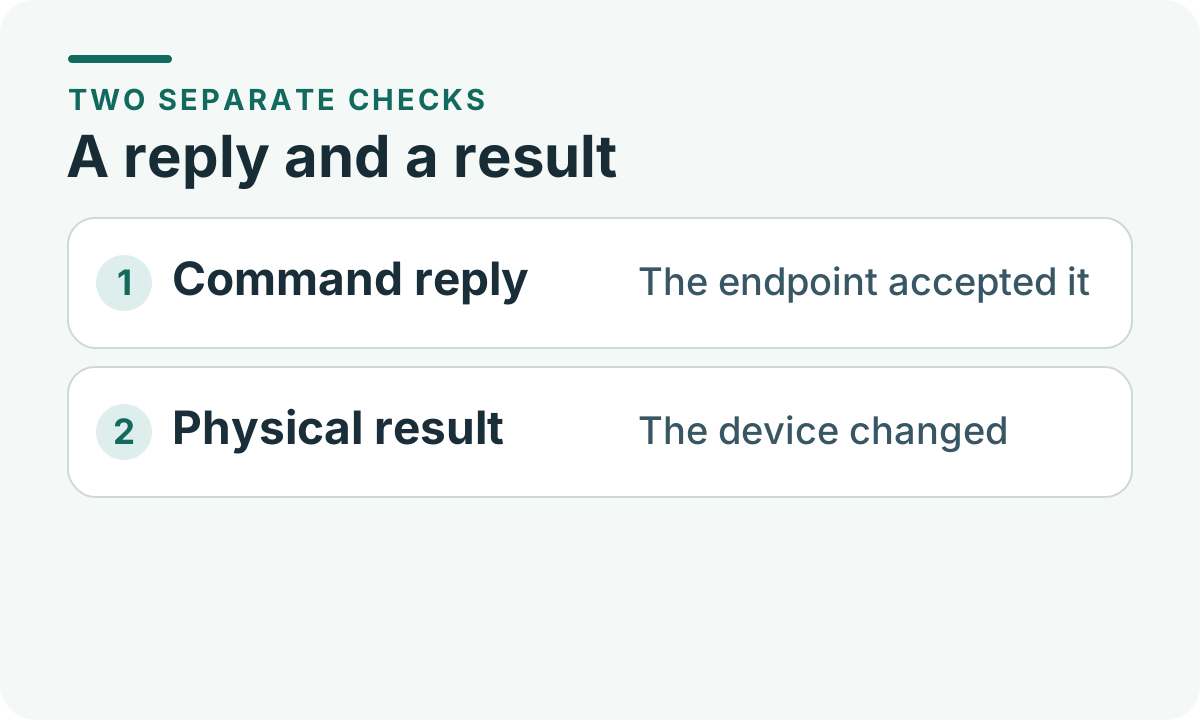
A transport acknowledgement and a measured effect answer separate questions. Original illustration by Telli.sh.
Consider the synthesizer. MIDI can carry a well-formed filter command while the instrument is on a patch that responds differently, or while the instrument's MIDI receive setting is off. The preprint describes an earlier case where acknowledged messages were followed by silence until the receive setting was enabled. An audible change, recorded against a known test note, would tell you more than a second copy of the same log message.
The gimbal offers the same lesson in a different form. The bridge logged 889 successful rotate responses in the session, including stop and release commands. That provides evidence that the transport accepted commands over a sustained interaction. The logs did not contain a reliable angle. In a follow-up, you could set a safe target and compare the requested angle with video or a reference mark. Only then could you tell whether the movement was accurate, repeatable and bounded as intended.
Keyboard control adds an identity problem. A key press can succeed at the operating-system level and still go to the wrong window. A browser test should check the active tab, verify the expected content changed and verify that other windows stayed untouched. The more abstract the connector interface, the more useful a clear definition of “finished” becomes.
A stop action has to work before anyone trusts the gesture
ControlAnything's stop path is independent of the model. A wearer can stop generation, hold both palms out during use or use a wrist-menu control. The host can retire the connector and issue neutral releases, such as stopping the gimbal or releasing MIDI state. The implementation gives the headset hand program a restricted worker and checks its behavior against 480 synthetic frames before deployment. It also limits which declared actions and ranges the hand program can emit. Preprint safety and stopping
The laptop connector sits in a different position. The preprint describes it as an ordinary Node process running with the laptop user's permissions and explains that the prototype does not sandbox that generated process. The SDK can limit commands sent through the supported route, while a connector that can execute general code retains the powers of the account it runs under. A reliable production version would put those connector privileges under operating-system control and restrict access to the devices required for the request.
You can see why by picturing an installation with two moving fixtures. A control surface that labels only one fixture might look reassuring, but it matters whether the connector can still discover and act on the other. A safe demonstration uses a setup where the only reachable target is the one under test. It verifies stop independently, gives the operator room to step away and shows what happens after lost tracking or a disconnected device.
The same distinction applies to generated code that reads its environment. The prototype tells the model to treat text in camera frames or tool responses as data. That instruction can guide behavior, while limits on process permissions and available transports determine what a mistake can affect. For a reader trying the prototype, these are separate questions to ask before exposing the laptop to real devices or active accounts.
Start with a simulated target and make the test deliberately small
The project's README documents a desktop simulation that uses Node 22.12 or newer and Chrome. Without an API key, the project says the server replays recorded responses in a visibly marked fixture mode. That offers a way to examine the sequence from tagged target to generated knobs before adding a headset, model calls or physical equipment. It also makes the boundary of the exercise clear. A fixture demonstrates a known path through the interface. A live evaluation starts once you change the target, the gesture or the model response. ControlAnything demonstration instructions
- Read the repository instructions and run the documented simulation in a disposable environment. Open the simulator and the desktop headset emulator, then tag the simulated laptop that runs the virtual synthesizer.
- Choose the provided request for knobs and confirm that the fixture indicator is visible. Note how the UI represents the selected target and when the generated controls become available.
- Change a virtual knob, confirm the resulting change on the simulated target and test the documented stop action. Separate what you observe in the UI from what the connector logs say.
- For a future physical demonstration, choose a low-risk device with a reversible control. Write down the expected result before you send the command. Have an independent way to see or hear the change and to stop the device.
For a workshop, start with the virtual visual synth rather than a feature that opens a real service or presses keys on a host machine. The project's README specifically distinguishes the Instagram Reels path from the simulated example. If the mapping is the part you are trying to understand, a bounded local test target gives you a cleaner picture.
When you move to live hardware, measure setup time and control quality separately. Keep a clock for time to ready. Observe the delay between a gesture and its effect, any drift when the hand leaves the tracking volume and what happens when the user changes their mind. These are practical questions a longer study can answer, along with whether someone who has never seen the interface can pick the correct target without help.
The useful version lets you create a control and verify it
ControlAnything's strongest idea is letting a person describe a physical interaction without preparing a bespoke interface first. The evaluation shows how that works on a known set of targets and a single headset. A reusable control will need more than a successful connection. It should identify the device, limit its own authority and make the resulting action visible enough for the person wearing the headset to trust what happened.
Sources
- ControlAnything preprint, submitted November 5, 2026
- Full implementation, evaluation and limitations
- Project repository, demonstrations and simulator instructions
To keep notes and decisions from a prototype session easy to find later, create a Telli.sh account.