[AI Ideas Notebook 03] ColGrep-Agent: let a local scout find the code before the large model reads it
Meet LightOn's local code-search agent: what it returns, how it works with coding assistants, and how to test the claimed token savings without confusing search with a finished fix.
AI Ideas Notebook explores the ideas and practical possibilities behind newly emerging AI models and tools.
A bug report says that an upload finishes too early. The repository contains hundreds of files, several progress handlers and a few similarly named state fields. Before an AI assistant can suggest a repair, it may spend much of its turn simply finding the code that owns completion.
ColGrep-Agent, announced by LightOn on October 12, 2026, handles that search stage locally. It explores a repository and returns relevant file paths, line ranges and code to the main coding assistant. The idea is a local scout: let a smaller specialist locate the trail before asking a larger model to reason about the repair. LightOn announcement
This introduction explains the pieces, the practical starting route, and what to measure in a first comparison. The attraction is lower search overhead. The question is whether that reduction survives the repository, questions and hardware you actually use.
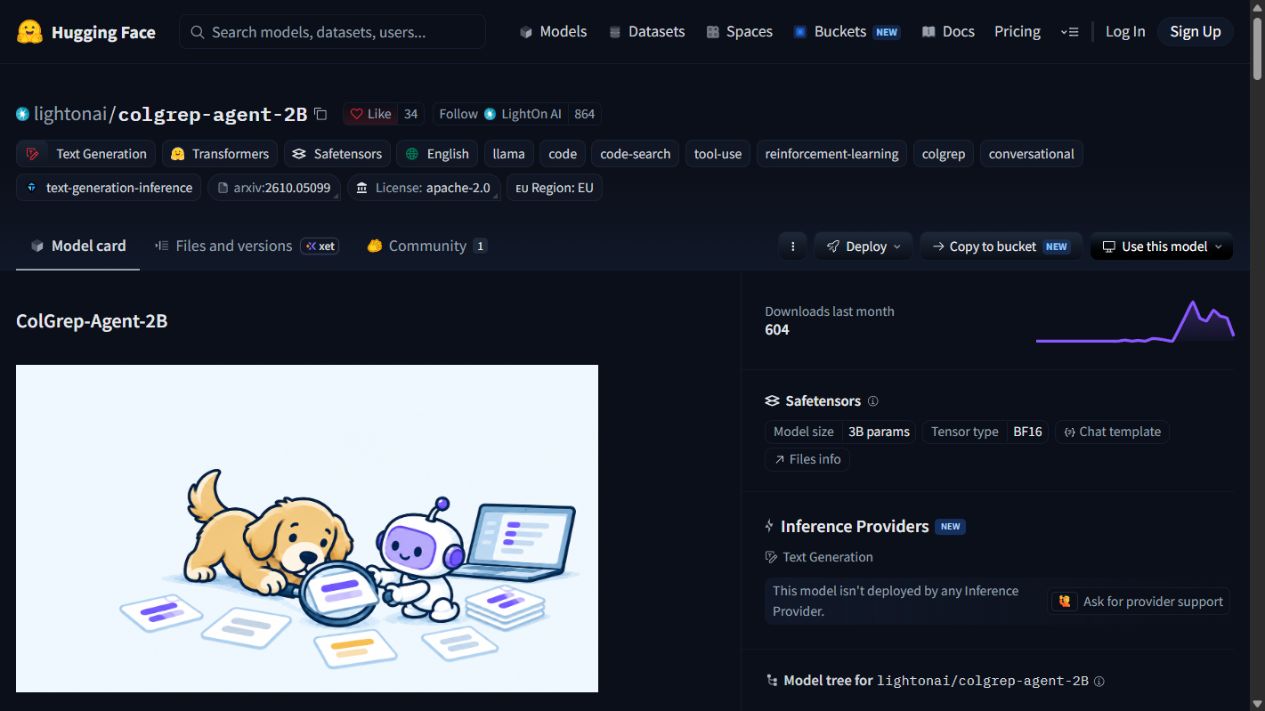 The public model page, captured October 20, 2026. This is a published model-card screen, not evidence that the model ran on our machine.
Three names describe three pieces of the workflow
ColGrep is the semantic search tool. ColGrep-Agent-2B is the released model name. The command colgrep --agent runs the model with a constrained search harness; it is the working combination rather than another model family. Official explanation
That separation is useful when choosing how much infrastructure to add. A developer may want semantic search in a terminal without an agent loop. Another team may want a coding assistant to ask the local agent a question and receive a smaller, more focused context package.
The search system combines meaning-based queries with exact constraints such as paths or patterns. These approaches solve different problems. A natural-language question can locate behavior whose identifiers are unfamiliar, while an exact search remains valuable for a function name copied from a stack trace.
For a beginner, the important output is simple: a shortlist of places to inspect. You still need to understand the code, check the surrounding contracts and run the relevant tests after changing behavior. A useful location is an input to a repair, not the repair itself.
Why the search loop can become expensive
A coding assistant often works through a sequence: search for a term, open a file, notice another identifier, follow a reference, then search again. Each step can add more context to later model calls. A repository that is easy for a maintainer to navigate can still be costly for an assistant meeting it for the first time.
ColGrep-Agent moves those exploratory steps into a local loop. The main assistant asks a question, the scout searches and reads candidate files, and the returned context identifies the locations judged relevant. The division is about ownership of exploration rather than asking the local model to solve every programming task.
Imagine investigating why a recording session does not recover after reconnecting. A broad search for “reconnect” may return transport helpers, UI notifications and old tests. A useful result has to narrow that list to the current session owner and the functions that recreate its connections.
This is also why a shorter answer is not automatically a better search. If the scout removes the one file that explains final persistence, the main assistant may produce a confident but incomplete fix. The purpose is to reduce irrelevant context while retaining the evidence needed for the task.
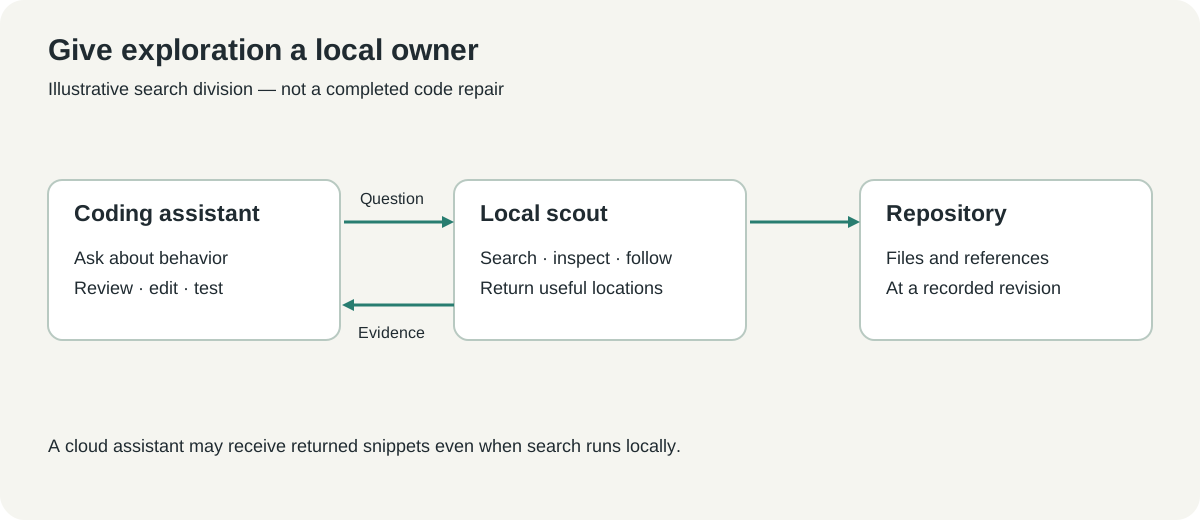 Original explanatory diagram of the documented division of work. The example question and returned locations are illustrative.
The headline result is specifically about code search
LightOn reports 34% fewer API tokens and 40% lower cache-aware API cost relative to grep in a study of 52 code-search questions across 13 repositories. Those are the publisher's measurements for that comparison. They do not establish a 40% reduction in the cost of building or maintaining an application. Study description
The scope matters because software work has several costs. Search may shrink while implementation reasoning stays unchanged. Test execution may dominate elapsed time. A model that saves cloud tokens may also use local CPU, GPU, memory and indexing time.
Think about three separate questions: did the search find the right code, did the coding task finish correctly, and what resources did the whole task consume? Measuring only the easiest one leaves the other two unanswered. A team should choose the tradeoff that matches its work rather than adopting a percentage as a universal forecast.
Repeated prompts also complicate price comparisons. Cached input, uncached input and generated output can be priced differently by a provider. Record them separately when the tool exposes that information, and apply a dated price list only after you have the usage counts.
Start with a repository you can inspect confidently
The official getting-started instructions provide installation routes for macOS, Windows and building from source. Begin with a clean copy or a repository whose state you understand, and read the release instructions before running an installer. Do not begin by giving an unfamiliar tool an unreviewed production workspace. ColGrep documentation
For a macOS reader using Homebrew, LightOn's announcement shows:
brew install lightonai/tap/colgrep
colgrep --install-agent
The second command prepares the local model rather than subscribing you to a hosted inference endpoint. The release describes a default quantized model download of about 2.5 GB. That is a download-size observation from the documentation, not a complete memory or disk budget for every configuration. Model setup
Windows readers should follow the official repository's current PowerShell route and inspect the installer before execution. The available runtime and acceleration path depend on the machine. Avoid assuming that a successful command on a Mac proves equivalent setup, speed or resource use on Windows.
Use this first-run sequence to keep the experiment understandable:
- Record the repository commit and working-tree state. Choose a question with known relevant code.
- Install through a documented route, then review
colgrep --helpand its indexing guidance for the installed version. - Run a plain semantic search before enabling the agent integration. Check that ignored files and excluded directories match your expectations.
- Try
colgrep --agentusing the invocation shown by that version's help. Inspect each returned location in the repository. - Connect it to a supported coding assistant only after the standalone search is useful. Keep the previous search configuration available for comparison.
These are setup and evaluation steps, not a report of an installation performed for this article. An introduction should help you choose a first exercise without inventing the result you will see.
Ask about behavior rather than prescribing a file
A good search question describes the event and the behavior you want to locate. “Where does an accepted upload become complete after its background processing finishes?” is more informative than “find upload code.” It gives the scout a contract to look for while leaving room to discover the actual owner.
Avoid embedding your proposed fix in the question. If you ask only for the function that should set a particular flag, the search may follow your assumption and miss the component that should own the state. Start with what a user observes, then inspect the implementation that explains it.
Three useful practice questions cover different navigation patterns. Ask where a request is authenticated, where a background job persists its final result, and where a frontend subscribes to a status update. These are illustrative tasks that encourage following ownership across files rather than matching one identifier.
Exact strings still have a place. A stack trace, route path or error code can make a question much more precise. Combine that evidence with a description of the observed behavior so the search does not become detached from the failing workflow.
Judge the returned locations before judging the prose
Open the suggested lines and read enough surrounding code to understand the function's responsibility. A line number can be accurate while the snippet is misleading because it omits a guard, a caller or a final persistence step. Context should be sufficient to check the claim, not merely enough to look plausible.
The repository commit matters here. A useful path and line range can become stale after a refactor. Keep the search result associated with the same revision used during evaluation, and refresh the index according to the tool's documented workflow when source files change.
| Search outcome | What a reviewer should check | Why it matters |
|---|---|---|
| Correct owner, useful surrounding code | Does the code implement the behavior in the question? | Establishes that the result is actionable |
| Related helper only | Is the caller or state owner missing? | Prevents a local edit that leaves the real contract broken |
| Test file without implementation | Does the test describe current behavior or an old expectation? | Keeps evidence and implementation connected |
| Many plausible files | Can the result prioritize a smaller set without losing essential context? | Shows whether the search reduces review work |
For a code-search pilot, have a maintainer identify the expected files before seeing the tool's answer. Otherwise, it is easy to accept a plausible location and silently redefine success. Keep ambiguous questions in a separate bucket rather than pretending every issue has exactly one correct file.
Build a comparison that includes the local bill
Run the same questions through the existing search method and the new method on the same repository revision. A small starter set might include a dozen ordinary questions and a few harder ownership questions. This is a proposed pilot design, not an official benchmark or an assurance of statistical confidence.
Record whether each result includes the known relevant file, the amount of irrelevant code returned, cloud token use and elapsed time. Also record index construction separately from repeated searches. An initial setup penalty can be reasonable for a frequently used repository but unattractive for one-off navigation.
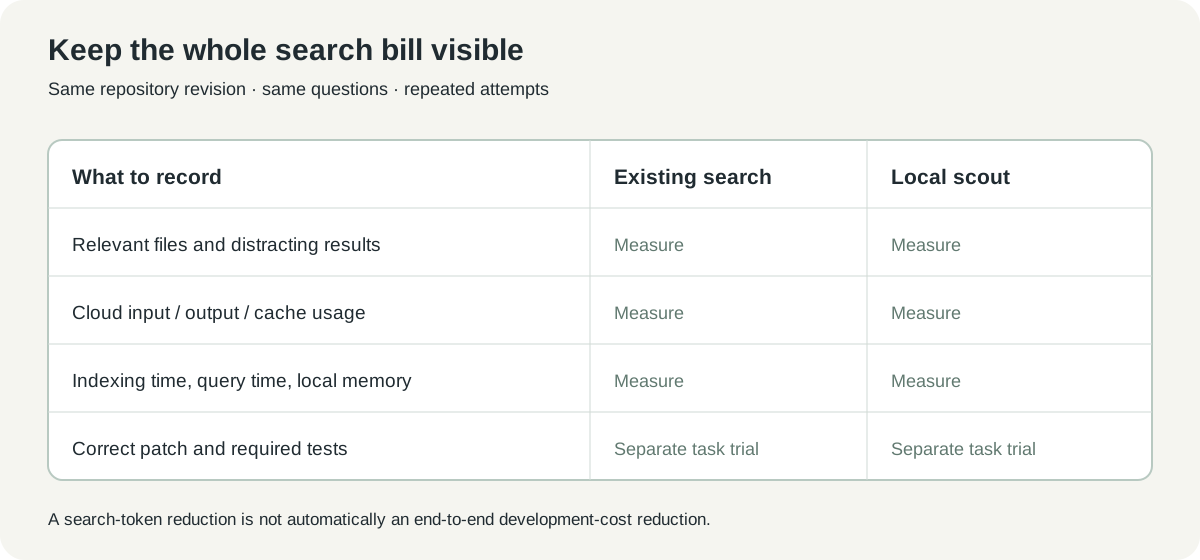 Original evaluation ledger. Empty measurement slots are deliberate: collect your own values before deciding whether the tradeoff is worthwhile.
If you also compare complete bug fixes, keep that as a separate experiment. Use the same issue, repository snapshot, test criteria and model configuration, then check the resulting patch. A tool that wins search questions may behave differently when a task needs exploration, editing, test interpretation and several rounds of correction.
Repeat a few questions rather than trusting one lucky run. Agentic navigation can choose different paths between attempts. The useful conclusion may be that typical token use falls while difficult questions become slower, which is a real tradeoff that one aggregate number cannot describe.
Local retrieval does not make a cloud assistant offline
LightOn describes local indexing and local agent inference. That can keep the search stage on your machine, but an integrated cloud coding assistant may still receive the selected code returned by the scout. Evaluate the full route from question to final model call rather than equating “local search” with “no code leaves the computer.” Architecture description
Repository exclusions deserve a deliberate review. Generated folders can create noise, while credentials and private exports should not become search material merely because they are present under the project directory. Use the tool's documented ignore behavior and your organization's normal repository practices.
Read-only search is a useful boundary for a scout, but it does not approve a later mutation. The main assistant still needs to respect the repository's instructions, preserve current work and validate any resulting fix. Navigation and authorization remain different responsibilities.
For teams, make those boundaries visible in the integration documentation. People should know where the index lives, which model runs locally, which selected snippets reach another service, and how to disable the integration. Clear ownership helps a useful experiment remain understandable after its original author moves on.
The best saving is less irrelevant exploration
Our view is that ColGrep-Agent makes a practical case for specialization. A coding assistant does not need to spend its most expensive reasoning steps on every directory search if a local scout can reliably return the relevant evidence. The word reliably is the part your pilot has to establish.
Begin with one repository and one question a maintainer can judge. If the returned locations reduce reading without hiding the owner of the behavior, expand the trial. The goal is a shorter path to a correct change, with the search bill measured along the way.
Sources and media
Checked October 20, 2026. Published performance figures are LightOn's reported code-search results. No local installation, latency measurement or end-to-end coding benchmark is claimed. Public screenshot captured by the author; diagrams are original. Attribution and license notices are in the media record.
- LightOn announcement and study, October 12, 2026
- ColGrep documentation and source
- ColGrep-Agent model card
- Apache 2.0 repository license
Keep the issue and its evidence connected
Save the original report, search question, relevant code links and review notes together. Telli.sh can help organize that investigation record. Create a Telli.sh account