ChatGPT Wallet Can Check Out. How Do You Know the Order Went Through?
OpenAI has begun rolling out Wallet in the U.S. See what dot can do after you approve a purchase, what a merchant confirmation proves, and how to compare totals before paying.
Imagine finding a hotel room for a weekend trip at the right location and price. The nightly rate looks good, the photos check out, and the merchant appears to have availability. The details you most want to see before paying are farther down the page. Does the quoted total include the resort fee? Is the room refundable? What time does the cancellation window close? A shopping agent that takes over the checkout can save time, provided you still see the answers to those questions before you approve the purchase.
On November 13, 2026, OpenAI announced that ChatGPT Wallet had started rolling out in dot, its personal agent for ChatGPT Pro. For eligible U.S. users, dot can help find a product or booking, present the purchase for review, and attempt checkout after the user approves it. OpenAI's help article uses examples such as buying a sweater and booking a hotel. Whether dot can finish depends on the merchant, the checkout flow, and the card issuer. ChatGPT release notes · Making purchases with ChatGPT Wallet
To see what the feature changes, follow three pieces of evidence through a purchase. The offer tells you what you are buying. The Wallet screen tells you what you authorized. The merchant's confirmation tells you what the seller accepted. Each answers a different question, and each matters more in some purchases than in others.
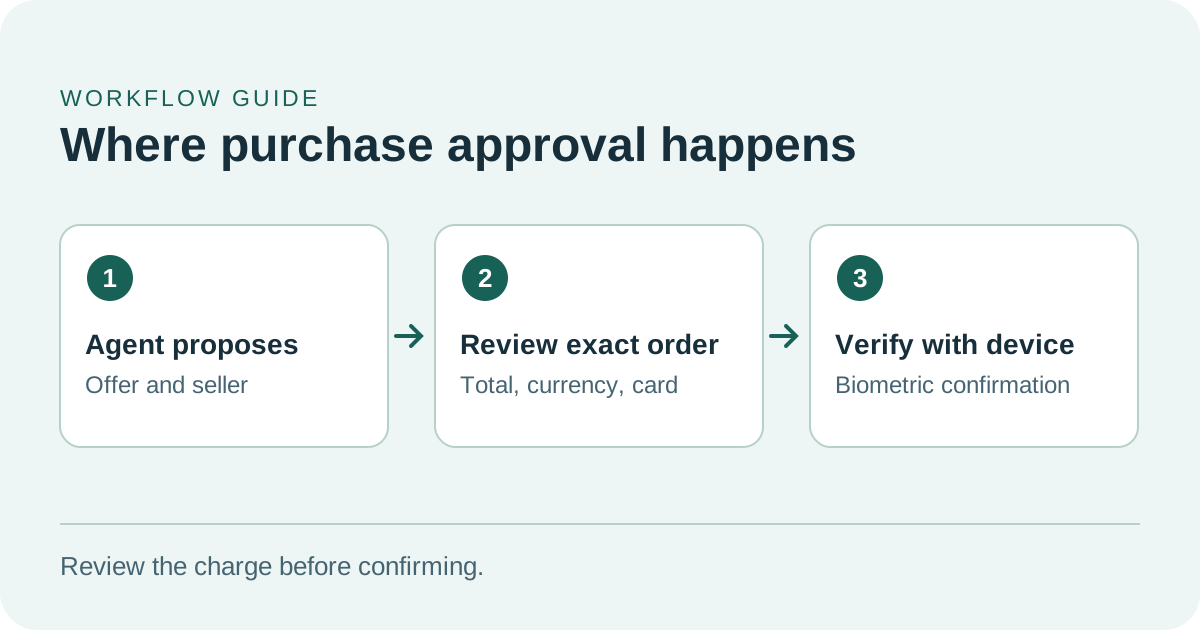
Check the seller, total and card before approving a charge.
Who can try it and where
The November rollout covers eligible ChatGPT Pro subscribers aged 18 or older who live in the United States, have a U.S. billing address, and have a supported U.S.-issued credit card. Eligible cards include options from American Express, Chase, Mastercard, and Visa. OpenAI's help page lists debit cards and the addition of virtual cards among launch limitations. It also says that a subscriber can meet the requirements and still be waiting for the gradual rollout. Making purchases with ChatGPT Wallet
Wallet purchases happen inside a dot conversation. OpenAI's help distinguishes that surface from ordinary Chat, Work, and standalone Codex conversations. An eligible user can add a card through dot or through Wallet settings on a supported mobile device. The secure form and any verification required by the bank are part of adding the card. If Wallet does not appear for your account, the product's availability notice is the most relevant reference. ChatGPT release notes · Making purchases with ChatGPT Wallet
The card saved to Wallet is separate from a payment method for your ChatGPT subscription and from cards a merchant already has on file. The Wallet terms describe a service that uses an eligible payment credential and carries no stored balance. In a household or team that uses different cards for different purchases, the selected card on the review screen deserves the same attention as the total. ChatGPT Wallet terms · Making purchases with ChatGPT Wallet
Walk through a hotel booking
Consider a hypothetical trip with two people staying two nights. You want a single room, an option to cancel before a specific date, and a price comparison that includes taxes and stated fees. Dot's search can help narrow the list. A useful shortlist gives every option the same dates, occupancy, and currency. It also records which charges will be paid during checkout and which are listed as payable at the property.
Comparison gets tricky quickly. One property might display a two-night stay at $320 before a stated $50 fee. Another might show $365 with its stated fees included. Using those fictional figures alone, the first offer totals $370 and the second $365. If the first room has a qualifying cancellation window and the second is prepaid and nonrefundable, the cheaper total comes with a different commitment. Compare the cancellation dates and time zones, then decide which commitment you want.
When the approval screen arrives, look for the merchant name, exact room and stay dates, full amount and currency, and selected card. Use the hotel listing and its cancellation policy for details that are absent from the approval screen. A review screen can be concise while a rate has a longer policy. If the totals differ, ask what changed and check the relevant merchant page before approving. OpenAI's terms say material purchase details that change before submission require updated approval. ChatGPT Wallet terms · Making purchases with ChatGPT Wallet
After approval, look for a reference number or confirmation from the merchant. The booking details are what you need at check-in or if plans change. Save the dates, rate conditions, reference number, and seller's support channel in the same note. The approval conversation is useful for reconstructing the comparison and the decision you made. The merchant confirmation is useful for managing the reservation.
Try the same review with a physical item
A physical order changes what matters in the comparison. Imagine that you need a charcoal sweater in a specific size before leaving for a trip. Shop results may group colors and sizes together, even if stock, shipping, or return terms vary by combination or seller. Check the exact size and color, who is selling the item, and the latest stated delivery date. When the item costs less than other candidates, check whether delivery charges or a more restrictive return policy change the comparison.
A straightforward first purchase would have a clear product variant, a familiar merchant, and a simple return policy. A purchase that has a different carrier, cross-border return instructions, or a subscription incentive creates more terms to verify. If a checkout presents a membership or recurring charge, read the merchant's renewal and cancellation terms first. OpenAI's help directs users to the merchant to manage payments made under recurring agreements. Making purchases with ChatGPT Wallet
The physical item example also surfaces small mistakes that matter after payment. A shipping estimate may be expressed in business days and differ from a guaranteed delivery date. A different seller on a marketplace can come with a different returns address or policy. A discount could depend on a specific card or membership. Giving a comparison agent explicit constraints helps it surface those details, but the chosen listing and checkout are where the terms apply.
For a pilot, set a decision rule before comparing the offers. You might choose the lowest delivered price among offers that are returnable and can arrive before Friday. Keep one column for claims you have checked on the seller's page and another for details that remain uncertain. If only one retailer publishes a delivery window for your location, ask for that detail on the other listing before treating the two prices as equivalent. The time you spend resolving the uncertainty belongs in your final comparison.
What approval, authorization, and confirmation mean
For the November flow, the user can review purchase details and approve on a supported device using biometrics such as Face ID or Touch ID. OpenAI explains that a “Ready to check out” status means that the user has completed approval. Dot can then attempt checkout. The card issuer can authorize or decline a charge, and the merchant can accept the order or encounter an inventory or website issue. Those events have their own indicators. Making purchases with ChatGPT Wallet · ChatGPT Wallet terms
| Event | Evidence to look for | Why it matters |
|---|---|---|
| Your approval | Merchant, items, amount, and selected card on the Wallet approval screen | Defines the purchase you agreed to submit |
| Card authorization | A status or transaction in the card issuer's app | Shows whether the payment attempt was accepted or is pending with the issuer |
| Merchant confirmation | A merchant receipt, order detail page, or booking reference | Shows what the seller accepted and provides a record for support |
A merchant page can fail after the issuer shows a pending charge. If a status is unclear or checkout times out, check for the merchant's confirmation before retrying. OpenAI's help recommends checking the order and payment status in that situation to avoid a duplicate purchase. If a receipt displays digits that differ from your physical card, the substituted payment credential can explain the difference. Use the merchant name, time, and amount to match records. Making purchases with ChatGPT Wallet
Contact the seller for a booking change, cancellation, refund, or missing delivery. Present an unclear, declined, or unrecognized card charge to the issuer. Contact OpenAI support when Wallet itself reports an error or the approval experience is at issue. Choosing the right first contact is especially helpful after a mixed result, such as a pending authorization combined with an absent merchant confirmation. Making purchases with ChatGPT Wallet
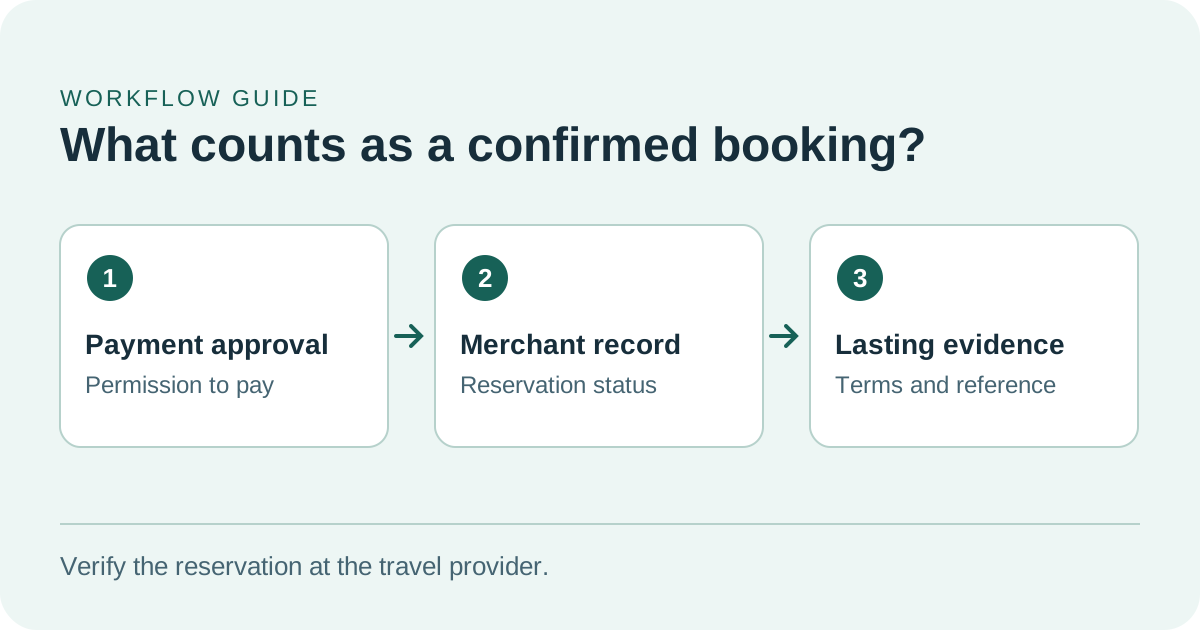
Look for a reservation reference and terms from the merchant after approving the payment.
What happens to payment and order information
OpenAI says that a payment service provider collects the card information through a secure form. OpenAI receives a tokenized credential and limited card information, and the November rollout uses a substitute payment credential at checkout to protect the actual card number from the agent and the merchant. The privacy notice describes processing of purchase and contact information needed to place or fulfill the order. A seller shipping a sweater still needs a delivery address, and a hotel still needs the reservation details. ChatGPT Wallet privacy notice · ChatGPT release notes
On supported devices, OpenAI says it does not receive the underlying biometric scans used for local approval. OpenAI also says eligible rewards and applicable dispute protections generally remain subject to the card issuer's terms. Removing the saved card stops using that saved card through Wallet. The merchant's existing order or subscription has its own cancellation process, and records required to support transactions can be retained. ChatGPT Wallet terms · ChatGPT Wallet privacy notice · Making purchases with ChatGPT Wallet
How to tell whether it saves time
Use two everyday tasks to compare the Wallet workflow with your usual way of shopping.
- Pick an item sold by several retailers and a potential hotel stay. Write down the exact variant or dates, required terms, and spending limit before searching.
- Time each method from the same starting point. Track how long it takes to get a trustworthy shortlist and how much time you spend correcting size, price, shipping, or return details.
- For a potential hotel stay, stop after comparing two offers if you have no intention of booking. If you intend to buy something, record how long it takes to locate the final confirmation or resolve an unclear result.
Keep separate measures for finding and paying. A tool that reduces your search from many tabs to two viable choices may already be useful when merchant checkout is necessary. A quick checkout can still take longer overall if you spend the next day tracking down an order without a confirmation. Include that follow-up time and the effort to recover a missing record when you judge a completed purchase.
Distinguish a site's support for shopping research from its support for payment through an agent. You may finish the shortlist and still need to pay on a website that does not support agent checkout. Record that as a usable shortlist and a handoff to direct checkout. That classification makes the comparison fair when you test two different merchants. Making purchases with ChatGPT Wallet
Evaluate each case from the same starting point. Record the open question, the correct price and seller, the number of details you had to fix, and how you confirmed the result. If you tested a live purchase you intended to make, keep the vendor's order reference alongside your price comparison and purchase decision. A short record makes it easier to spot the tasks that benefit consistently and the ones where direct checkout is less work.
Who should follow this rollout
Wallet is most interesting to people who already compare options carefully and want to shorten the gap between a final choice and checkout. For simple purchases, the purchase request can put the merchant, amount, and card in one place. For reservations and purchases with fees or restrictions, the useful improvement would be a comparison that retains the exact terms through approval and makes the final result visible.
Watch how reliably supported merchants return confirmations and how clearly ambiguous payment results are shown. OpenAI has publicly described eligibility and the purchase flow. The reliability of checkout across merchants, and the time saved by shoppers when they include follow-up, are questions that require real purchases over time. The hotel and sweater comparisons here illustrate how to evaluate the feature.
Sources
- OpenAI's November 13, 2026 ChatGPT release notes
- OpenAI Help Center's Wallet purchase and troubleshooting guide
- ChatGPT Wallet terms, effective November 12, 2026
- ChatGPT Wallet privacy notice, effective November 12, 2026
Keep the purchase criteria, your comparison, and the merchant's confirmation together in one searchable note. Start your first note with Telli.sh.