Canva Craft's real test comes after the image looks good
Canva's first image model connects generation with an editable design workflow. Why Magic Layers, typography and the cost of revisions matter more than a beautiful first result.
The poster looks finished until someone changes the date. Then the price needs updating, the headline must fit another language and the square social image has to become a tall sign. The first attractive generation was only the beginning of the design job.
Canva introduced Craft, its first internally developed foundation image model, on October 22, 2026. It is available through Canva's Dream Lab and a public API. The company describes a model that plans a composition before rendering it and connects the result with Magic Layers, Canva's image-to-editable-elements workflow. Official announcement; developer release.
For readers unfamiliar with Canva, the useful background is its role as an online design workspace: a place where templates, text, images and layout become material someone has to revise and publish. Craft's significance is how closely generation can fit that process, rather than whether one image wins a first-impression contest.
 Design tools, photographed by Stefan Schweihofer (stux), via Wikimedia Commons, CC0. This external photograph is a background illustration, not Canva imagery or Craft output.

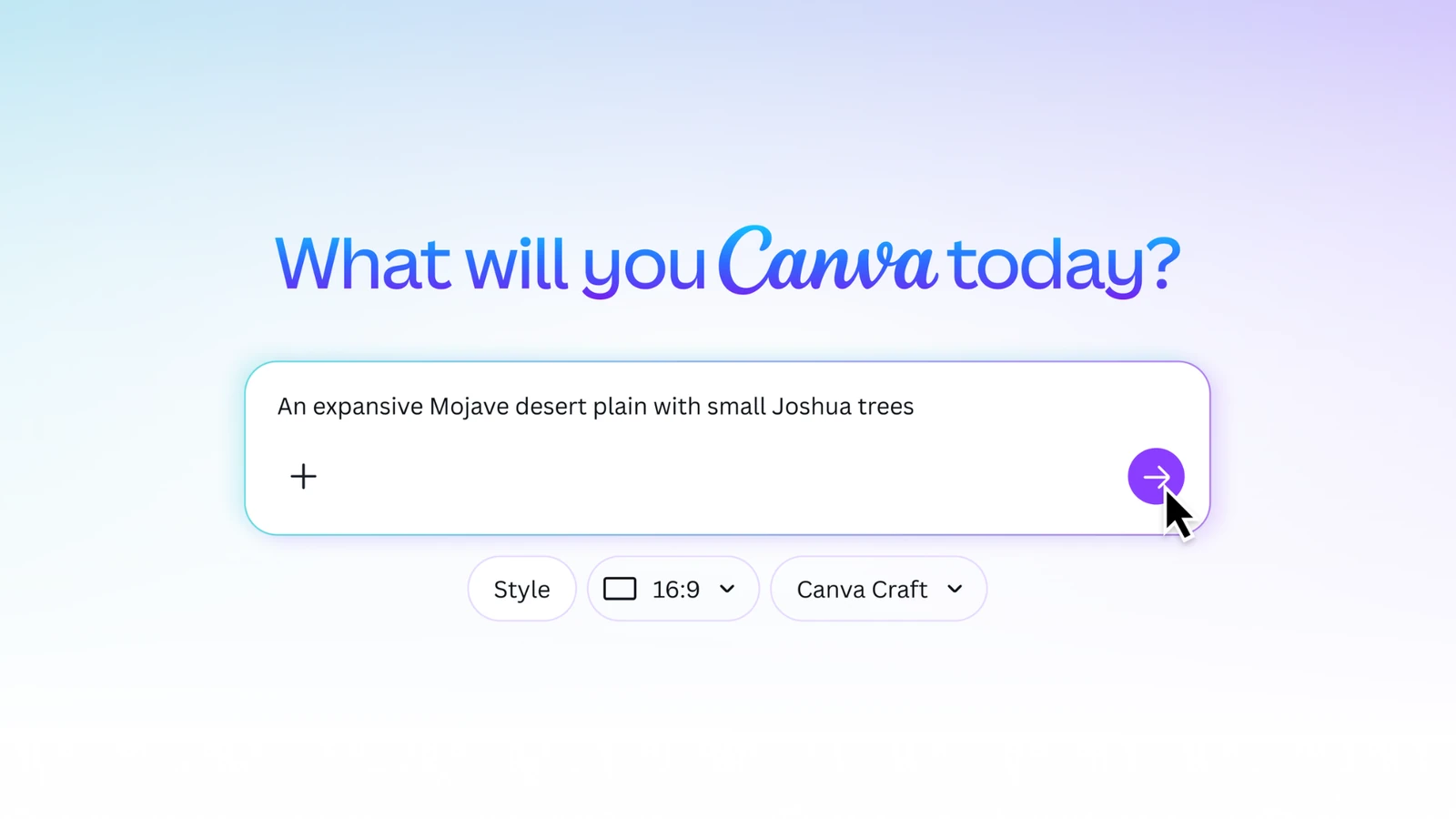 Canva's official illustration of the Craft prompt interface. Source: Canva. The Canva trademark is owned by Canva. This publication is not endorsed, sponsored, or otherwise approved by Canva or its brands.
The expensive part of a design is often the next change
A single image can communicate a concept beautifully and still be inconvenient to use. If the date, title and background are flattened into one picture, a small edit may require regenerating a large part of the result. Each new generation can disturb something that was already correct.
That is the practical reason to care about editability. A designer wants to change the words without losing the illustration, recolor a shape without rebuilding the layout and adjust one format without starting the campaign again. These are ordinary production tasks, not exotic demands on a creative tool.
Canva says Craft separates compositional planning from image rendering. Its first stage specifies elements and their relationships, while a rendering stage produces the picture. The announcement then describes Magic Layers as the mechanism that can turn generated imagery into editable elements. Those are connected stages, rather than a promise that the model directly emits a fully structured vector document. Architecture and editing.
Our take is that the important metric is the cost of the second draft. An attractive first result is useful; a result that survives the first five reasonable revisions is a production asset. Teams should evaluate the complete route from idea to an approved design, including the cleanup between the stages.
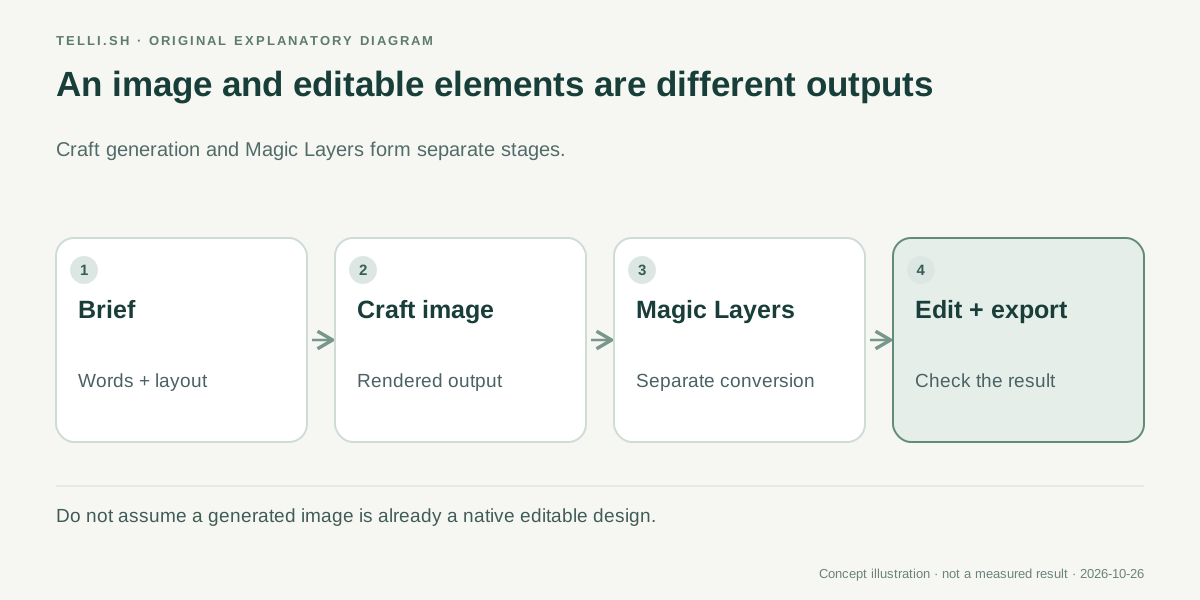 Original explanatory diagram. Rendering an image and converting it into editable elements are separate steps.
A local event poster is a better test than a perfect landscape
Imagine a small organization preparing a weekend event. Its design needs the event name, location, admission price and a visual that gives people a reason to stop scrolling. The organizer also needs a square image, a vertical story and a printable poster.
In this illustrative workflow, Craft could help produce a coherent starting composition rather than requiring the organizer to assemble every element from scratch. The review would then focus on the information people must act on. A misspelled venue name or a wrong date matters more than an impressive texture behind it.
The next stage is the useful test. Ask whether the event date can be changed without degrading nearby lettering, whether the main subject remains clear in a narrow crop and whether the essential information can be enlarged for a printed version. Those checks connect image generation with the communication job the design must perform.
A campaign with several languages makes the distinction sharper. Translation changes line lengths, punctuation and sometimes the reading direction. A picture with convincing text is not automatically a layout that can accommodate a longer translation. Keep the intended words available as editable content and inspect each final version in the format people will actually see.
Canva's developer announcement specifies a 2K model and describes text generation across 55 languages. That is a useful capability claim, but the number does not tell you how a particular Korean headline, small-print condition or unusual proper name will look. The right trial includes your actual content, not only the vendor's examples. Developer specifications.
Product images need a boundary between invention and representation
A second scenario is a small retailer creating seasonal promotions. A generated background or illustration can help a plain product photograph fit a campaign. It can also introduce an inaccurate label, accessory, package shape or material if the workflow treats the product itself as something to invent.
Set the boundary before generating. Decide which elements may change freely and which must remain faithful to the item being sold. That decision is easier to review when the product, background and promotional text can be handled separately.
The same distinction applies to a service business. A stylized illustration can convey a welcoming atmosphere, while an invented picture of a real venue may create the wrong expectation. The convenience of generation does not remove the need to distinguish a concept image from a factual representation.
For a useful evaluation, include one deliberately boring revision. Replace the promotion dates, change the price and remove an unsupported claim. If those edits require rebuilding the whole scene or manually repairing the lettering, record that effort. A design workflow earns its place by handling the requests the business actually receives.
This is where Canva's broader workspace can matter. The image model is one component in a process that includes editing, collaboration and publication. The benefit depends on the connections between those components, not simply the number of capabilities listed on a model page.
The API opens another route, with a different operating cost
Craft is also available to developers through Canva's public image-generation API. The October 22 developer notice identifies a version-pinned model, craft_v1_2k, and the /v1/image-generations endpoint. It also notes that the preview API can change and that an unavailable pinned model can return model_not_available. API release details.
For a marketing application, that makes image generation a component in a larger workflow. A user could supply an event description or campaign brief, request a visual and then review the result in the application's own experience. The application still needs to handle waiting, failures, unsuitable output and the user's decision to try again.
It is tempting to judge an API by the speed of one successful request. A more useful product calculation includes how many outputs the user rejects, how many revisions remain manual and what happens when a generation fails halfway through a task. The number of pictures produced is not the number of designs approved.
The developer release describes generation latency and AI credit use. Treat those as inputs for planning, not a universal service-level promise. A team considering integration should measure its own representative prompts and account for the time the person spends inspecting the result.
There is an availability distinction worth keeping clear: the announcement's detailed access section marks Craft through Canva MCP as coming soon. Public API access and future agent integration are different milestones. An application can use the released route without assuming the planned route is already available. Access details.
| Route | What it offers | What still needs checking |
|---|---|---|
| Dream Lab in Canva | A place to generate a starting image in the design workspace | The quality and editability of your actual material |
| Magic Layers after generation | A route from a flat image toward editable design elements | Separation quality, typography and cleanup time |
| Public image-generation API | Integration into another application's workflow | Credits, failures, preview changes and user review |
| Craft through Canva MCP | An announced direction for agent workflows | Actual release and documented access conditions |
Start with a brief that can survive a review
If you already use Canva, the first experiment does not need a full campaign. Pick one design with real requirements and keep a record of the revisions it needs. A modest test can reveal more than a gallery of unrelated images.
- Write the exact words the design must contain, including dates, prices and names.
- Specify the intended format and the most important visual hierarchy: what should be read first, second and last.
- Generate a starting composition in Dream Lab, then inspect it at the size a reader will see.
- Use the available editing workflow to correct the content and separate the elements you need to revise.
- Make a second format and one realistic content change, such as a new date or a longer translated headline.
- Record the accepted result, rejected attempts and manual cleanup before deciding whether the workflow saves time.
The test should include both visual judgment and factual inspection. A compelling image can draw attention to an incorrect price just as effectively as to a correct one. The person approving the work needs to check both.
For a team, agree on who owns that approval. A designer may judge composition and readability, while a campaign owner checks the offer and timing. An AI-generated result should not make those responsibilities disappear simply because the output looks finished.
Good typography is more than spelling the word correctly
Text generation is especially interesting in design because words are both content and shape. A headline has to say the right thing, fit the available area and remain readable against the surrounding image. Improving one of those properties can damage another.
That is why small text deserves its own review. Conditions, contact details and dates are often the pieces a customer relies on when deciding what to do. They are also the pieces most easily overlooked when the overall design is attractive.
For a multilingual campaign, review the words with a fluent reader and inspect the final layout independently. A correct translation can still have awkward line breaks or the wrong emphasis. A clean-looking layout can still contain a phrase that sounds unnatural in the target language.
These checks are part of design work rather than an argument against generation. A tool that gives people a stronger starting point can be valuable even when the final approval remains human. The question is whether it makes the necessary corrections easier to carry out.
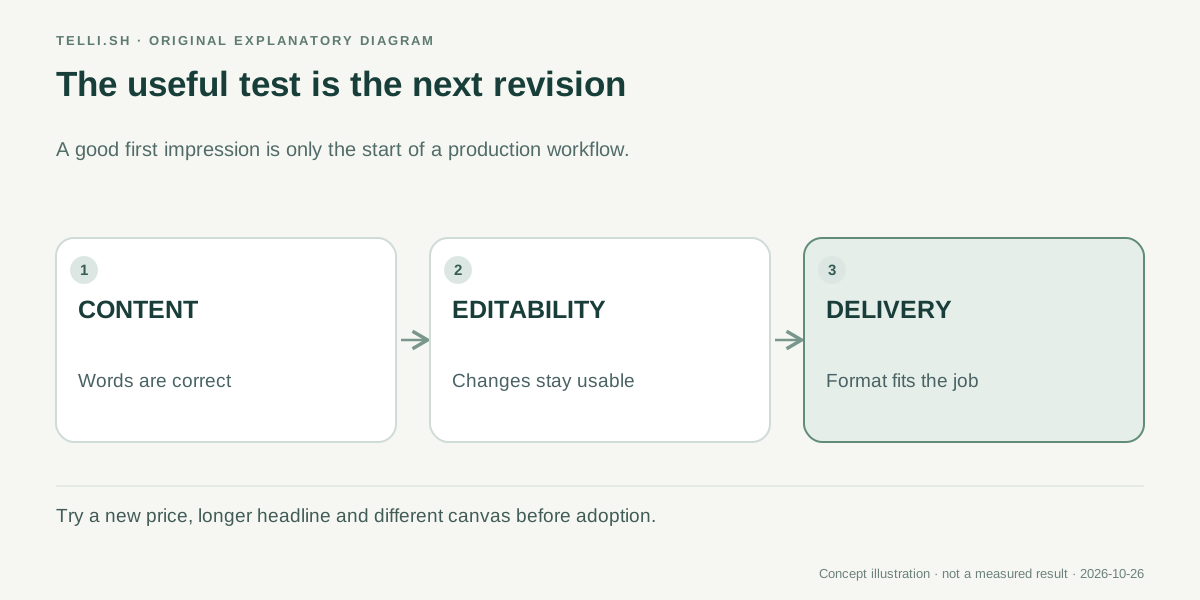 The second draft tests production usefulness: can you change the information, preserve the composition and deliver the required format?
The next competition is over work that stays usable
Craft's release suggests a wider shift in creative AI. The output is moving closer to the place where someone must edit it, explain it to a colleague and ship it in a particular format. That connection can matter more to a small team than a marginal improvement in an image preference ranking.
Canva also describes faster Craft variants as upcoming. Speed could make iteration more comfortable, but a faster wrong revision would still need correction. The useful advance is a shorter path to something a person can confidently approve.
The question to bring to Craft is therefore concrete: after the image looks good, can you make the next change without starting over? That is where a generator becomes part of a dependable design process.
Sources
- Canva: Introducing Canva Craft, October 22, 2026.
- Canva developer community: Craft public API availability, October 22, 2026.
Keep the brief beside the decisions
Telli.sh is one option for keeping an authorized creative brief and your reviewed notes together as the work develops. Create a note workspace.