Two 128GB Mini PCs, One Expensive Question: Is RTX Spark Worth the Premium?
ASUS ProArt GR1X is on sale, and independent RTX Spark tests now offer a better buying question than memory capacity alone: which complete workflow earns the extra cost?
Two computers can both say 128GB on the box and still make very different purchases. Capacity tells you how much memory is present. It does not tell you how quickly an assistant responds, which creative tools run well or how much useful work the machine completes for its price.
The ASUS ProArt GR1X sales announcement and new independent RTX Spark reviews make that distinction concrete. ASUS offers 64GB and 128GB configurations. Tom's Guide reports a US starting price of $4,499 and $6,999 for the 128GB machine it tested, then compares it with a 128GB AMD-based mini PC.
The buying question is whether RTX acceleration, responsiveness and the software you actually use justify the premium. It is a stronger question than whether the machine can load a large local model.
The short version: independent tests show an advantage for the ASUS machine in specific local-model tasks, while its purchase price is substantial. Compare your model, toolchain, complete task time and always-on costs before choosing on memory capacity alone.
This is a shipping Windows PC, with regional details to check
NVIDIA's November 18, 2026 announcement says RTX Spark compact desktops from ASUS, Dell and MSI are available, with other vendors to follow. ASUS's newsroom page is labeled November 19, while its announcement text is dated November 18. The practical update is sales availability, rather than another future platform preview.
ProArt is ASUS's creator-oriented product line. For the GR1X, that positioning connects local models and agents with creative applications on a compact Windows desktop. NVIDIA describes Windows on Arm software, RTX-accelerated workflows, ComfyUI and native applications as part of the platform's appeal. Individual application and extension support still needs to be checked against your workflow.
ASUS's 64GB and 128GB options are not interchangeable when you quote a price. The $4,499 starting figure in Tom's Guide's review is not the price of its 128GB review unit. That unit was $6,999. Treat these as the review's US price references, not a converted Korean quote or a guarantee that a retailer has the same configuration in stock.
Before comparing offers, confirm memory, storage, operating system, warranty, returns and the exact regional model number. A supported sales announcement answers whether a product has reached market. A local invoice and support policy answer what buying it means for you.
A 27B model gives the memory claim a more useful test
Tom's Guide compared the 128GB ProArt GR1X with the 128GB Geekom A9 Mega, based on AMD's Ryzen AI Max 395. The reviewer used LM Studio and Qwen 3.8 27B for two generative tasks and an agentic coding task. The same review describes the AMD machine as roughly $3,000 cheaper in that comparison.
Its published results separate generation speed from reaction time. The latter is the delay before the answer begins; the former is the rate at which output arrives after that point. Neither column alone describes whether a coding task produced a correct change.
| Tom's Guide task, LM Studio with Qwen 3.8 27B | ProArt GR1X generation | A9 Mega generation | ProArt GR1X reaction | A9 Mega reaction |
|---|---|---|---|---|
| Apollo 17 writing | 25.63 tokens/s | 20.76 tokens/s | 0.32 s | 1.10 s |
| Waterloo summary | 31.11 tokens/s | 24.30 tokens/s | 0.98 s | 2.41 s |
| Agentic coding | 30.03 tokens/s | 23.77 tokens/s | 0.55 s | 1.26 s |
Source: Tom's Guide's independent review. These are the review's model, runtime and task results, not our measurements or a universal ranking of all local workloads.
For the coding row, 30.03 divided by 23.77 is approximately 1.26: about 26% more generated tokens per second in that test. That calculation does not mean a software project finishes 26% sooner. The agent may wait for tools, run tests, make mistakes or require another review cycle. It also does not establish the performance of a substantially larger checkpoint simply because both systems have enough memory to load it.
The reaction-time difference is worth considering separately. If a person asks many short questions, a shorter wait before each response can shape the experience more than a throughput number suggests. If a machine runs a long unattended batch, total completion time and reliability may matter more.
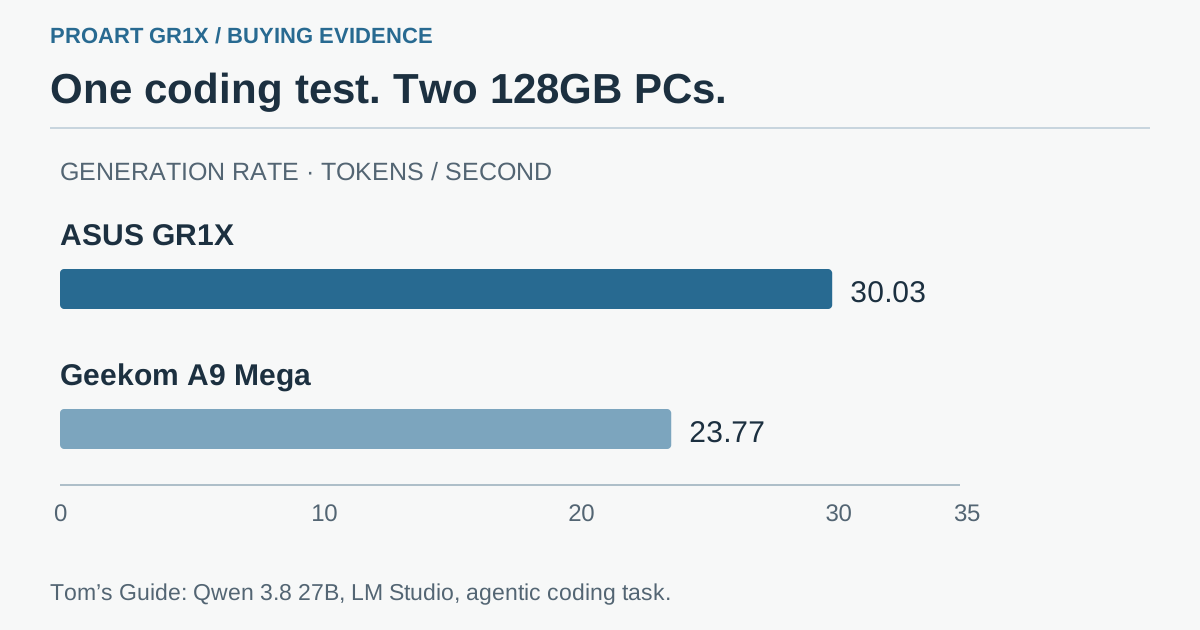 Original buying framework: equal memory capacity does not establish equal responsiveness, software support or total cost. The review's result applies to its stated Qwen and LM Studio tasks.
The extra money needs a job description
Consider an illustrative household or small studio that wants a permanent local assistant. It summarizes documents, answers occasional questions and runs a scheduled task overnight. The relevant comparison is not a peak accelerator specification. It is whether the less expensive machine handles the same accepted workload with tolerable waiting and sufficient reliability.
A second buyer might use a local model during the day and generate visual assets in ComfyUI after work. For that person, compatibility with a specific RTX/CUDA workflow could be more valuable than a modest difference in general chat throughput. The useful evidence would be a completed workflow with the intended nodes, models and extensions—not merely the fact that the application opens.
A third scenario is a small development team using a dedicated machine while laptops travel. Separating the agent host from the daily laptop can help scheduled work continue. However, repository credentials, update management, backups and remote access remain operational tasks. A device advertised for always-on agents does not supply safe permission design by itself.
These are purchase scenarios, not deployments we tested. Their purpose is to assign the premium a job description. If the proposed benefit is simply “more AI,” it is difficult to know whether the expense improved anything.
RTX software can matter more than a matching memory number
NVIDIA's sales announcement emphasizes local generation, creative applications and development tools alongside memory capacity. That is a reasonable direction for evaluating a machine intended to run mixed workloads. A model endpoint, an image-generation graph and an editing application can expose different strengths and limitations.
Windows on Arm is a compatibility question as well as an operating-system label. Verify the exact applications, plug-ins, drivers and command-line packages you need. A native application can work while an older extension, device utility or compiled dependency is the part that blocks a project. An emulated application is not automatically unusable, but it deserves its own functional and performance check.
Likewise, CUDA support should lead to a specific question: does the version of the package or workflow you need support this platform and configuration? Do not infer that every desktop NVIDIA tutorial will run unchanged. Model formats, supported operations and software packaging can be as consequential as the accelerator's name.
Windows Central's separate ProArt GR1X review provides another independent evaluation to compare with Tom's Guide. Read each publication's test setup and conclusion rather than combining different measurements into one invented score. Two independent reviews are useful because they can expose different buyer priorities; they do not remove the need to test your own essential application.
“Local” changes the bill; it does not erase it
Running supported inference locally can avoid a remote API's per-token charge for that inference. It also moves more of the cost into the device, electricity, storage and the time spent operating it. Internet-connected agent tools or external services can still have their own charges.
For an always-on machine, measure wall power in at least three states: idle, a representative model task and the busiest normal mixed workload. A component's power specification is not a wall-power measurement, and a short burst is not a monthly energy bill.
The arithmetic is straightforward once you have a measured difference. An extra 10 watts averaged over an entire year is 87.6 kWh: 0.010 kW multiplied by 24 hours and 365 days. This is a calculation example, not a claim that these PCs differ by 10 watts. Multiply your measured energy by your own electricity tariff and operating hours.
Purchase price usually deserves an equally explicit treatment. Spread the device cost over the period you expect to keep it, include the storage and backup you actually need, then compare the number of useful tasks completed. If a cheaper machine already meets the workload, a faster premium device needs enough benefit to justify the difference. If a compatible workflow saves substantial repeated effort, that can be a stronger case than an isolated chat benchmark.
Avoid the opposite trap as well: buying the lowest price and then spending weeks replacing unsupported software. Time spent rebuilding the toolchain is part of the purchase, even if it never appears on the invoice.
Put your return window to work
A useful buying test is small enough to finish while the purchase is still reversible. Prepare it before ordering so the first week is spent evaluating the workflow rather than collecting the ingredients.
- Choose three jobs that represent the machine's purpose. For example, run a local coding task with an existing test suite, a long-document answer with known facts, and a specific image-generation graph. Keep prompts and source material the same between candidate systems.
- Record the exact configuration. Include model checkpoint, quantization, context length, runtime version, driver, application versions and power mode. Equal parameter counts are not enough for a meaningful comparison.
- Separate cold and warm behavior. Measure the first model load and the next request. Do not compare a cached run on one machine with a first launch on the other.
- Evaluate the completed artifact. Check whether the code passes the intended tests, whether the document answer preserves required facts and whether the creative workflow produces the expected file with all required nodes.
- Add normal background work. Keep the applications you intend to use running. Watch memory pressure, responsiveness, fan behavior and any failed requests over a representative session.
- Measure the complete session. Record total time, wall power if you have a suitable meter, failures and manual intervention. Decide against criteria you wrote before seeing the fastest result.
A slower response that reliably produces the right artifact can be a better purchase than a quick response that needs repeated correction. The inverse can also be true when compatibility or throughput is the bottleneck. The test should tell you which situation you are buying for.
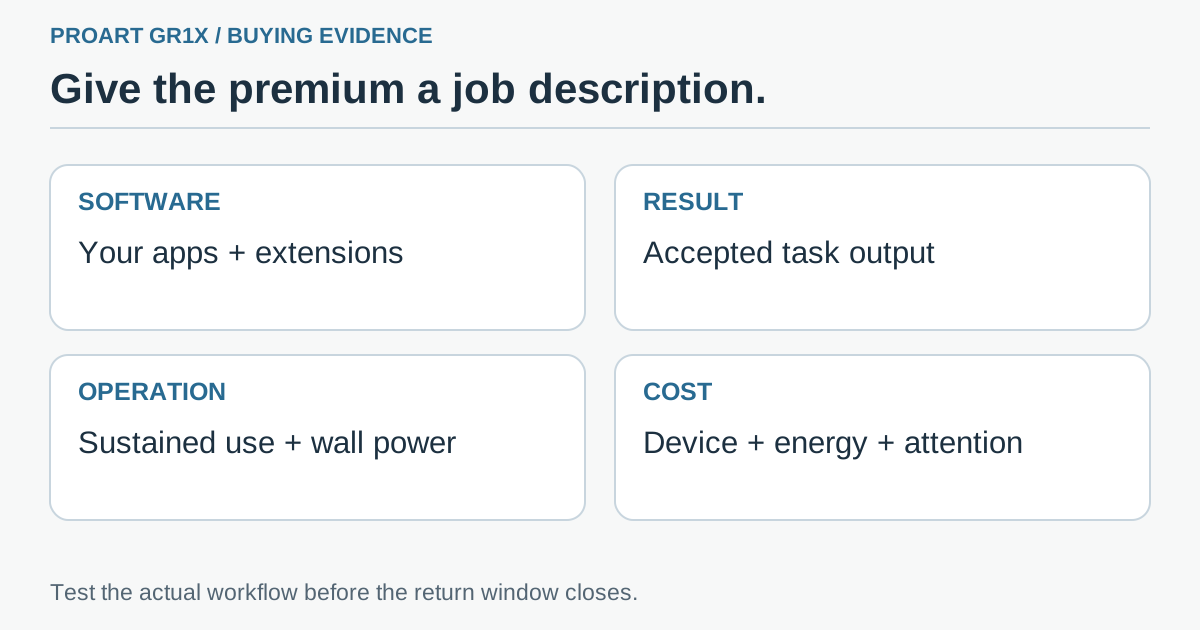 Original evaluation checklist: verify application support, accepted output, sustained operation and the full cost of the intended workload before the return window closes.
Buy the workflow, not the 128GB sticker
The new sales announcements make RTX Spark a concrete desktop option, and independent reviews add evidence beyond vendor peak figures. For the ProArt GR1X, the published Qwen 3.8 27B comparison shows faster output and shorter initial waits in the tasks tested. The 128GB review configuration also carries a substantial US price.
Our buying view is to start with the bottleneck you can name. If you need a particular RTX-accelerated creative workflow, test that workflow. If you need a responsive general assistant, compare the interaction and accepted answers against less expensive alternatives. If the machine will run unattended, include sustained reliability and energy.
Memory is the size of the workbench, not the value of the work that leaves it. The premium becomes defensible when the tasks you care about—not just the specification sheet—earn it.
Sources and official media
- ASUS ProArt GR1X availability announcement: page November 19; announcement text November 18, 2026.
- NVIDIA RTX Spark desktop sales announcement, November 18, 2026.
- Tom's Guide: US prices and the Qwen 3.8 27B / LM Studio comparison.
- Windows Central: a separate ProArt GR1X review.
- Official ASUS product image. Review photographs and charts remain with their original publishers; the packaged buying graphics are original.

The benchmark table reproduces attributed numerical facts, not a publisher's chart. The purchase tests and energy example are proposed analysis, not measurements of these review units.
Telli.sh recommendation: Keep the quotes, exact configurations and accepted task results together so your next hardware decision starts from evidence you can reuse. Start your first note with Telli.sh.