Can a robot practice lifting a cable and pouring water in the same simulator?
Argon Robotics’ Alloy brings rigid robots, cables and liquids into one scene system. A cable lift and a water pour show what its simulation results can tell a robot team.
A robot grips one end of a cable. The gripper rises and the end comes up neatly. Halfway along the cable, a loop still rests on the table. From the robot's wrist position, the lift looks finished. From the object's position, there is still work to do. A cup pour has a similar trap. A precise arm angle tells you where the cup went, while the water tells you whether the job succeeded.
On November 12, 2026, Argon Robotics researchers Pranay Gupta and Deepanshu Rohilla published a preprint on Alloy, an open-source physics engine for robot learning. Alloy uses one scene interface for rigid bodies and robots, cables, cloth, liquids and other materials. It can run parallel copies of a scene on a GPU or run on a CPU, and the Python package is publicly available. The paper reports cable-lift and pouring experiments in simulation. Argon Robotics preprint · Alloy source and setup guide · Python package
A robot team could use these tasks to answer two practical questions. Does the simulated object move believably when the robot touches it? And does the team measure a result that still means something on a supervised bench? A cable lift and a wide-bowl pour make those questions concrete before anyone commits to a large training run.
A shared scene gives each material its own way to move
The arm and table are comparatively easy to describe. Their geometry stays fixed as they move or support other objects. A cable changes shape as it passes over a table edge, and water changes where it is concentrated as the cup tilts. The engine needs a different description of motion for each case. It also needs contact between the arm and the object to make sense as both evolve.
In Alloy's November 12 paper, the authors describe a router that selects a solver using the object's description and expected behavior. Unclamped cables can be represented as articulated chains in the rigid-body solver. Liquids use Alloy's particle-based solver. On the GPU, the engine uses MuJoCo Warp for the rigid-body route, and the paper also describes the CPU route through MuJoCo. The software records why it chose a route and allows a user to override it. That's useful when a team's test piece looks like a generic cable but behaves more like a springy rod. Alloy preprint, sections 3.1–3.2
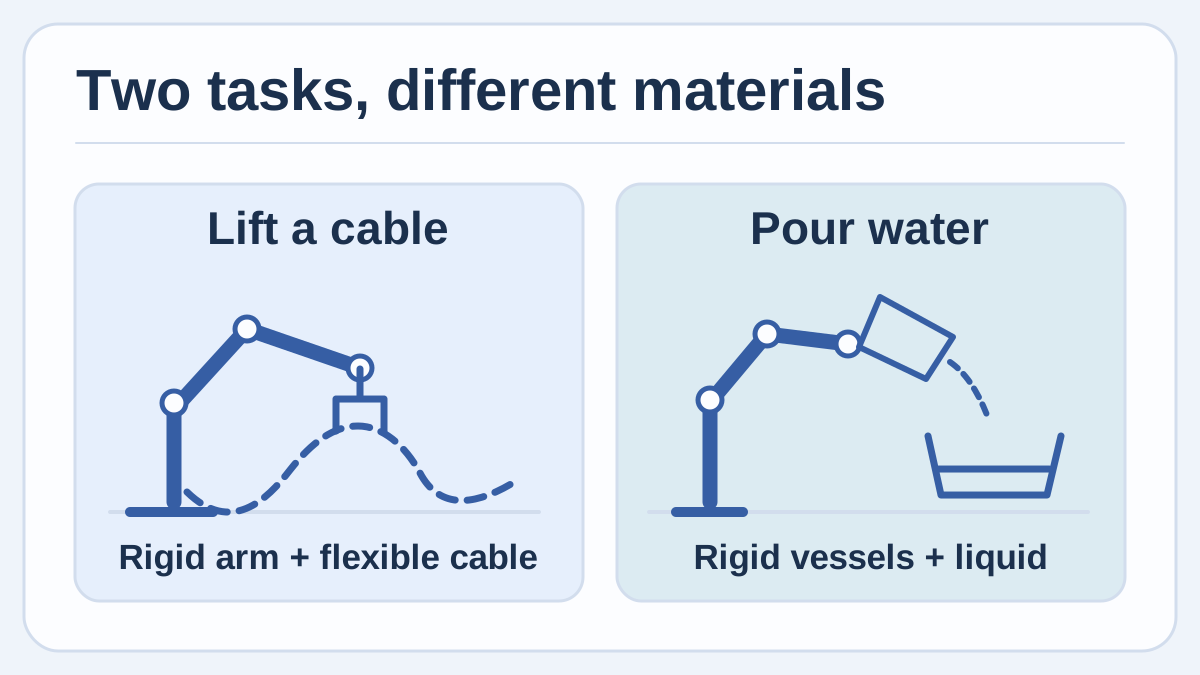
Original diagram of the materials in two practice tasks. An arm follows its joints, a cable changes shape, and a liquid flows around its container.
The interaction is as important as the choice of solver. The paper describes passing a body's pose and velocity into another solver through a proxy. In a two-way coupling, the contact forces can be passed back to the first solver. In a documented one-way arrangement for a relatively light liquid, the liquid follows the moving rigid bodies without feeding forces back. A team should check which relationship its layout uses before judging a result that depends on the liquid's influence on a container. Alloy preprint, section 3.3
That setup can save a team work if it would otherwise maintain two scene descriptions and a separate exchange between engines. It puts the material assumptions in a place where another person can inspect them. It also introduces a cost. The Alloy documentation calls out combinations such as a robot, a cable and cloth that can require particularly small coupled steps and slow down the scene. A small trial gives the team a better basis for deciding how much material detail to include. Alloy’s documented limits
Lifting a loose cable and routing one through a clip are different tasks
The paper's cable-lift experiment succeeds if the whole center line of the cable is more than 3 cm above the table at the last step. The authors report 242 successes in 256 held-out simulated episodes after about 15 minutes of training, and 245 in 256 after about 30 minutes. Table 2 reports the setup on one NVIDIA L4 with 1,024 parallel worlds and the 0.1.0rc2 prerelease. The scores describe the specified test and its held-out simulator seeds. Alloy preprint, Table 2 and section 4.1
For a first cable exercise, begin with a loose, unpowered piece of cable placed on a bench. In the digital scene, use the height of the lowest portion as a simple measure. Change the starting curve between runs, because gripping from a straight starting shape can hide what happens when half the cable begins to slide across the bench. A physical reference can be as simple as inspecting the sag along a cable lifted under supervision. Record the cable itself, its length and the endpoint arrangement so the comparison can be repeated.
Once a group cares about routing the cable through a clip, the check changes. There may be a valid approach, a brief snag and a final resting position. The score needs to reflect whether the cable remains correctly located after the gripper opens. The paper illustrates a cable routing scene in Figure 1, but its reported held-out lift score measures getting a cable clear of the table. Each outcome is useful for a different stage of the job. Alloy preprint, Figure 1 and Table 2
An observed difference between bench and simulation can often narrow the next experiment. If the simulated loop springs out of the clip while the physical loop stays put, compare the cable's resting shape and how tightly the clip holds it before adjusting the robot policy. If both loops spring out, the motion or endpoint position is a plausible next place to look. A short record of these cases is valuable even before the team trains anything.
The destination bowl makes a better outcome measure than the arm angle
The authors' shipped pouring task succeeds when at least 75% of the water reaches the bowl. The paper reports 118 successes in 128 held-out episodes for the checkpoint after 38.5 minutes of training in 512 worlds on the same class of GPU. It is a reported simulation result and the metric permits spill or residual water within the stated threshold. The percentage has meaning because the paper also gives the denominator and the criterion. Alloy preprint, Table 2 and section 4.1
A supervised teaching bench could start with a broad, stable destination bowl and water at room temperature. Choose a single fill level, measure what reaches the bowl, and record what remains in the source and what missed the bowl. Compare a few simple repeated motions before choosing a training objective. A small spill that would satisfy the simulated benchmark may be unacceptable on a shared work surface, while a broad class exercise might simply want predictable pours from one starting pose.
The documentation gives a concrete reason to begin with a broad target. On its current limitations page, Alloy says that openings under about 32 mm require a finer setting than the default, and that containers below about 24 mm are unreliable at the settings compared there. Those are limits observed in its documented test, which can help a team choose a sensible starter task. When moving from a bowl to a small opening, check the particle resolution and compare collected volumes before using more parallel worlds or changing the motion. Alloy limits for liquids
| Proposed practice task | What to measure in simulation | What to compare under supervision |
|---|---|---|
| Lift a loose cable | Lowest point of the cable at the end, plus any contact with the bench | Sag and clearance with the specified cable and starting curve |
| Place a cable in a clip | Final position after release and any snag during approach | Whether the physical cable remains in the clip and how it moves on release |
| Pour water into a broad bowl | Fraction in the destination, fraction remaining and any spill | Destination volume and visible spill across repeated motions |
A healthy world can still answer a question you did not ask
Alloy grades worlds OK, DEGRADED or INVALID. The monitor checks conditions such as impossible numerical values, excessive movement and problematic penetration. The authors describe freezing an invalid world after restoring it to a saved state so other worlds can continue. That is useful in training because a broken rollout can produce an attractive reward for the wrong reason. The log also gives the team a way to track how often the simulator itself had trouble. Alloy preprint, sections 3.5–3.6
An OK result means something narrower than agreement with a physical object. The documentation gives an example in which a small pour splashes out a few percent and the health status stays OK. Whether that amount is plausible and acceptable for your cup, bowl and motion is a separate comparison. Keep the health grade, the task score and the physical observation together when you review a run. If a group discards invalid runs, reporting how many it discarded preserves information about which starting conditions were hard. Alloy’s documented limitations
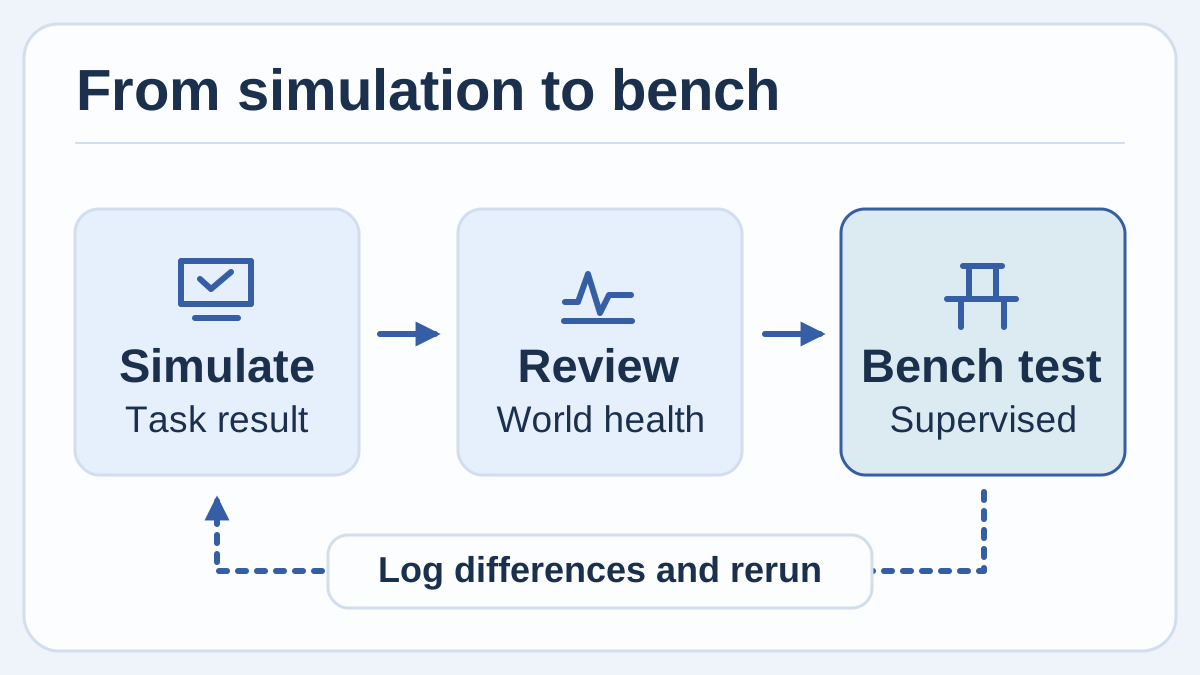
Original diagram of a suggested verification sequence. Review what the simulator reported, compare an observable on the bench, and record what changes before running again.
The paper reports that a benchmark of a 200 mL pour produced about 13 times as many simulated seconds per second when going from one world to 64 on an NVIDIA L4. It describes warm, physics-only runs with a 10 ms control period on a prerelease development build. The figure tells you that there can be value in replication, and that additional worlds are not a linear speedup in this scene. Rendering, training and your scene geometry still belong in your own cost estimate. Alloy preprint, section 4.2
A small reference is worth building before a training job
- Run the project's introductory scene. Use the documented supported Python environment and install with
pip install alloy-engine, or use the quickstart's browser example. Check that you can inspect the state and the world-health result before building your task. Record the package version and separate first compilation time from a repeat run. Alloy quickstart - Choose one observable. For a cable, start with the lowest height after a lift. For a pour, start with the fraction captured in the destination. Define what counts as success and how you will record a missing or invalid run before watching the outcome.
- Capture a simple reference under supervision. Use the actual cable or containers intended for the exercise. Record dimensions, starting conditions and a repeatable measurement. Match those conditions in one simulated world and compare the result before adding random variation.
- Change one condition at a time. Try changing the cable's initial placement or the cup's fill level. Record the outcome and health grade for each run. If a coding agent helps generate scene variants through Alloy's documented MCP tools, review the object properties, measurements and success criterion as you would with any other authored scene. Alloy repository and tool interface
- Increase scale after you can explain the failures. When the first cases make sense, run more worlds and keep held-out variants. Use the resulting evidence to pick a small, supervised next bench test with the team's existing safeguards. Keep simulation outcomes and physical outcomes separately visible in the results.
The quickest useful simulation gives you a better bench question
A team rarely needs the simulation to answer every question at once. In a cable task it might help compare two starting positions before the robot ever approaches a clip. In a pour it might expose that a promising cup motion gets water into the bowl but leaves too much in the source. The result worth keeping is the one that changes what you measure with the real object and gives another person enough information to make the comparison again.
Sources
- Gupta and Rohilla, Alloy: A Multi-Material Physics Engine for Robot Learning, November 12, 2026, including author figures and benchmark tables
- Argon Robotics Alloy source, Apache-2.0 license and setup guide
- Alloy Python package and release history
- Alloy official quickstart and browser example
- Alloy documented limitations and suggested workarounds
To keep simulation observations, measurements and design decisions in a searchable record, create a Telli.sh account.