Can a shared laptop read a Twi lesson aloud offline?
Africa TTS 0.5.0 brings default voices for 92 African languages and English. Here is what a useful offline speech pilot would test.
Imagine a community learning center with a shared laptop and an intermittent internet connection. A teacher has a short reading exercise in Twi and would like students to hear it twice, once before answering and once while checking their answers. A recording is an obvious solution. A text-to-speech tool becomes useful when the script changes frequently, when the teacher wants to produce practice variations, or when an approved recording has yet to be made.
AfriSpeech published Africa TTS 0.5.0 on November 8, 2026. The package can synthesize from text in 92 African languages and English, with a default voice for each language, according to the release description. It runs on a CPU and can synthesize offline after the model has been downloaded and cached. Its maintainers publish an online demo and listening samples. The samples are a quick way to hear the languages under consideration before spending time on installation. Versioned PyPI release · Official listening samples
The useful question for the learning center is narrower than the language count. Can listeners identify the intended words and follow the material on the shared laptop, in their own variety of the language? That calls for a listening check and a device check. Both are more useful when they start with the center's actual sentences.
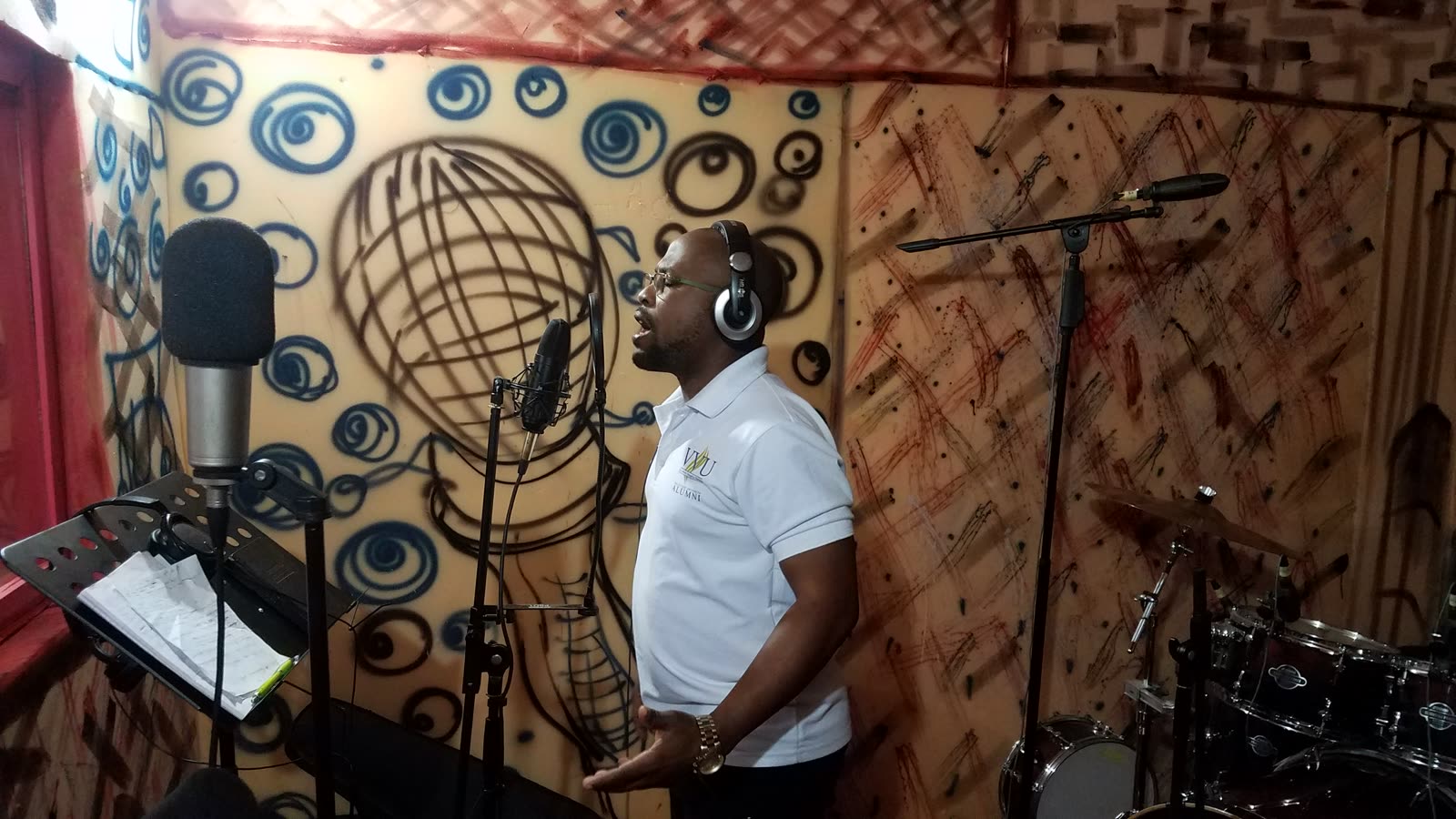
Context photograph from a Ghanaian radio studio, taken in 2017. Photograph by Joy Agyepong, resized under CC BY-SA 4.0. Original photograph

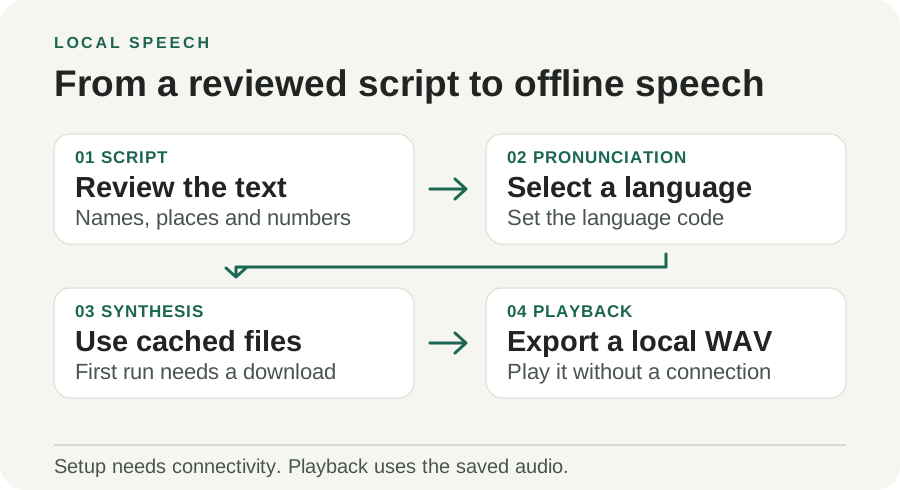
Original illustration by Telli.sh. The model is fetched during setup. The listening workflow can stay on the device after the required files are cached.
A default voice lowers the setup cost for a first lesson
The release gives a first-time user a direct path. Supply a written sentence and a three-letter ISO language code, such as twi for Twi, swh for Swahili, or yor for Yoruba. The package supplies a default voice and saves the speech to an audio file. A teacher can put the resulting file into an offline lesson or play it directly, with the written version available for comparison.
The text input should already be in the language the listener expects to hear. A Swahili announcement requires a Swahili script. If it began in another language, translation and native review are separate steps. Give the translator the place names, units and dates that the audience uses. Put the reviewed script next to the generated audio so a listener can identify where a misunderstanding began.
Start with material that allows small corrections. A teacher could produce several reading passages with similar difficulty and ask two speakers to listen without seeing the text. A training center could prepare a spoken companion to written instructions and check whether attendees understand the order of the steps. In both cases, a staff member can record a short correction when the synthetic output struggles with a name or an unusual phrase.
A short public notice is another plausible job. Think of a learning center changing the time of a workshop and supplying both printed text and a spoken version on a local kiosk. Ask a speaker to listen for the changed time before replacing yesterday's file. If a synthetic voice handles the body of the announcement but leaves the time ambiguous, rerecord that sentence and keep the written fallback visible. The announced detail is worth more than the convenience of generating the whole file in one pass.
Decide how the audio will be updated before placing it on a shared device. One approach is to retain a plain-text master script with the date and language next to the approved WAV. When a staff member changes the lesson, the previous file stays available until a listener approves the replacement. On a disconnected device, two stale copies can sound equally convincing. A short revision label in the lesson interface gives the teacher a way to tell which version will play without opening the production folder.
Pronunciation begins before the speech model
AfriSpeech's model documentation describes a six-layer student model with 110 million parameters including its audio codec. It was distilled from a 24-layer base model. The training procedure taught the smaller model to approximate the output of the larger model's guided generation. That is one reason the package can target CPU use. The relevant result on a shared computer is how long it takes to produce a usable file when the computer is also running the lesson. Model details
The model consumes IPA, the International Phonetic Alphabet, through a language-specific text frontend. In practice, the frontend maps written text into the sound units the speech model expects. The project uses its Africa G2P converter for the supported African languages and documents eSpeak NG for English. That architecture explains why unfamiliar orthography, a borrowed word, or a name can fail even when the output sounds smooth. An error before the acoustic stage can give the model a perfectly fluent way to say the wrong thing. Model and pronunciation frontend
The maintainers recommend spelling out numbers. Do so using the conventions the intended listener uses. Test the form that appears in real materials, including dates, times, ranges, abbreviations and quantities. Keep the typed passage and the pronunciation-adjusted form separately if they differ. The typed version can then remain useful on screen, while the audio generation script has an explicit record of any changes.
Scripts that switch languages inside a sentence deserve their own test. The documentation lets a caller select a language, so a caller should check names and quoted phrases in otherwise monolingual content. Try preparing the relevant text as separate reviewed segments if a single run produces surprising output. This is particularly useful in educational materials where a foreign term may need to be preserved and read back consistently across lessons.
Training coverage gives you a useful starting point
The model card reports 897 hours of speech in its training data. Its per-language table gives English about 322.6 hours, Swahili 27.0 hours, Twi 24.0 hours and Yoruba 15.3 hours. Training hours are a description of the dataset. They do not tell you which local variety of a language a class uses, how often a phrase appeared in training, or whether listeners recognize a particular synthesized name. Model card and language table
The release also describes an experimental list of 657 untrained languages that can be read through a trained language chosen as the closest available match. Treat this as a separate research path. A language in the main documented set and a language routed through a proxy have different evidence behind them. For a pilot aimed at people who rely on audio, start with the trained list, then decide whether the experimental path has enough native review for its purpose. Experimental language notes
The maintainers give two results worth putting in context. First, they report generation at 2.4 times real time on a four-vCPU cloud machine. Second, they describe a held-out comparison in which Omnilingual ASR transcribed the synthesized output. In that evaluation, Africa TTS beat MMS-TTS on 21 of 27 languages for which they report the comparison. Both figures are from the project. A room full of learners introduces different accents, devices, background noise, and speakers. A transcription score is a useful proxy for intelligibility. The listener's interpretation of the sentence is the check that matters for the lesson. Release benchmarks · Evaluation methods
| Test | Measure on the actual pilot device | Why it matters |
|---|---|---|
| First launch | Setup time, download size, storage after cache population | A shared laptop may have limited disk space or access to a fast connection |
| Cached generation | Time from request to finished WAV with the lesson open | A background application can change how fast an ordinary CPU feels |
| Key facts | Whether listeners correctly repeat names, times, numbers and instructions | A passage can sound natural while one important word is wrong |
| Local variety | Native-speaker judgment across target phrases and accents | A supported language code can cover several ways of speaking |
| Failure recovery | Whether the lesson still works with written text or a staff recording | A model or audio device may fail on the day it is needed |
Set up the offline path once, then test it without a connection
- Choose a short reviewed passage. Write a greeting, one representative exercise, and one passage containing names or numbers. Have a speaker confirm the spelling and wording before synthesis.
- Create an isolated Python environment. The 0.5.0 release specifies Python 3.10 through 3.14. Activate a virtual environment appropriate to your operating system, then install the dated version.
python -m pip install "africa-tts==0.5.0"
africa-tts --list-languages
- Plan the first model download. The versioned documentation describes an initial download of about 440 MB for the default model. Run it during setup on an approved network or start a synthesis request and accept the download when prompted. Install the documented eSpeak NG dependency if the pilot includes English. Check the package instructions before changing platform or backend.
africa-tts --download
africa-tts "Akwaaba!" --lang twi -o twi-greeting.wav
- Repeat with networking disabled after setup. Use the same account and cache location the lesson will use. Make a new WAV, open it on the target device, and record generation time separately from playback length.
- Ask people to listen before they read. Play the final clips at the intended volume and ask two speakers or listeners to repeat key facts. Save the script version, model version and comments. If a fact is misheard, correct the text or replace the clip and repeat the check.
This sequence is useful even for teams interested in Android. AfriSpeech documents a sherpa-onnx bundle with a C frontend and Android wrapper. Test the actual phone build separately, since the mobile package and default desktop runtime use different backends. Compare cold-start time, storage, audio quality and battery behavior using representative devices and complete passages. A working desktop command establishes that the project fits one environment. The phone still needs its own run. On-device deployment notes
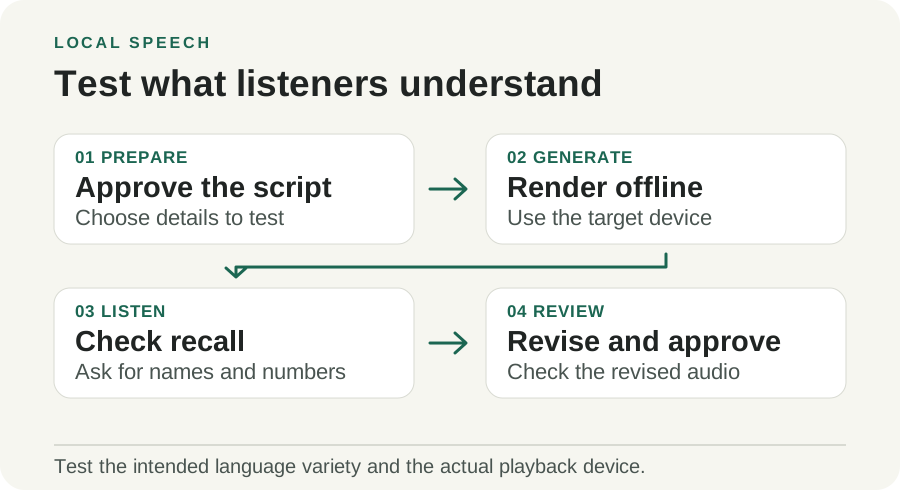
Original illustration by Telli.sh. Ask listeners to repeat key facts before reading the script so they can flag pronunciation problems that a proofreader might miss.
License the voice along with the code
The Python package's code is MIT-licensed. The 0.5.0 release says the model and default voices use CC BY-NC 4.0. The English frontend dependency eSpeak NG has its own GPL terms. Check those parts separately when planning how to distribute the tool, the voice files, or a service that depends on them. A public download can be easy to try while some commercial uses require a different model or separate permission. Release licensing · CC BY-NC 4.0 terms
The package can also use a supplied voice sample. A default voice makes a school pilot simpler because it avoids collecting a person’s reference recording. If the application needs a specific voice, obtain the speaker's permission for the proposed use and agree where the reference audio and generated files will live. A learning center could avoid that decision altogether by recording corrections in a staff member's own voice with permission and using the default model for practice variations.
Offline synthesis can help a team keep scripts and voice material on its own device. The hosted demo is a different route. If someone submits a script or a reference clip through a web service, treat that as a separate data-sharing decision. Start with a public test sentence when checking a hosted demo and use the local workflow for material governed by school or organizational policy.
The pass criterion belongs to the listener
Africa TTS makes it realistic to put a first audio draft in front of people who may rarely see their language in a speech tool. A useful release test stays small enough to check by ear. Take a passage that people will actually hear, run it with the network off, and ask them to repeat the detail that matters. A correct answer to that question says more about the pilot than the number of choices in a language menu.
Sources
- Africa TTS 0.5.0 release, November 8, 2026
- AfriSpeech model card and training coverage
- AfriSpeech evaluation methods
- AfriSpeech public listening examples
- CC BY-NC 4.0 license
- Ghana radio studio context photograph by Joy Agyepong, CC BY-SA 4.0
For a searchable record of the conversations and decisions behind your work, Create a Telli.sh account.