An Adobe marketing coworker can follow you into chat. What follows its permissions?
Adobe announced new ways to reach its CX Enterprise Coworker from other AI tools. A campaign change makes the boundaries easier to see.
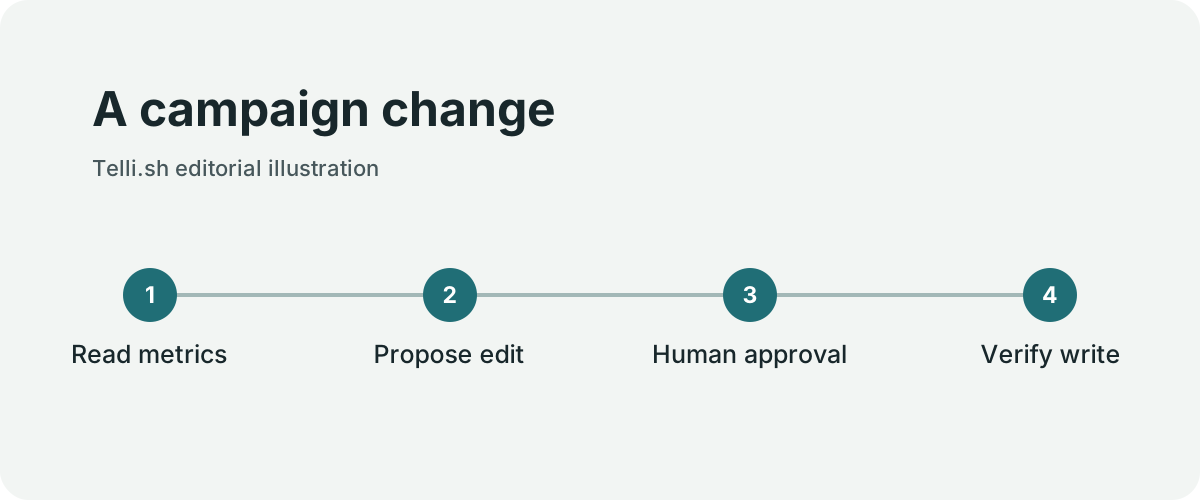
A marketer finds an audience segment shrinking faster than expected. She already has a chat open with her team’s preferred assistant and wants to ask what changed. The same conversation could eventually produce a proposed adjustment to an active campaign. Reading a trend and changing a campaign are different operations. A new way to reach both from chat makes it important to keep that distinction visible.
On November 4, 2026, Adobe announced integrations for CX Enterprise Coworker, an assistant that works with Adobe’s customer experience tools. Adobe reported that access was live across ChatGPT, Claude, Databricks Genie, Gemini for business and Microsoft Copilot, including a ChatGPT plugin. The company also describes planned access through additional platforms. A named integration is the start of an availability check. Access can depend on the host, the organization’s Adobe products and contract, and its administrator’s settings.

Adobe headquarters in San Jose in 2006. Context photo by Coolcaesar, cropped and resized, CC BY-SA 3.0. Image source · License.

A campaign question crosses multiple boundaries
A campaign change. Original illustration by Telli.sh.
Consider a retailer with two campaigns using overlapping audience definitions. A marketer wants to understand why the second campaign’s reach fell. The assistant could gather recent audience counts and campaign dates, present the most plausible explanations, and prepare a proposed change. If the change moves people between audiences, the reviewer needs to see which group expands, which exclusion stays in effect, and which live campaign would be affected.
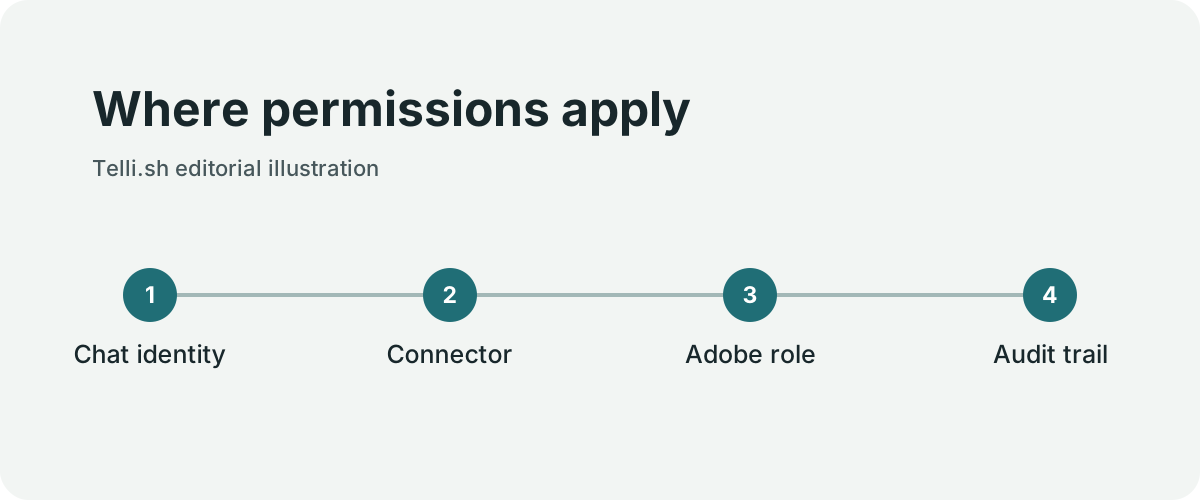
The announcement describes interoperability using the Model Context Protocol and Agent2Agent. Those terms help explain how a host can discover capabilities or hand off work. They do not describe what an individual employee is allowed to do. A rollout should map the identities and privileges on both sides of the connection, including whether a connector uses the employee’s credentials or acts through a service account. A difference at that layer can turn a simple change in interface into a change in effective authority.
Snowflake is a good example of why the surfaces should be named precisely. Adobe mentions Snowflake Cortex AI in its description of partner connectivity. The same announcement discusses a broader future platform interface. A reference to one integration path does not establish availability through the other. Amazon Quick and IBM also belong with the announcement's planned surfaces. A pilot can begin with the platform and connector actually enabled in the organization.
| Stage | What the assistant could do | What the marketer should be able to see |
|---|---|---|
| Read | Retrieve authorized trends and campaign context | Sources, filters, time range, and reporting delay |
| Plan | Draft a change using the current audience definitions | Assumptions, expected effect, and exclusions |
| Preview | Show which objects would change | A stable proposal suitable for approval |
| Approve and write | Apply a reviewed proposal through a permitted identity | Approver, target, changes, and result |
| Reconcile | Retrieve the saved state after the write | Whether the change took effect and how to recover |
The table describes a rollout pattern. It is a set of things to verify against the host and Adobe products in use. For example, the buyer should check where the approval happens and which system holds the receipt. Adobe's announcement does not provide a uniform audit contract for all hosts.
Try the same request with two roles
Where permissions apply. Original illustration by Telli.sh.
A practical starting point is an analysis-only pilot with test data. Assign one participant access to campaign reports and a second participant the ability to propose changes in a staging environment. Ask both the same question from the chat tool they normally use. Each should get the material appropriate to their role. The participant with report access should have no way to carry out a write by phrasing the request differently.
In the next round, approve a staged proposal, then change the underlying campaign from another tab before applying it. Check whether the preview is still valid, whether the application warns about the intervening change, and whether the operation leaves an audit record. Make sure an interrupted connection can be reconciled without sending the same change twice. Those tests are especially relevant when a host can retry a request.
Privacy deserves its own test. Use artificial customer records to see whether aggregate counts, personal details, or identifiers appear in prompts, exports, and chat history. Verify that the destinations and retention periods match the organization’s policy. The ability to open a marketing tool in a different chat should make approved work easier to reach while keeping existing data controls meaningful.
What changes for teams with several AI tools
The advantage of Adobe’s announcement is that a team may be able to use its existing assistant to reach customer experience workflows. That can remove switching costs and make a cross-tool question easier to ask. It can also create several places where people can request the same change. Clear previews and a stable approval record make that convenience easier to govern.
Measure the time from question to an actionable proposal, then the time from approval to verified change. Include requests that should be declined. When the assistant can explain why it lacks access and hand off cleanly, the permissions behave like part of the interface. When one host bypasses review or cannot show what happened, the same convenience has a different operating cost.
Start with an aggregate decision
A merchandising group might ask the assistant which audiences have stopped responding to a seasonal campaign. The first useful response could cite aggregate trend windows and show how recent list exclusions affected reach. This is a relatively safe place to start if the data is authorized and the team can reconcile the counts with a saved report. Ask the assistant to identify the date range, filters and reporting delay. If a change in reach reflects incomplete data, the answer should leave the proposed campaign untouched.
For a second test, the group might ask to draft a project or approval workflow around a later audience change. Adobe’s workflow page describes controls that depend on configured policies, connected products and approval processes. It describes a broader shared project workflow as coming soon. If a capability is still planned for the buyer’s environment, the operator can test an analogous staged proposal without telling employees the announced integration already supports it.
One company may want the assistant to create a draft task for a campaign owner. Another may want a formal approval before a live audience rule changes. Those workflows have different consequences. Write down the smallest operation the team needs and who should approve it. Use the actual product and host to verify that those constraints are enforced. A marketing demonstration can explain the interface, and a team’s access test can show whether the demonstration maps to its contracts.
Pilot the connector like a production interface
- Pick the host, Adobe products and roles actually available in the organization.
- Start with an aggregate question whose answer can be checked against a saved report. Use test data wherever possible.
- Repeat the question as a report viewer and as a campaign operator. Compare both the content returned and what actions each identity can see.
- Ask for a proposed change in staging and require a preview containing the target, rules, exclusions and effective time.
- Try an expired approval or a changed target before writing. Record the error and check the underlying campaign state.
- After an approved write, reconcile the saved result with the original preview and verify the activity record can be found by an authorized reviewer.
Document where the result is recorded. The host chat may retain a conversation, while Adobe can retain a change record and a separate workflow can retain an approval. People investigating a failed rollout need to know how to connect those pieces. If a connector surfaces a receipt, verify whether it can be tied to the campaign version and named actor. Retain only the data needed for that purpose.
An organization that enables several hosts can apply the same case to each one. One host may handle aggregate questions well but provide a less useful write preview. Another may keep an audit record that is easier for a supervisor to find. Compare those results independently. A connector added to one host does not prove that another host supports the same interaction or exposes the same review controls.
Put a boundary around audience data
Suppose the proposed change suppresses a segment that already purchased a product. The assistant may need aggregate counts and a segment identifier, but the reviewer usually does not need the raw customer list in the conversation. Try both an ordinary approved question and a request for details outside the marketer’s role. Verify what reaches the chat, the connector and the underlying service.
In the read path, check that the response explains which filters and consent rules were applied. In the write path, verify that those same rules appear in the preview and persisted result. If a review identifies an accidental expansion, the operator needs a supported way to reconcile the change or restore a previous state. That recovery path should be part of rollout planning for any host that permits writes.
Adobe’s ChatGPT walkthrough gives teams one concrete implementation to examine. An evaluation can begin with the steps shown there, then adapt them to the organization’s own products, identity and policies. Cross-platform access has value when it shortens a legitimate task and leaves a campaign owner able to explain, approve and verify the result.
A creative approval has a different owner
A retailer could ask the assistant to turn the results of an audience analysis into a draft request for new creative. The decision might involve a campaign owner, a creative lead and an approver who understands brand restrictions. In an organization using Workfront, a useful test is to check whether the currently enabled integration can propose the right project details, attach the evidence and assign the right people. Adobe’s workflow page is where to check which configuration is available. Treat project creation or an approval route as a test scenario until the buyer verifies that exact action in its own environment.
In that pilot, give the creative lead permission to revise a draft brief but no authority to change a live audience. Then ask for both in one sentence. A successful workflow should preserve the distinction between the brief and the campaign. A write to one system should not silently grant the employee permission to write to the other. A clear result gives the next reviewer a link or identifier for the part that succeeded.
Use the same evidence across hosts
| Control | A useful check for every host |
|---|---|
| Identity | Compare the person signed into chat with the actor recognized by the connector |
| Consent and data | Test an allowed aggregate question and a request that exceeds the role |
| Approval | Confirm the proposal and approval refer to the same version of the target |
| Audit | Retrieve a receipt and match the actor and outcome to the saved object |
| Recovery | Confirm that a failed or repeated request cannot silently duplicate a write |
The table gives the deployment owner the same check in every interface. Capture outcomes with staging objects and predictable example data. If a host supports reading but lacks the approval flow your organization needs for writes, you can measure the read-only benefit without changing the permissions for campaign operators.
One useful final exercise is to revoke connector access and retry the original question. Verify that the user gets a comprehensible access result and that a previously saved chat cannot cause a new read or write. Check separately which old data remains visible in chat according to the organization's retention policy. That exercise gives administrators a way to distinguish disabling a connector from deleting conversation records.
Sources
For a searchable record of the conversations and decisions behind your work, Create a Telli.sh account.